> ## Documentation Index
> Fetch the complete documentation index at: https://www.integrate.io/docs/llms.txt
> Use this file to discover all available pages before exploring further.

# ELT/CDC: Sources - Adobe Analytics

> Configure Adobe Analytics as a data source in Integrate.io ELT & CDC. Connect your analytics data for automated replication to your warehouse.

|                           |                                                                         |
| :------------------------ | :---------------------------------------------------------------------- |
| **Description**           | This connector synchronizes adobe analytics data with flydata database. |
| **Supported Replication** | Continuous Sync                                                         |
| **Authentication Type**   | Bearer Token                                                            |

## Collections

| **Collection Name** | **Full/**   **Initial Sync** | **Incremental/**   **Continuous Sync** | **Supports Update** | **Supports Delete** |
| :------------------ | :--------------------------- | :------------------------------------- | :------------------ | :------------------ |
| Tags                | ✔                            | ✔                                      | ✔                   | ✖                   |
| Segments            | ✔                            | ✔                                      | ✔                   | ✖                   |
| Projects            | ✔                            | ✔                                      | ✔                   | ✖                   |
| Metrics             | ✔                            | ✔                                      | ✔                   | ✖                   |
| Dimensions          | ✔                            | ✔                                      | ✔                   | ✖                   |
| Date ranges         | ✔                            | ✔                                      | ✔                   | ✖                   |
| Collections         | ✔                            | ✔                                      | ✔                   | ✖                   |
| Calculated metrics  | ✔                            | ✔                                      | ✔                   | ✖                   |
| Annotations         | ✔                            | ✔                                      | ✔                   | ✖                   |

### Setting up Adobe Analytics for ELT & CDC

ELT & CDC uses the API provided by Adobe Analytics to sync the data.

<Card title="Adobe Analytics API Reference" icon="code" href="https://developer.adobe.com/analytics-apis/docs/2.0/guides/" horizontal />

#### Requirements

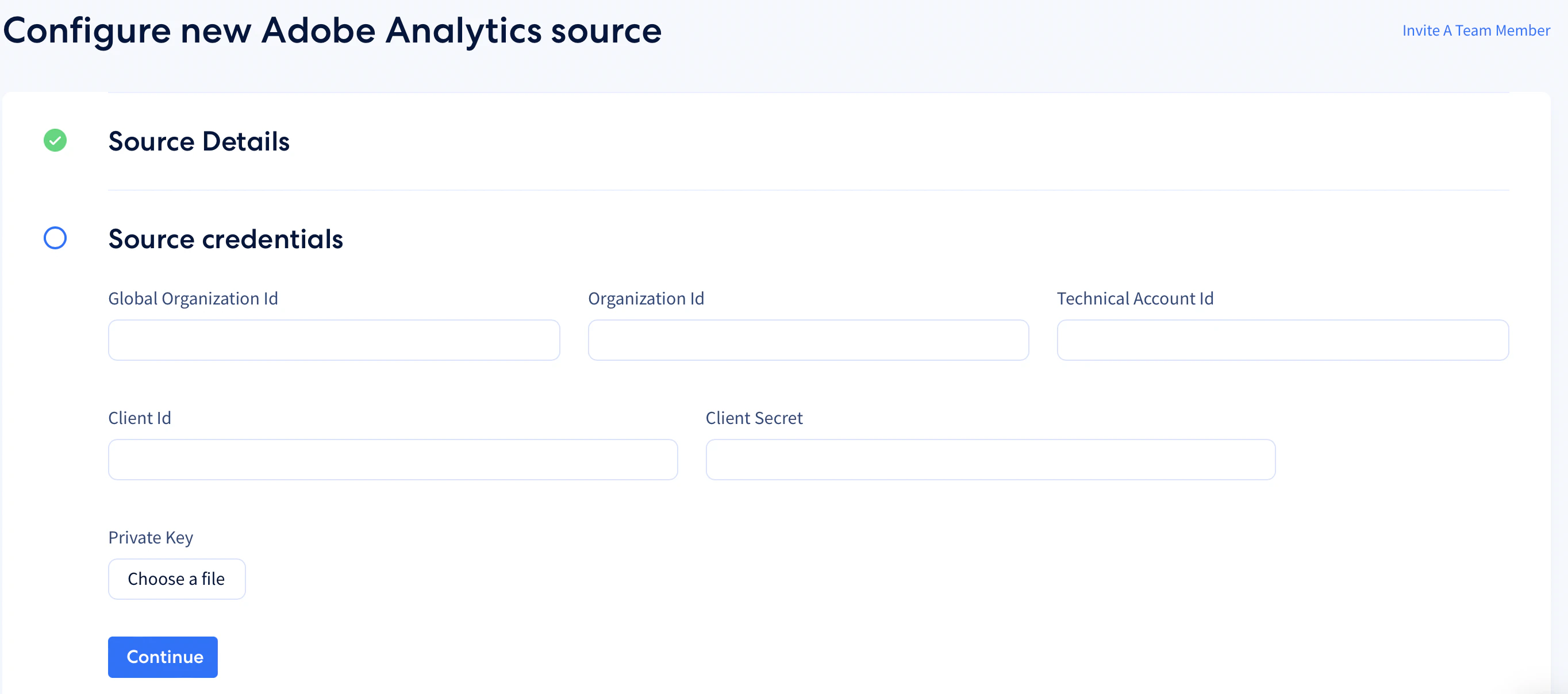
Kindly follow the steps in the guide to access the api and provide the following credentials.

`global_organization_id` `organization_id` `private_key` `technical_account_id` `client_id` `client_secret`
<Frame>
  <img src="https://mintcdn.com/integrateio/MGWLTifrhXADDsEf/images/cdc/sources/image-1.png?fit=max&auto=format&n=MGWLTifrhXADDsEf&q=85&s=8b388d2ec0d36ef638265b6398b3e34d" alt="Integrate.io Adobe Analytics source form with credential input fields" width="2728" height="1208" data-path="images/cdc/sources/image-1.png" />
</Frame>
