> ## Documentation Index
> Fetch the complete documentation index at: https://www.integrate.io/docs/llms.txt
> Use this file to discover all available pages before exploring further.
# Azure PostgreSQL source for ELT & CDC
> Configure Azure Database for PostgreSQL as a source in Integrate.io ELT & CDC. Enable LOGICAL replication and complete the common PostgreSQL setup.
This page covers the **Azure-specific** steps to prepare your PostgreSQL instance for ELT & CDC. After completing them, follow the common setup (sync user grants, heartbeat table, publication, and replication slot) on the [PostgreSQL source for ELT & CDC](/cdc/postgresql) page.
## Requirements
* Azure Single Server for PostgreSQL.
* PostgreSQL **version 10 or above**.
* Connect to the **primary** instance. Logical replication only works on the primary.
* Tables with a `PRIMARY KEY`.
## Enable logical replication
Go to your Azure Database for PostgreSQL server page in the Azure portal.
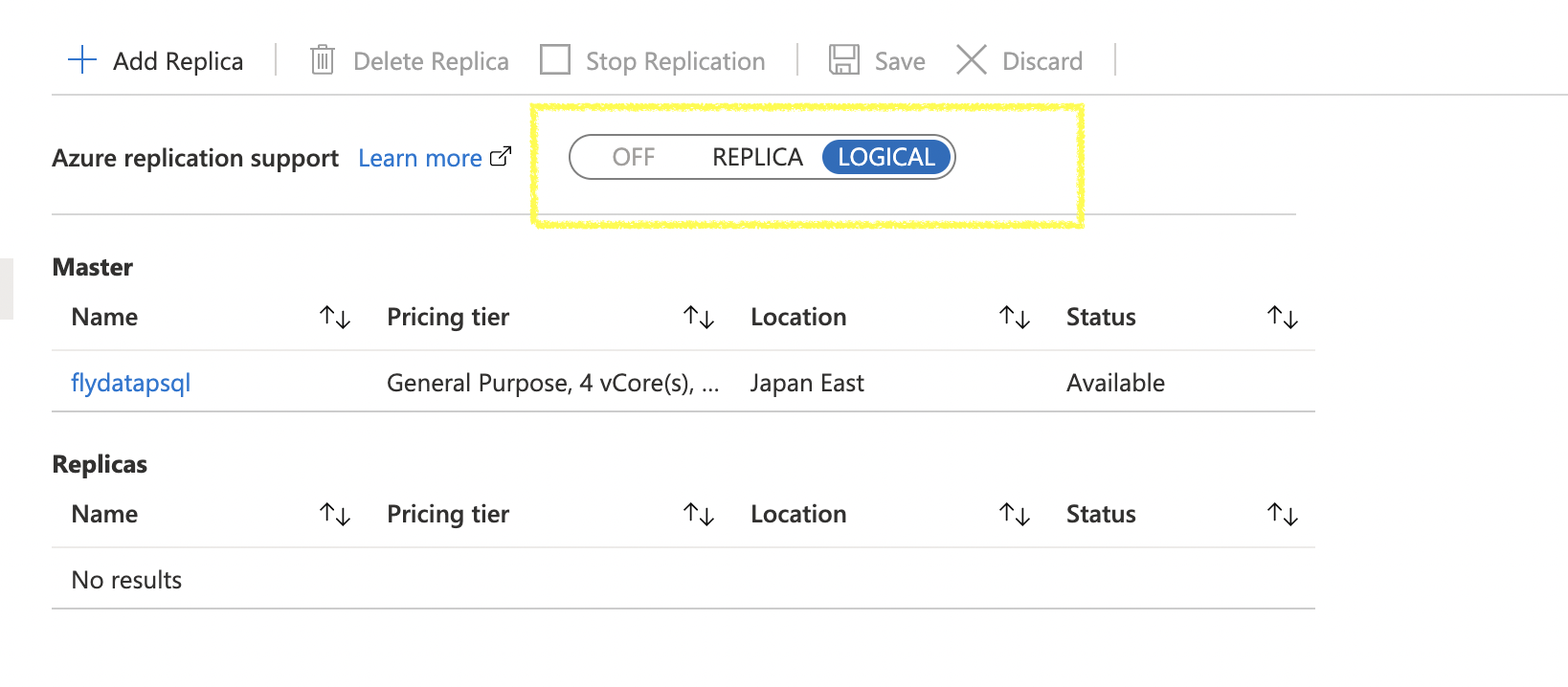
Under **Replication**, set replication support to **LOGICAL** and click **Save**. Restart the server if Azure prompts you.
 ## Next: common setup
Continue with the canonical PostgreSQL setup for the remaining steps — sync user creation, privileges (`USAGE`, `SELECT`, `REFERENCES`), heartbeat table, publication, and replication slot. Grant the replication attribute with `ALTER ROLE integrateio WITH REPLICATION;`.
## Next: common setup
Continue with the canonical PostgreSQL setup for the remaining steps — sync user creation, privileges (`USAGE`, `SELECT`, `REFERENCES`), heartbeat table, publication, and replication slot. Grant the replication attribute with `ALTER ROLE integrateio WITH REPLICATION;`.