> ## Documentation Index
> Fetch the complete documentation index at: https://www.integrate.io/docs/llms.txt
> Use this file to discover all available pages before exploring further.

# BigCommerce source for ELT & CDC

> ELT & CDC uses the Management APIs provided by BigCommerce to sync the data. We typically use the V3 version of the API but fallback to V2 wherever applicable.

[BigCommerce Management API reference](https://developer.bigcommerce.com/api-reference#management-apis)

## Setting up BigCommerce for ELT & CDC

### Requirements

* You need permissions to create API Tokens.
* The tokens themselves need `read-only` scopes to various entities in your BigCommerce Store.

### Create API Token

Follow these steps to create a V2/V3 API Token.

<Steps>
  <Step>
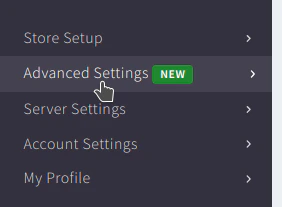
    Click `Advanced Settings` in the navigation bar on the left.
    <Frame>
      <img src="https://mintcdn.com/integrateio/SIDFEDRgXpxG0yrn/images/cdc/sources/image-9.png?fit=max&auto=format&n=SIDFEDRgXpxG0yrn&q=85&s=fc82baa5046248022a669f6f9d44e3f3" alt="Advanced Settings menu item in the BigCommerce navigation bar" width="282" height="207" data-path="images/cdc/sources/image-9.png" />
    </Frame>
  </Step>

  <Step>
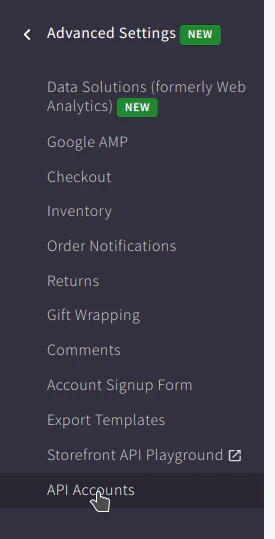
    Click `API Accounts` in the navigation bar on the left.
    <Frame>
      <img src="https://mintcdn.com/integrateio/MGWLTifrhXADDsEf/images/cdc/sources/image-10.png?fit=max&auto=format&n=MGWLTifrhXADDsEf&q=85&s=18db7970b460be54982c9eb3acb7eaa7" alt="API Accounts option in the BigCommerce left navigation" width="275" height="539" data-path="images/cdc/sources/image-10.png" />
    </Frame>
  </Step>

  <Step>
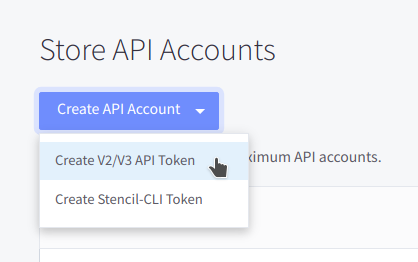
    Click `Create API Account` button and select `Create V2/V3 API Token` from the dropdown.
    <Frame>
      <img src="https://mintcdn.com/integrateio/SIDFEDRgXpxG0yrn/images/cdc/sources/image-11.png?fit=max&auto=format&n=SIDFEDRgXpxG0yrn&q=85&s=743655b5c856b9ab6ad86aab52d4f253" alt="Create API Account dropdown with Create V2/V3 API Token option" width="418" height="262" data-path="images/cdc/sources/image-11.png" />
    </Frame>
  </Step>

  <Step>
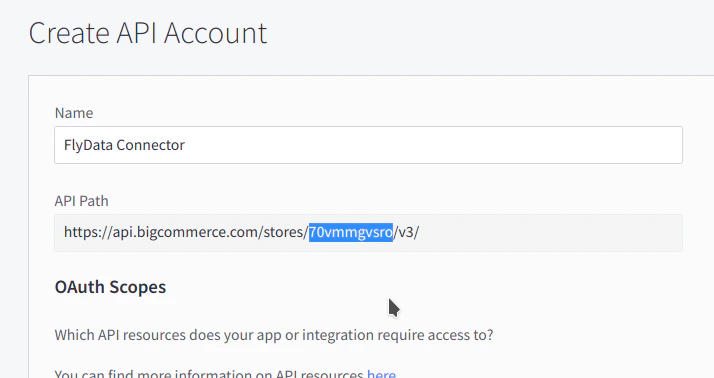
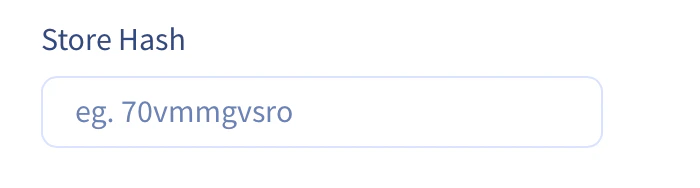
    Enter a name for the token and copy over the store hash (highlighted in the image below) into the input field below.
    <Frame>
      <img src="https://mintcdn.com/integrateio/SIDFEDRgXpxG0yrn/images/cdc/sources/image-12.png?fit=max&auto=format&n=SIDFEDRgXpxG0yrn&q=85&s=fc3753f6fff08a7cff5ea5f2f1159808" alt="API token name field with the store hash highlighted in the API path" width="714" height="378" data-path="images/cdc/sources/image-12.png" />
    </Frame>

    <br />

    <Frame>
      <img src="https://mintcdn.com/integrateio/SIDFEDRgXpxG0yrn/images/cdc/sources/image-13.png?fit=max&auto=format&n=SIDFEDRgXpxG0yrn&q=85&s=2f6c89af65f3035f91922c24df92aee8" alt="Store hash input field in the Integrate.io source configuration" width="700" height="188" data-path="images/cdc/sources/image-13.png" />
    </Frame>
  </Step>

  <Step>
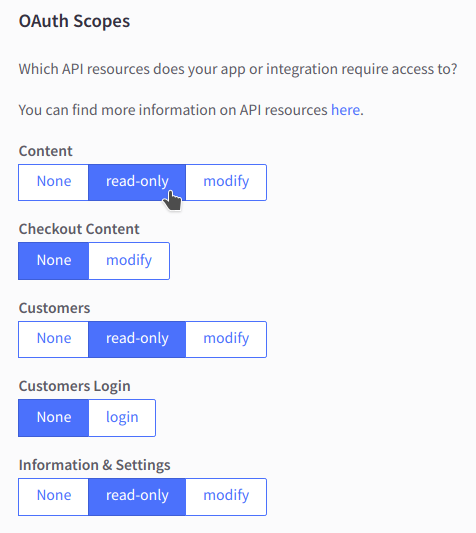
    Assign all `read-only` scopes to the token.
    <Frame>
      <img src="https://mintcdn.com/integrateio/SIDFEDRgXpxG0yrn/images/cdc/sources/image-14.png?fit=max&auto=format&n=SIDFEDRgXpxG0yrn&q=85&s=079274f498916a2a77782b76a1041cc9" alt="BigCommerce OAuth scopes list with read-only permissions selected" width="476" height="533" data-path="images/cdc/sources/image-14.png" />
    </Frame>
  </Step>

  <Step>
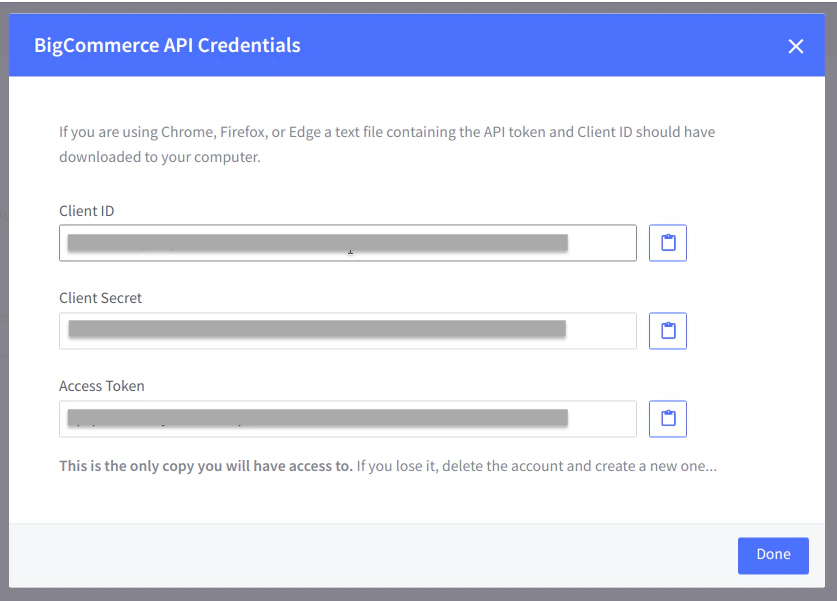
    Save the token by clicking the button at the bottom of the screen.\
    The credentials will be downloaded on to your system and also displayed on the screen.
  </Step>

  <Step>
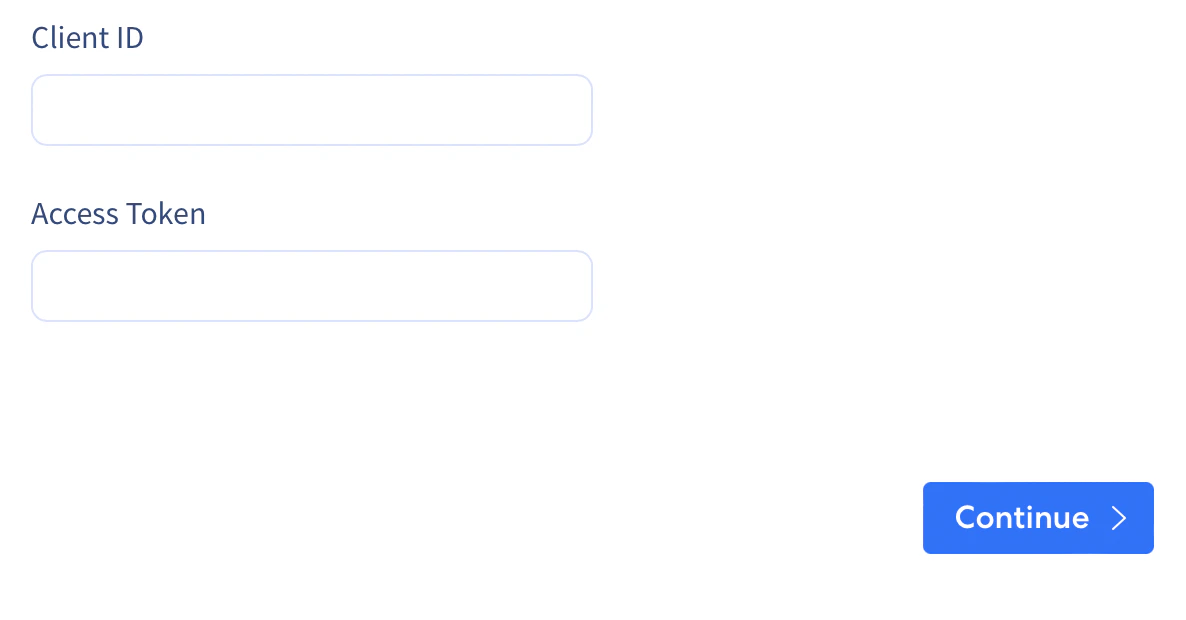
    Fill in the `Client ID` and `Access Token` displayed in to the input fields below.
    <Frame>
      <img src="https://mintcdn.com/integrateio/SIDFEDRgXpxG0yrn/images/cdc/sources/image-15.png?fit=max&auto=format&n=SIDFEDRgXpxG0yrn&q=85&s=9862e7b01d585098086f36e50dfc2ee7" alt="BigCommerce API credentials displayed after saving the token" width="837" height="601" data-path="images/cdc/sources/image-15.png" />
    </Frame>
  </Step>
</Steps>

### FlyData BigCommerce Source Create Form

<Steps>
  <Step>
    Fill in the `Client ID` and `Access Token`

    <Frame>
      <img src="https://mintcdn.com/integrateio/SIDFEDRgXpxG0yrn/images/cdc/sources/image-16.png?fit=max&auto=format&n=SIDFEDRgXpxG0yrn&q=85&s=0f9f4f701fef76a18eefd57dc8a0673b" alt="Integrate.io BigCommerce source form with Client ID and Access Token fields" width="1186" height="620" data-path="images/cdc/sources/image-16.png" />
    </Frame>
  </Step>
</Steps>