> ## Documentation Index
> Fetch the complete documentation index at: https://www.integrate.io/docs/llms.txt
> Use this file to discover all available pages before exploring further.
# Bing Ads source for ELT & CDC
> Configure Bing Ads as a data source in Integrate.io ELT & CDC. Sync your Microsoft Advertising campaign and performance data to your warehouse.
| | |
| :------------------------ | :---------------------------------------------------------------------------------------------------------------------------------------------------------------------------------------------------------------------------------------------------------------------------------------------------------------------------------------------------------------------------------------------------------------------------------------------------------------------------------------------------------------------------------------------------------------------------------------------------------------- |
| **Description** | Microsoft Advertising is a pay-per-click (PPC) advertising platform used to display ads based on the keywords used in a user's search query. For advertisers placing a large number of ads or developers building advertising tools, the **Bing Ads** API provides programmatic access to Microsoft Advertising. Using the **Bing Ads** API is the most efficient way to manage many large campaigns or to integrate your marketing with other in-house systems. Some organizations may choose a hybrid approach; using the web UI for most tasks but automating reporting or campaign optimization with the API. |
| **Supported Replication** | Continuous Sync |
| **Authentication Type** | OAuth |
## Collections
| **Collection Name** | **Full/** **Initial Sync** | **Incremental/** **Continuous Sync** | **Supports Update** | **Supports Delete** |
| :--------------------------------- | :--------------------------- | :------------------------------------- | :------------------ | :------------------ |
| accounts | ✔ | ✖ | | |
| campaigns | ✔ | ✖ | | |
| ad\_groups | ✔ | ✖ | | |
| ads | ✔ | ✖ | | |
| ad\_extension\_detail\_report | ✔ | ✖ | | |
| ad\_group\_performance\_report | ✔ | ✖ | | |
| ad\_performance\_report | ✔ | ✖ | | |
| age\_gender\_audience\_report | ✔ | ✖ | | |
| audience\_performance\_report | ✔ | ✖ | | |
| campaign\_performance\_report | ✔ | ✖ | | |
| geographic\_performance\_report | ✔ | ✖ | | |
| goals\_and\_funnels\_report | ✔ | ✖ | | |
| keyword\_performance\_report | ✔ | ✖ | | |
| search\_query\_performance\_report | ✔ | ✖ | | |
### Setting up Bing Ads for ELT & CDC
#### Overview
ELT & CDC uses the API provided by Bing Ads to sync the data. [Bing Ads API Reference](https://docs.microsoft.com/en-us/advertising/guides/?view=bingads-13)
#### Requirements
* You need to authenticate via OAuth2.
#### Obtain developer token
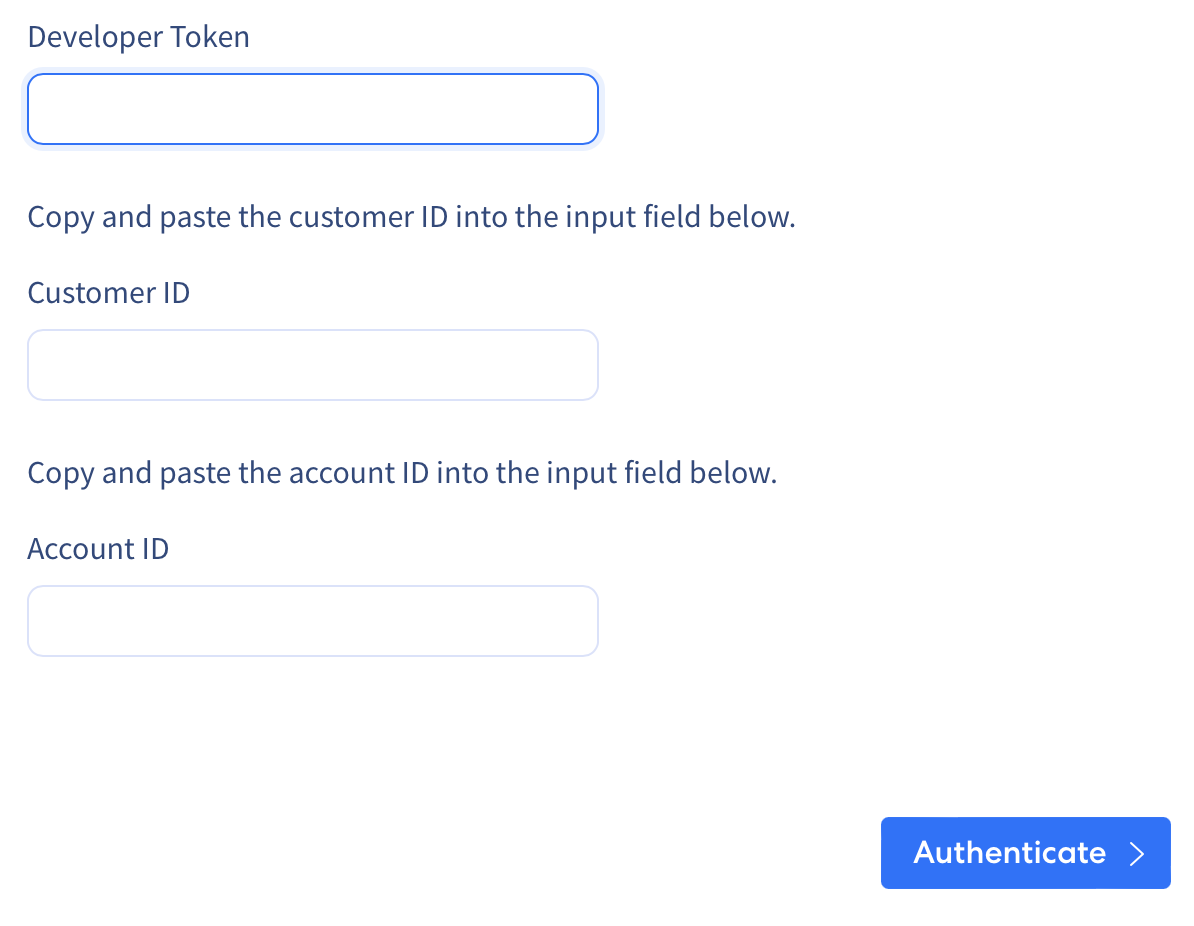
Follow these steps to obtain your developer token, company ID and account ID.
* Go to [https://developers.ads.microsoft.com/Account](https://developers.ads.microsoft.com/Account) and click the `Request Token` button. If you cannot see the button, it means that the token was already generated and you can find it in that page.
 * To get a user's customer ID and account ID, you can sign in to the Microsoft Advertising web application and click the Campaigns tab. The URL will contain a cid key/value pair in the query string that identifies your customer ID, and an aid key/value pair that identifies your account ID. For example, `https://ui.ads.microsoft.com/campaign/Campaigns.m?cid=FindCustomerIdHere&aid=FindAccountIdHere#/customer/FindCustomerIdHere/account/FindAccountIdHere/campaign`
* Copy and paste the developer token into the input field below.
* To get a user's customer ID and account ID, you can sign in to the Microsoft Advertising web application and click the Campaigns tab. The URL will contain a cid key/value pair in the query string that identifies your customer ID, and an aid key/value pair that identifies your account ID. For example, `https://ui.ads.microsoft.com/campaign/Campaigns.m?cid=FindCustomerIdHere&aid=FindAccountIdHere#/customer/FindCustomerIdHere/account/FindAccountIdHere/campaign`
* Copy and paste the developer token into the input field below.