> ## Documentation Index
> Fetch the complete documentation index at: https://www.integrate.io/docs/llms.txt
> Use this file to discover all available pages before exploring further.

# Data observability alerts in ELT & CDC

> Set up Data Observability alerts in Integrate.io to automatically monitor data quality. Configure metric thresholds and notification rules.

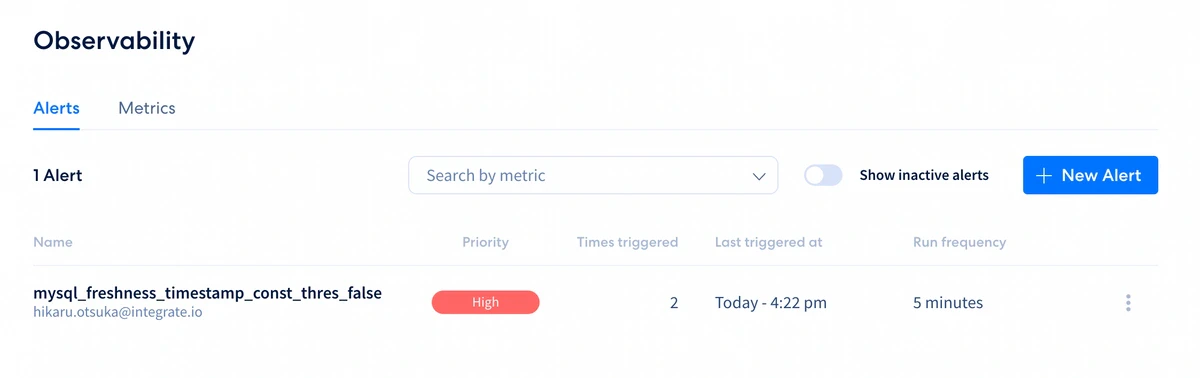
The **Alerts** page lists the active alerts. 
<Frame>
  <img src="https://mintcdn.com/integrateio/MGWLTifrhXADDsEf/images/cdc/data-observability/image-8.png?fit=max&auto=format&n=MGWLTifrhXADDsEf&q=85&s=fef2f6d50e6c8c59048a7cce0a7fa3ae" alt="Alerts page listing active alerts with status and details" width="1200" height="378" data-path="images/cdc/data-observability/image-8.png" />
</Frame>

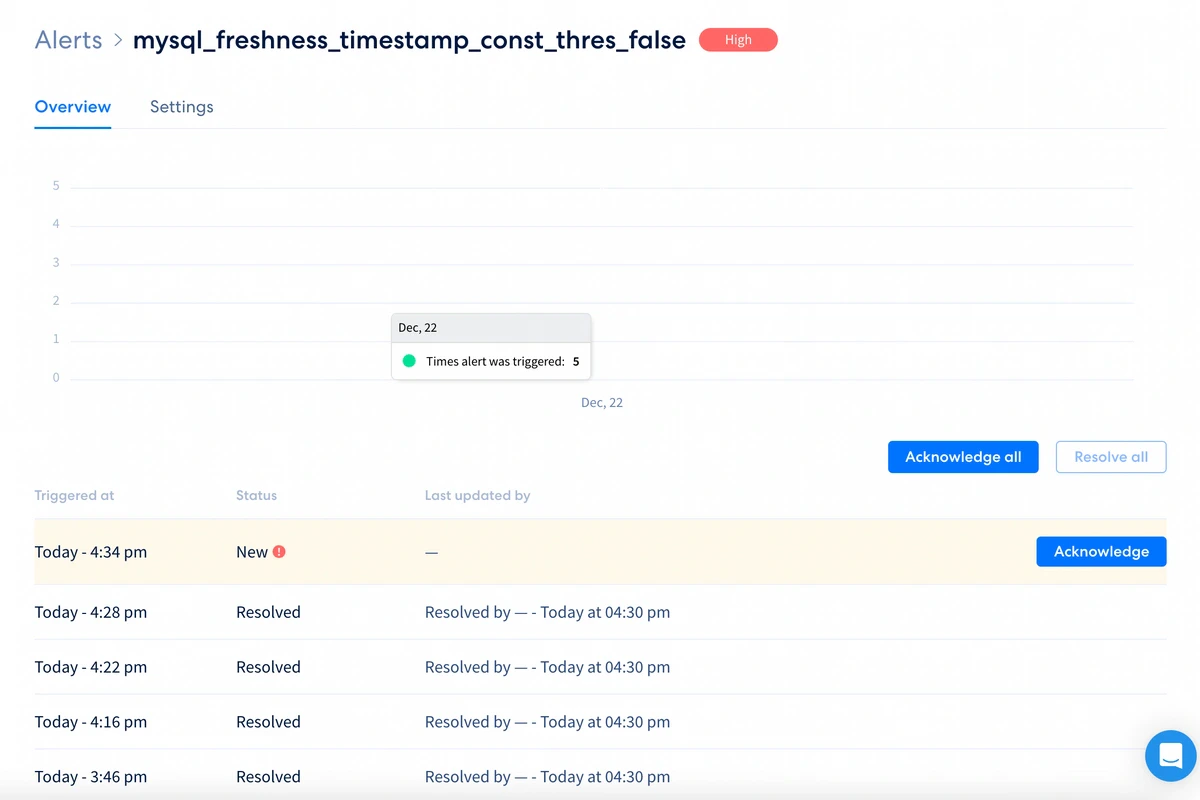
**Alert** will be triggered if metrics condition is satisfied. 

<Frame>
  <img src="https://mintcdn.com/integrateio/MGWLTifrhXADDsEf/images/cdc/data-observability/image-9.png?fit=max&auto=format&n=MGWLTifrhXADDsEf&q=85&s=c7ac57d69fe71b082d0e5c0f461b9520" alt="Triggered alert showing metric condition details" width="1200" height="92" data-path="images/cdc/data-observability/image-9.png" />
</Frame>

<br />

<Frame>
  <img src="https://mintcdn.com/integrateio/MGWLTifrhXADDsEf/images/cdc/data-observability/image-10.png?fit=max&auto=format&n=MGWLTifrhXADDsEf&q=85&s=fe4317633ea283a2a80de3d7dae22821" alt="Alert trigger details with threshold and metric value" width="1200" height="800" data-path="images/cdc/data-observability/image-10.png" />
</Frame>

## Email Notification 

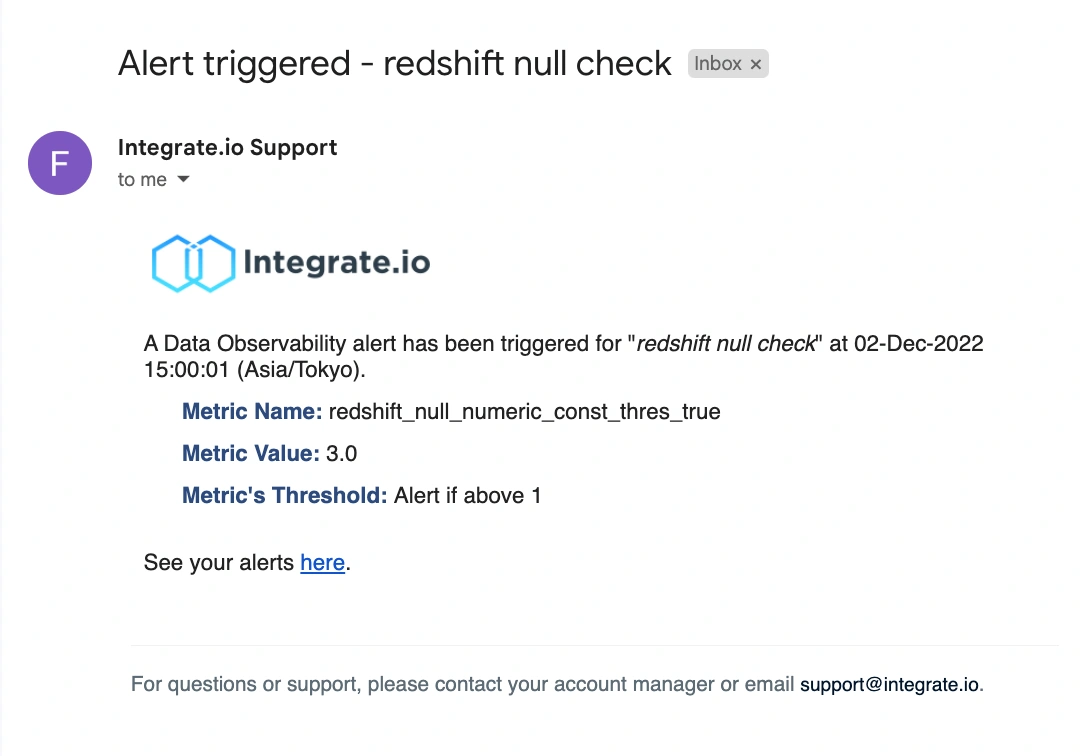
An email notification will be sent if an alert is triggered. This includes the metric and threshold set, as well as the [metric value](/cdc/available-metrics-types) (*eg Null - count of rows with a null value in the column*).
<Frame>
  <img src="https://mintcdn.com/integrateio/MGWLTifrhXADDsEf/images/cdc/data-observability/image-11.png?fit=max&auto=format&n=MGWLTifrhXADDsEf&q=85&s=685f174b244df8227d72b06c11b03693" alt="Email notification for a triggered alert with metric and threshold" width="1086" height="756" data-path="images/cdc/data-observability/image-11.png" />
</Frame>

## Alert Settings

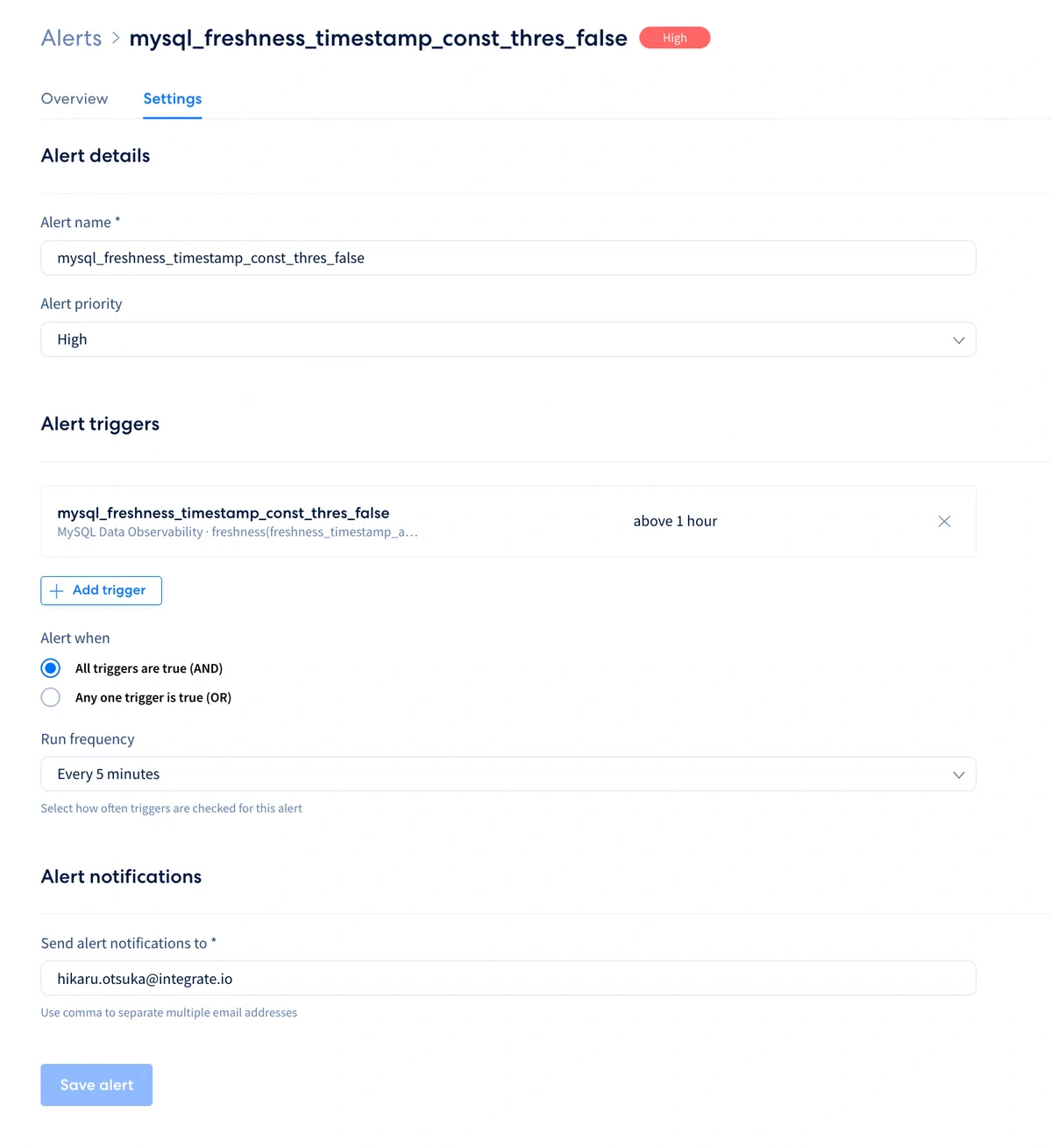
You can update an existing alert’s **name**, **priority**, **triggers** ([**metrics**](/cdc/data-observability-metrics)), **frequency** and **notifications** under **Settings**.

<Frame>
  <img src="https://mintcdn.com/integrateio/MGWLTifrhXADDsEf/images/cdc/data-observability/image-12.png?fit=max&auto=format&n=MGWLTifrhXADDsEf&q=85&s=6388953d560cc374329329ff39a386c1" alt="Alert Settings page with name, priority, and trigger options" width="998" height="100" data-path="images/cdc/data-observability/image-12.png" />
</Frame>

<br />

<Frame>
  <img src="https://mintcdn.com/integrateio/MGWLTifrhXADDsEf/images/cdc/data-observability/image-13.png?fit=max&auto=format&n=MGWLTifrhXADDsEf&q=85&s=7e72d758226827a2fef2cd261c95f603" alt="Alert settings for frequency and notification email list" width="1200" height="1309" data-path="images/cdc/data-observability/image-13.png" />
</Frame>

## Deactivating an Alert

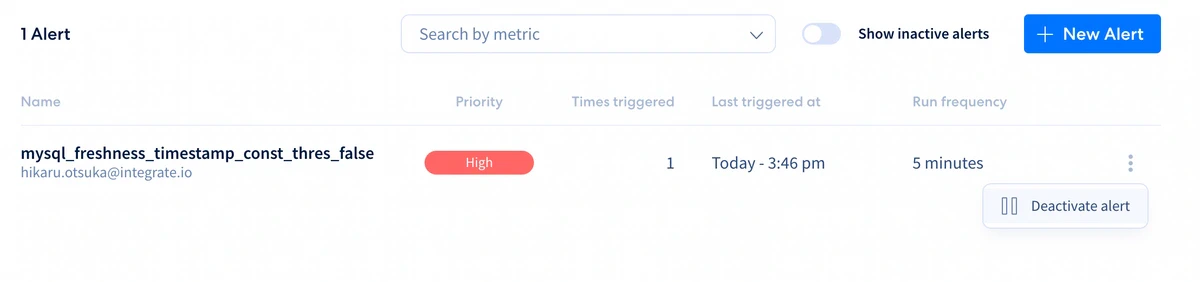
Click the vertical-ellipsis (⋮) then click Deactivate alert
<Frame>
  <img src="https://mintcdn.com/integrateio/MGWLTifrhXADDsEf/images/cdc/data-observability/image-14.png?fit=max&auto=format&n=MGWLTifrhXADDsEf&q=85&s=2b518b2bac22843e694482fe6b457a5d" alt="Context menu with Deactivate alert option" width="1200" height="282" data-path="images/cdc/data-observability/image-14.png" />
</Frame>

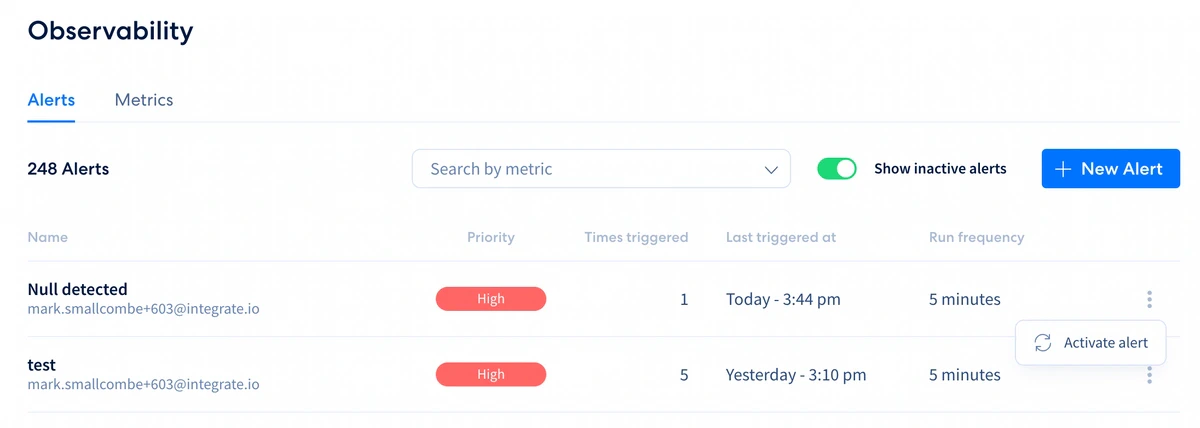
Option to **Activate** an Inactive (deactivated) alert is also available.
<Frame>
  <img src="https://mintcdn.com/integrateio/MGWLTifrhXADDsEf/images/cdc/data-observability/image-15.png?fit=max&auto=format&n=MGWLTifrhXADDsEf&q=85&s=5018fd2d28fcf0e48aeb5a72afcd7c7d" alt="Context menu with Activate alert option for an inactive alert" width="1200" height="428" data-path="images/cdc/data-observability/image-15.png" />
</Frame>