> ## Documentation Index
> Fetch the complete documentation index at: https://www.integrate.io/docs/llms.txt
> Use this file to discover all available pages before exploring further.

# Data stores in ELT & CDC observability

> View the supported databases and data warehouses for Data Observability monitoring in Integrate.io, including Snowflake, Redshift, and BigQuery.

## Supported Data Stores

**Data Warehouses**

* Redshift
* Snowflake
* BigQuery (Q1 2023)

**Databases**

* Postgres
* MySQL
* SQL Server (Q2 2023)

## Setup Guides

<CardGroup>
  <Card title="MySQL" icon="database" href="/cdc/mysql" horizontal />

  <Card title="PostgreSQL" icon="database" href="/cdc/postgresql" horizontal />

  <Card title="Redshift" icon="database" href="/cdc/amazon-redshift" horizontal />

  <Card title="Snowflake" icon="snowflake" href="/cdc/snowflake" horizontal />
</CardGroup>

## Creating a Data Store

<Steps>
  <Step>
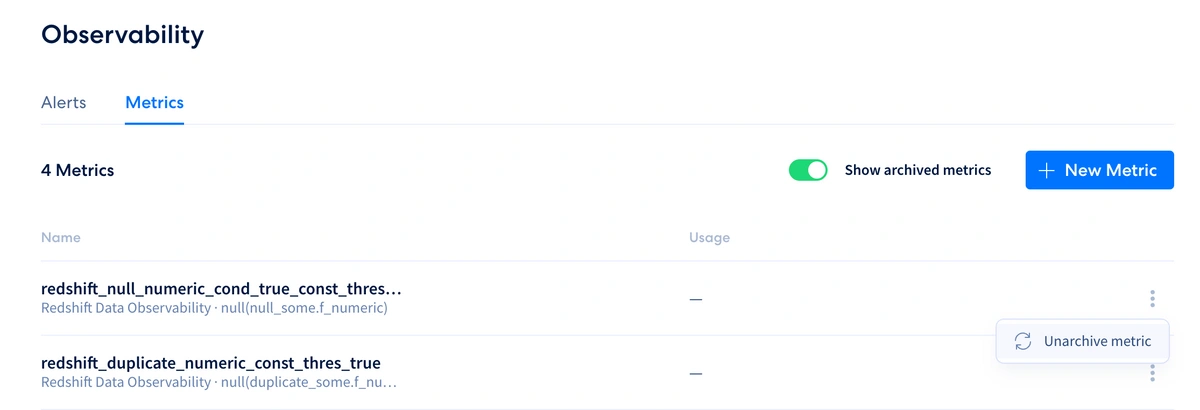
    On your dashboard sidebar, select **Sources** or **Destinations** 
    <Frame>
      <img src="https://mintcdn.com/integrateio/MGWLTifrhXADDsEf/images/cdc/data-observability/image-21.png?fit=max&auto=format&n=MGWLTifrhXADDsEf&q=85&s=62c4e0495277e259e0cd167455925a48" alt="Dashboard sidebar with Sources and Destinations navigation options" width="1200" height="410" data-path="images/cdc/data-observability/image-21.png" />
    </Frame>
  </Step>

  <Step>
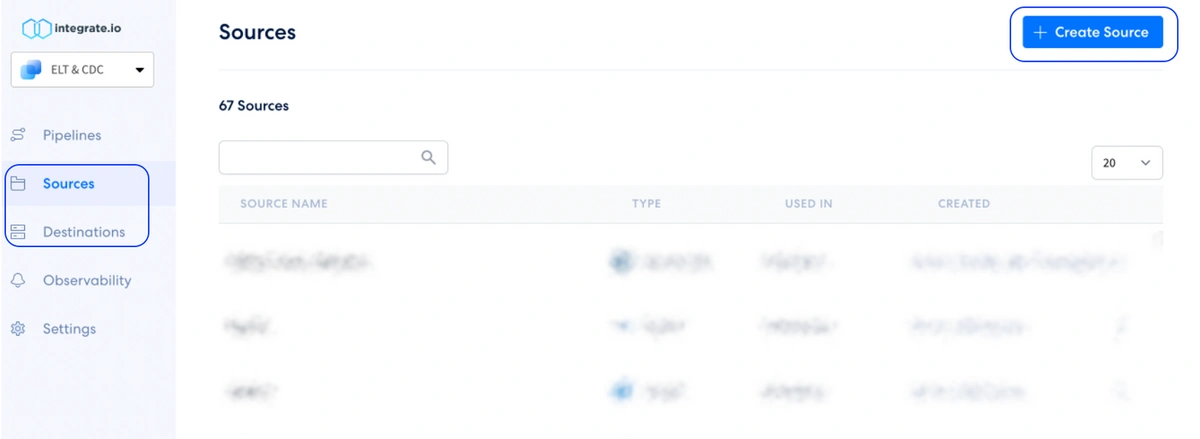
    Select your preferred source/destination based on the supported connectors list.
    <Frame>
      <img src="https://mintcdn.com/integrateio/MGWLTifrhXADDsEf/images/cdc/data-observability/image-22.png?fit=max&auto=format&n=MGWLTifrhXADDsEf&q=85&s=95b3db23e1d663969916e10be59ba7ba" alt="Selecting a supported source or destination connector" width="1200" height="439" data-path="images/cdc/data-observability/image-22.png" />
    </Frame>
  </Step>

  <Step>
    Set up your source/destination by following the dashboard onboarding
    <Frame>
      <img src="https://mintcdn.com/integrateio/MGWLTifrhXADDsEf/images/cdc/data-observability/image-23.png?fit=max&auto=format&n=MGWLTifrhXADDsEf&q=85&s=ec8166d521451e8c62357adef6af53fb" alt="Source or destination connection setup form" width="1200" height="477" data-path="images/cdc/data-observability/image-23.png" />
    </Frame>
  </Step>
</Steps>

If your source or destination is not publicly accessible, you can connect using an [SSH tunnel](/cdc/ssh-tunnel).
