> ## Documentation Index
> Fetch the complete documentation index at: https://www.integrate.io/docs/llms.txt
> Use this file to discover all available pages before exploring further.

# Amazon S3 destination bucket setup for ELT & CDC

> How to configure Amazon S3 as a destination in Integrate.io ELT & CDC, including bucket setup, IAM role access via CloudFormation, and connection testing.

## Setting up your Bucket

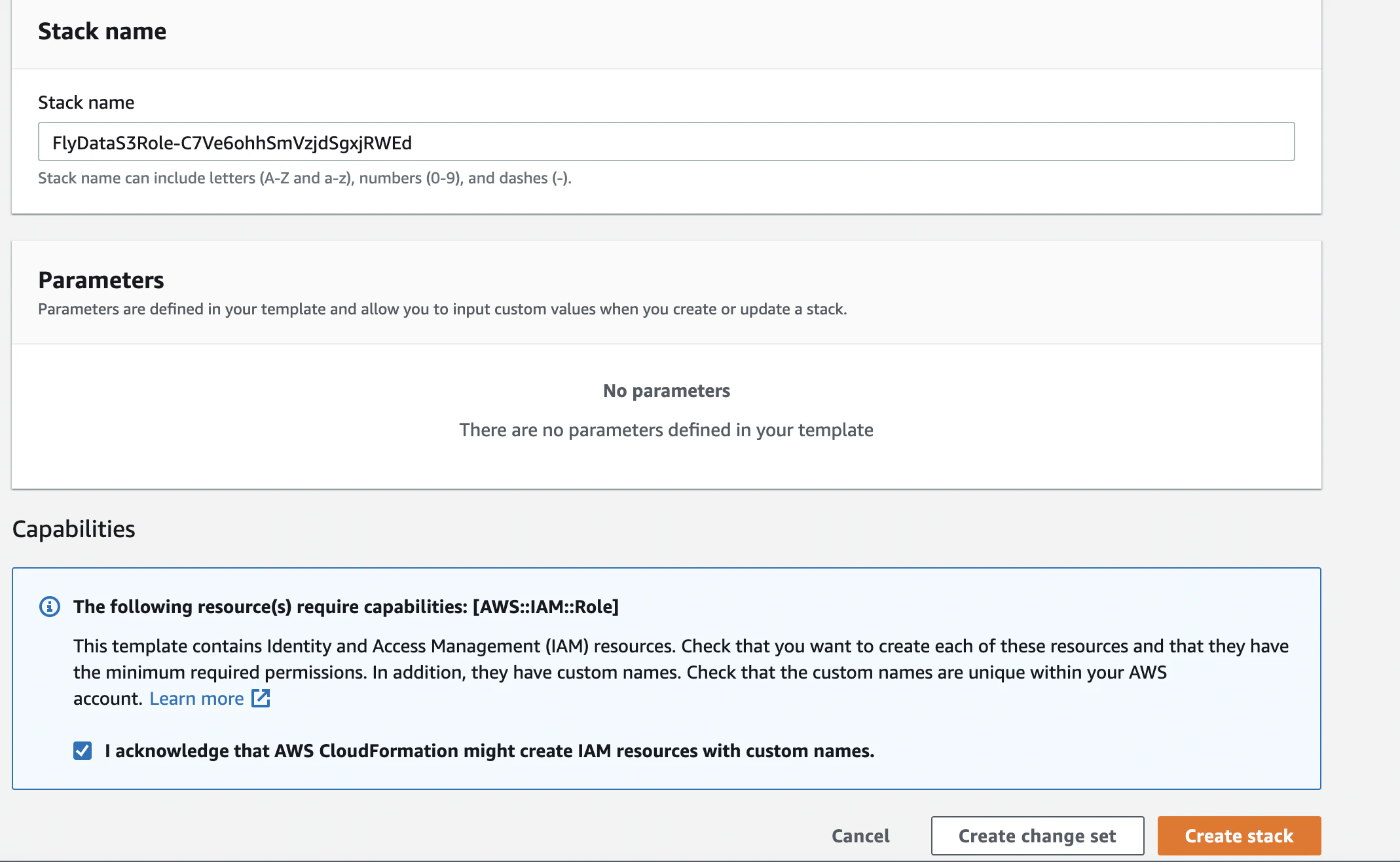
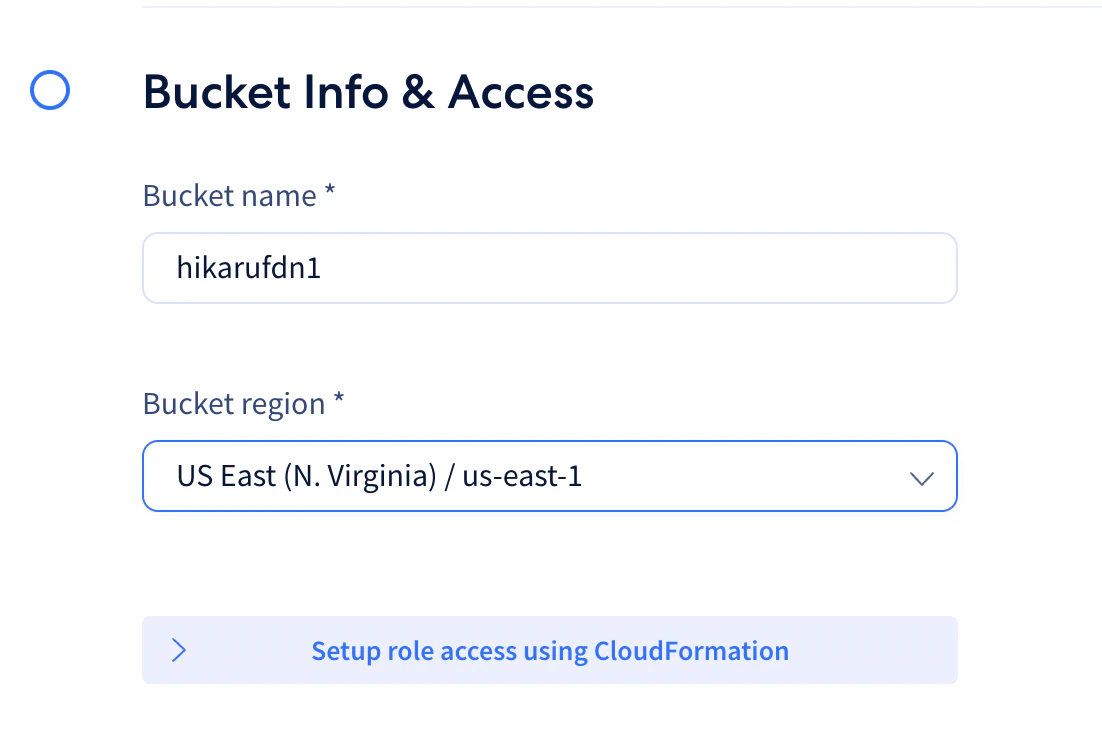
* Input your Bucket Name and Region. Click `Setup role access using CloudFormation`
<Frame>
  <img src="https://mintcdn.com/integrateio/MGWLTifrhXADDsEf/images/cdc/destinations/image-11.png?fit=max&auto=format&n=MGWLTifrhXADDsEf&q=85&s=427b7bf15a288b227e36c8d1265bf949" alt="S3 bucket name and region input with CloudFormation setup button" width="1102" height="742" data-path="images/cdc/destinations/image-11.png" />
</Frame>

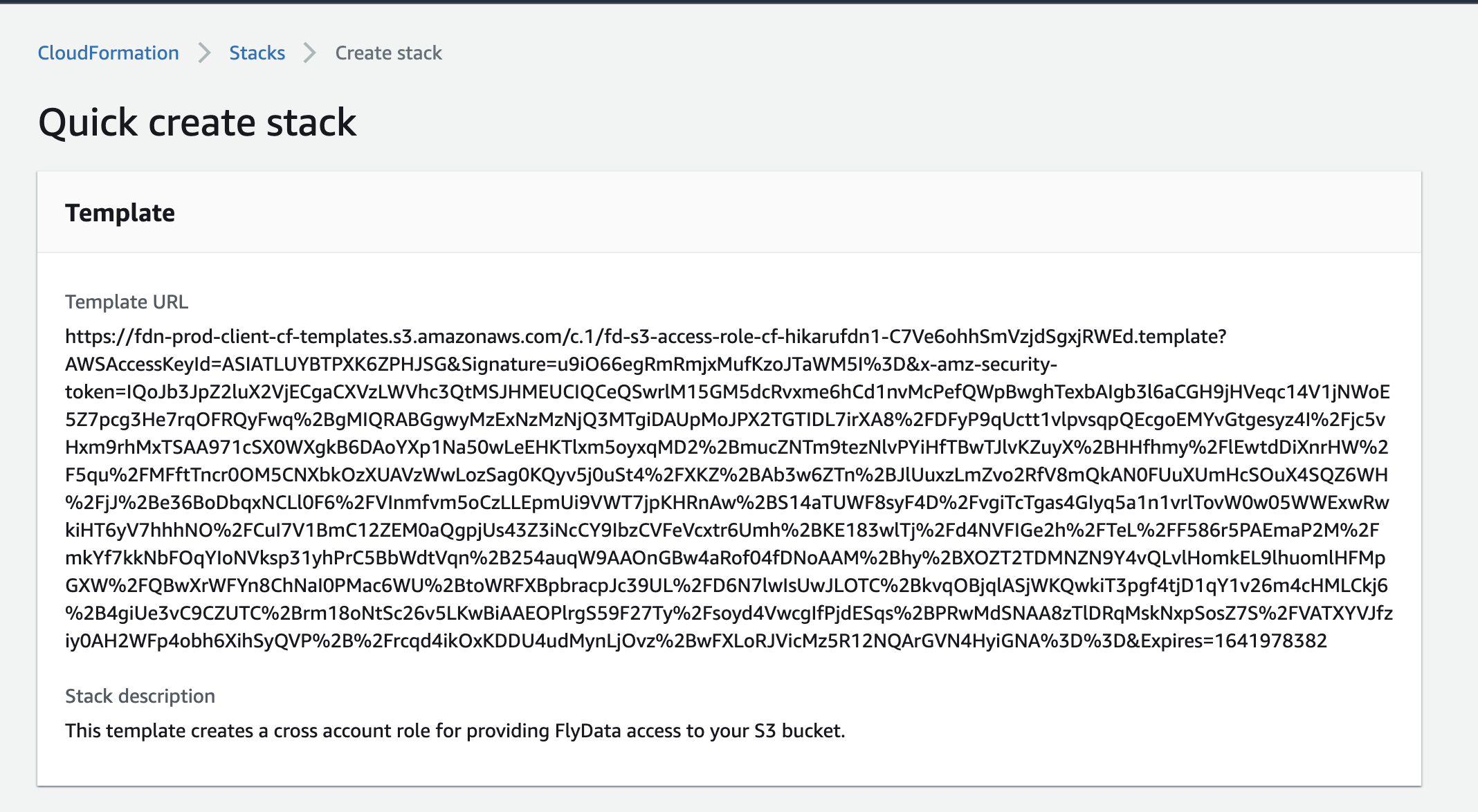
* It will re-direct to your AWS page to **create a stack**
<Frame>
  <img src="https://mintcdn.com/integrateio/MGWLTifrhXADDsEf/images/cdc/destinations/image-12.png?fit=max&auto=format&n=MGWLTifrhXADDsEf&q=85&s=e4971e87376455b3b28d0f4ce5cfdfe2" alt="AWS CloudFormation Create Stack page" width="2136" height="1174" data-path="images/cdc/destinations/image-12.png" />
</Frame>

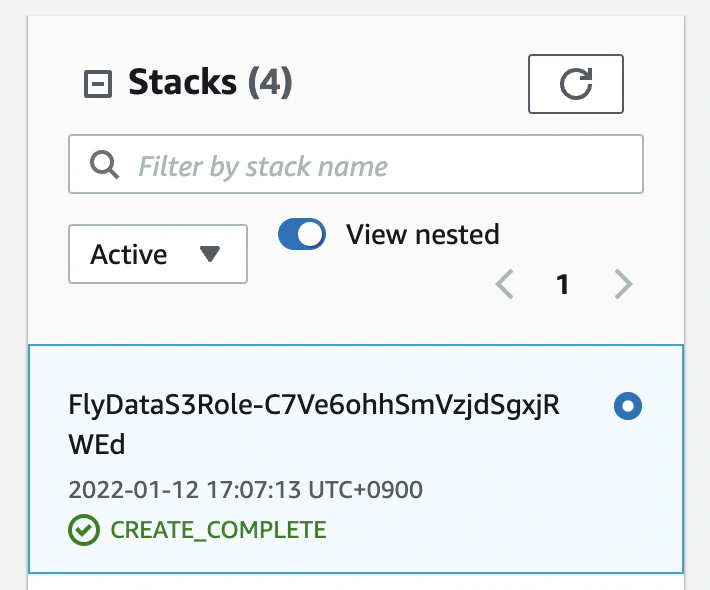
* Tick acknowledge and `Create stack`
<Frame>
  <img src="https://mintcdn.com/integrateio/MGWLTifrhXADDsEf/images/cdc/destinations/image-13.png?fit=max&auto=format&n=MGWLTifrhXADDsEf&q=85&s=b6481e002bab47a120bb2d172264b468" alt="CloudFormation acknowledge capabilities checkbox" width="2138" height="1316" data-path="images/cdc/destinations/image-13.png" />
</Frame>

<br />

<br />

<Frame>
  <img src="https://mintcdn.com/integrateio/MGWLTifrhXADDsEf/images/cdc/destinations/image-14.png?fit=max&auto=format&n=MGWLTifrhXADDsEf&q=85&s=801af26abc065041bf2b1789b43c80a9" alt="CloudFormation Create Stack button confirmation" width="710" height="590" data-path="images/cdc/destinations/image-14.png" />
</Frame>

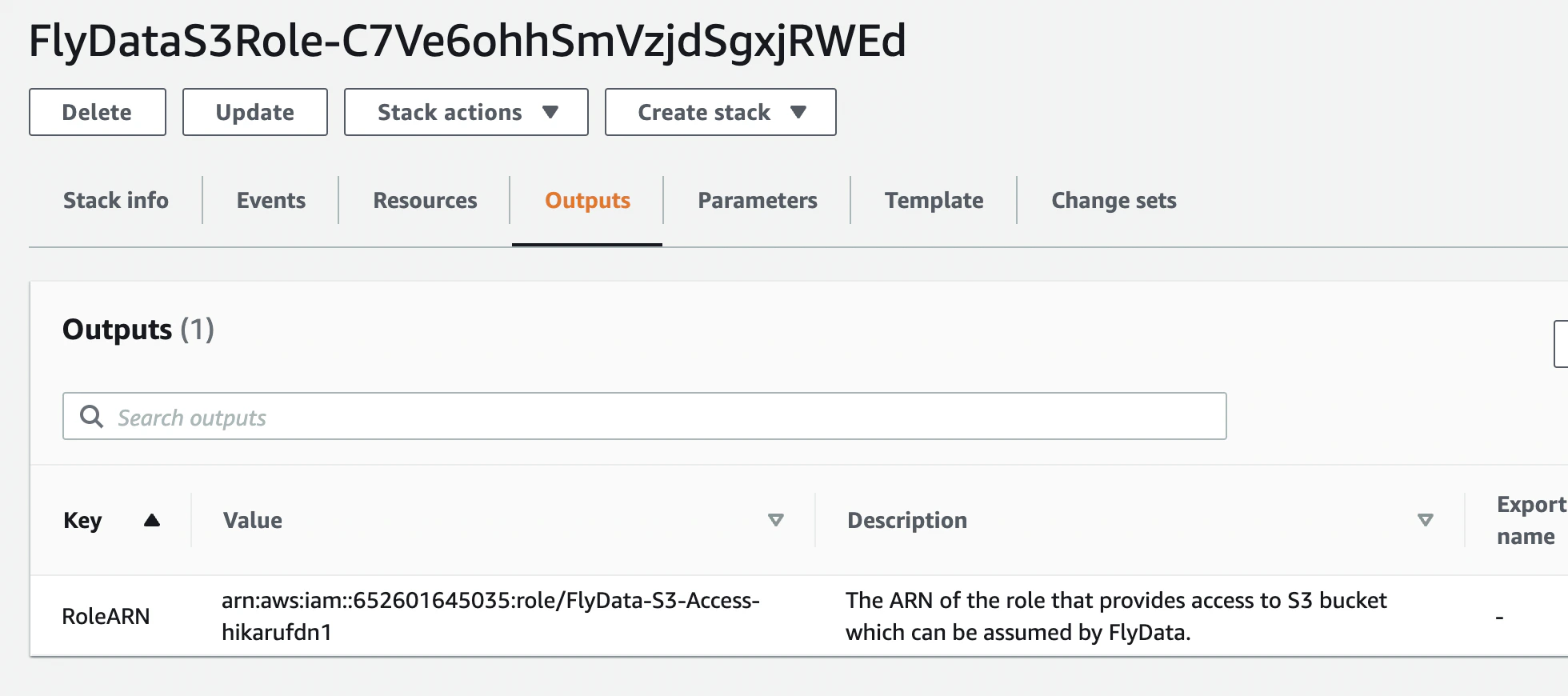
* Once stack has been successfully created, copy the RoleARN value and go back to the dashboard.
<Frame>
  <img src="https://mintcdn.com/integrateio/MGWLTifrhXADDsEf/images/cdc/destinations/image-15.png?fit=max&auto=format&n=MGWLTifrhXADDsEf&q=85&s=bcd0271c182439ace01359f4c342c12b" alt="CloudFormation stack outputs showing RoleARN value" width="1960" height="870" data-path="images/cdc/destinations/image-15.png" />
</Frame>

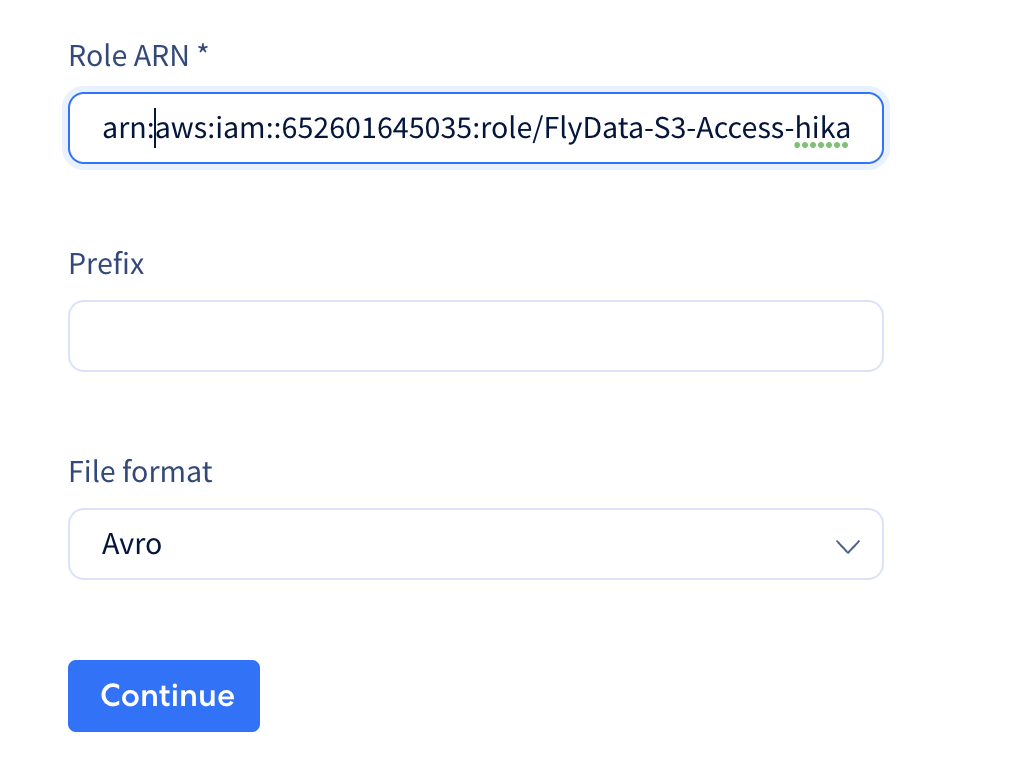
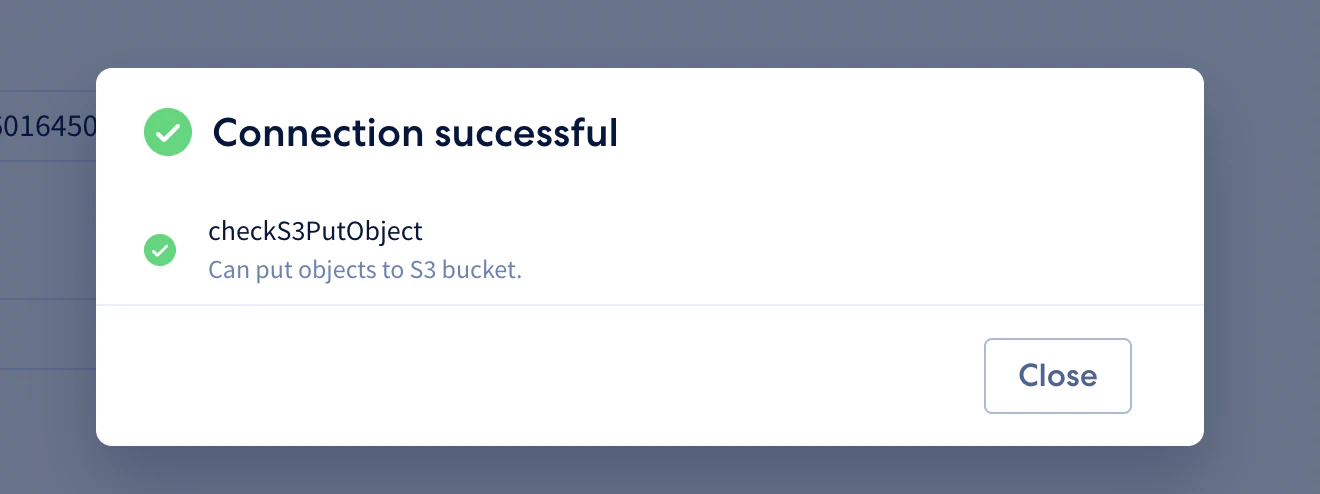
* Paste the Role ARN then hit CONTINUE and test the connection.
<Frame>
  <img src="https://mintcdn.com/integrateio/MGWLTifrhXADDsEf/images/cdc/destinations/image-16.png?fit=max&auto=format&n=MGWLTifrhXADDsEf&q=85&s=8f97ed50b9601c746fb3814f6cd39171" alt="Pasting the Role ARN and testing the S3 connection" width="1026" height="768" data-path="images/cdc/destinations/image-16.png" />
</Frame>

* Save the connection details once connection is successful.
<Frame>
  <img src="https://mintcdn.com/integrateio/MGWLTifrhXADDsEf/images/cdc/destinations/image-17.png?fit=max&auto=format&n=MGWLTifrhXADDsEf&q=85&s=d54b14843b06f185e1c838b4e0eb073b" alt="Successful S3 connection ready to save" width="1320" height="494" data-path="images/cdc/destinations/image-17.png" />
</Frame>

## Related

<CardGroup cols={2}>
  <Card title="S3 Source" icon="arrow-right" href="/cdc/s3-source" horizontal />

  <Card title="IP Allowlist" icon="arrow-right" href="/cdc/ip-list" horizontal />

  <Card title="Initial Sync Process" icon="arrow-right" href="/cdc/initial-sync-process" horizontal />
</CardGroup>