> ## Documentation Index
> Fetch the complete documentation index at: https://www.integrate.io/docs/llms.txt
> Use this file to discover all available pages before exploring further.
# ETL: Moving Data Incrementally Between Databases
> This article guides you through the process of extracting and loading data incrementally from a database table to another database table.
This article guides you through the process of [extracting and loading data incrementally](https://www.integrate.io/blog/7-data-migration-best-practices/) from a database table to another database table. The concepts described in this article can also be applied to MongoDB.
## Reading increments from the source table
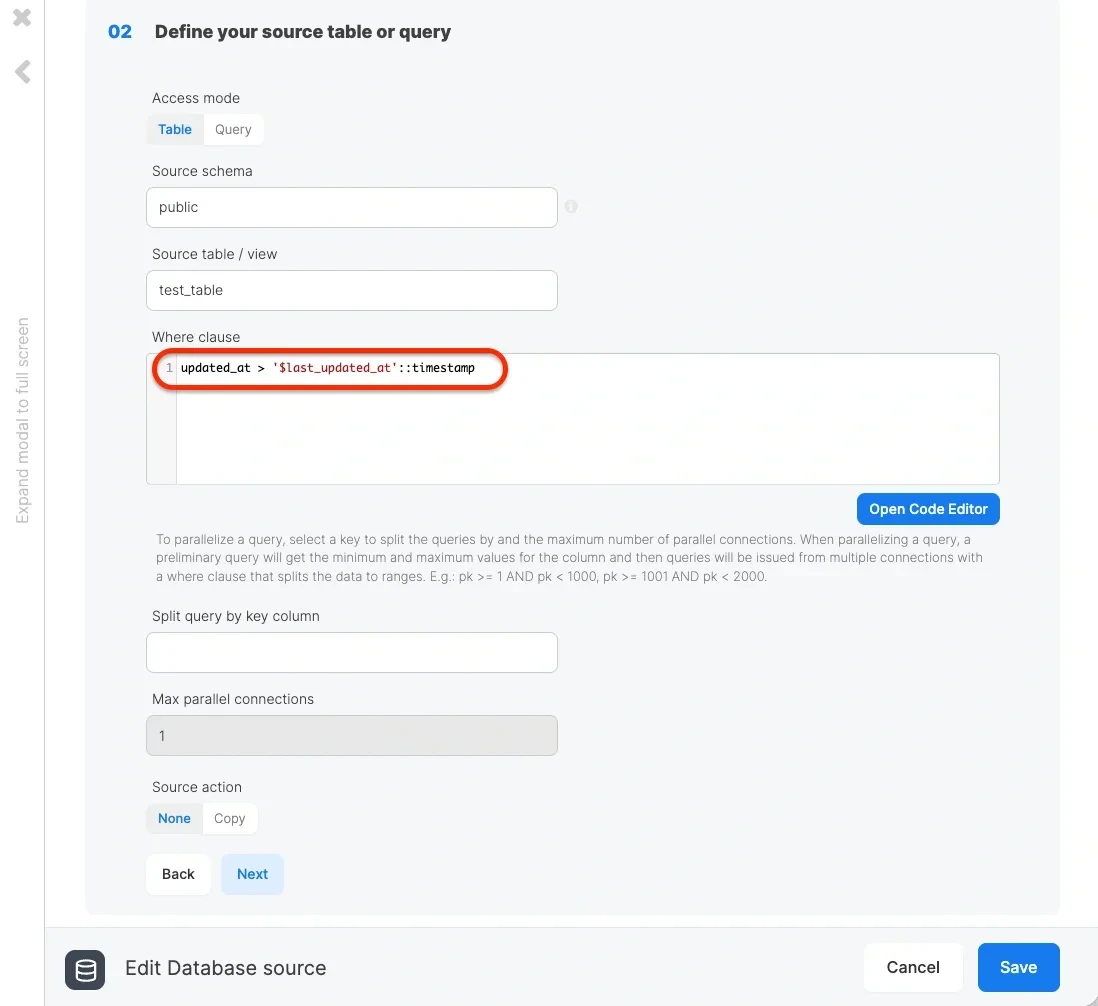
When using Integrate.io ETL to read data incrementally from the source, we need a timestamp column that specifies when the data was updated (or inserted in tables where data is only inserted). In our example, this column is called "updated\_at". When reading from the source table, we'll use a **where clause** to only read the rows that were updated since the last time the package executed. It is highly recommended to index this column to improve the performance of the read query. For example, with PostgreSQL as the source, we can use the following **where clause,** in which \$last\_updated\_at is a package variable and is placed within a string for casting to a PostgreSQL timestamp value:
```sql theme={null}
updated_at > '$last_updated_at'::timestamp
```
 Note that the schema detection or data preview fails when using the variable in the **where clause,** as variables are not evaluated in design time. So what value (or rather evaluated expression) should we assign to the package variable? There are two options:
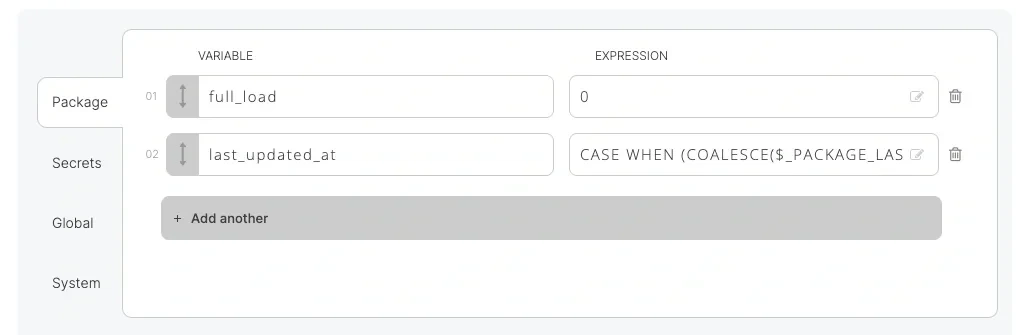
1. Use the predefined variable \_PACKAGE\_LAST\_SUCCESSFUL\_JOB\_SUBMISSION\_TIMESTAMP which returns the submission timestamp for the last successful execution of the package. Wrap the variable with a CASE statement to handle empty values and to allow full load if required.
| Package variable name | Code |
| :-------------------- | :----------------------------------------------------------------------------------------------------------------------------------------------------------------------------------------- |
| full\_load | `0` |
| last\_updated\_at | `CASE WHEN (COALESCE($_PACKAGE_LAST_SUCCESSFUL_JOB_SUBMISSION_TIMESTAMP,'')=='' OR $full_load==1) THEN '1900-01-01T00:00:00Z' ELSE $_PACKAGE_LAST_SUCCESSFUL_JOB_SUBMISSION_TIMESTAMP END` |
Note that the schema detection or data preview fails when using the variable in the **where clause,** as variables are not evaluated in design time. So what value (or rather evaluated expression) should we assign to the package variable? There are two options:
1. Use the predefined variable \_PACKAGE\_LAST\_SUCCESSFUL\_JOB\_SUBMISSION\_TIMESTAMP which returns the submission timestamp for the last successful execution of the package. Wrap the variable with a CASE statement to handle empty values and to allow full load if required.
| Package variable name | Code |
| :-------------------- | :----------------------------------------------------------------------------------------------------------------------------------------------------------------------------------------- |
| full\_load | `0` |
| last\_updated\_at | `CASE WHEN (COALESCE($_PACKAGE_LAST_SUCCESSFUL_JOB_SUBMISSION_TIMESTAMP,'')=='' OR $full_load==1) THEN '1900-01-01T00:00:00Z' ELSE $_PACKAGE_LAST_SUCCESSFUL_JOB_SUBMISSION_TIMESTAMP END` |
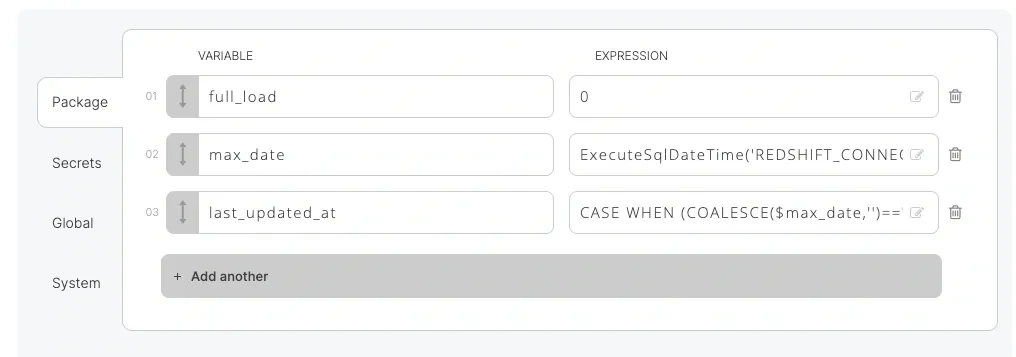
 2. Use the ExecuteSQL\* functions (such as [ExecuteSqlDateTime](/docs/etl/executesqldatetime/)) to execute a query on the target database to get the max (last) value of updated\_at in the target. This may be more accurate than the first option, but it requires an extra query on the destination.
| Package variable name | Code |
| :-------------------- | :------------------------------------------------------------------------------------------------------- |
| full\_load | `0` |
| last\_updated\_at | `CASE WHEN (COALESCE($max_date,'')=='' OR $full_load==1) THEN '1900-01-01T00:00:00Z' ELSE $max_date END` |
| max\_date | `ExecuteSqlDateTime('REDSHIFT_CONNECTION_442','SELECT MAX(updated_at) FROM users')` |
2. Use the ExecuteSQL\* functions (such as [ExecuteSqlDateTime](/docs/etl/executesqldatetime/)) to execute a query on the target database to get the max (last) value of updated\_at in the target. This may be more accurate than the first option, but it requires an extra query on the destination.
| Package variable name | Code |
| :-------------------- | :------------------------------------------------------------------------------------------------------- |
| full\_load | `0` |
| last\_updated\_at | `CASE WHEN (COALESCE($max_date,'')=='' OR $full_load==1) THEN '1900-01-01T00:00:00Z' ELSE $max_date END` |
| max\_date | `ExecuteSqlDateTime('REDSHIFT_CONNECTION_442','SELECT MAX(updated_at) FROM users')` |
 ## Writing increments to the destination table
Writing increments to the destination (Redshift on any other relational database) is fairly straightforward. If the increments read from the source are for newly appended data only (no updates), you can simply append the data to the destination table.
## Writing increments to the destination table
Writing increments to the destination (Redshift on any other relational database) is fairly straightforward. If the increments read from the source are for newly appended data only (no updates), you can simply append the data to the destination table.
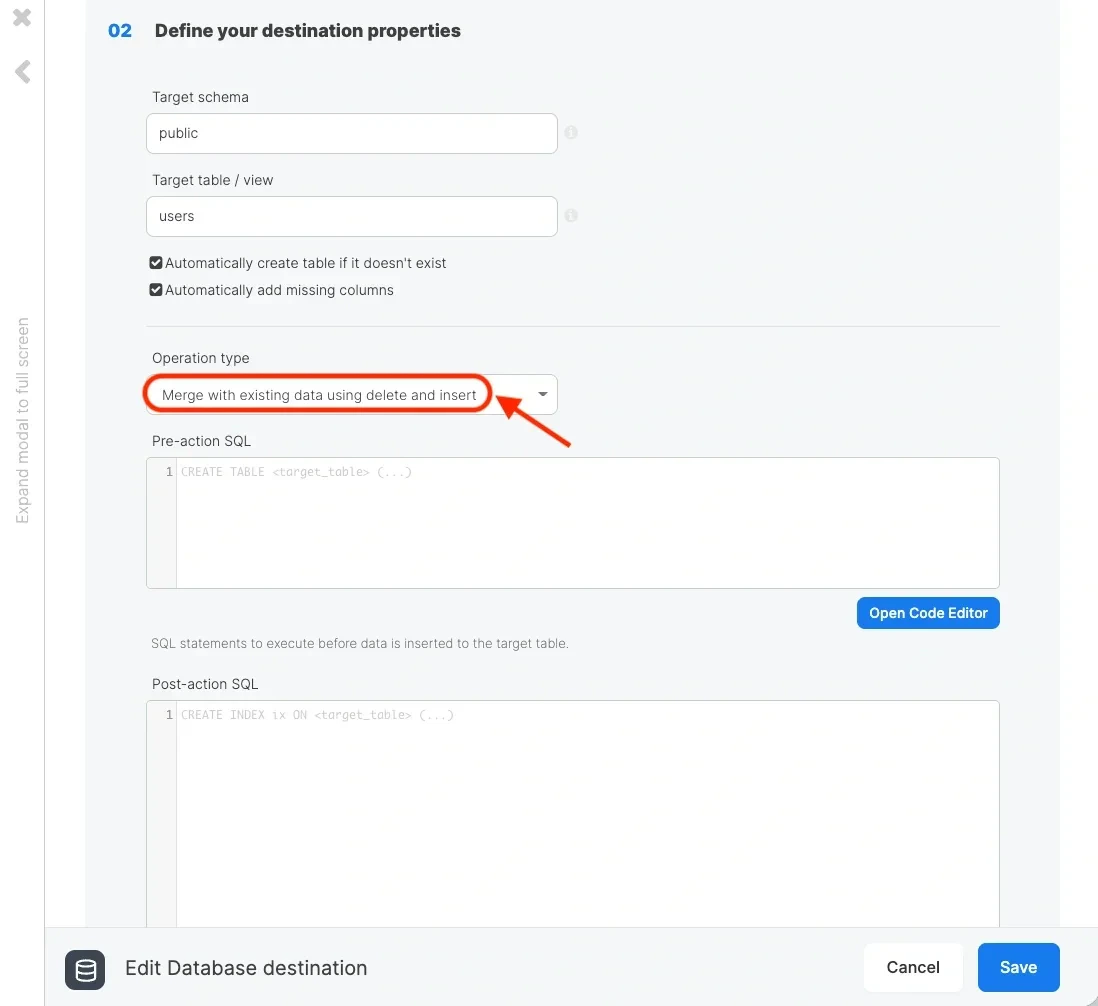
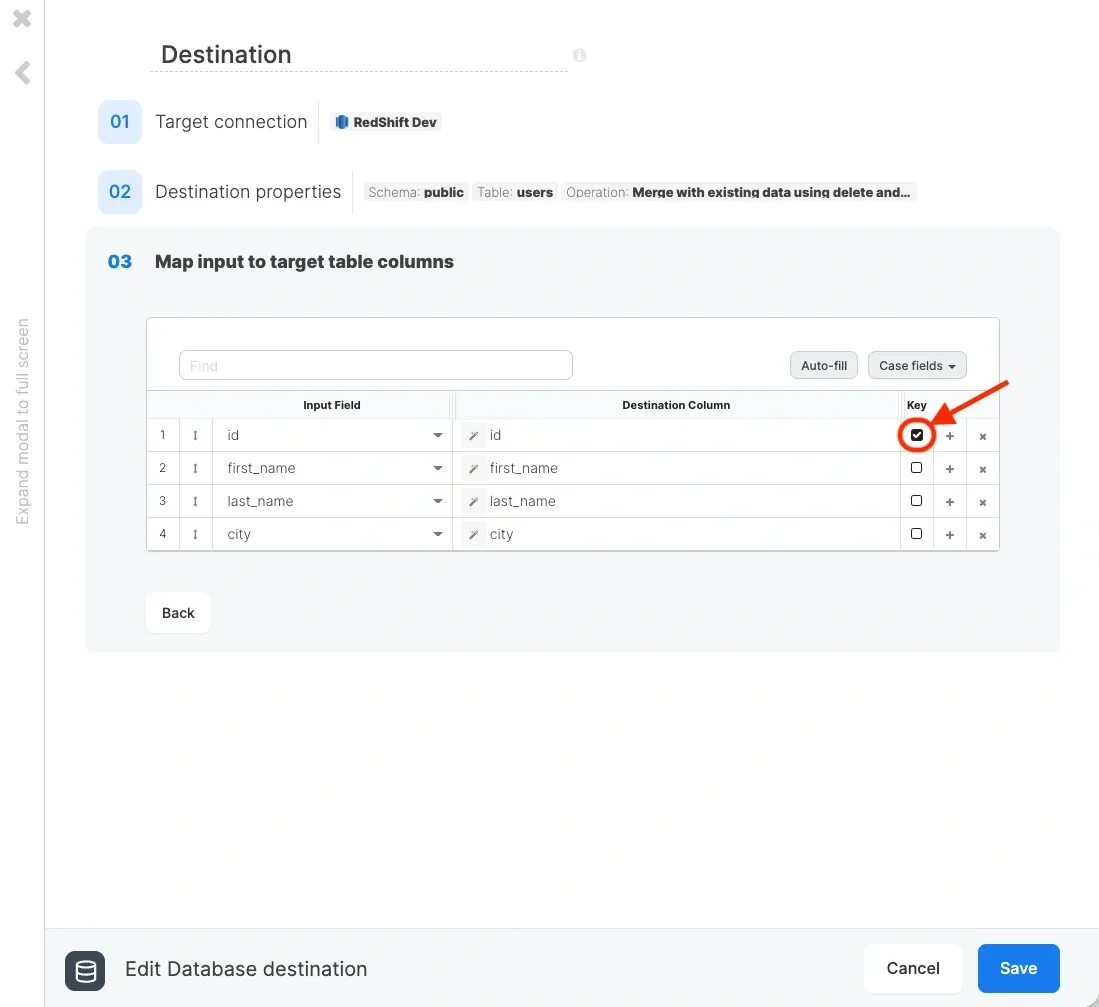
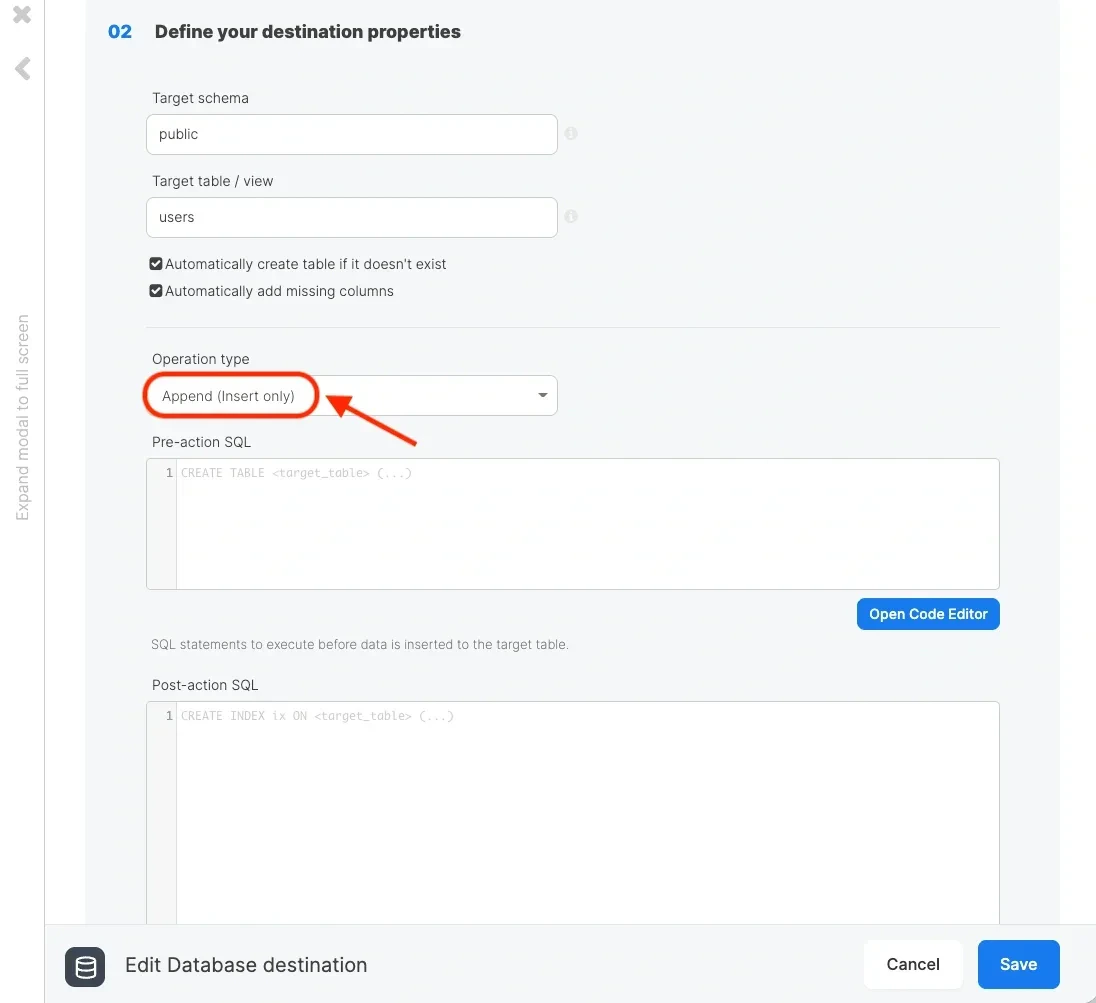 If the increments also contain new changes to existing rows in the source table, you should define the **operation type** as **Merge** and select a primary **key** to find records that changed.