> ## Documentation Index
> Fetch the complete documentation index at: https://www.integrate.io/docs/llms.txt
> Use this file to discover all available pages before exploring further.
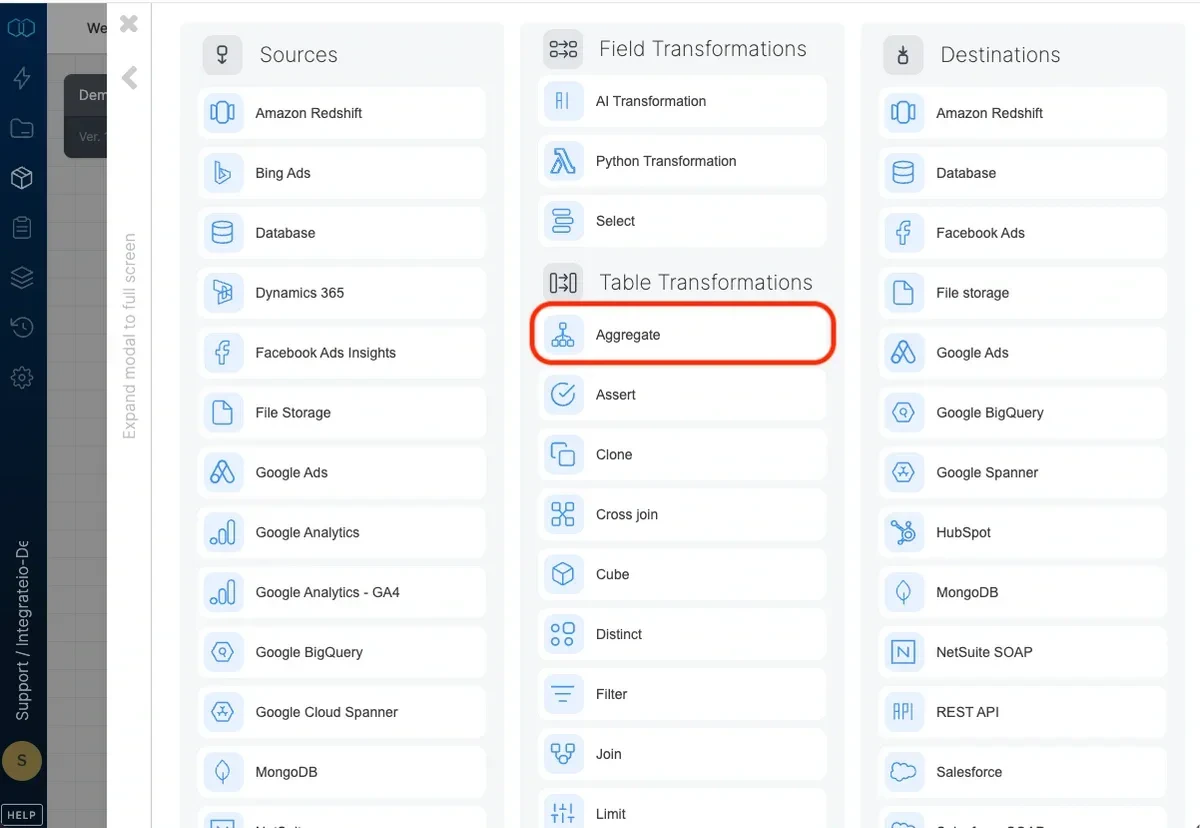
# ETL: Aggregate Transformation
> Use the Aggregate transformation to group data by fields and apply functions like Count, Average, Min, and Max in your ETL pipeline.
 ## Grouping fields
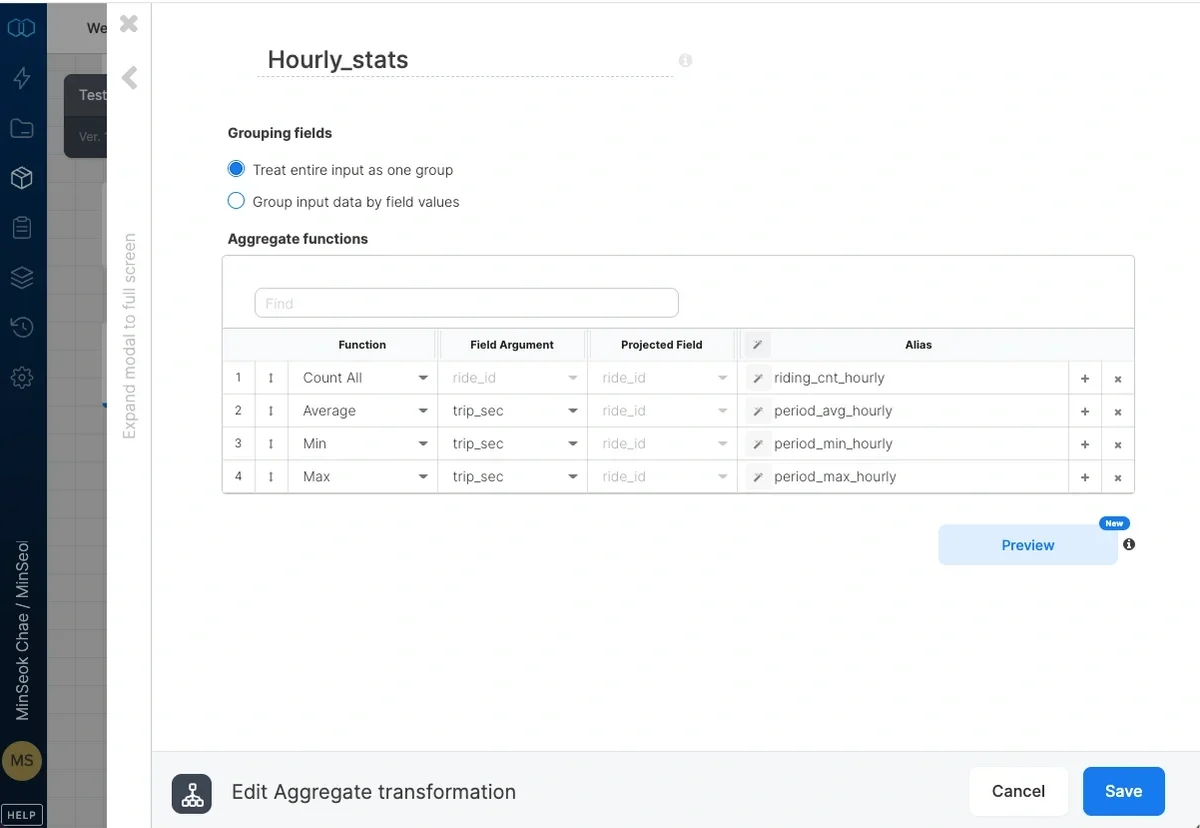
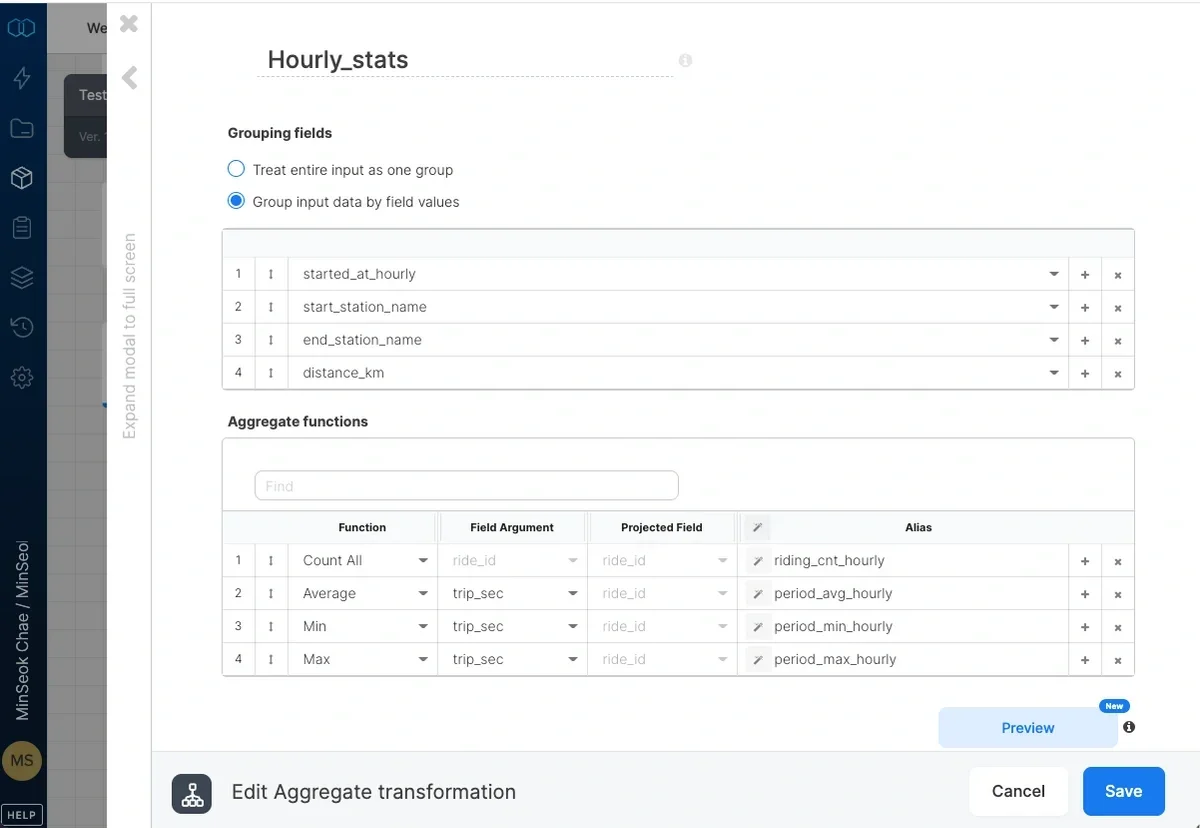
Select `Treat entire input as one group` to output a single record for the entire input data with aggregate functions or `Group input data by field values` to select the grouping key fields.
## Grouping fields
Select `Treat entire input as one group` to output a single record for the entire input data with aggregate functions or `Group input data by field values` to select the grouping key fields.
 ## Aggregate functions
Select the aggregate function and input arguments (see below) and assign each an output alias. The names of the grouping fields and output aliases must be unique.
### Aggregate functions list
* **Count** - returns the number of non-null values in the field you specify in the field column, according to the groupings. Return value data type is long.
* **Count Distinct** - returns the number of unique values in the field you specify in the field column, according to the groupings. Return value data type is long.
* **Count All** - returns the number of records, according to the groupings. Return value data type is long.
* **HLL** - uses the HyperLogLog++ algorithm to return a cardinality estimate or an approximate number of distinct values in the field you specify, according to the groupings. Return value data type is long.
* **Average** - returns the average for numeric fields you specify in the field column, according to the groupings. See the following table for return value data types:
| Argument field data type | Return value data type |
| :----------------------- | :--------------------- |
| int, long | long |
| float, double | double |
* **Sum** - returns the sum for numeric fields you specify in the field column, according to the groupings. See the following table for return value data types:
| Argument field data type | Return value data type |
| :----------------------- | :--------------------- |
| int, long | long |
| float, double | double |
* **Min** - returns the minimum value for the field you specify in the field column, according to the groupings. Return value data type is the same as the input argument's data type.
* **Min By** - for the minimum value in the field you specify in the field column, and according to the groupings, returns the value defined by projected field. Return value data type is the same as the projected field's data type.
* **Max** - calculates the maximum value for the field you specify in the field column, according to the groupings. Return value data type is the same as the input argument's data type.
* **Max By** - for the maximum value in the field you specify in the field column, and according to the groupings, returns the value defined by projected field. Return value data type is the same as the projected field's data type.
* **VAR** - returns the statistical variance for all values in the field you specify in the field column and according to the groupings. Return value data type is double.
* **VARP** - returns the statistical variance for the population of all values in the field you specify in the field column and according to the groupings. Return value data type is double.
* **STDEV** - returns the statistical standard deviation for all values in the field you specify in the field column and according to the groupings. Return value data type is double.
* **STDEVP** - returns the statistical standard deviation for the population of all values in the field you specify in the field column and according to the groupings. Return value data type is double.
* **Collect** - returns a collection (bag) of the values in the field you specify in the field column, according to the groupings. The bag can be manipulated further in a Select component using bag functions. Returned data type is bag.
## Related
## Aggregate functions
Select the aggregate function and input arguments (see below) and assign each an output alias. The names of the grouping fields and output aliases must be unique.
### Aggregate functions list
* **Count** - returns the number of non-null values in the field you specify in the field column, according to the groupings. Return value data type is long.
* **Count Distinct** - returns the number of unique values in the field you specify in the field column, according to the groupings. Return value data type is long.
* **Count All** - returns the number of records, according to the groupings. Return value data type is long.
* **HLL** - uses the HyperLogLog++ algorithm to return a cardinality estimate or an approximate number of distinct values in the field you specify, according to the groupings. Return value data type is long.
* **Average** - returns the average for numeric fields you specify in the field column, according to the groupings. See the following table for return value data types:
| Argument field data type | Return value data type |
| :----------------------- | :--------------------- |
| int, long | long |
| float, double | double |
* **Sum** - returns the sum for numeric fields you specify in the field column, according to the groupings. See the following table for return value data types:
| Argument field data type | Return value data type |
| :----------------------- | :--------------------- |
| int, long | long |
| float, double | double |
* **Min** - returns the minimum value for the field you specify in the field column, according to the groupings. Return value data type is the same as the input argument's data type.
* **Min By** - for the minimum value in the field you specify in the field column, and according to the groupings, returns the value defined by projected field. Return value data type is the same as the projected field's data type.
* **Max** - calculates the maximum value for the field you specify in the field column, according to the groupings. Return value data type is the same as the input argument's data type.
* **Max By** - for the maximum value in the field you specify in the field column, and according to the groupings, returns the value defined by projected field. Return value data type is the same as the projected field's data type.
* **VAR** - returns the statistical variance for all values in the field you specify in the field column and according to the groupings. Return value data type is double.
* **VARP** - returns the statistical variance for the population of all values in the field you specify in the field column and according to the groupings. Return value data type is double.
* **STDEV** - returns the statistical standard deviation for all values in the field you specify in the field column and according to the groupings. Return value data type is double.
* **STDEVP** - returns the statistical standard deviation for the population of all values in the field you specify in the field column and according to the groupings. Return value data type is double.
* **Collect** - returns a collection (bag) of the values in the field you specify in the field column, according to the groupings. The bag can be manipulated further in a Select component using bag functions. Returned data type is bag.
## Related