> ## Documentation Index
> Fetch the complete documentation index at: https://www.integrate.io/docs/llms.txt
> Use this file to discover all available pages before exploring further.

# ETL: Clone Transformation

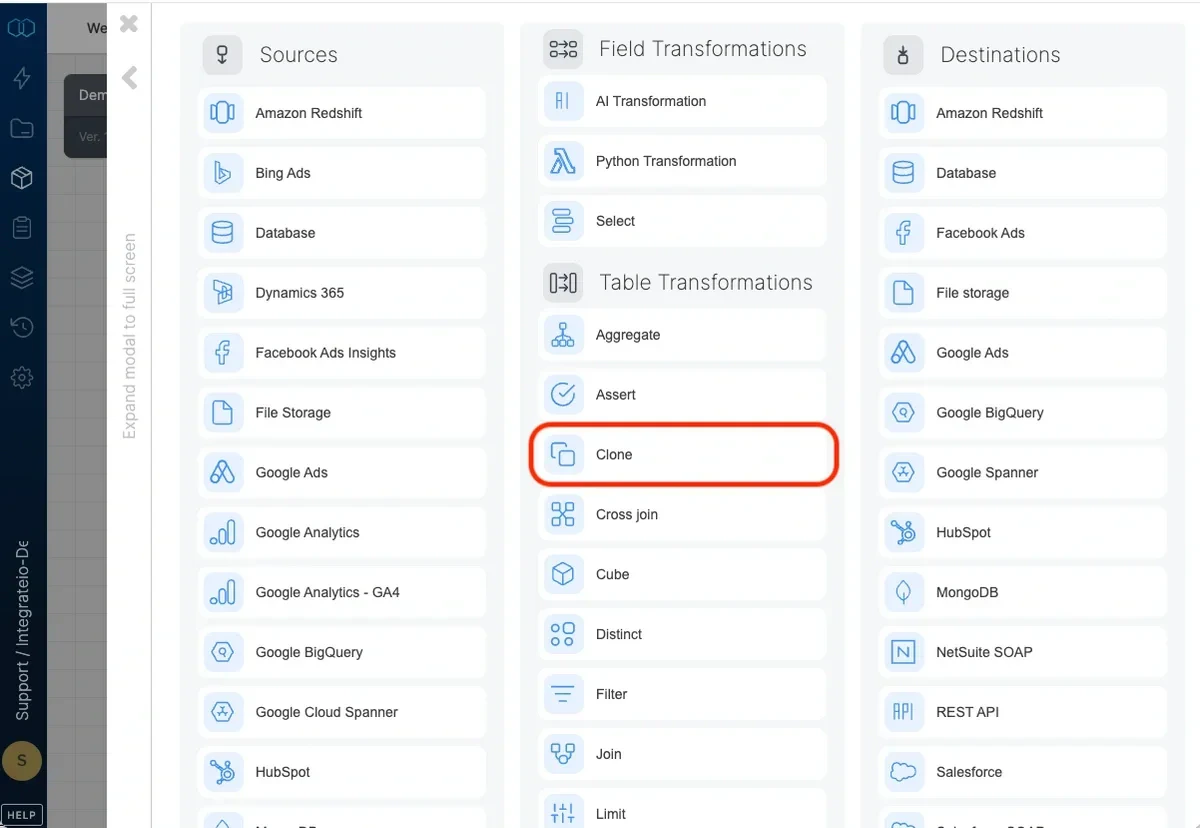
> Use the Clone component to split a dataflow into two (or more) dataflows in order to apply multiple transformations to the same data.
<Frame>
  <img src="https://mintcdn.com/integrateio/2ttHYDu3EKov-VoY/images/creating-packages/using-components-clone-transformation/image-1.png?fit=max&auto=format&n=2ttHYDu3EKov-VoY&q=85&s=4d3a370609739818589ff668c59e454b" alt="Clone component splitting a dataflow into multiple paths" width="1200" height="828" data-path="images/creating-packages/using-components-clone-transformation/image-1.png" />
</Frame>

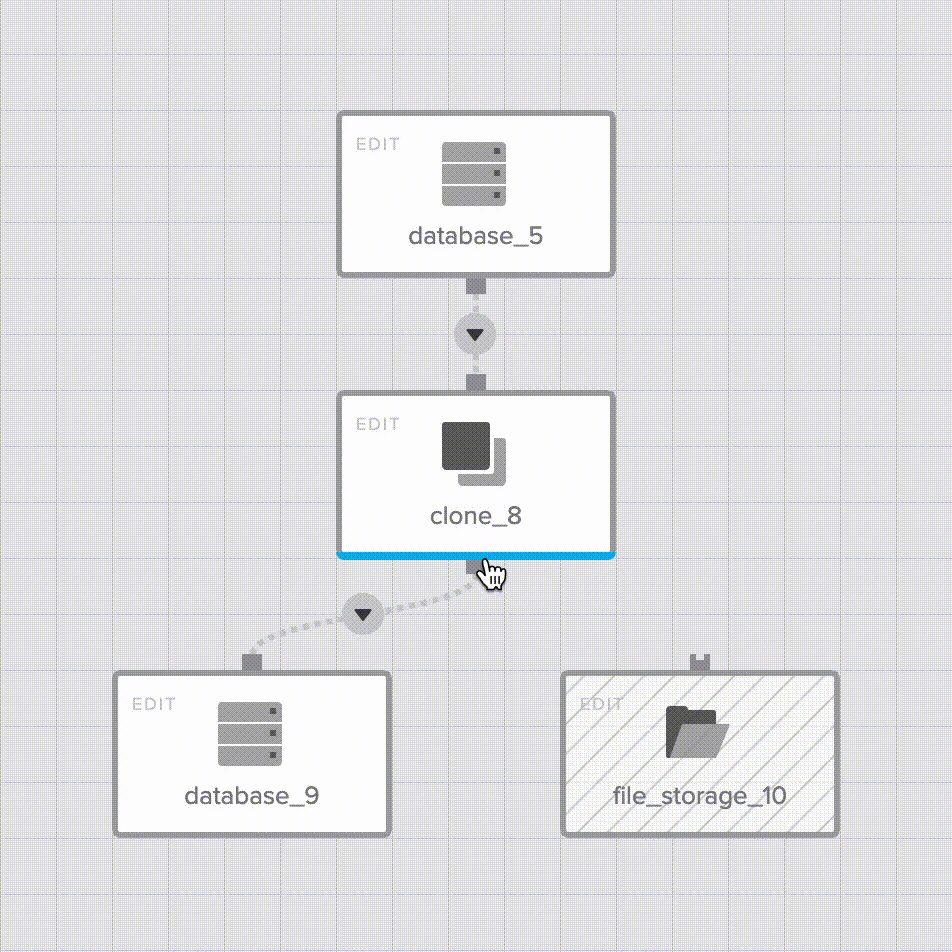
To split a dataflow, First, add a clone component. Then, click the Clone component menu button multiple times to add multiple destinations. Or, simply drag and drop the component menu button onto the separate destinations. 
<Frame>
  <img src="https://mintcdn.com/integrateio/2ttHYDu3EKov-VoY/images/creating-packages/using-components-clone-transformation/image-2.png?fit=max&auto=format&n=2ttHYDu3EKov-VoY&q=85&s=30a55f14bf18fb759de97b43190b3d65" alt="Dragging the Clone menu button to add multiple destinations" width="952" height="952" data-path="images/creating-packages/using-components-clone-transformation/image-2.png" />
</Frame>

<Note>
  **Note:**

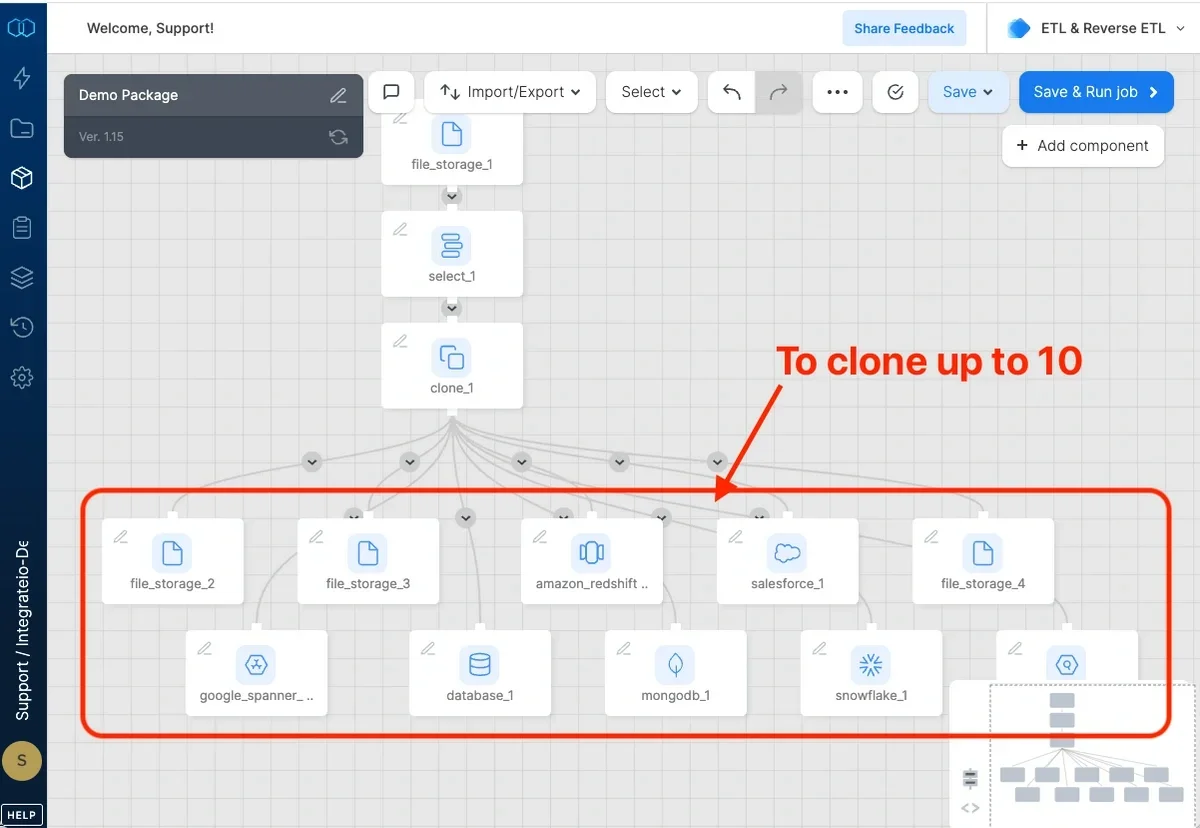
  Clones up to 10 components from a single source.
</Note>

<Frame>
  <img src="https://mintcdn.com/integrateio/2ttHYDu3EKov-VoY/images/creating-packages/using-components-clone-transformation/image-3.png?fit=max&auto=format&n=2ttHYDu3EKov-VoY&q=85&s=9820602f81da9b8b0beff11a80df27d5" alt="Clone component connected to multiple downstream components" width="1200" height="828" data-path="images/creating-packages/using-components-clone-transformation/image-3.png" />
</Frame>
