> ## Documentation Index
> Fetch the complete documentation index at: https://www.integrate.io/docs/llms.txt
> Use this file to discover all available pages before exploring further.
# ETL: Cube Transformation
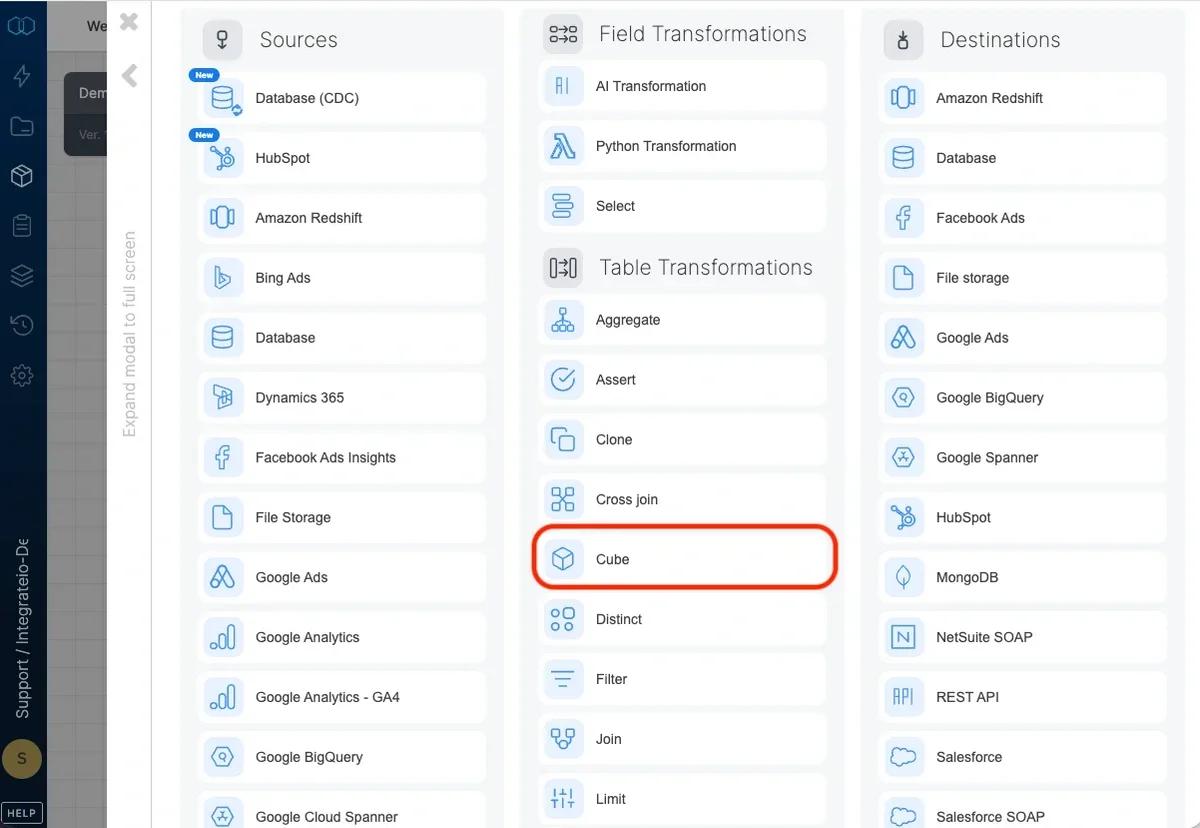
> Use the Cube and Rollup transformation to group data by field combinations and apply aggregate functions like Count, Average, Min, and Max.
 ## Grouping fields
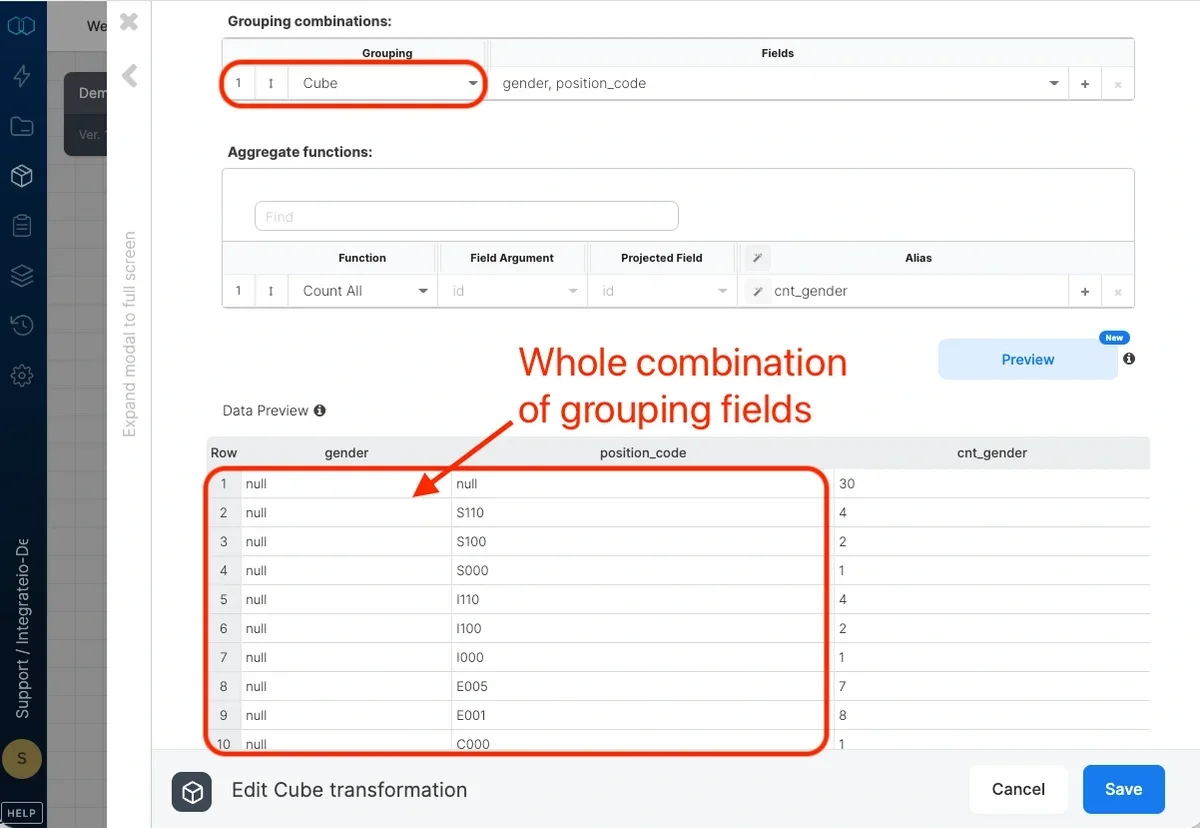
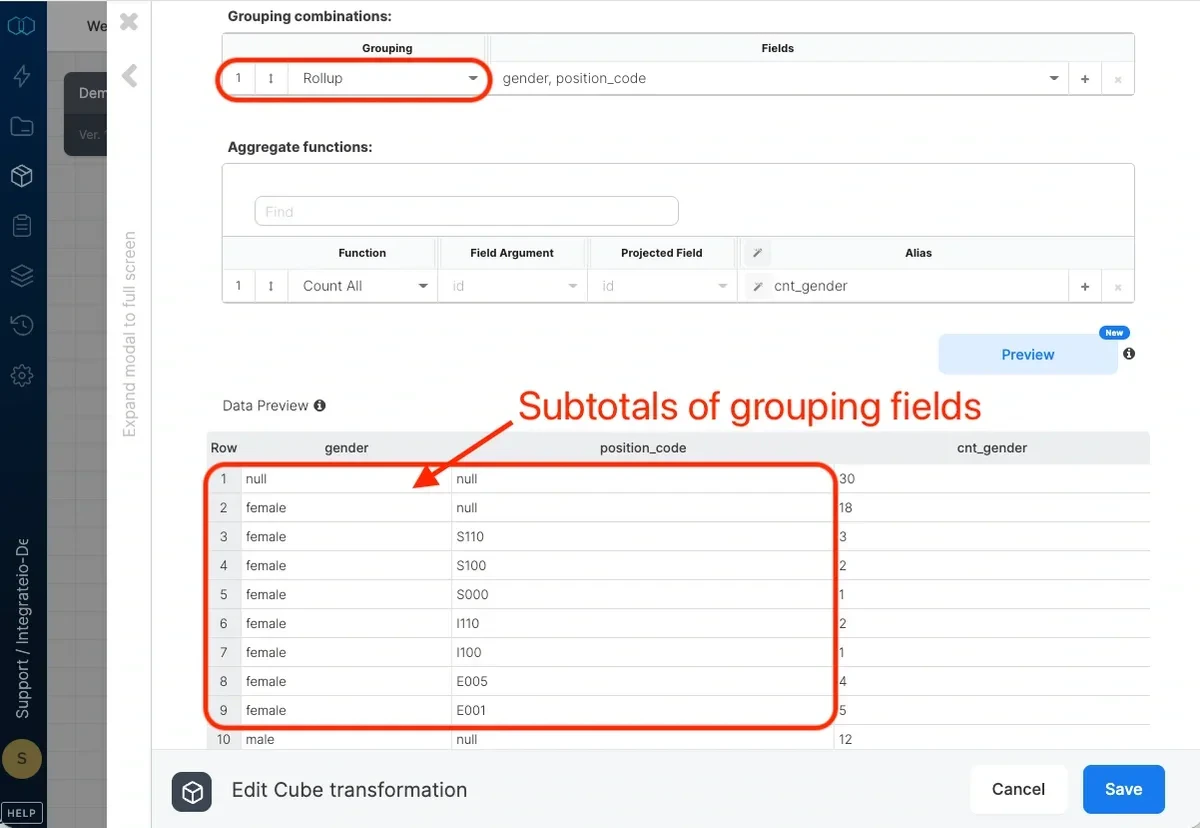
Select the grouping dimensions for the cube. The Cube transformation produces combinations of the selected fields and applies aggregate functions to each combination.
## Grouping fields
Select the grouping dimensions for the cube. The Cube transformation produces combinations of the selected fields and applies aggregate functions to each combination.
 ## Aggregate functions
Select the aggregate function and input arguments and assign each an output alias. The Cube component works similarly to the Aggregate transformation but generates multiple grouping combinations (including subtotals and grand total) in a single pass.
## Aggregate functions
Select the aggregate function and input arguments and assign each an output alias. The Cube component works similarly to the Aggregate transformation but generates multiple grouping combinations (including subtotals and grand total) in a single pass.