> ## Documentation Index
> Fetch the complete documentation index at: https://www.integrate.io/docs/llms.txt
> Use this file to discover all available pages before exploring further.

# ETL: Distinct Transformation

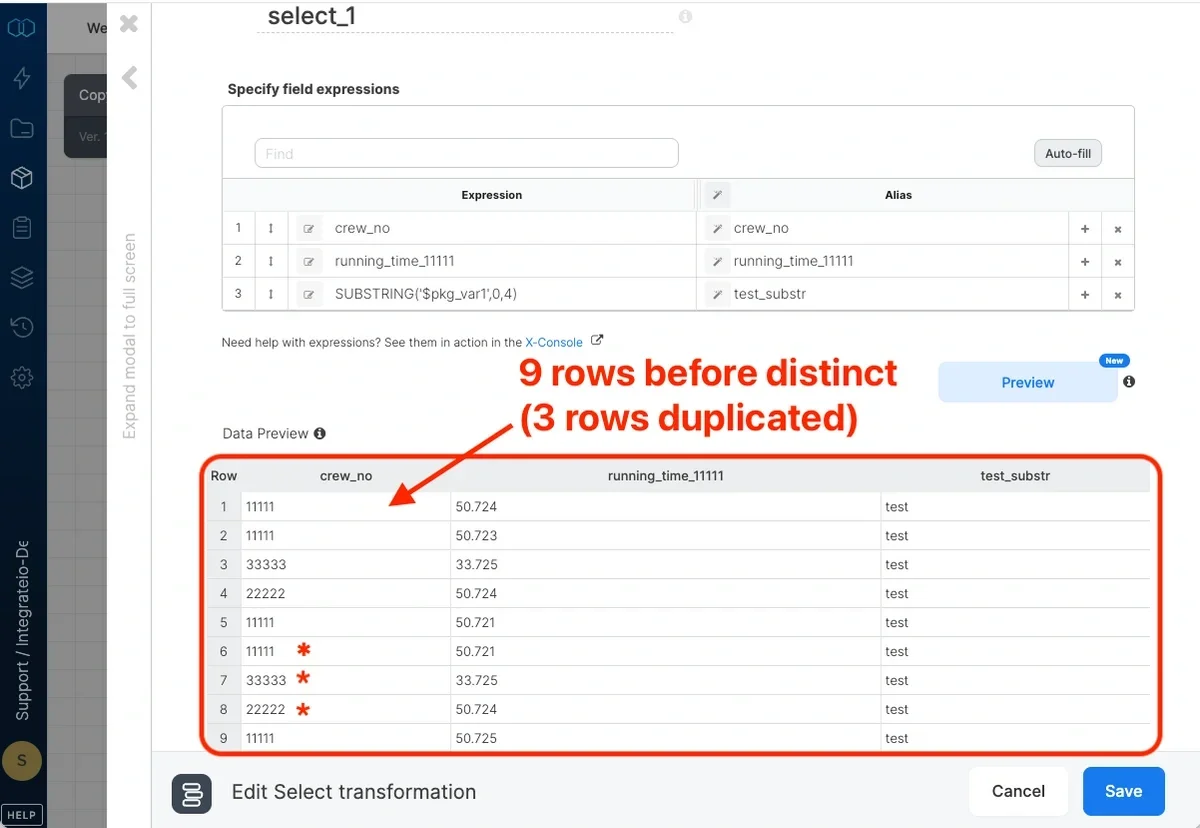
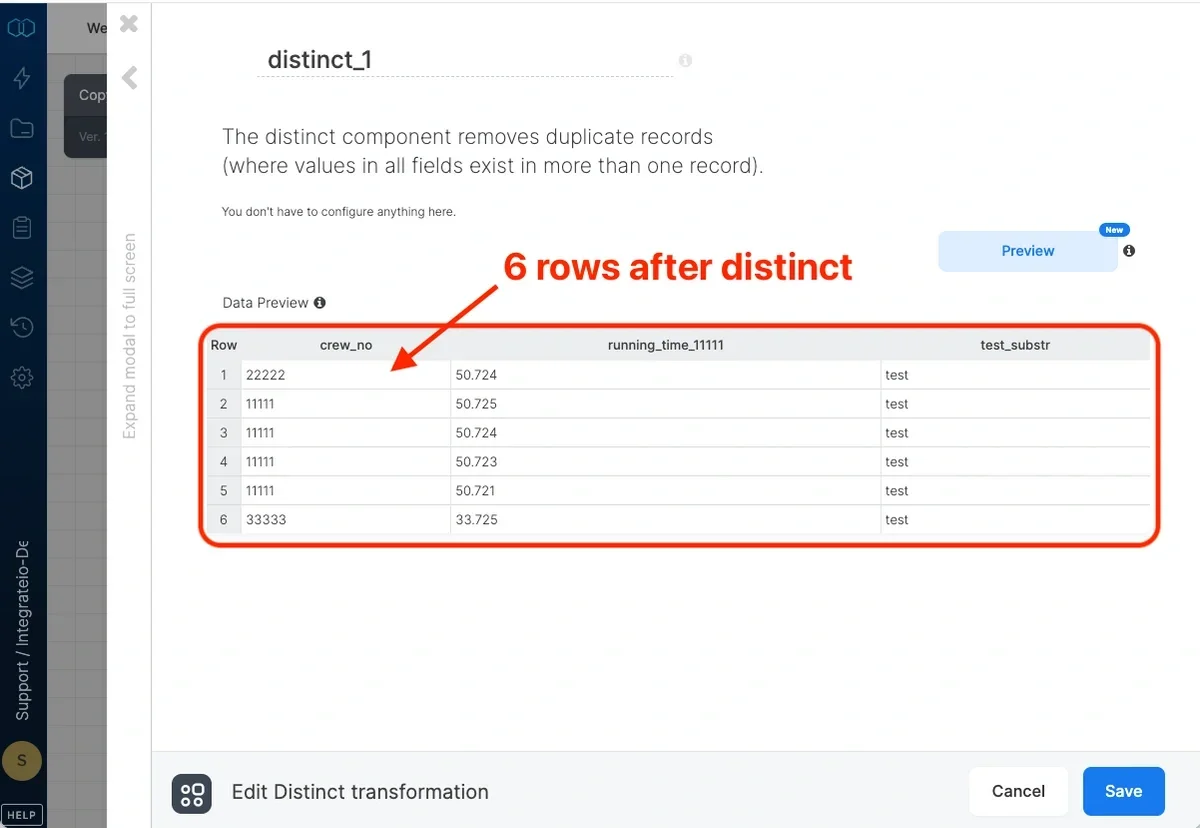
> Use the Distinct transformation to remove duplicate records from your data, keeping only unique rows based on all field values in ETL pipelines.
<Frame>
  <img src="https://mintcdn.com/integrateio/2ttHYDu3EKov-VoY/images/creating-packages/using-components-distinct-transformation/image-1.png?fit=max&auto=format&n=2ttHYDu3EKov-VoY&q=85&s=db839a304ab817ea9fde3a3718b7fda5" alt="Distinct component in the pipeline designer" width="1200" height="828" data-path="images/creating-packages/using-components-distinct-transformation/image-1.png" />
</Frame>

For example,you might need to filter out users' double-clicks in events.

**To obtain unique records:**

<Steps>
  <Step>
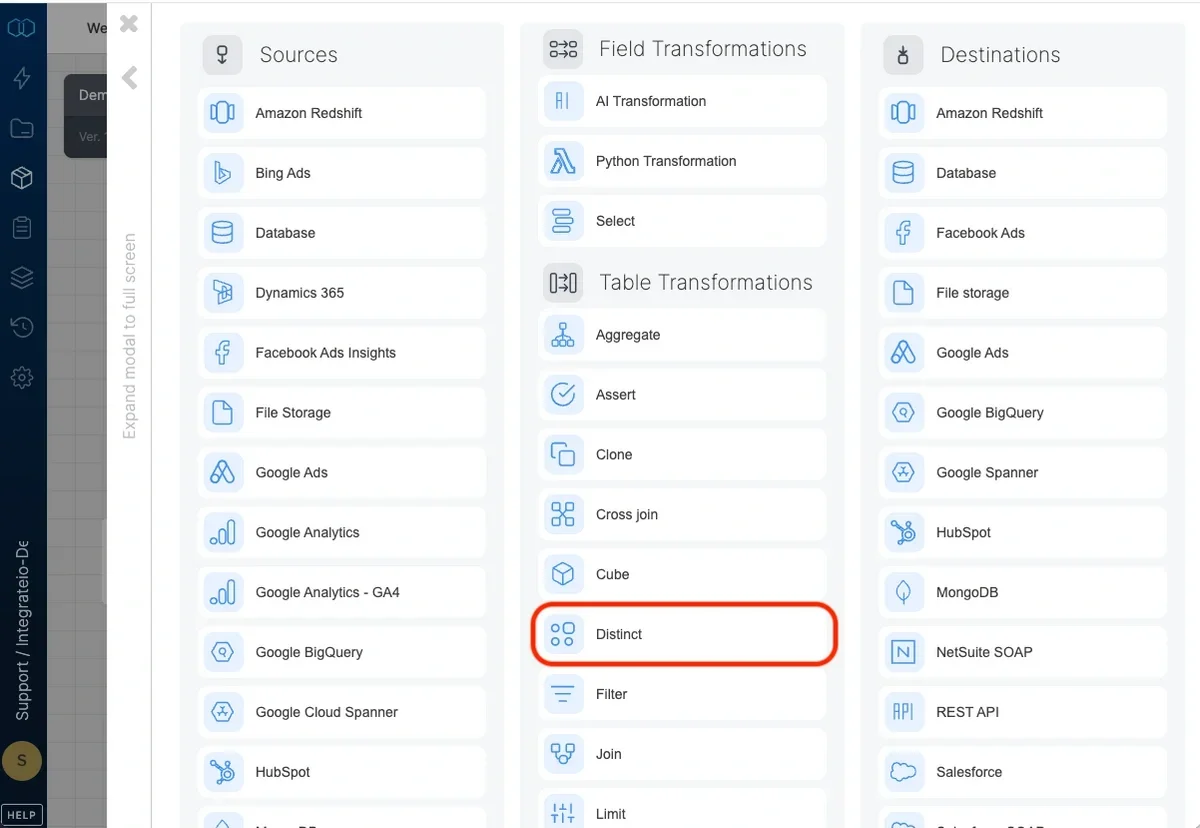
    Add a Distinct component where required in your package.
  </Step>

  <Step>
    Open the component and name it.
  </Step>
</Steps>

<Frame>
  <img src="https://mintcdn.com/integrateio/2ttHYDu3EKov-VoY/images/creating-packages/using-components-distinct-transformation/image-2.png?fit=max&auto=format&n=2ttHYDu3EKov-VoY&q=85&s=a02f8965405b491c1a4b3d7284fde51e" alt="Distinct component configuration with name field" width="1200" height="828" data-path="images/creating-packages/using-components-distinct-transformation/image-2.png" />
</Frame>

<Frame>
  <img src="https://mintcdn.com/integrateio/2ttHYDu3EKov-VoY/images/creating-packages/using-components-distinct-transformation/image-3.png?fit=max&auto=format&n=2ttHYDu3EKov-VoY&q=85&s=b9c97304a1c278f729631c7411759f5f" alt="Distinct component connected in a package dataflow" width="1200" height="828" data-path="images/creating-packages/using-components-distinct-transformation/image-3.png" />
</Frame>