> ## Documentation Index
> Fetch the complete documentation index at: https://www.integrate.io/docs/llms.txt
> Use this file to discover all available pages before exploring further.
# ETL: Google Ads Destination
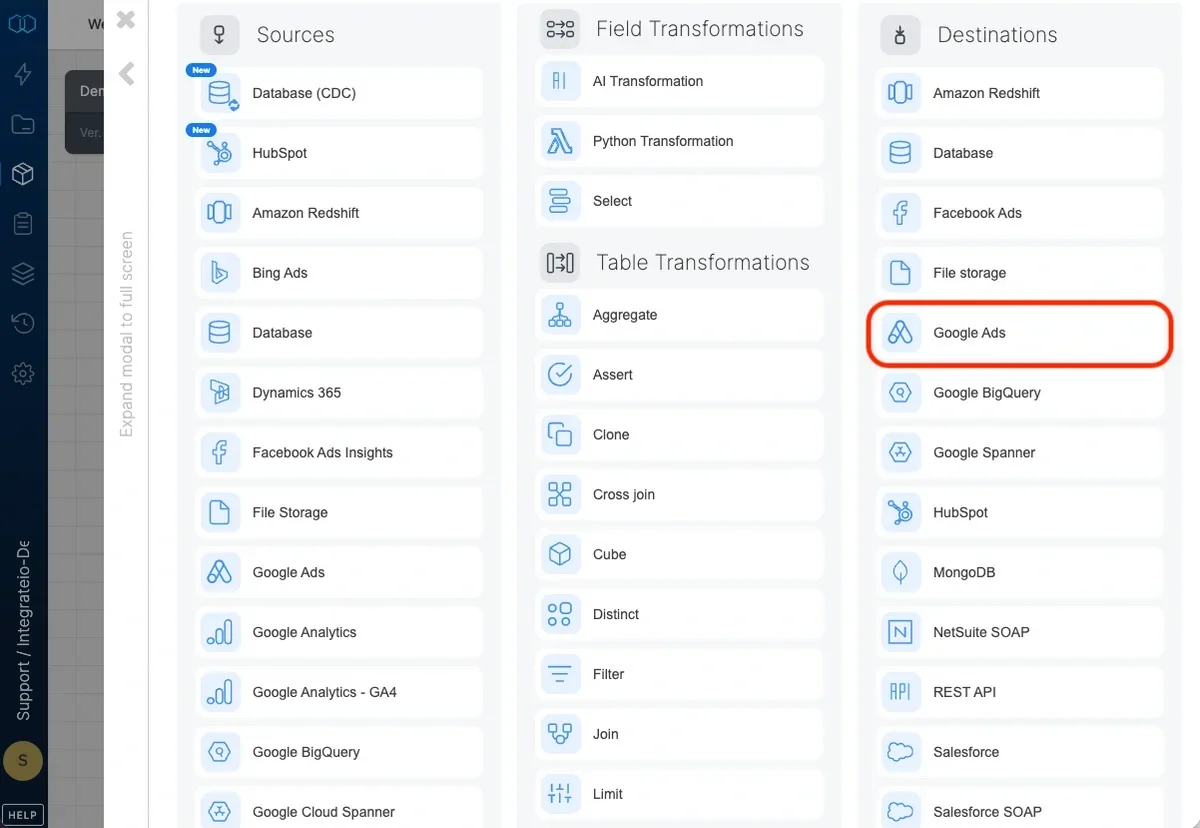
> Use Google Ads destination component to store the output from data flow in Google Ads Object. The destination component uses Google Ads API.
Use Google Ads destination component to store the output from data flow in Google Ads Object. The destination component uses Google Ads API.
 ## Connection
Select an existing Google Ads connection or create a new one (for more information, see [Allowing Integrate.io ETL to my data on Google Ads](/docs/etl/allowing-integrateio-etl-access-to-my-data-on-google-adwords/))
## Destination Properties
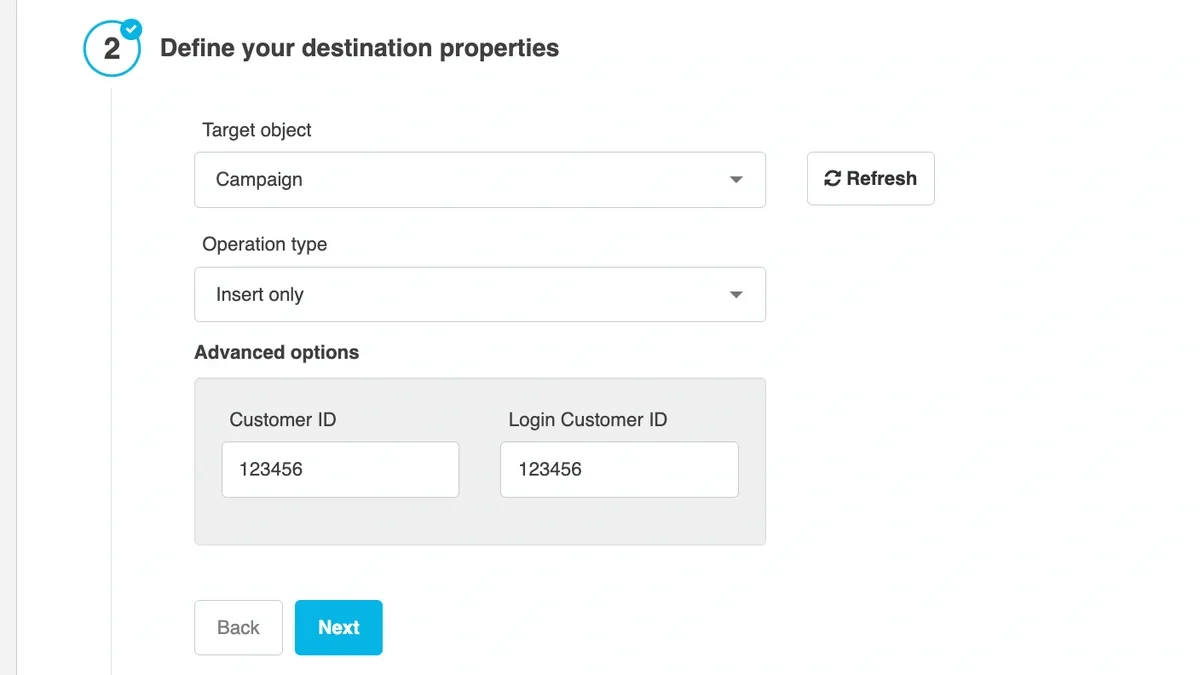
* **Target object** - List of all Google Ads resources. See more info on Google's documentation [here](https://developers.google.com/google-ads/api/reference/rpc/v11/overview#resources)
### Operation type
* **Append (Insert only)** - default behavior. Data will only be appended to the target table
### Advanced options
* **Customer ID -** unique number used to identify your Google Ads account. For more info on how to get Customer ID see [here](https://support.google.com/google-ads/answer/1704344)
* **Login Customer ID -** a manager account to access an operating customer account. For more details about **Login Customer ID** see Google's documentation [here](https://developers.google.com/google-ads/api/docs/migration/login-customer-id)
## Connection
Select an existing Google Ads connection or create a new one (for more information, see [Allowing Integrate.io ETL to my data on Google Ads](/docs/etl/allowing-integrateio-etl-access-to-my-data-on-google-adwords/))
## Destination Properties
* **Target object** - List of all Google Ads resources. See more info on Google's documentation [here](https://developers.google.com/google-ads/api/reference/rpc/v11/overview#resources)
### Operation type
* **Append (Insert only)** - default behavior. Data will only be appended to the target table
### Advanced options
* **Customer ID -** unique number used to identify your Google Ads account. For more info on how to get Customer ID see [here](https://support.google.com/google-ads/answer/1704344)
* **Login Customer ID -** a manager account to access an operating customer account. For more details about **Login Customer ID** see Google's documentation [here](https://developers.google.com/google-ads/api/docs/migration/login-customer-id)
 ## Schema Mapping
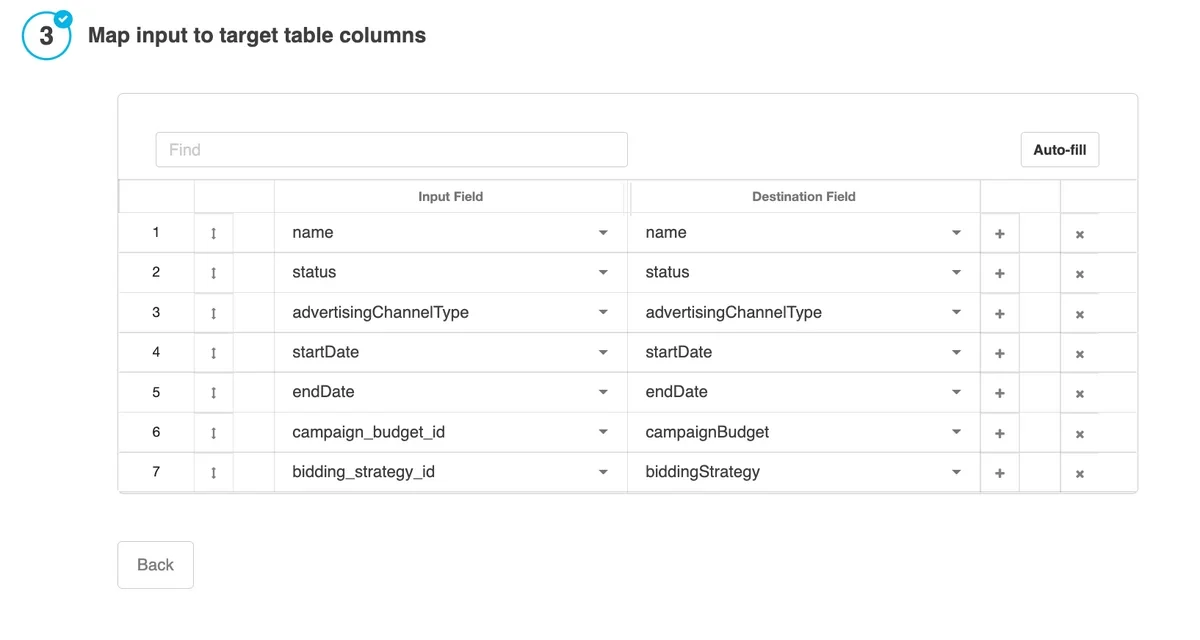
Map the dataflow fields to Google Ads' columns. List of Google Ads' column will be based on selected Target Object from previous step.
## Schema Mapping
Map the dataflow fields to Google Ads' columns. List of Google Ads' column will be based on selected Target Object from previous step.