> ## Documentation Index
> Fetch the complete documentation index at: https://www.integrate.io/docs/llms.txt
> Use this file to discover all available pages before exploring further.
# ETL: MongoDB Destination
> Configure the MongoDB destination component to write data flow output into a MongoDB collection in your Integrate.io ETL data pipeline.
Use the MongoDB destination component to store the output of a data flow in a MongoDB collection.
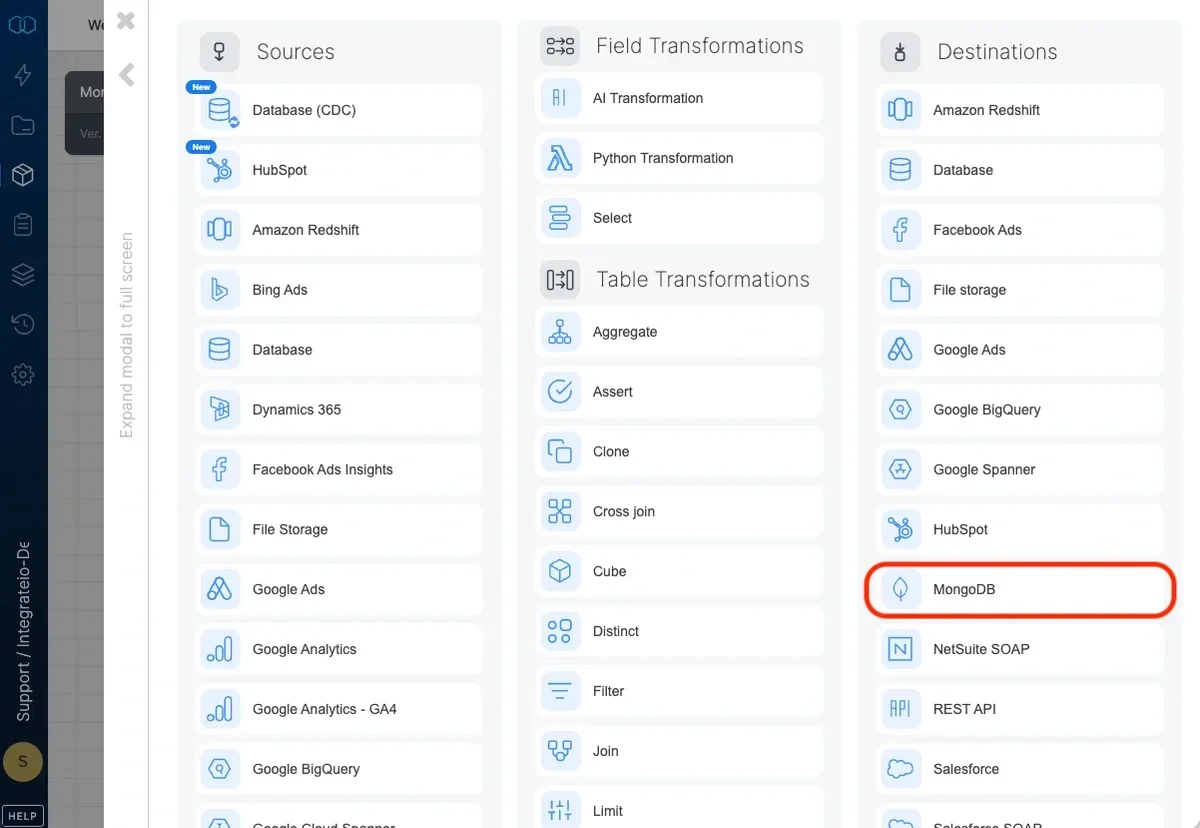 ## Connection
Select an existing MongoDB connection or create a new one (for more information, see [Allowing Integrate.io ETL access to MongoDB](/docs/etl/allowing-integrateio-etl-access-to-mongodb/ "Link: /etl/allowing-integrateio-etl-access-to-mongodb/").)
## Destination Properties
## Connection
Select an existing MongoDB connection or create a new one (for more information, see [Allowing Integrate.io ETL access to MongoDB](/docs/etl/allowing-integrateio-etl-access-to-mongodb/ "Link: /etl/allowing-integrateio-etl-access-to-mongodb/").)
## Destination Properties
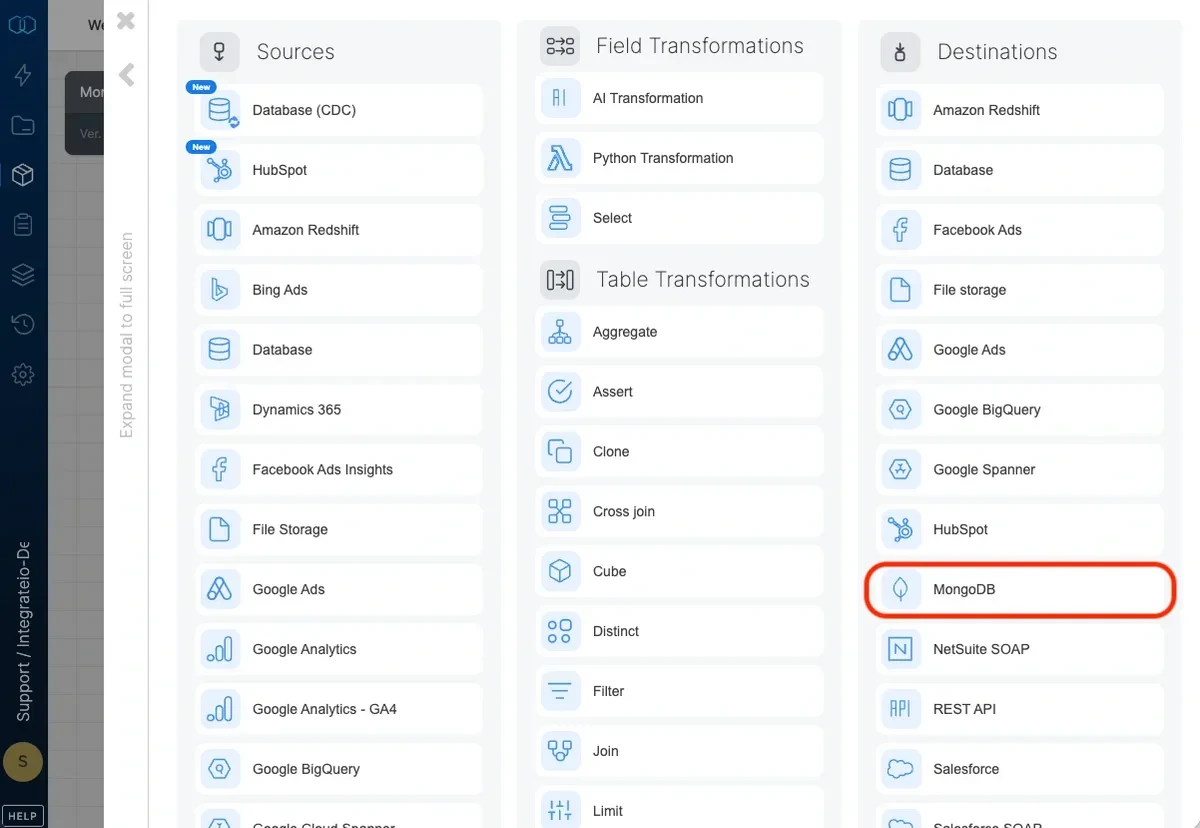 * **Target collection** - The name of the target table in your database. If the table doesn't exist, it will be created automatically.
* **Operation type** - The method of data insertion.
* **Insert only (Append)** - Default behavior. Data will only be appended to the target table.
* **Merge with existing data using update and insert** - Incoming data is merged with existing data in the table by updating existing data and inserting new data. Requires setting the merge keys correctly in field mapping. In case of multiple document match in destination, it will only update a single document.
## Schema Mapping
* **Target collection** - The name of the target table in your database. If the table doesn't exist, it will be created automatically.
* **Operation type** - The method of data insertion.
* **Insert only (Append)** - Default behavior. Data will only be appended to the target table.
* **Merge with existing data using update and insert** - Incoming data is merged with existing data in the table by updating existing data and inserting new data. Requires setting the merge keys correctly in field mapping. In case of multiple document match in destination, it will only update a single document.
## Schema Mapping
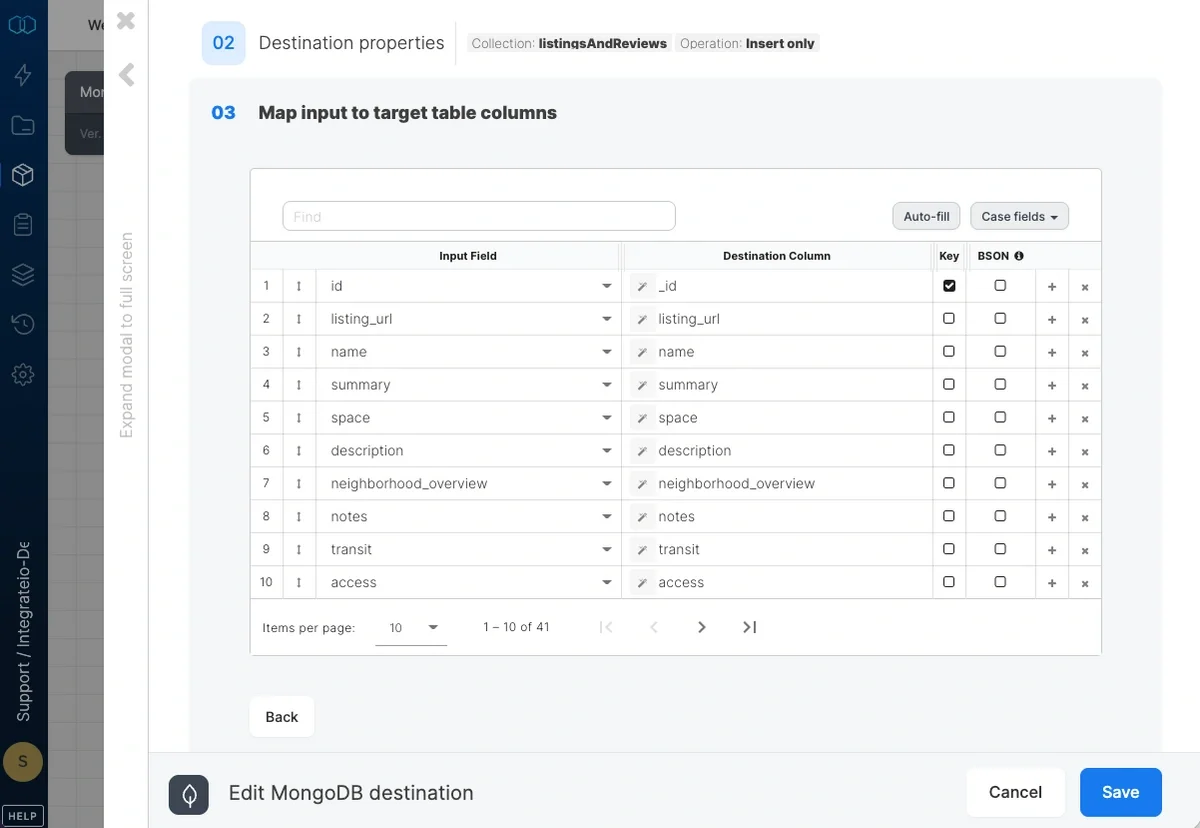 Map the dataflow fields to the target table's columns.
* If merge operation is used, check the **Key** checkbox on one or more fields to specify the merge key.
* Check the **BSON** checkbox on fields that are Bag / Map data types. This is so that Integrate.io ETL can ingest them as MongoDB array or object accordingly.
The following table shows how data types in Integrate.io ETL map to MongoDB data types:
| **Integrate.io ETL** | **MongoDB** |
| :------------------- | :------------- |
| String | String |
| Integer | 32 Bit Integer |
| Long | 64 Bit Integer |
| Double | Double |
| Boolean | Boolean |
| Bag | Array |
| Map | Object |
## How to Set a Primary Key
The \_id field is a unique column that MongoDB uses across all of its rows. It is the primary key on all elements in a collection and it's automatically indexed.
To specify custom \_id values on your dataset, you can use the alias "**underscoreid"** on the column that you would like to use as \_id. Integrate.io ETL would automatically detect this as \_id.
Map the dataflow fields to the target table's columns.
* If merge operation is used, check the **Key** checkbox on one or more fields to specify the merge key.
* Check the **BSON** checkbox on fields that are Bag / Map data types. This is so that Integrate.io ETL can ingest them as MongoDB array or object accordingly.
The following table shows how data types in Integrate.io ETL map to MongoDB data types:
| **Integrate.io ETL** | **MongoDB** |
| :------------------- | :------------- |
| String | String |
| Integer | 32 Bit Integer |
| Long | 64 Bit Integer |
| Double | Double |
| Boolean | Boolean |
| Bag | Array |
| Map | Object |
## How to Set a Primary Key
The \_id field is a unique column that MongoDB uses across all of its rows. It is the primary key on all elements in a collection and it's automatically indexed.
To specify custom \_id values on your dataset, you can use the alias "**underscoreid"** on the column that you would like to use as \_id. Integrate.io ETL would automatically detect this as \_id.
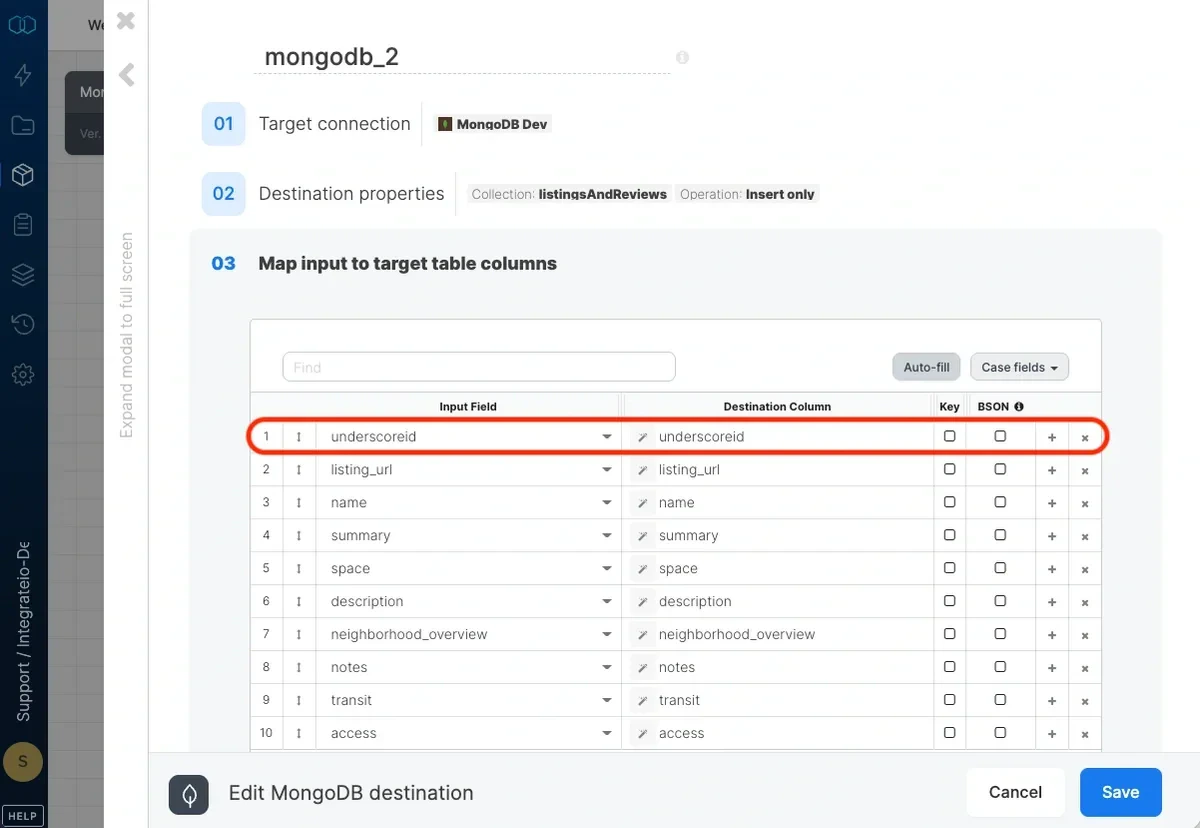 MongoDB would **automatically** generate **\_id** as an ObjectID, one of MongoDB’s [BSON types](https://www.mongodb.com/docs/manual/reference/bson-types/) on each row, if above is not specified.
## Related
MongoDB would **automatically** generate **\_id** as an ObjectID, one of MongoDB’s [BSON types](https://www.mongodb.com/docs/manual/reference/bson-types/) on each row, if above is not specified.
## Related