> ## Documentation Index
> Fetch the complete documentation index at: https://www.integrate.io/docs/llms.txt
> Use this file to discover all available pages before exploring further.
# ETL: Rank Transformation
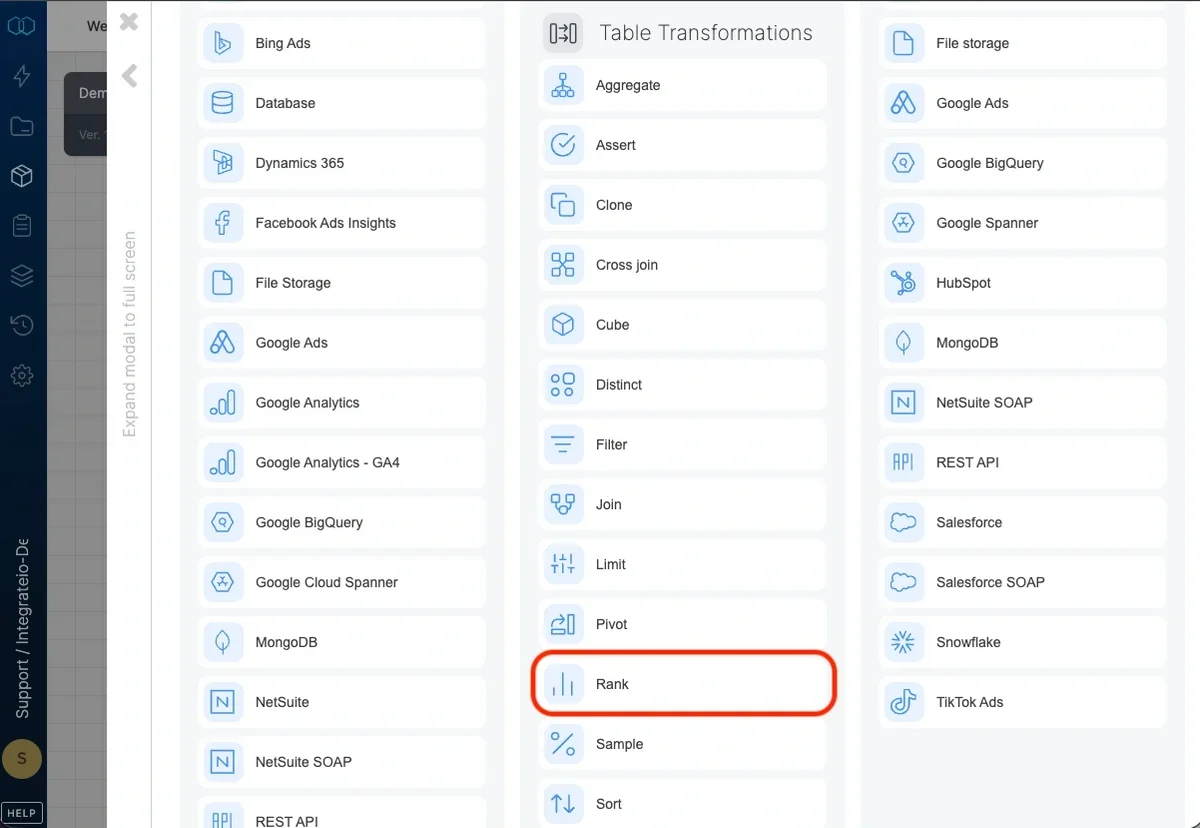
> Use the Rank component to sort input data by one or more fields, in an ascending or descending order and add a rank field that reflects the sort order.
 ## Add rank field
Choose a name for the rank field (default is `rank`). Existing field names can't be used in the input components as field names must be unique.
## Add rank field
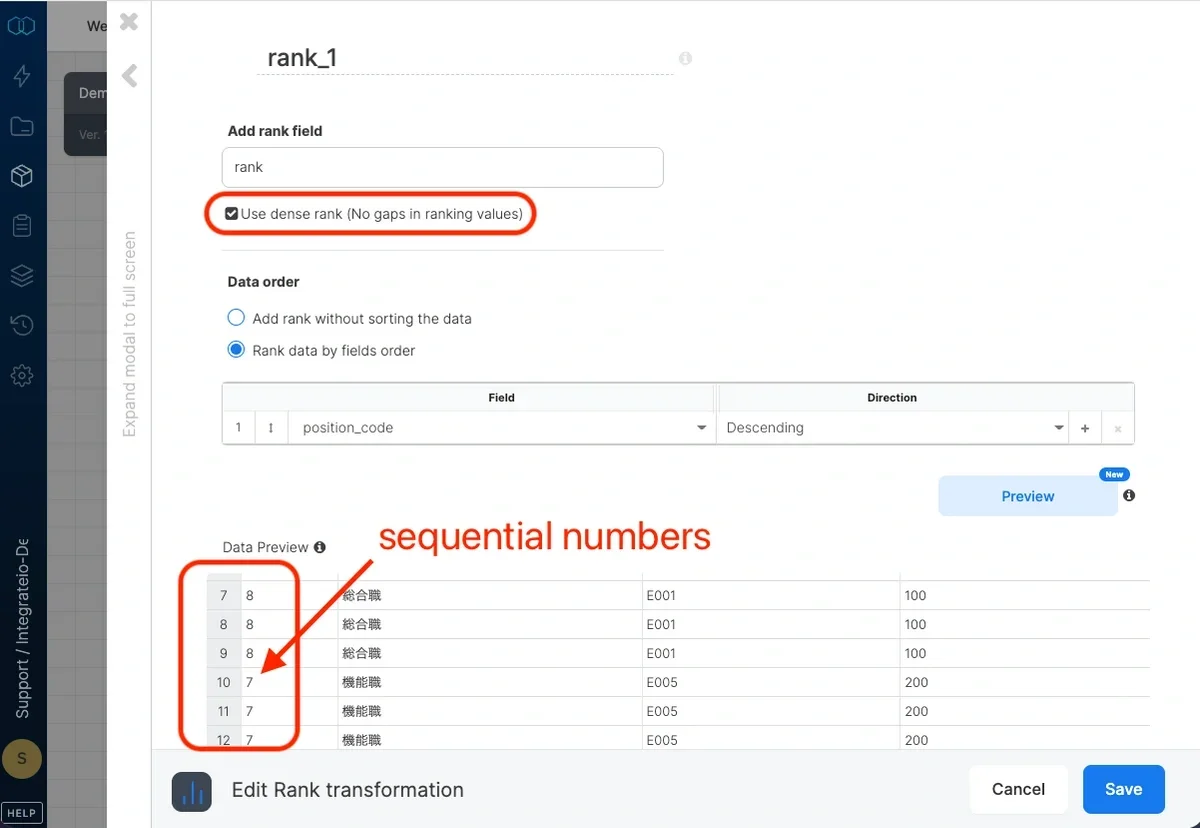
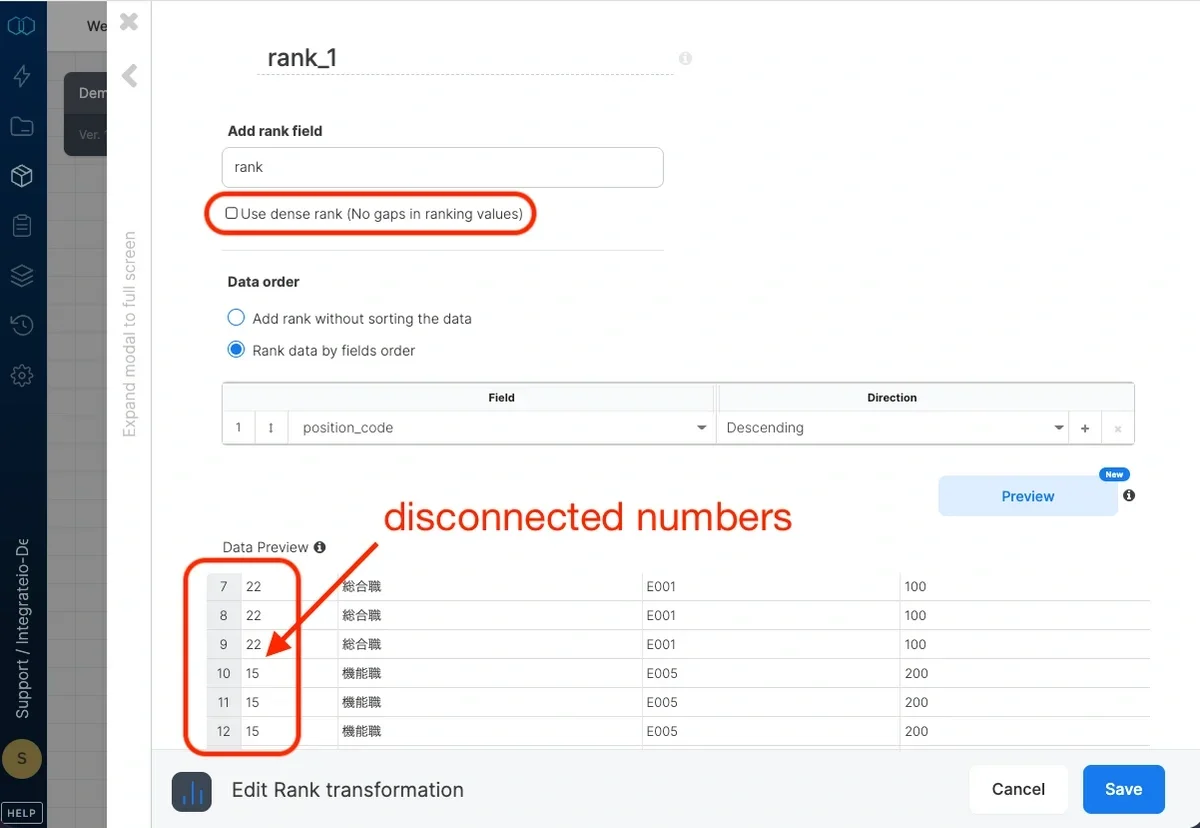
Choose a name for the rank field (default is `rank`). Existing field names can't be used in the input components as field names must be unique. Check **Use dense rank** in order to remove gaps in ranking values. By default, when multiple records have the same values in the sort keys (a "tie"), they will have the same rank value and there will be a gap between them and the next record's rank value. To avoid the gap, use `dense rank option.` For example,
| **sorted field** | **rank** | **dense rank** |
| :--------------- | :------- | :------------- |
| 'a' | 1 | 1 |
| 'a' | 1 | 1 |
| 'b' | 3 | 2 |
* **Checked use dense rank**
Check **Use dense rank** in order to remove gaps in ranking values. By default, when multiple records have the same values in the sort keys (a "tie"), they will have the same rank value and there will be a gap between them and the next record's rank value. To avoid the gap, use `dense rank option.` For example,
| **sorted field** | **rank** | **dense rank** |
| :--------------- | :------- | :------------- |
| 'a' | 1 | 1 |
| 'a' | 1 | 1 |
| 'b' | 3 | 2 |
* **Checked use dense rank**
 * **Unchecked use dense rank**
 ## Data Order
You can either `add rank without sorting the data` to add arbitrary rank value without sorting the input data, or `rank data by fields order` by selecting fields and sort direction (ascending or descending) to sort the data by.
## Data Order
You can either `add rank without sorting the data` to add arbitrary rank value without sorting the input data, or `rank data by fields order` by selecting fields and sort direction (ascending or descending) to sort the data by.