> ## Documentation Index
> Fetch the complete documentation index at: https://www.integrate.io/docs/llms.txt
> Use this file to discover all available pages before exploring further.
# ETL: Sort Transformation
> Use the Sort transformation to order records by one or more fields in ascending or descending order in your Integrate.io ETL data pipeline.
 ## Sort data by one or more fields:
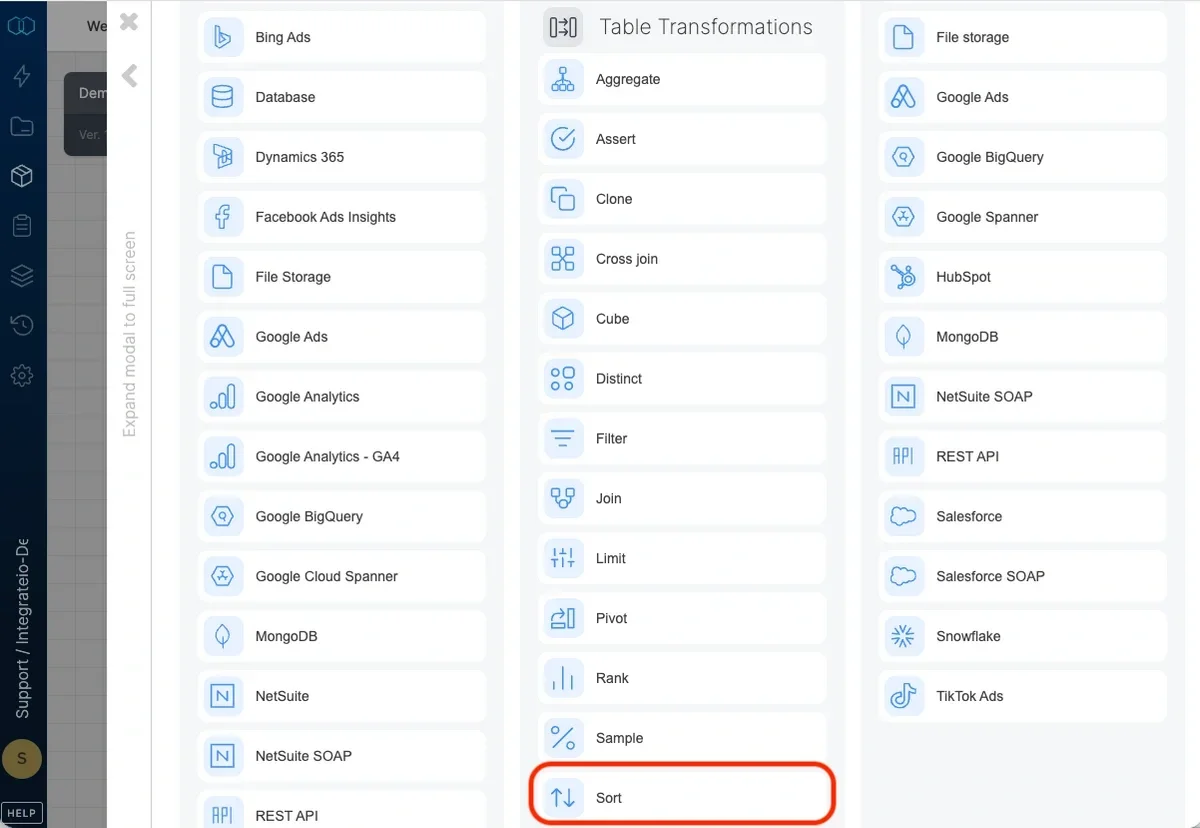
Add a sort component where required in your package.
Open the component and name it.
Add the first field you want to sort by, and define the sort order (ascending or descending).
## Sort data by one or more fields:
Add a sort component where required in your package.
Open the component and name it.
Add the first field you want to sort by, and define the sort order (ascending or descending).
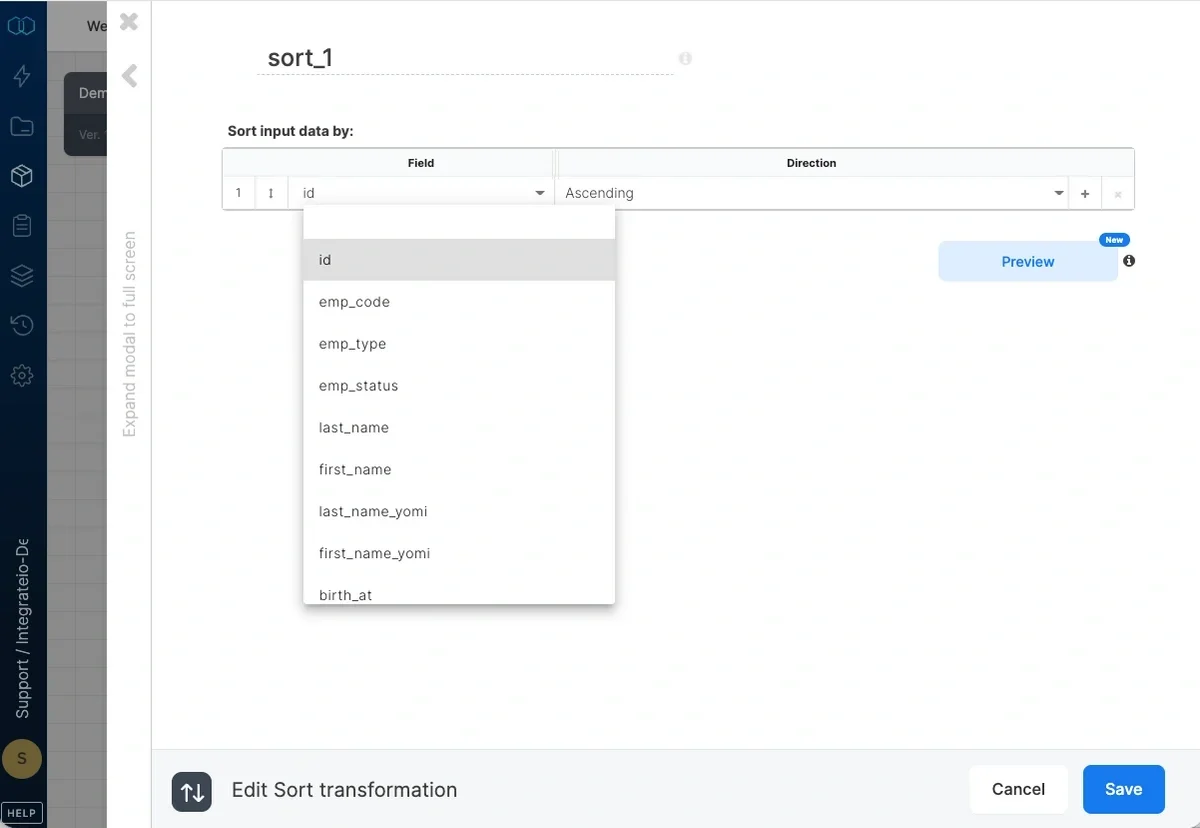 If required, add additional fields to sort by and define their sort order.
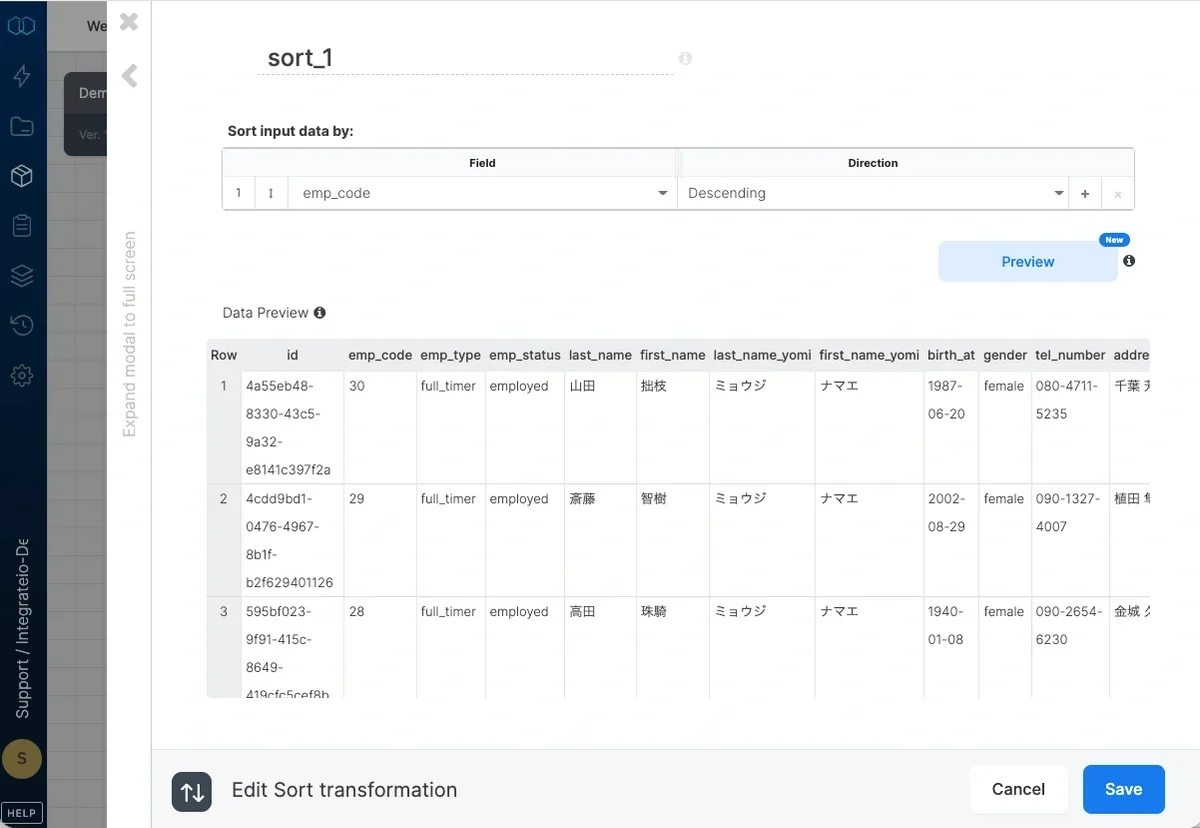
Change the field order as required.
If required, add additional fields to sort by and define their sort order.
Change the field order as required.
 ## Known Limitation
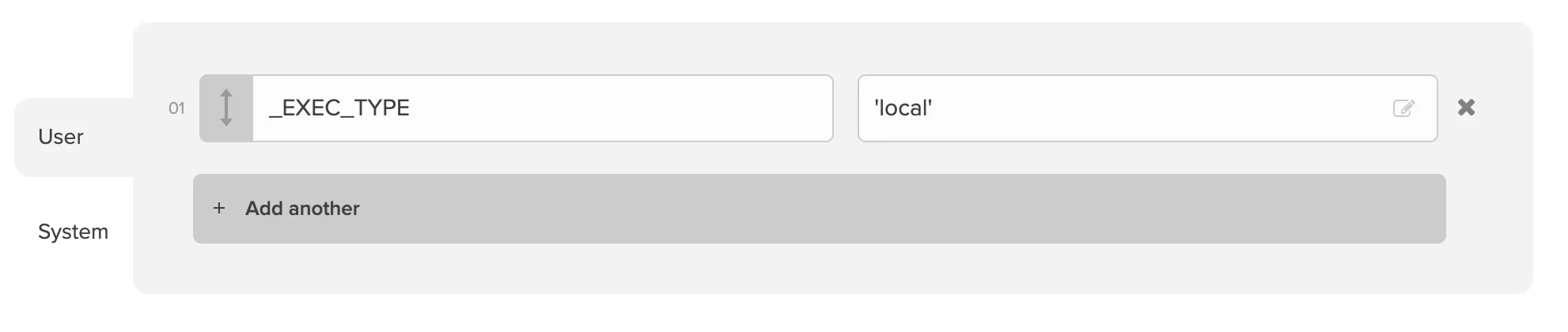
Since Integrate.io ETL offers parallel processing out of the box on some components, Sort is not guaranteed by default and single-threaded processing needs to be enforced. To do so, add a package variable **\_EXEC\_TYPE** with value **'local'** so that the records are sorted properly. Note that selecting "Merge output to single file" in File Storage destination can also affect proper record sorting.
## Known Limitation
Since Integrate.io ETL offers parallel processing out of the box on some components, Sort is not guaranteed by default and single-threaded processing needs to be enforced. To do so, add a package variable **\_EXEC\_TYPE** with value **'local'** so that the records are sorted properly. Note that selecting "Merge output to single file" in File Storage destination can also affect proper record sorting.