> ## Documentation Index
> Fetch the complete documentation index at: https://www.integrate.io/docs/llms.txt
> Use this file to discover all available pages before exploring further.
# ETL: TikTok Ads Destination
> Use the TiktokAds destination component to store the output of a data flow in TiktokAds cloud object. The destination component uses TiktokAds API.
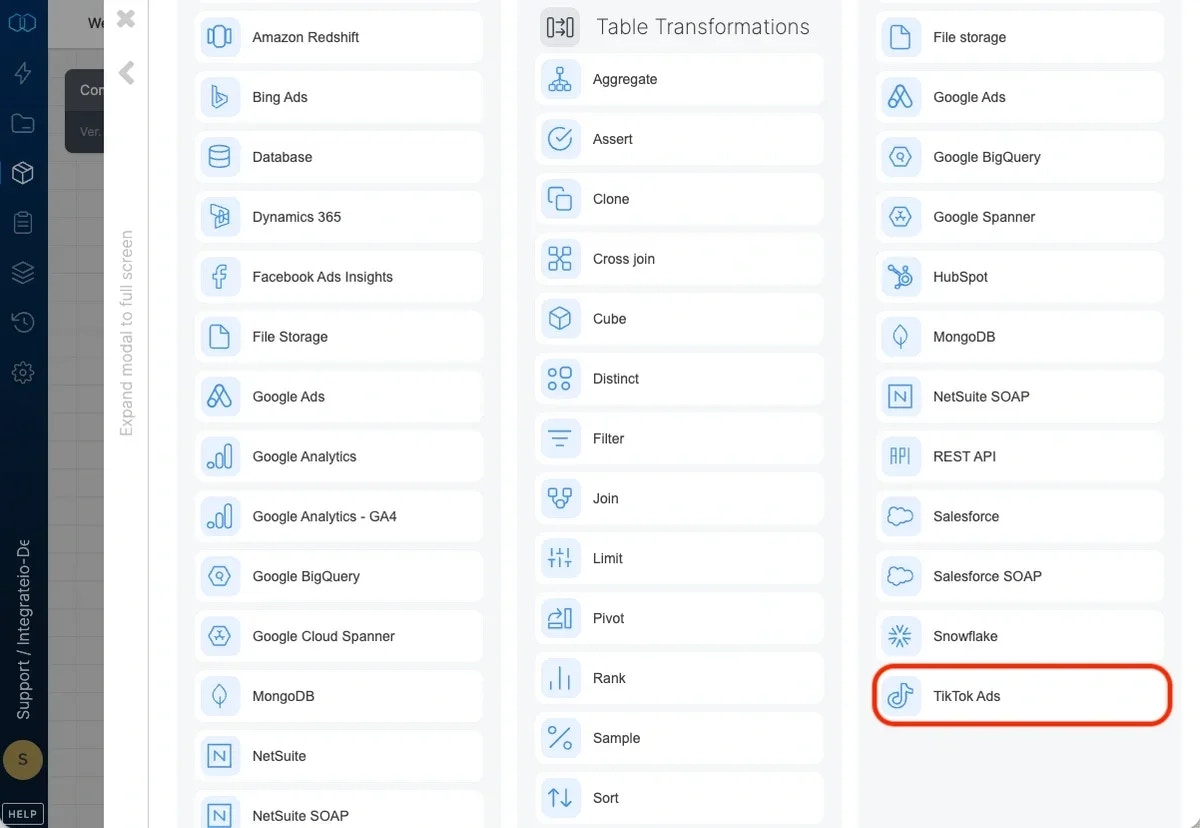 ## Connection
Select an existing TiktokAds connection or create a new one (for more information, see [Allowing Integrate.io ETL access to my data on TiktokAds](/etl/allowing-integrateio-etl-access-to-tiktok-ads-data).)
## Destination Properties
* **Target object** - select the name of the target object in your TiktokAds.
* Ads
* AdCommentsBlockedWords
* AdGroup
* Campaign
* Catalog
* CatalogFeed
* CatalogSet
* CatalogVideoPackage
* CreativePortfolio
* Identity
* RfAdGroup (Reach & Frequency AdGroup)
### Operation type
* **Insert -** inserts new data into the selected object according to the required ID
* **Update** - updates existing data in the selected object according to the required ID
### Necessary IDs to Insert or Update Data in TiktokAds
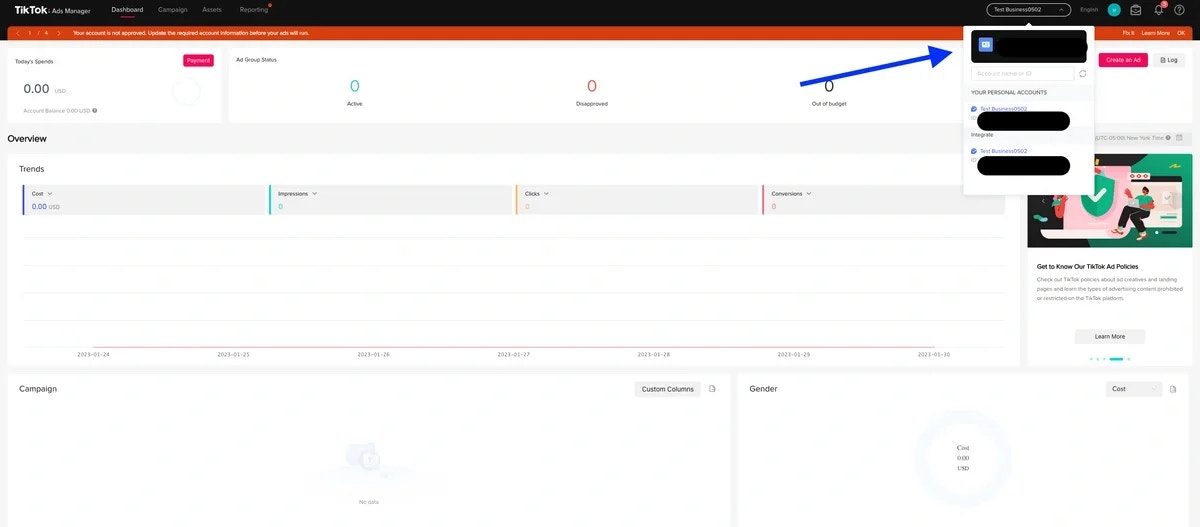
* **Advertiser ID** (All Object) - account id recognition for TiktokAds Account
* Access your Ads manager dashboard ([link](https://ads.tiktok.com/i18n/dashboard))
* Find the advertiser ID under your account name
## Connection
Select an existing TiktokAds connection or create a new one (for more information, see [Allowing Integrate.io ETL access to my data on TiktokAds](/etl/allowing-integrateio-etl-access-to-tiktok-ads-data).)
## Destination Properties
* **Target object** - select the name of the target object in your TiktokAds.
* Ads
* AdCommentsBlockedWords
* AdGroup
* Campaign
* Catalog
* CatalogFeed
* CatalogSet
* CatalogVideoPackage
* CreativePortfolio
* Identity
* RfAdGroup (Reach & Frequency AdGroup)
### Operation type
* **Insert -** inserts new data into the selected object according to the required ID
* **Update** - updates existing data in the selected object according to the required ID
### Necessary IDs to Insert or Update Data in TiktokAds
* **Advertiser ID** (All Object) - account id recognition for TiktokAds Account
* Access your Ads manager dashboard ([link](https://ads.tiktok.com/i18n/dashboard))
* Find the advertiser ID under your account name
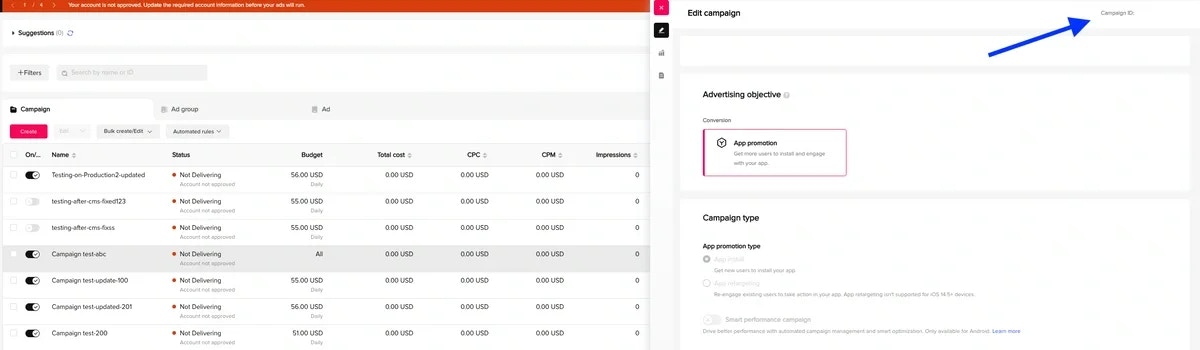
 * **Campaign** **ID** (Campaign Object) - Campaign id recognition for TiktokAds
* Access your Campaign dashboard ([link](https://ads.tiktok.com/i18n/perf/campaign))
* **Campaign** **ID** (Campaign Object) - Campaign id recognition for TiktokAds
* Access your Campaign dashboard ([link](https://ads.tiktok.com/i18n/perf/campaign))
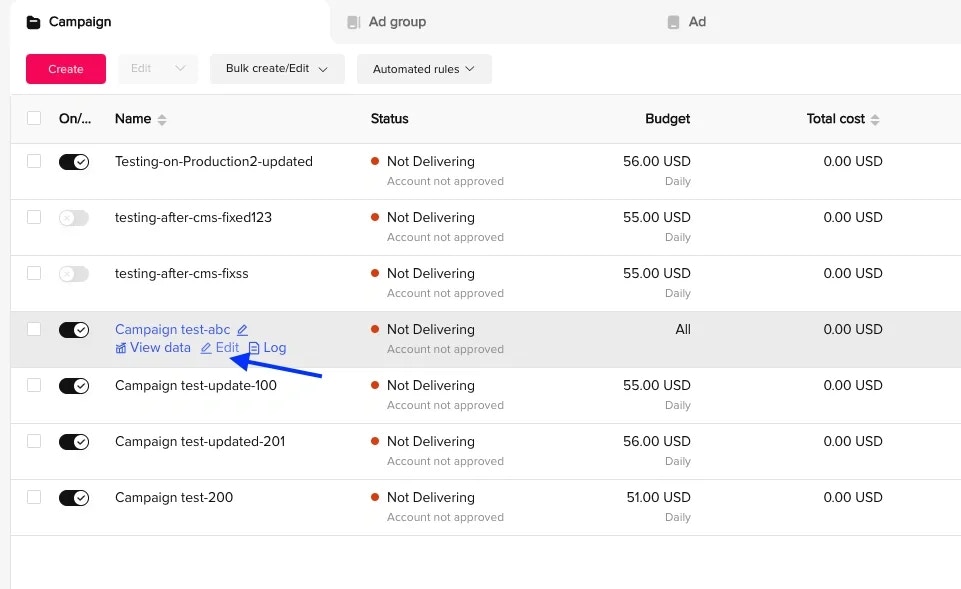 * Hover your mouse over the campaign object & select "Edit" under the campaign name
* Find the campaign ID at the top-right corner of the right sidebar
* Hover your mouse over the campaign object & select "Edit" under the campaign name
* Find the campaign ID at the top-right corner of the right sidebar
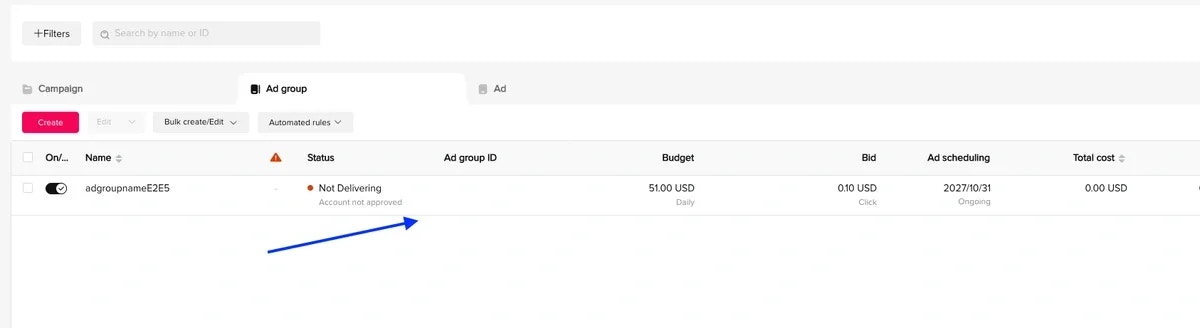
 * **Ad Groups ID** (Ad Groups Object)
* Access your Adgroup dashboard ([link](https://ads.tiktok.com/i18n/perf/adgroup))
* Find the Ad group ID in on of the columns
* **Ad Groups ID** (Ad Groups Object)
* Access your Adgroup dashboard ([link](https://ads.tiktok.com/i18n/perf/adgroup))
* Find the Ad group ID in on of the columns
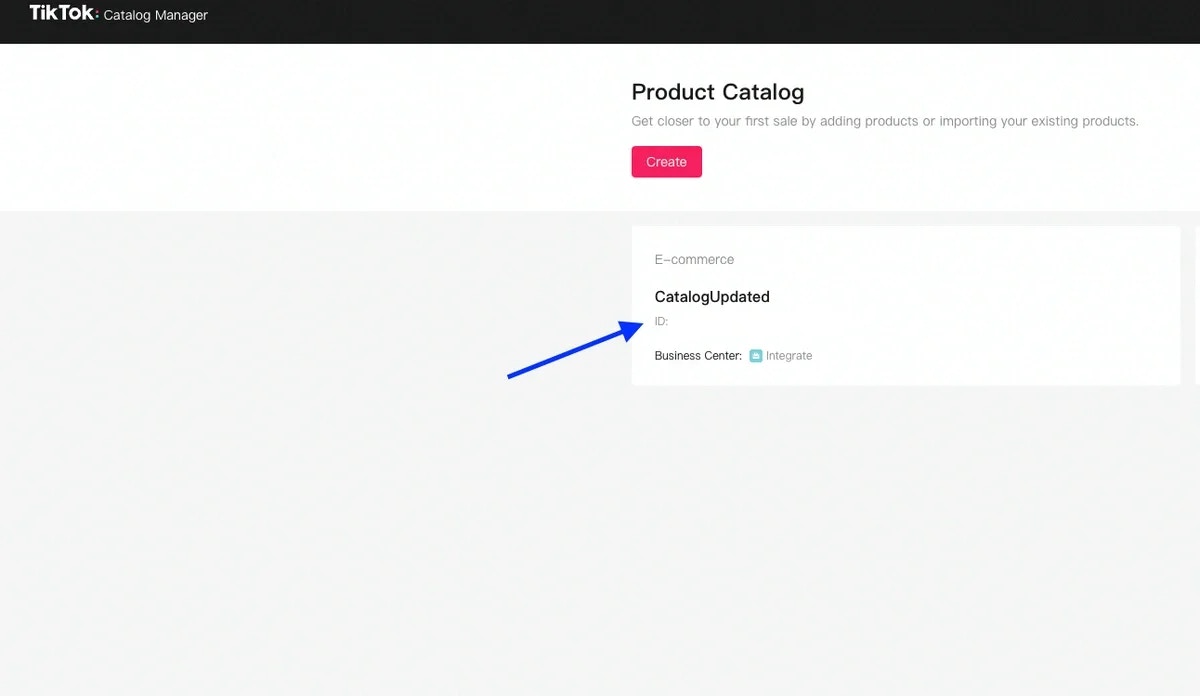
 * **Catalog ID** (Catalog, CatalogFeed, CatalogVideoPackage, CatalogSet Object)
* Access your Catalog Manager Dashboard ([link](https://ads.tiktok.com/catalogs/list))
* Find the ID under the catalog name
* **Catalog ID** (Catalog, CatalogFeed, CatalogVideoPackage, CatalogSet Object)
* Access your Catalog Manager Dashboard ([link](https://ads.tiktok.com/catalogs/list))
* Find the ID under the catalog name
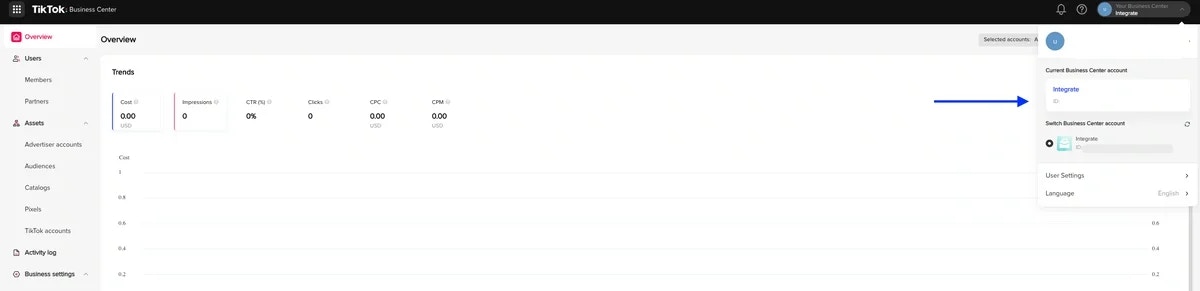
 * **Business Center ID** (Catalog, CatalogFeed, CatalogVideoPackage, CatalogSet Object)
* Access your Business account ([link](https://business.tiktok.com/manage/overview))
* Find the business center ID in the account list dropdown
* **Business Center ID** (Catalog, CatalogFeed, CatalogVideoPackage, CatalogSet Object)
* Access your Business account ([link](https://business.tiktok.com/manage/overview))
* Find the business center ID in the account list dropdown
 ## Schema Mapping
Select the required and optional fields to use in the destination according to the object. (Check out the TiktokAds API [documentation](https://ads.tiktok.com/marketing_api/docs?rid=8yh06bpsglh\&id=1735713875563521) for more details on fields for each object)
## Schema Mapping
Select the required and optional fields to use in the destination according to the object. (Check out the TiktokAds API [documentation](https://ads.tiktok.com/marketing_api/docs?rid=8yh06bpsglh\&id=1735713875563521) for more details on fields for each object)