"저희 Salesforce 팀은 이제 데이터를 준비하고 로드하는 파이프라인을 직접 구축하여 Salesforce 데이터 통합을 완전히 자동화할 수 있습니다. 더 이상 IT가 필요 없으며, 팀이 무척 만족하고 있습니다."

Adam Hooper
중앙 플랫폼 책임자, DPD UK
Integrate.io는 팀이 이미 사용하는 대시보드와 보고 도구로 BI 준비 데이터를 수집, 정리, 변환, 전송할 수 있도록 돕습니다.
Integrate.io로 수백만 건의 IT 티켓을 절감하는 1,100개 이상의 데이터 및 운영 팀이 신뢰합니다








Analysts lose hours cleaning exports, joining sources, and chasing stale numbers before a dashboard or report is ready to trust.
Teams copy, clean, and reconcile exports before they can answer basic business questions.
Metrics drift when source data lands late, arrives in different formats, or skips validation.
New fields, sources, and stakeholder requests pile up behind engineering priorities.
신뢰할 수 있는 데이터를 수집, 정리, 검증해 웨어하우스와 BI 도구로 전달하는 반복 가능한 데이터 흐름을 구축하세요.

Pull from CRMs, ad platforms, apps, databases, files, and APIs through managed connectors.

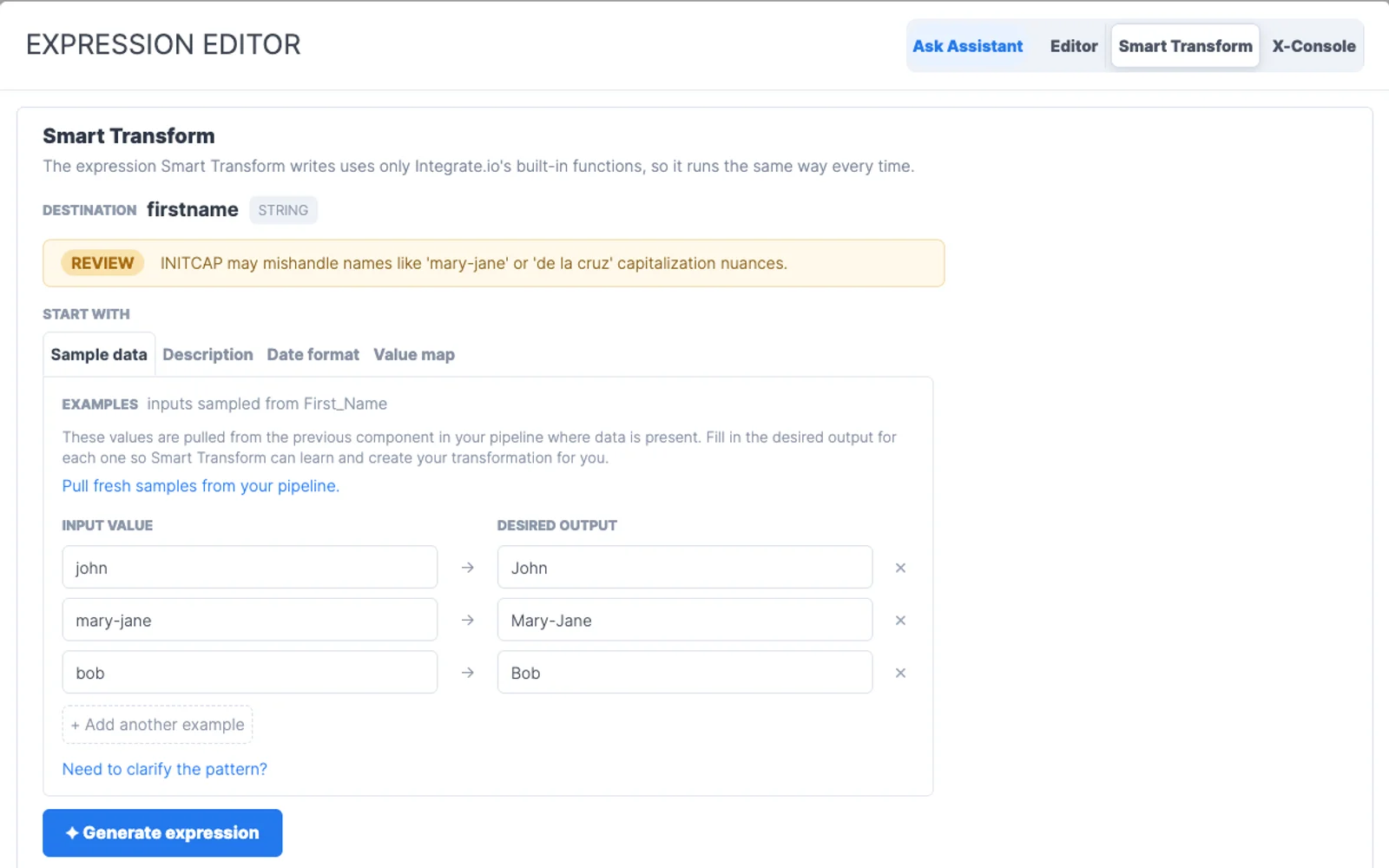
Standardize formats, dedupe records, join tables, and enrich fields with visual transformations.

Schedule refreshes, monitor runs, and alert owners when a pipeline needs attention.

Transform data before it lands in the warehouse, after it lands, or both. Integrate.io supports ETL and ELT patterns, from one-person data teams to scaled enterprise teams.
분석가, 운영팀, 엔지니어가 필요한 파이프라인을 만들고, IT는 액세스, 표준, 가시성을 유지할 수 있습니다.
데이터 작업이 늘어나도 예측 가능한 요금제입니다. 행, 동기화, 커넥터, 클라이언트마다 예산이 달라지지 않습니다.
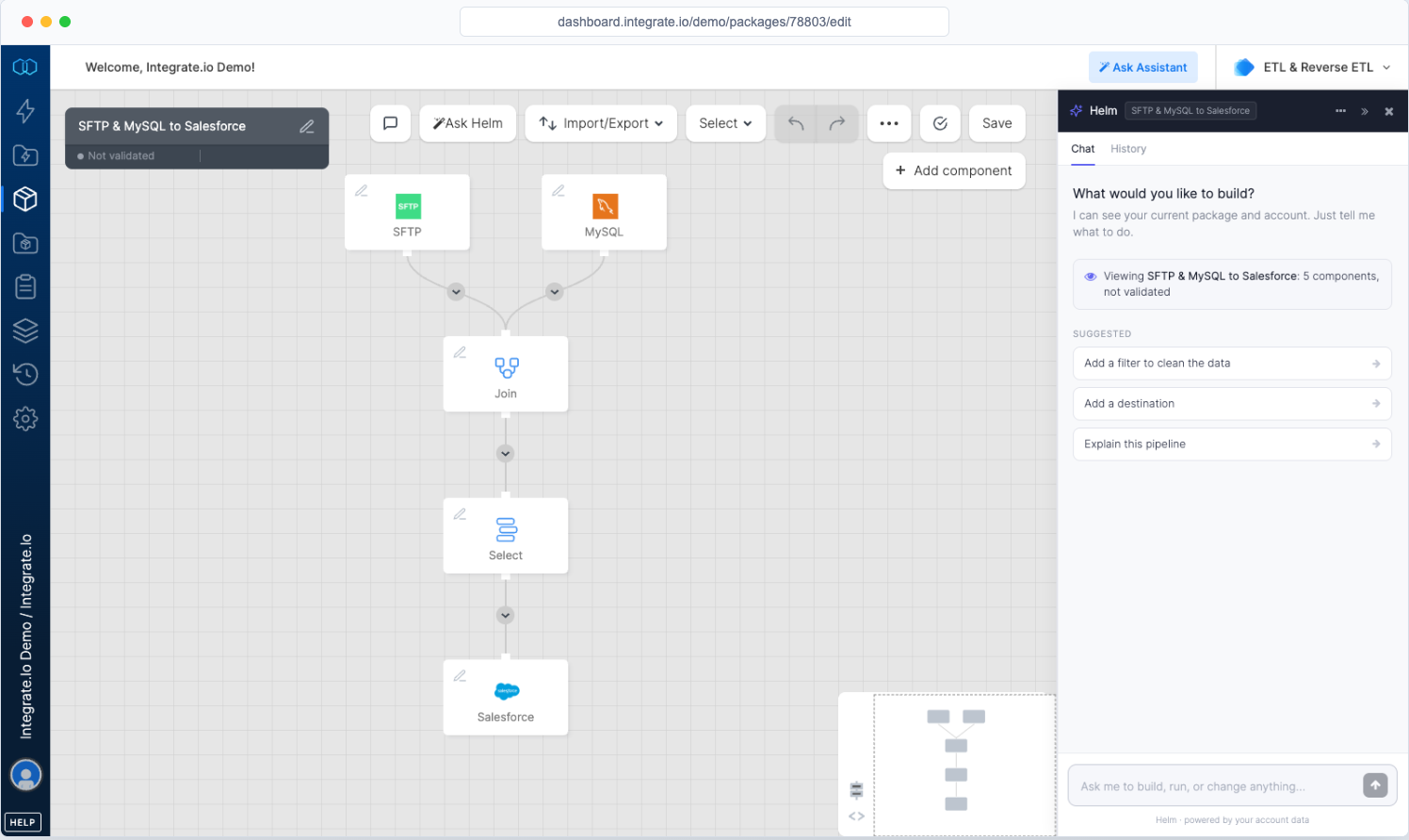
시각적으로 구축하고, Helm에 요청하거나, 필요할 때 SQL과 Python을 추가할 수 있습니다. 데이터에 가장 가까운 팀이 흐름을 소유할 수 있습니다.
전담 솔루션 엔지니어가 연중무휴 지원팀과 함께 구현과 프로덕션 작업을 안내합니다.
Integrate.io를 데이터 관리를 위한 엔드투엔드 데이터 파이프라인 플랫폼으로 사용하거나, 팀이 이미 선호하는 스택에 모듈형 구성 요소로 연결할 수 있습니다.
“Integrate.io 플랫폼은 훌륭한 ETL 및 데이터 변환 솔루션입니다! Salesforce, HubSpot, Google Analytics, Facebook Ads 등을 연결하는 것이 이보다 더 쉬울 수 없었습니다.”

Meir Gold
그로스 | 애널리틱스 매니저
“훌륭한 ELT 도구. 노코드 도구로 설정과 사용이 쉽고, 스케줄도 좋고, 가격 균형도 뛰어납니다!”

Diego Polo
비즈니스 인텔리전스 아키텍트
“역대 최고의 고객 서비스! 외부 벤더 중 제가 함께 일해 본 최고의 고객 서비스 팀입니다. 항상 매우 빠르게 응대하고, 문제 해결이나 제품 안내에 있어 기대 이상으로 노력합니다.”

Matthew Pratt
애널리틱스 매니저
관리형 소스와 대상, 맞춤형 시스템을 위한 범용 API 커넥터, 그리고 요청에 따라 24~48시간 안에 구축되는 신규 커넥터.
Integrate.io는 소스 시스템을 연결하고, 데이터를 정제 및 변환하고, 일정을 관리하고, 작업을 모니터링하며, 신뢰할 수 있는 데이터를 BI 도구와 리포팅 계층에 전달함으로써 분석 데이터 준비를 지원합니다.
Integrate.io 커넥터를 통해 SaaS 애플리케이션, 웨어하우스, 데이터베이스, 파일, API, CRM, ERP, 운영 도구와 연결할 수 있습니다.
네. 데이터가 대시보드나 리포트에 도달하기 전에 필터링, 조인, 매핑, 보강, 재구성 등 필요한 변환을 적용할 수 있습니다.
소요 시간은 소스 시스템, 대상 스키마, 승인 절차, 변환 로직에 따라 달라집니다. 이러한 사항을 미리 결정해 두면 더 빠르게 진행할 수 있습니다.
범위를 한정한 동기화로 시작해 건수와 주요 필드를 비교하고, 로그를 검토하고, 대시보드에서의 동작을 확인한 뒤, 데이터가 예상과 일치하면 프로덕션 워크플로를 예약하는 방식으로 진행합니다.