"当社の Salesforce チームは、データの準備とロードを行うパイプラインを自ら構築することで、Salesforce のデータ統合を完全に自動化できるようになりました。もう IT に頼る必要がなく、チームはそれをとても気に入っています。"

Adam Hooper
セントラルプラットフォーム責任者、DPD UK
Integrate.io は、チームが既存のダッシュボードやレポートツールへ BI 対応データを収集、クレンジング、変換、配信できるよう支援します。
Integrate.io で何百万もの IT チケットを削減する 1,100 以上のデータ・運用チームに信頼されています








Analysts lose hours cleaning exports, joining sources, and chasing stale numbers before a dashboard or report is ready to trust.
Teams copy, clean, and reconcile exports before they can answer basic business questions.
Metrics drift when source data lands late, arrives in different formats, or skips validation.
New fields, sources, and stakeholder requests pile up behind engineering priorities.
信頼できるデータを収集、クレンジング、検証し、ウェアハウスと BI ツールへ届ける再利用可能なデータフローを構築します。

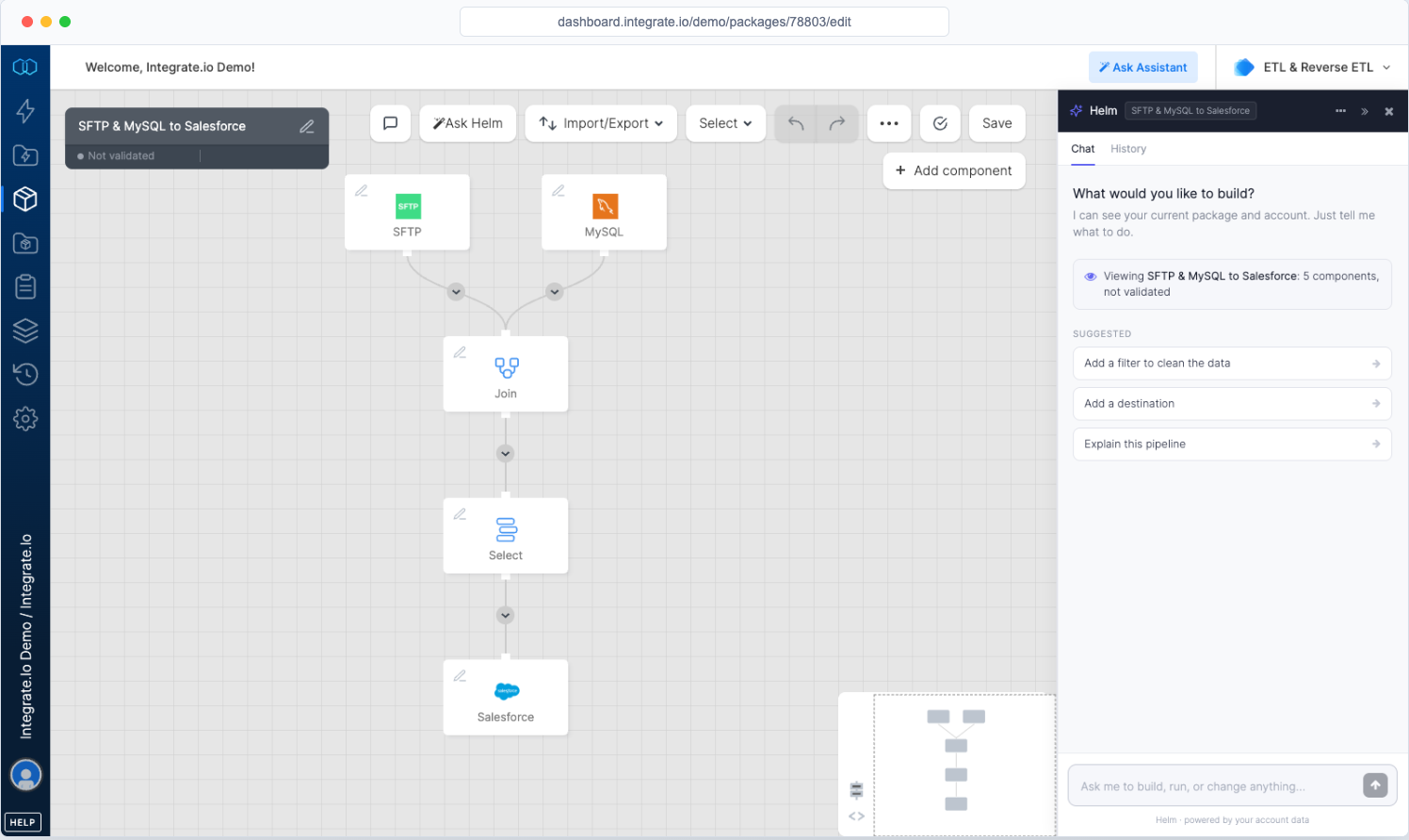
Pull from CRMs, ad platforms, apps, databases, files, and APIs through managed connectors.

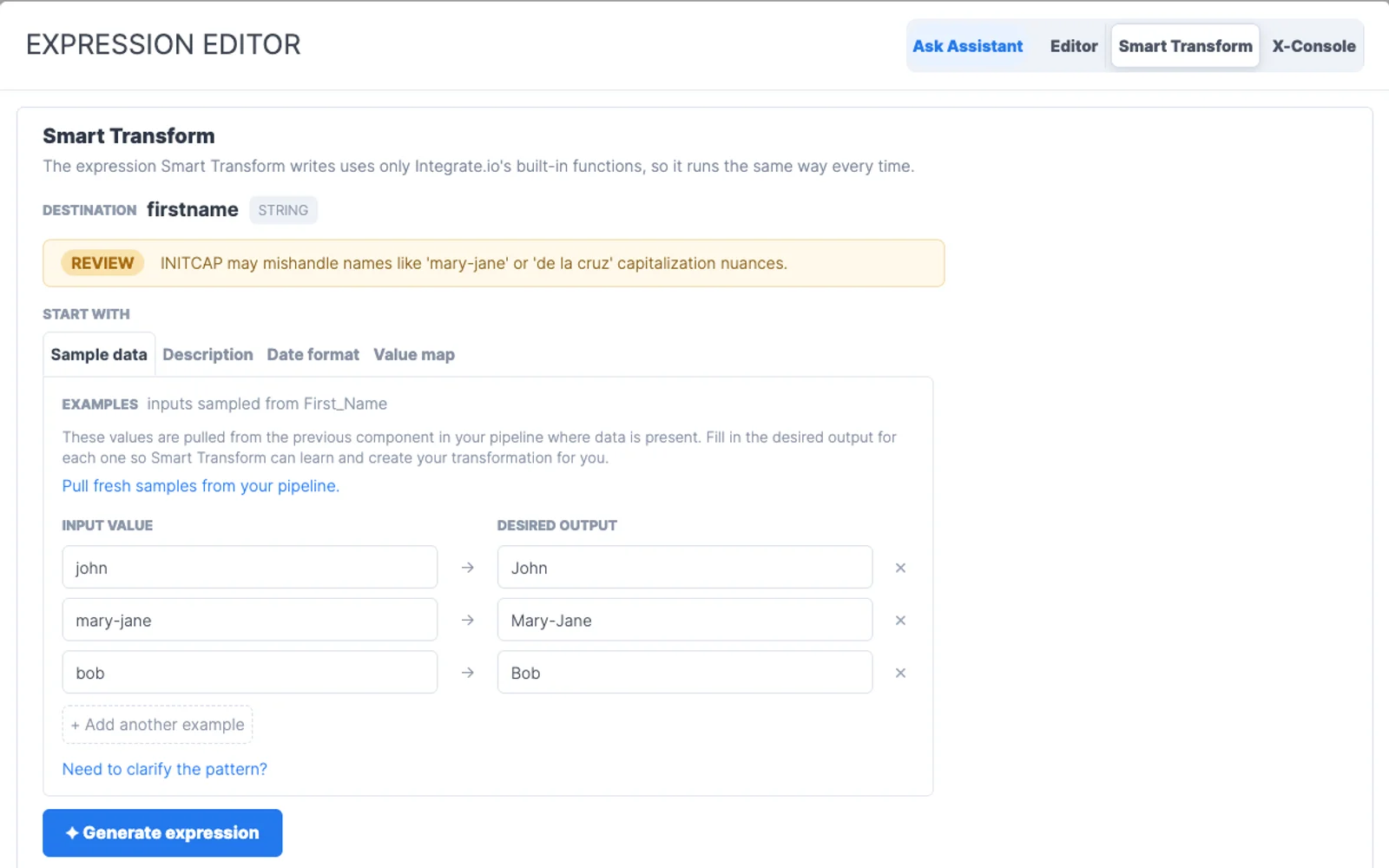
Standardize formats, dedupe records, join tables, and enrich fields with visual transformations.

Schedule refreshes, monitor runs, and alert owners when a pipeline needs attention.

Transform data before it lands in the warehouse, after it lands, or both. Integrate.io supports ETL and ELT patterns, from one-person data teams to scaled enterprise teams.
アナリスト、運用担当者、エンジニアが必要なパイプラインを構築でき、IT はアクセス、標準、可視性を保てます。
増え続けるデータ業務にも予測しやすい料金。行数、同期、コネクタ、クライアントごとに予算が左右されません。
画面上で構築し、Helm に指示し、必要に応じて SQL や Python を追加できます。データに最も近いチームがフローを所有できます。
専任のソリューションエンジニアが、24 時間 365 日のサポートとともに、実装と本番運用を支援します。
Integrate.io をデータ管理のためのエンドツーエンドのデータパイプラインプラットフォームとして使うことも、チームがすでに選んでいるスタックにモジュール式コンポーネントとして組み込むこともできます。
“Integrate.io プラットフォームは素晴らしい ETL・データ変換ソリューションです!Salesforce、HubSpot、Google アナリティクス、Facebook 広告などの接続が、かつてないほど簡単になりました。”

Meir Gold
グロース|アナリティクスマネージャー
“素晴らしい ELT ツール。ノーコードで、セットアップも使用も簡単、スケジュールも便利で、価格バランスも抜群です!”

Diego Polo
ビジネスインテリジェンスアーキテクト
“史上最高のカスタマーサービス!外部ベンダーの中で、これまでで最高のカスタマーサービスチームです。常に対応が早く、問題解決や製品の説明において期待以上の働きをしてくれます。”

Matthew Pratt
アナリティクスマネージャー
管理されたソースと宛先、カスタムシステム向けの汎用 API コネクター、さらにオンデマンドで 24 から 48 時間以内に構築できる新しいコネクター。
FAQ
Clear answers to the questions teams ask when evaluating Integrate.io.
Still have questions?
Talk to an expert →Integrate.io supports 分析データ準備 by connecting source systems, preparing data, managing schedules, monitoring jobs, and delivering clean records to the tools teams use.
分析データ準備 workflows can connect SaaS apps, warehouses, databases, files, APIs, CRMs, ERPs, and operational tools through Integrate.io connectors.
Yes. Teams can filter, join, map, enrich, and reshape data before it reaches the warehouse, application, or reporting layer that depends on it.
Timing depends on the source systems, destination schema, approval process, and transformation logic. Focused use cases can usually move faster when those decisions are made up front.
Teams should start with a scoped sync, compare counts and key fields, review logs, confirm downstream behavior, then schedule the production workflow once the data matches expectations.