
"Our Salesforce team can now fully automate Salesforce data integration by building pipelines to prep and load data themselves. They don't need IT anymore, and they love it."

Adam Hooper
Head of Central Platforms, DPD UK
Integrate.io's MCP server gives any MCP-compatible LLM governed read and write access to build, edit, run, and monitor pipelines with the same permissions, version history, and audit trails as the UI.
Talk to an Expert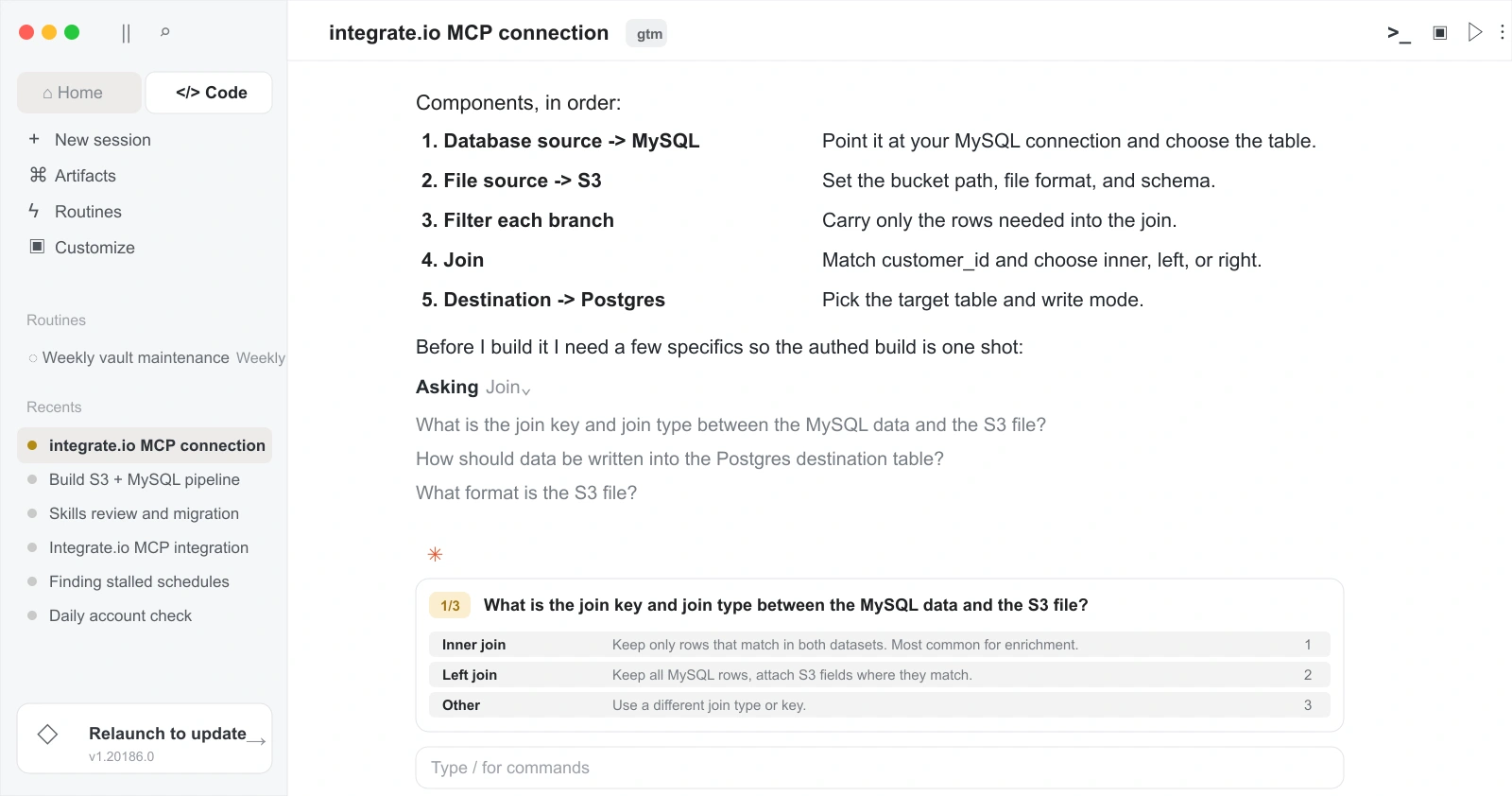
Trusted by 1,100+ data and ops teams saving millions of IT tickets with Integrate.io








Integrate.io's MCP server exposes the product as tools your agent can call, so the LLM you already use can operate pipelines without model lock-in.
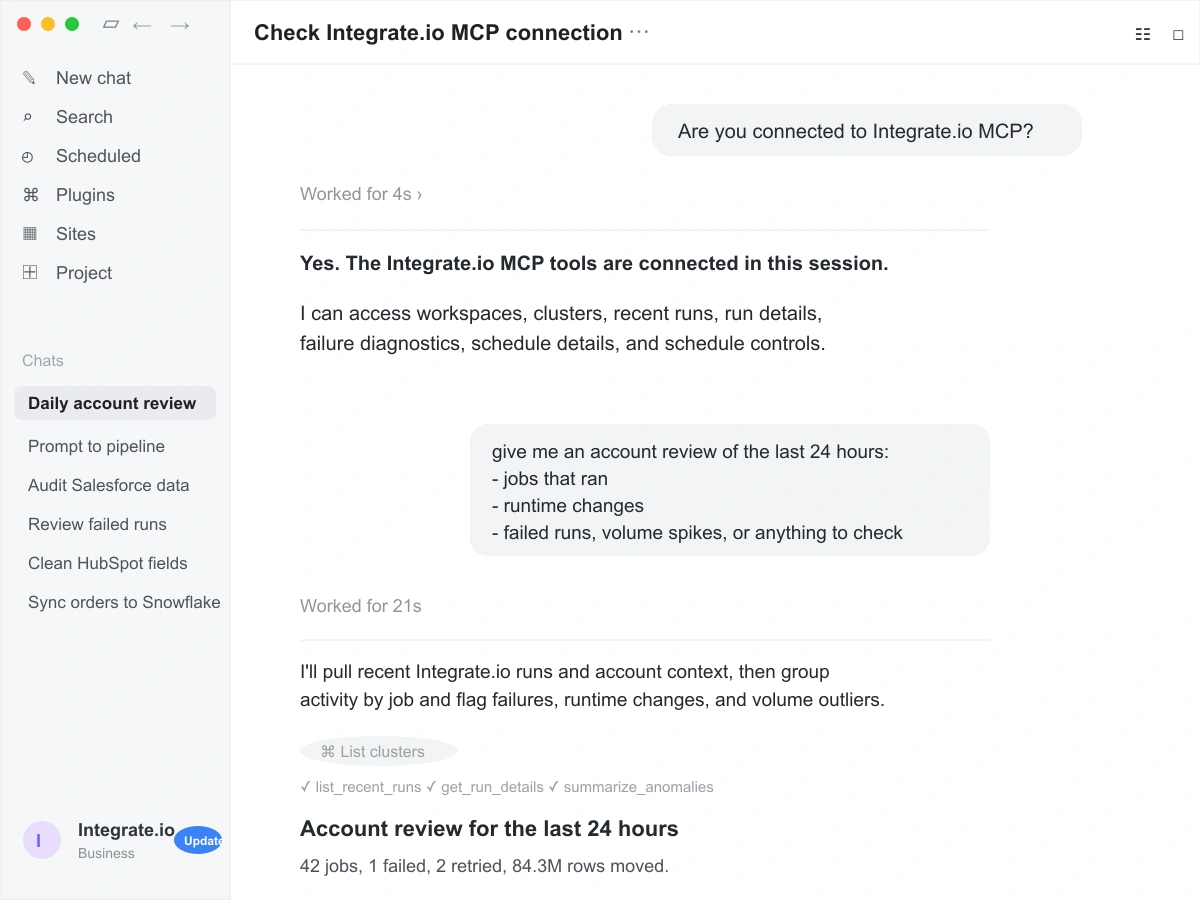

Use Claude, Cursor, your own agent, or any MCP-compatible client. Bring the model, keys, and context your team already trusts.

Inspect pipelines, create workflows, update configurations, trigger runs, and monitor results from your LLM.

MCP actions follow Integrate.io permissions, audit trails, and version history, so teams can review updates and roll back when needed.

Use your LLM to migrate existing workflows to Integrate.io pipelines. Custom migration tools are available for vendor migrations.
Analysts, operators, and engineers can build the pipelines they need, while IT keeps access, standards, and visibility in place.
Predictable pricing for growing data work, without tying budget to every row, sync, connector, or client.
Build visually, prompt with Helm, or add SQL and Python when they help. Teams closest to the data can own the flow.
A dedicated Solution Engineer guides implementation and production work alongside 24/7 support.

Every agent-made update is tracked, so teams can review changes and roll back when needed.

MCP actions follow the same roles and access controls as the Integrate.io UI.

See what changed, who triggered it, and when, whether work happens in the UI or through MCP.

Let agents inspect, create, update, run, and monitor workflows without bypassing platform controls.
We take the headache out of migrations. Our team migrates every pipeline and helps you leave legacy stacks behind in weeks, not quarters.
Talk to an Expert“The Integrate.io Platform is a great ETL & Data Transformation Solution! Connecting Salesforce, Hubspot, Google Analytics, Facebook Ads, etc... has never been easier.”

Meir Gold
Growth | Analytics Manager
“Awesome ELT Tool. No code tool, easy to set up/use, nice schedules, price balance!”

Diego Polo
Business Intelligence Architect
“Best Customer Service Ever! They have been the best customer service team I have ever worked with from an outside vendor. Always very responsive, and go above and beyond to resolve issues or instruct on the product.”

Matthew Pratt
Analytics Manager
Managed sources and destinations, a universal API connector for custom systems, and new connectors built on demand within 24 to 48 hours.
Use Integrate.io as the end-to-end data pipeline platform for data management, or plug its modular components into the stack your team already prefers.
FAQ
Clear answers to the questions teams ask when evaluating Integrate.io.
Still have questions?
Talk to an expert →None. Our entire UI is built on the same public API your team can use. Every feature is exposed, no internal-only endpoints.
Yes. Packages can be exported as JSON and stored, reviewed, versioned, and deployed through your CI/CD workflow.
No, absolutely not. Everything works through our visual UI. The API is available only if your team prefers programmatic control.
Yes. The API is fully documented, secured with token-based auth, and compliant with SOC 2, HIPAA, and GDPR standards.
Create packages, trigger runs, manage schedules, retrieve logs, monitor jobs, export JSON, and integrate with tools like Airflow, GitHub, and your CI/CD workflow.