
"Our Salesforce team can now fully automate Salesforce data integration by building pipelines to prep and load data themselves. They don't need IT anymore, and they love it."

Adam Hooper
Head of Central Platforms, DPD UK
Built for Salesforce admins, architects, and ops teams. Integrate.io helps you build end-to-end data flows into Salesforce without babysitting Data Loader or waiting on central IT.
Trusted by 1,100+ data and ops teams saving millions of IT tickets with Integrate.io








Admins, architects, and ops teams need clean CRM data now, but imports, object relationships, and sync jobs still get stuck behind engineering.
Manual CSV cleanup, exports, and repeat loads pull Salesforce teams away from revenue operations.
Duplicates, missing fields, and mismatched formats create cleanup work after the load.
New fields, objects, and MuleSoft updates become tickets instead of changes Salesforce teams can own.
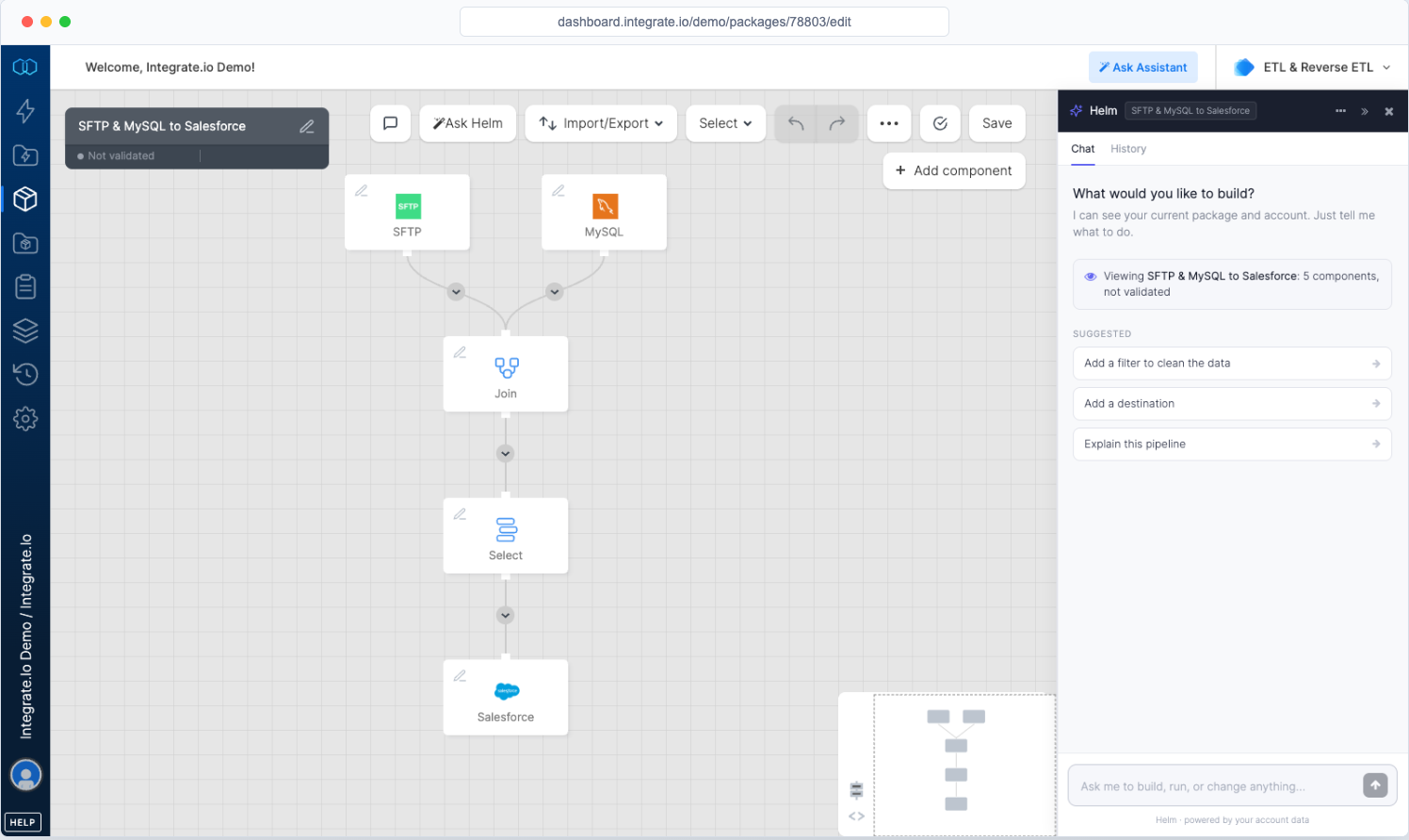
Prepare, load, monitor, and adjust Salesforce data flows without relying on Data Loader workarounds or custom integration code.
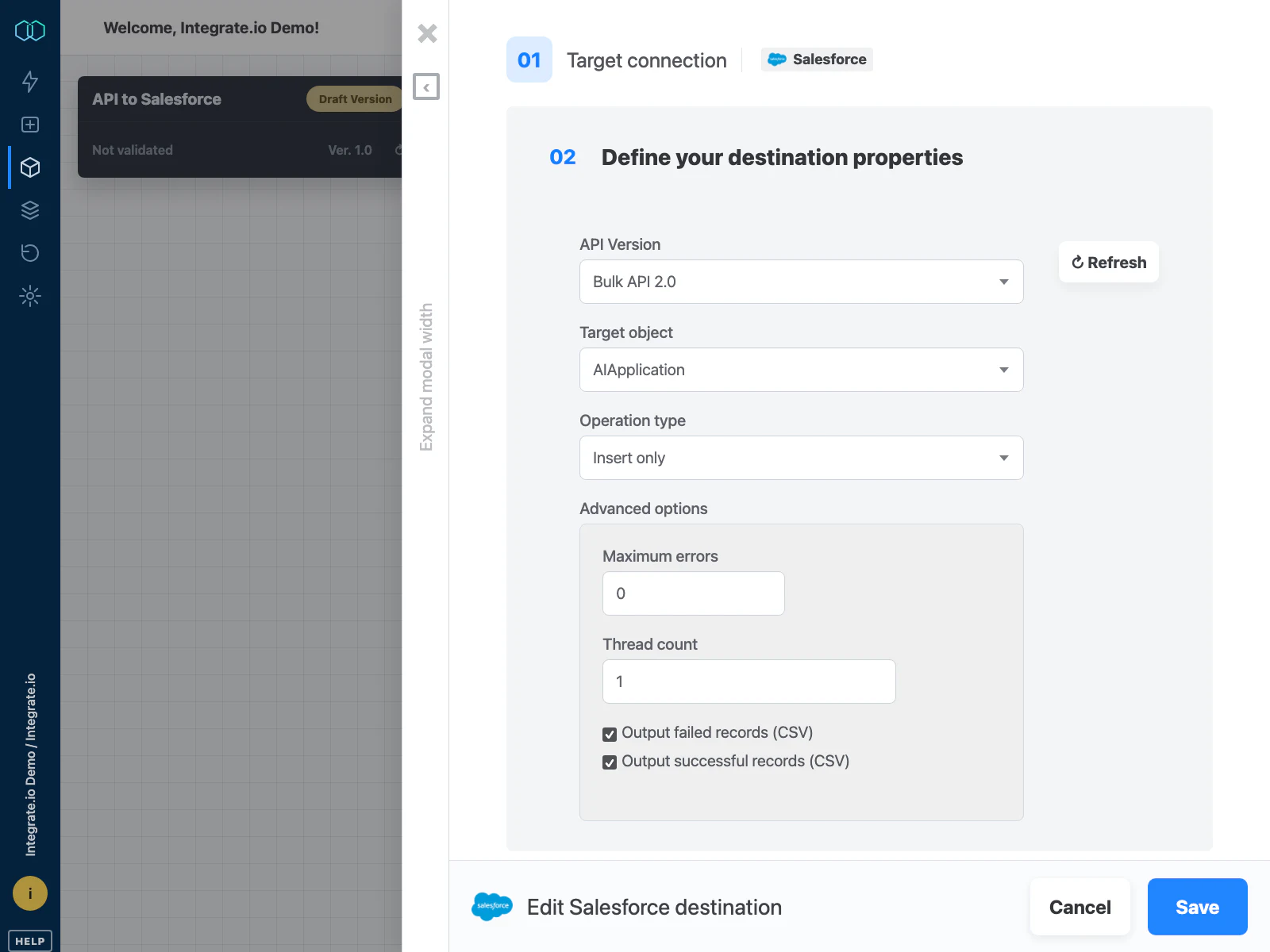

Sync standard and custom objects through Salesforce Bulk, REST, and SOAP APIs, with support for inserts, upserts, updates, and deletes.

Clean, dedupe, standardize, and enrich records before they reach Salesforce, so bad data does not become CRM cleanup work.

Sequence accounts, contacts, opportunities, and custom objects so relationships stay intact.

Use run history, success files, error files, and alerts to know what loaded and what needs attention.
Analysts, operators, and engineers can build the pipelines they need, while IT keeps access, standards, and visibility in place.
Predictable pricing for growing data work, without tying budget to every row, sync, connector, or client.
However a pipeline is built, it runs with the same role-based access and audit trail, so IT can see who changed what.
A dedicated Solution Engineer guides implementation and production work alongside 24/7 support.
Use Integrate.io as the end-to-end data pipeline platform for data management, or plug its modular components into the stack your team already prefers.
“The Integrate.io Platform is a great ETL & Data Transformation Solution! Connecting Salesforce, Hubspot, Google Analytics, Facebook Ads, etc... has never been easier.”

Meir Gold
Growth | Analytics Manager
“Awesome ELT Tool. No code tool, easy to set up/use, nice schedules, price balance!”

Diego Polo
Business Intelligence Architect
“Best Customer Service Ever! They have been the best customer service team I have ever worked with from an outside vendor. Always very responsive, and go above and beyond to resolve issues or instruct on the product.”

Matthew Pratt
Analytics Manager
Managed sources and destinations, a universal API connector for custom systems, and new connectors built on demand within 24 to 48 hours.
Book a 30-minute demo and see how Integrate.io helps Salesforce teams prep, load, and monitor CRM data.
Book a DemoFAQ
Clear answers to the questions teams ask when evaluating Integrate.io.
Still have questions?
Book a Demo →To build, run, and monitor the data pipelines they depend on, across SaaS apps, databases, files, APIs, and warehouses, without waiting in an engineering queue for every change.
Only if you want to. Build point-and-click with 220+ transformations, describe the pipeline to Helm, work through MCP, or drop into SQL and Python when the logic needs it.
Role-based access, version history, run logs, alerts, and audit trails let IT set the guardrails while the people closest to the data do the day-to-day work.
Every plan includes a dedicated Solution Engineer who helps design, build, and troubleshoot pipelines, plus 24/7 support.
A fixed fee, so costs stay predictable as you add pipelines, sources, and data volume.