
"Our Salesforce team can now fully automate Salesforce data integration by building pipelines to prep and load data themselves. They don't need IT anymore, and they love it."

Adam Hooper
Head of Central Platforms, DPD UK
Freight brokers, 3PLs, and logistics software companies get files from every carrier, shipper, and TMS they work with. Integrate.io standardizes each one into your schema on schedule.
Trusted by 1,100+ data and ops teams saving millions of IT tickets with Integrate.io








Rate sheets, freight invoices, shipment status, and load data arrive as CSV, Excel, EDI, and exports from older TMS systems, and none of them match your schema.
Each carrier, shipper, and partner sends its own layout, and every new one needs its own mapping.
Adding a carrier or customer means custom integration work before any data flows.
Many customer TMS and ERP systems run on-premises or on AS/400 with no API, so data moves as files or not at all.
Build one pipeline per carrier or customer that maps their files into your standard schema, validates every load, and delivers clean data to your database, TMS, or warehouse on schedule.

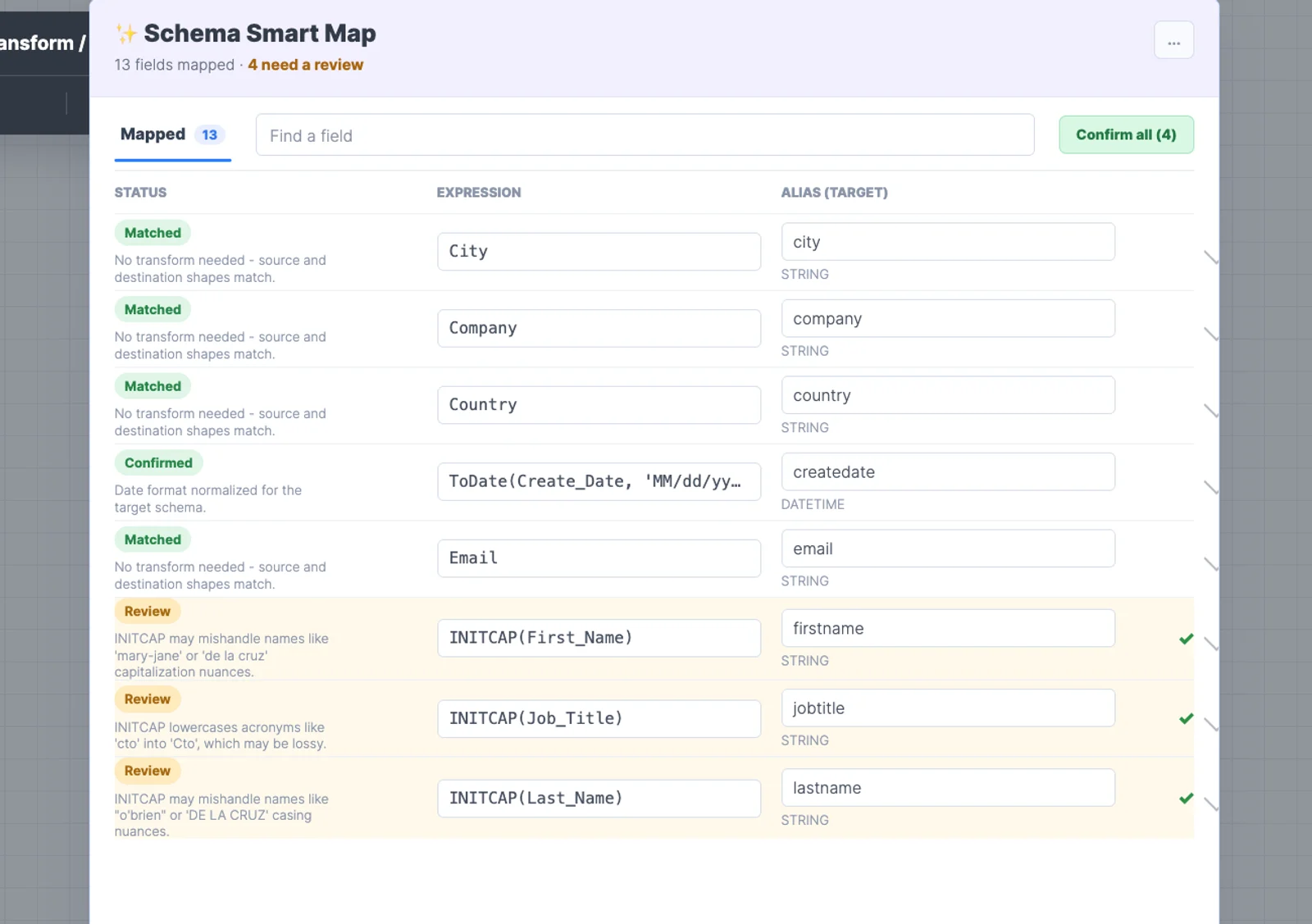
Standardize CSV, Excel, fixed-width, XML, and EDI files from every carrier and partner into one schema.

Copy the pipeline for a similar partner and change only what differs, so the operations team can onboard without engineering.

Pick up files over SFTP, or connect to on-premises databases and AS/400 systems through a secure SSH tunnel.

Get notified when a file fails validation or an expected delivery doesn't arrive.
Analysts, operators, and engineers can build the pipelines they need, while IT keeps access, standards, and visibility in place.
Predictable pricing for growing data work, without tying budget to every row, sync, connector, or client.
However a pipeline is built, it runs with the same role-based access and audit trail, so IT can see who changed what.
A dedicated Solution Engineer guides implementation and production work alongside 24/7 support.
Use Integrate.io as the end-to-end data pipeline platform for data management, or plug its modular components into the stack your team already prefers.
“The Integrate.io Platform is a great ETL & Data Transformation Solution! Connecting Salesforce, Hubspot, Google Analytics, Facebook Ads, etc... has never been easier.”

Meir Gold
Growth | Analytics Manager
“Awesome ELT Tool. No code tool, easy to set up/use, nice schedules, price balance!”

Diego Polo
Business Intelligence Architect
“Best Customer Service Ever! They have been the best customer service team I have ever worked with from an outside vendor. Always very responsive, and go above and beyond to resolve issues or instruct on the product.”

Matthew Pratt
Analytics Manager
Managed sources and destinations, a universal API connector for custom systems, and new connectors built on demand within 24 to 48 hours.
Book a demo and bring a carrier or customer file. A Solution Engineer will show it landing in your schema.
Book a DemoFAQ
Clear answers to the questions teams ask when evaluating Integrate.io.
Still have questions?
Book a Demo →Map each carrier's layout to one standard schema once, then let every later file convert automatically. Integrate.io does this with a low-code pipeline per carrier, validates each file on arrival, and flags files that don't match, so adding a carrier doesn't mean writing new code.
Build transformations as reusable templates rather than one-off scripts. In Integrate.io, a new carrier or customer usually starts as a copy of a similar pipeline, so onboarding the next partner takes days, not an engineering project.
Move the routine work to the people who know the data. Integrate.io is low-code, so analysts and operations staff can build and maintain partner pipelines, with monitoring and alerts covering failures and a dedicated Solution Engineer on every plan.
Most older TMS and ERP systems can export files or expose a database. Integrate.io picks up files over SFTP or connects to on-premises databases, including AS/400, through a secure SSH tunnel, then maps the data into your schema on schedule.
Validate every file on arrival, keep a record of what loaded and what was rejected, and alert someone when a delivery fails. Integrate.io pipelines do each of these, keep job history for every run, and run on a SOC 2 compliant platform.
Support for the formats partners actually send, including CSV, Excel, fixed-width, and EDI; connections to on-premises systems; reusable mappings for onboarding new partners; alerts for failed or missing files; and pricing that doesn't rise with every partner you add.