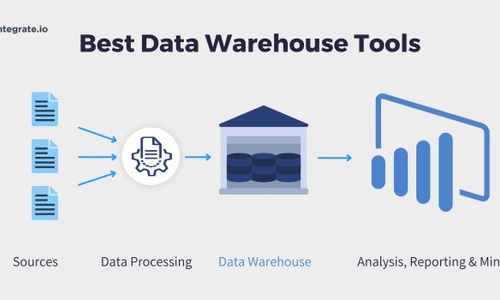
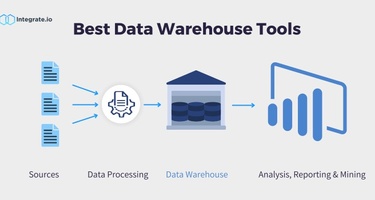


Data warehousing improves access to information, speeds up query-response times, and allows businesses to fetch deeper insights from big data. Previously, companies had to invest a lot in infrastructure to build a data warehouse. The advent of cloud technology has significantly reduced the cost of data warehousing for businesses.
Our five key takeaways include:
- Information access is simplified using data warehousing.
- Business intelligence is bolstered by access to deep insights from Big Data.
- Data integration techniques, such as ETL, ELT, and CDC, are important in data warehousing for businesses.
- Today’s cloud-based tools are faster than ever before and priced more affordably; you only pay for what you use.
- The data warehousing tool best for your organization will be the one that meets the data analysis and data processing requirements for your specific use cases.
Today, there are cloud-based data warehousing tools that are fast, highly scalable, and available on a pay-per-use basis. In this article, we’ll explore some of the most popular tools available and discuss considerations around cost, scalability, security, performance, and ease of use. Here is our pick of some of the best data warehouse tools out there and what they have to offer:
Which are the best data warehousing tools for handling real-time data capture?
Snowflake, Google BigQuery, and Amazon Redshift are among the best data warehousing tools for handling real-time data. Integrate.io enhances these warehouses by providing a low-code ETL/ELT platform with over 200 prebuilt connectors, CDC support, field-level transformations, and compliance features (HIPAA, GDPR, SOC 2). It simplifies building, automating, and monitoring real-time data pipelines into the warehouses ensuring clean, secure, and analytics-ready data for decision-making.

1. Amazon Redshift
Redshift is a cloud-based data warehousing tool for enterprises. The fully managed platform can process petabytes of data in seconds. That's why it's suitable for high-speed data analytics. It also supports automatic concurrency scaling. The automation increases or decreases query processing resources to match workload demand. This way, you can execute hundreds of concurrent queries without the operational overhead. Additionally, Redshift allows you to scale your cluster or switch between node types. Thus, it enables you to optimize data warehouse performance and cut operational costs.
- Features: Cloud-based, automatic concurrency scaling, cluster scaling, optimized performance.
- Scalability: Can process petabytes of data, supports scaling of clusters and node types.
- Security: Provides encryption, VPC, IAM roles, and fine-grained access controls.
- Ease of use: Fully managed platform, easy to set up and use.
G2 Rating: 4.3 / 5
Pros:
-
Fast processing for large-scale datasets
-
Efficient performance with heavy analytic workloads
-
Seamless integration within the AWS ecosystem
Cons:
-
Query performance can lag in complex joins
-
Limited support for unstructured data
-
High complexity and tuning required for best outcomes
Amazon Redshift Pricing
Amazon Redshift has different pricing structures. On-demand pricing is billed per hour. It starts at $0.25 per hour. However, the total cost depends on the number of nodes in a cluster. You can use Redshift's pause and resume feature to save money in this tier.
Managed store pricing for Amazon Redshift starts at $0.024 per GB of data, per month. The price varies between regions. This price does not include the cost of storing backups.
Related Reading: How to Set Up an Amazon Redshift Data Warehouse

2. Microsoft Azure
Azure SQL data warehouse is a cloud-based relational database from Microsoft. You can optimize it for petabyte-scale data loading/processing and real-time reporting. The platform has a node-based system, and it employs massively parallel processing (MPP). The architecture is suitable for optimizing queries for concurrent processing. Thus, it enables you to extract and visualize business insights much faster.
The data warehouse is compatible with hundreds of MS Azure resources. For example, you may build intelligent apps with the platform's machine learning tools. Also, the platform lets you store different types of structured and unstructured data. The data may come from diverse sources, such as on-premise SQL databases and IoT devices.
- Features: Cloud-based, petabyte-scale data processing, real-time reporting.
- Scalability: Node-based system, massively parallel processing for concurrent queries.
- Security: Azure Active Directory integration, data encryption, threat detection.
- Ease of use: Integration with MS Azure resources, support for structured and unstructured data.
G2 Rating: 4.4 / 5
Pros:
-
Robust enterprise-grade cloud with deep Microsoft integration
-
Rich set of services (compute, analytics, networking)
-
Highly scalable and flexible deployments
Cons:
-
Customer support response times can lag
-
Platform complexity can be daunting for newcomers
Microsoft Azure SQL Pricing
Price for serverless compute on Azure SQL database starts at $0.52 per V-core/hour. Here, V-core is one hyper-thread. Serverless compute in Azure runs on Gen 5 logical CPUs. Storage cost in Azure is $0.115 per GB/hour, with a minimum of 5GB storage and a maximum of 4 TB. Additional charges for backup storage are $0.20 per GB/month.

3. Google BigQuery
BigQuery is a cost-effective data warehousing tool with built-in machine learning capabilities. You can integrate it with Cloud ML and TensorFlow to create powerful AI models. It can also execute queries on petabytes of data in seconds for real-time analytics.
This cloud-native data warehouse supports geospatial analytics. With it, you may analyze location-based data or discover new lines of business.
BigQuery can separate compute and storage. So, it enables you to scale processing and memory resources based on business needs. Separation lets you manage the availability, scalability, and cost of each resource.
- Features: Cost-effective, built-in machine learning capabilities, geospatial analytics.
- Scalability: Separation of compute and storage resources, scalable processing and memory.
- Security: Data encryption, IAM roles and permissions, audit logs.
- Ease of use: Fast queries on petabytes of data, easy management of resources.
G2 Rating: 4.5 / 5
Pros:
-
Exceptional speed and scalability for large datasets
-
Serverless architecture, no infrastructure to manage
-
Smooth integration with Google Cloud tools and SQL-based workflows
Cons:
-
Cost control can be challenging, queries may be expensive
-
Managing query complexity and permissions takes effort
-
Steeper learning curve for efficient cost/query optimization
Google BigQuery Pricing
There is separate pricing for storage and queries in BigQuery. Storage is differentiated as active or long-term. The latter is data stored in partitions that have not been modified in more than 90 days. The cost for active Google BigQuery storage is $0.020 per GB/month. The same or long-term storage is $0.010 per GB/month. The first 10 GB/month is free for both types of data.
Querying in Google BigQuery has two pricing models: on-demand and flat-rate. On-demand pricing for Google BigQuery is $5 per TB, with 1 TB free, every month. Monthly flat-rate pricing is billed at $10,000 per 500 slots. An annual contract, on the other hand, is billed at $8,500 per 500 slots/month. BigQuery's flat-rate pricing is ideal for businesses that deal with large volumes of data and want predictable data costs.
Recommended: Check out our roundup of the best data integration tools.

4. Snowflake
You may use Snowflake to set up an enterprise-grade cloud data warehouse. With the tool, you can analyze data from various unstructured and structured sources. The multi-cluster, shared architecture separates storage from processing power. Thus, it allows you to scale CPU resources based on user activities. The scalability also accelerates querying performance to deliver actionable insights faster.
Snowflake's multi-tenant design lets you share data across your organization in real time. You can do this without moving any data.
- Features: Enterprise-grade, supports unstructured and structured data, multi-cluster shared architecture.
- Scalability: Separates storage from processing power, scales CPU resources based on user activities.
- Security: Advanced security controls, data encryption, access controls.
- Ease of use: Multi-tenant design for real-time data sharing, easy scaling and resource management.
G2 Rating: 4.6 / 5
Pros:
-
Elastic scale-up/down saves cost and handles workload bursts
-
Strong security and governance features
-
Integrates well with ETL and analytics tools like DBT
Cons:
-
Costs can escalate based on usage
-
Some configuration complexity remains
Snowflake Pricing
Compared to most other data warehousing tools that bill you based on the amount of data processed, Snowflake's pricing is based on per-second billing. Compute cost for Snowflake is billed per second, with a minimum of 60 seconds. However, the price varies according to the region, the platform, and the selected pricing tier. Users can opt between Standard, Enterprise, Business Critical, and VPS. The average compute cost for the Standard tier is $0.00056 per second, per credit. Compute cost for the Enterprise tier is $0.0011 per second, per credit.

5. Micro Focus Vertica
Vertica is an SQL data warehouse available in the cloud on platforms like AWS and Azure. You may also deploy it on-premise or as a hybrid. The tool supports columnar storage and uses MPP to increase query speed. Its shared-nothing architecture reduces competition for shared resources.
Vertica offers built-in capabilities for analytics. These include machine learning, pattern matching, and time series. It also supports standard programming interfaces, such as OLE DB. The software uses compression to optimize storage.
- Features: SQL data warehouse, columnar storage, MPP for increased query speed.
- Scalability: Shared-nothing architecture, scalable based on workload and needs.
- Security: Built-in analytics capabilities, standard programming interfaces, compression for storage optimization.
- Ease of use: Easy deployment options, supports analytics and machine learning, optimized performance.
G2 Rating: 4.5 / 5
Pros:
-
Excellent OLAP performance with lakehouse flexibility
-
Efficient columnar storage and rollback snapshots
-
High-speed complex analytics
Cons:
-
Steep learning curve for new users
-
Expensive to deploy at scale
Micro Focus Vertica Pricing
Vertica has a free community tier for up to 1 TB and three nodes. The paid cloud tier bills customers on a per-hour basis. The cost of computing on Vertica depends on the region and the fulfillment option, such as a 64-bit Amazon Machine Image. Pricing starts at $2 per hour.

6. Teradata
Teradata is a data warehousing platform for collecting and analyzing vast amounts of enterprise data in the cloud. The tool provides super-fast parallel querying infrastructure. This way, it speeds up access to actionable insights. Teradata's QueryGrid delivers best-fit engineering. It does this by deploying multiple analytic engines to deliver the right tool for the job.
It also employs smart in-memory processing to optimize database performance at no extra costs. Using SQL, the data warehouse connects to commercial and open-source analytical tools.
- Features: Cloud-based, super-fast parallel querying, best-fit engineering.
- Scalability: Scalable infrastructure, optimized performance.
- Security: Advanced security measures, integration with analytical tools.
- Ease of use: SQL-based, connects to commercial and open-source analytical tools.
G2 Rating: 4.5 / 5
Pros:
-
Handles massive data workloads robustly
-
Scalable across multi-cloud environments
-
Advanced analytics capabilities and strong stability
Cons:
-
Complex setup with steep learning requirements
-
High total cost; UI can feel outdated
Teradata Pricing
Teradata works on a pay-as-you-go model. However, the company does not disclose its pricing.

7. Amazon DynamoDB
DynamoDB is a scalable NoSQL, cloud-based database system for enterprises. It can scale querying capacity to 10 or even 20 trillion requests per day over petabytes of data. Also, it uses key-value and document data management to create a flexible schema. Thus, tables can scale automatically by adding new columns based on growing requirements.
The database system comes with DynamoDB Accelerator (DAX). The in-memory cache can shorten the time required to read tabulated data from milliseconds to microseconds. Thus, it powers super-fast querying processes, including millions of requests per second.
- Features: Scalable NoSQL database, key-value and document data management, in-memory cache.
- Scalability: Ability to handle trillions of requests per day, automatic scaling of tables.
- Security: Encryption, fine-grained access controls, integrates with IAM.
- Ease of use: Flexible schema design, high-performance querying.
G2 Rating: 4.4 / 5
Pros:
-
Ultra-low-latency performance; scalable and serverless
-
Easy AWS integration; simple administration
-
Reliable NoSQL store ideal for microservices
Cons:
-
Not suitable for complex queries or joins
-
Cost and throughput provisioning requires planning
Amazon DynamoDB Pricing
DynamoDB has a free tier that offers 25 GB of data storage and 2.5 million stream read requests. For storage and computing that exceeds the free tier, users can choose between on-demand pricing and provisioned-capacity pricing.
On-demand pricing for Amazon DynamoDB is billed at $0.25 per million reads and $1.25 per million writes. Storage cost is $0.25 per GB of data.
Provisioned-capacity pricing is suitable for users that deal with fluctuating traffic. It allows them to scale the demand up or down automatically, thus saving them compute costs. This model applies flexible pricing per hour depending on the provisioned reads and writes. The compute cost of Amazon DynamoDB increases as the demand goes up, and likewise. Data storage cost is fixed at $0.25 per GB.

8. PostgreSQL
PostgreSQL is an open-source database management solution available in the cloud. SMEs and large enterprises alike can use the resource as their primary database. For example, you may use it to drive internet-scale business applications. To work with geospatial data, consider integrating PostgreSQL with the PostGIS extension. The integration will enable you to offer location-based business solutions.
The platform supports both SQL and JSON querying. And you can optimize database performance with features like Multi-Version Concurrency Control (MVCC).
- Features: Open-source, supports SQL and JSON querying.
- Scalability: Can handle large volumes of data, supports scaling based on workload.
- Security: Various security measures, authentication and access controls.
- Ease of use: Flexible and powerful database solution.
G2 Rating: NA
Pros:
-
Rich features (MVCC, replication, point-in-time recovery)
-
Robust, open-source, enterprise-grade capabilities
-
Strong ecosystem across programming languages and tooling
Cons:
-
None highlighted; implied tasks like scaling and high availability require skill
PostgreSQL Pricing
It is open-source software, which is available free of cost.

9. Amazon Relational Database Service (RDS)
Amazon RDS enables you to create a cost-effective cloud-based relational database. The platform is compatible with six database engines, including PostgreSQL and Amazon Aurora. You can generate replication within the system to boost availability for operational workflows. For instance, Read Replicas let you divert read traffic from your primary database to virtual copies. They're an option when you need to serve high-volume applications. You may also scale your RDS computing and memory capabilities to 32 vCPUs and 244 gigabytes of RAM.
- Features: Cost-effective, compatibility with multiple database engines, replication.
- Scalability: Scalable computing and memory capabilities.
- Security: Security features like encryption, IAM roles, and access controls.
- Ease of use: Easy deployment, scaling, and management.
G2 Rating: 4.5 / 5
Pros:
-
Simple managed setup, backups, patching, monitoring
-
Scales read/write with Multi-AZ & read replicas
-
Supports multiple engines (MySQL, PostgreSQL, SQL Server, Oracle, MariaDB)
-
Good reliability for production workloads
Cons:
-
Costs can add up at scale
-
Limited root access/customization vs. self-managed DBs
-
Tuning options constrained by service guardrails
-
Engine/version limits by region/features
Amazon RDS Pricing
The cost of Amazon RDS is a little more complex than other data warehousing tools listed here. Pricing for Amazon RDS depends on:
- The preferred database engine
- Region
- Single or multiple deployments
- On-demand or reserved instances billed hourly
As an example, the compute cost for Amazon RDS for PostgreSQL is $4.27 per hour for one instance in the on-demand pricing tier. The same in the reserved-instance tier is $2.73 per hour, for a one-year contract. Storage cost is uniform across database engines at $0.115 per GB/instance.

10. Amazon Simple Storage Service S3
Amazon S3 can serve cloud storage needs at scale for small and large enterprises. The scalable, object-oriented service also supports big data analytics. It stores data in "buckets," each of which can hold up to 5 terabytes. The platform offers several cost-effective storage class options. For example, you may lower costs using S3 Standard-IA to store occasionally accessed data.
- Features: Scalable cloud storage, supports big data analytics.
- Scalability: Easily scalable storage infrastructure.
- Security: Data encryption, access controls, integrates with IAM.
- Ease of use: Flexible and scalable storage solution.
G2 Rating: 4.6 / 5
Pros:
-
Extremely durable, massively scalable object storage
-
Broad AWS/ecosystem integrations
-
Lifecycle, classes, and policies for cost control
-
Global availability and mature tooling
Cons:
-
Request/egress charges require careful cost governance
-
IAM/policy management can be complex
-
Large-scale org/bucket management overhead
-
URL/presigned-URL control nuances
Amazon S3 Pricing
Storage costs for Amazon S3 vary according to the storage class. Users can choose from 7 storage classes, starting with Standard. Storage is billed per GB/month. For example, in Standard class, the first 50 TB will cost you $0.023 per GB/month. The cost drops fractionally as the amount of data goes up.
Compute costs on Amazon S3 vary according to the type of request, the amount of request, and the storage class.

11. SAP HANA
SAP HANA is a cloud-based resource with in-memory caching capabilities. It supports high-speed, real-time transaction processing, and enterprise-wide data analytics. It also provides a simple, centralized interface for data access, integration, and virtualization.
With data federation, you can query remote databases without moving your data. These data sources include Hadoop and SAP Adaptive Server Enterprise (SAP ASE). SAP HANA supports text and predictive analytics and intelligence-driven app development.
- Features: In-memory caching, real-time transaction processing, enterprise-wide data analytics.
- Scalability: Scalable architecture, supports federated querying.
- Security: Data encryption, access controls, integration with security solutions.
- Ease of use: Centralized interface for data access, integration, and virtualization.
G2 Rating: 4.3 / 5
Pros:
-
In-memory performance and real-time analytics
-
Multi-model (SQL, graph, doc) with data virtualization
-
Strong SAP ecosystem integration
-
Scales as a managed DBaaS
Cons:
-
Expensive at higher scales
-
Steep learning curve/complexity
-
Implementation and tuning effort
-
Navigational UX complaints in reviews
SAP HANA Pricing
SAP does not disclose its pricing information for HANA.

12. MarkLogic
MarkLogic provides a NoSQL database system with powerful querying and versatile application services. The schema-agnostic platform lets you ingest data of any form or type, as is. That's because it has native storage for predefined schemas. Supported formats include geospatial data, JSON, RDF, and massive binaries like videos. Its built-in search engine simplifies querying once you've loaded data. It enables you to start asking questions and getting answers right away.
- Features: NoSQL database system, powerful querying, versatile application services.
- Scalability: Scalable architecture, supports ingestion of diverse data formats.
- Security: Access controls, data encryption, integration with security tools.
- Ease of use: Schema-agnostic, built-in search engine for easy querying.
G2 Rating: 4.3 / 5
Pros:
-
Multi-model (document, semantic/graph, search) with ACID
-
Powerful search/indexing over heterogeneous data
-
Strong security/governance story
-
Good for complex, varied datasets
Cons:
-
Licensing/perceived cost
-
Steep learning curve for non-NoSQL users
-
UI/UX not aimed at casual users
-
Some reports of performance/scale tuning needs
MarkLogic Pricing
MarkLogic bills according to consumption. It has three pricing tiers:
- Low priority fixed tier: Compute cost under this tier is $0.074 per hour/MCU. Storage is billed at $0.10 per GB/month.
- Standard on-demand: This lets users scale their demand up or down. The cost of MarkLogic under this tier is $0.125 per hour/MCU. Storage is billed at $0.10 per GB/month.
- Standard Reserved: Users that expect a fixed amount of traffic can reserve compute capacity annually. Under this pricing tier, computation is billed at $0.071 per hour/MCU. Storage cost remains the same as the other two tiers.

13. MariaDB
MariaDB is an enterprise-grade database tool with support for customer-facing applications. You may also use it to create a columnar database to perform real-time analytics. The solution employs massive parallel processing (MPP) too. So, it enables you to execute SQL queries across hundreds of billions of rows. You don't need to create indexes before doing this. MariaDB can scale out based on workload and business needs.
- Features: Enterprise-grade, columnar database, MPP for query optimization.
- Scalability: Scalable infrastructure, supports workload-based scaling.
- Security: Data encryption, access controls, integration with security measures.
- Ease of use: Supports customer-facing applications, optimized performance.
G2 Rating: 4.4 / 5
Pros:
-
Open-source, MySQL-compatible, broad tooling
-
Solid performance and SQL features
-
HA options (e.g., Galera)
-
Active community; flexible deployment
Cons:
-
Setup/security can feel opaque to some
-
Connectivity/integration hiccups reported
-
Occasional deadlocks/limits in complex workloads
-
Enterprise features may require add-ons/effort
MariaDB Pricing
The price of MariaDB Cloud starts at $0.45 per hour for the Foundation tier. The company does not disclose its pricing mechanism in detail.

14. IBM Db2 Warehouse
IBM Db2 Warehouse is a fully managed, scalable cloud data storage platform. It's suited to analytics and artificial intelligence applications. The system provides built-in machine learning tools. You may exploit these to train and deploy ML models within the ecosystem. Supported languages for ML developments include SQL and Python.
Also, Db2 Warehouse has an intuitive UI or REST API. You may use the tools to manage the elastic scaling of processing power and storage. Multiple servers crank up the platform's MPP capabilities. These facilitate super-fast concurrent querying for large data sets.
- Features: Fully managed, scalable cloud data storage, built-in machine learning tools.
- Scalability: Elastic scaling of processing power and storage, optimized performance.
- Security: Data encryption, access controls, integration with security solutions.
- Ease of use: Intuitive UI or REST API, easy management of resources.
G2 Rating: 4.1 / 5
Pros:
-
Strong performance, parallelism, and scalability
-
Solid security and data consistency
-
Fits well with IBM ecosystem/tools
-
Cloud/on-prem deployment options
Cons:
-
UI/UX and documentation gaps cited
-
Slower release cadence vs. rivals
-
Compute/storage separation limitations noted
-
Some scalability friction for big expansions
IBM Db2 Warehouse Pricing
Db2 Warehouse offers users nine pricing tiers. Flex One is the most basic tier, which gives users a single-partitioned instance. It is ideal for companies that are starting off with a data warehouse project. Compute cost under this tier is $0.68 per instance/hour.

15. Exadata
Oracle's "autonomous data warehouse" runs on the Exadata cloud infrastructure. The self-driving platform leverages adaptive machine learning to automate administrative tasks. These range from tuning and patching to monitoring, upgrading, and securing your database.
Creating an autonomous Exadata data warehouse is easy. Start by specifying tables and loading your data with only a few clicks. The system employs parallelism and columnar processing to boost performance and scalability.
- Features: Autonomous data warehouse, adaptive machine learning, parallelism, columnar processing.
- Scalability: Scalable infrastructure, optimized performance.
- Security: Automation of administrative tasks, enhanced database security.
- Ease of use: Easy creation of autonomous data warehouses, optimized performance.
G2 Rating: 4.4 / 5
Pros:
-
Very high Oracle DB performance (Smart Scan, HCC)
-
Tight Oracle stack integration
-
Scales for heavy analytics/OLTP
-
Managed service options (incl. Cloud@Customer)
Cons:
-
Premium pricing
-
Complex to configure/run without expertise
-
Less “cloud-native” than some peers
-
Strong Oracle lock-in
Exadata Pricing
Oracle has two pricing structures for its autonomous data warehouse. The pay-as-you-go model is billed at $2.52 per Oracle compute unit (OCPU)/hour. Storage cost for the same is $222 per TB/month.
The monthly flex model lets users reserve compute capacity in advance. It is billed at a price of $1.68 per OCPU/hour. Storage under this tier costs $148 per TB/month.

16. BI360 Data Warehouse
Solver BI360 enables enterprises to consolidate massive amounts of data from disparate sources. These include CRM, ERP, accounting software, and unstructured data stores. It's pre-configured to simplify database deployment and business intelligence workflows. The cloud-based solution has intuitive dashboards and analytics interfaces. For example, you may use the Data Explorer to explore data. It's also possible to add modules and dimensions.
The data warehouse runs on MS SQL Server. And it offers built-in automated data loading tools that make light work of database querying and searching.
- Features: Data consolidation, integration with disparate sources, intuitive dashboards.
- Scalability: Scalable infrastructure, supports handling large amounts of data.
- Security: Access controls, data encryption, integration with security measures.
- Ease of use: Pre-configured solution, intuitive interfaces, automated data loading.
G2 Rating: 4.0 / 5
Pros:
-
Intuitive vs. heavier DW tools
-
Helps simplify ETL from SSIS/other sources
-
Works within Microsoft SQL Server stack
-
Backed by Solver CPM ecosystem
Cons:
-
Limited flexibility vs. longer-matured platforms
-
Sparse, dated review volume on G2
-
Pricing details not public
-
May not fit very large/complex DW needs
BI360 Data Warehouse Pricing
BI360 offers a free trial. Solver does not disclose its pricing.

17. Cloudera
Cloudera's operational database is a low-latency, high-concurrency cloud-hosted platform. It's ideal for analyzing big data and extracting real-time business intelligence. The resource supports portable and flexible distribution, which is cost-effective. Thus, it provides the necessary elasticity to move between on-premises and cloud-based servers.
The platform utilizes HBase to create columnar NoSQL storage for unstructured data. But Kudu helps to create a relational database for structured data within Cloudera. Also, the tool supports predictive modeling based on real-time and historical data.
- Features: Low-latency operational database, portable distribution, columnar NoSQL storage.
- Scalability: Scalable infrastructure, supports handling big data and high concurrency.
- Security: Data encryption, access controls, integration with security solutions.
- Ease of use: Easy movement between on-premises and cloud-based servers, supports real-time analytics.
G2 Rating: 4.0 / 5
Pros:
-
Scalable big-data platform (CDP/Hadoop stack)
-
Enterprise security/governance capabilities
-
Centralized management, multi-component tooling
-
Suitable for high-volume analytics pipelines
Cons:
-
Cost concerns for smaller projects
-
Documentation/support quality mixed
-
UI/UX feels dated to some users
-
Fewer recent reviews vs. newer cloud DWs
Cloudera Pricing
Cloudera data warehouse is billed hourly. It starts at $0.72 per hour/instance.
Related Reading: How to Choose the Right Data Warehouse Tool for Your Business
Comparison of Best Data Warehousing Tools
| Tool | Type/Category | Core Focus | Scalability | Performance | Data Model Support | Deployment Options | Integrations | Security & Compliance | Pricing Model | Ideal Users |
|---|---|---|---|---|---|---|---|---|---|---|
| Amazon Redshift | Cloud Data Warehouse | Analytics at scale on AWS | Very high, elastic scaling | Columnar storage, MPP architecture, good for SQL analytics | Cloud (AWS) | Deep AWS + 3rd-party connectors | AWS IAM, VPC, KMS, HIPAA, GDPR | Usage-based (pay per node/hour) | Enterprises using AWS for analytics & BI | |
| Microsoft Azure (Azure Synapse Analytics) | Cloud Data Warehouse + Analytics | Data integration + analytics in Azure ecosystem | Very high | MPP, serverless & provisioned modes | SQL-based, semi-structured support | Cloud (Azure) | Native Azure services + connectors | Azure AD, HIPAA, GDPR, ISO, SOC 2 | Consumption-based + reserved options | Enterprises on Microsoft stack |
| Google BigQuery | Cloud Data Warehouse | Serverless, scalable analytics | Very high (auto-scale) | Columnar, ANSI SQL, ML integration | Cloud (GCP) | Tight GCP ecosystem + APIs, SaaS connectors | IAM, VPC-SC, HIPAA, GDPR | Pay-per-query or flat-rate | Data-driven orgs, real-time analytics | |
| Snowflake | Cloud Data Warehouse | Cloud-native data platform for analytics & sharing | Near-infinite, multi-cloud (AWS, Azure, GCP) | MPP, decoupled storage/compute, semi-structured (JSON, Avro, Parquet) | SaaS (multi-cloud) | Rich partner ecosystem, BI & ETL tools | HIPAA, SOC 2, GDPR, FedRAMP | Usage-based (per credit, storage/compute) | Enterprises, mid-market, multi-cloud | |
| Micro Focus Vertica | Analytical Database | High-performance analytics, columnar DB | High (on-prem & cloud) | Advanced compression, MPP | Columnar, relational | On-prem, cloud, hybrid | Integrates with BI tools, Hadoop | Enterprise security, GDPR, HIPAA | Licensing & subscription | Enterprises with large-scale analytics |
| Teradata Vantage | Enterprise Data Warehouse & Analytics | High-performance EDW & analytics | Enterprise-grade, petabyte scale | Parallel processing, advanced SQL | Relational + JSON | On-prem, cloud (AWS, Azure, GCP) | Strong enterprise integrations | Advanced security & compliance | Subscription/enterprise licensing | Large enterprises, financial services, telecom |
| Amazon DynamoDB | NoSQL Database | Key-value & document store | Extreme, serverless scaling | Single-digit ms latency, NoSQL | Cloud (AWS) | AWS services & SDKs | IAM, encryption, HIPAA, PCI DSS | Pay-per-request or provisioned | Web apps, gaming, IoT, high-velocity workloads | |
| PostgreSQL | Relational Database (Open-source) | General-purpose SQL DB, extensible | Scales vertically & horizontally with tuning | Strong performance, extensible | Relational + JSONB, extensions | On-prem, cloud (RDS, GCP, Azure, self-hosted) | Rich ecosystem of extensions & drivers | SSL, RBAC; enterprise add-ons needed | Open-source (free), managed options paid | Developers, SMBs, enterprises |
| Amazon RDS | Managed Database Service | Managed relational DB (Postgres, MySQL, MariaDB, Oracle, SQL Server) | High (auto-scaling options) | Optimized for transactional workloads | Relational (various engines) | Cloud (AWS) | Broad AWS ecosystem | IAM, KMS, HIPAA, GDPR | Usage-based | SMBs & enterprises needing managed RDBMS |
| Amazon S3 | Cloud Object Storage | Data lake & object storage | Virtually unlimited | High durability (11 9s), scalable | Object storage (unstructured, semi-structured) | Cloud (AWS) | Wide integrations across data/BI/ML | Encryption, IAM, compliance (GDPR, HIPAA, PCI, FedRAMP) | Usage-based (per GB + requests) | Any org needing scalable storage, data lakes |
| SAP HANA | In-memory DB & Analytics | Real-time in-memory database & analytics | High | In-memory columnar DB, fast OLAP/OLTP | Relational + advanced analytics | On-prem, SAP Cloud, multi-cloud | SAP ecosystem & external DB connectors | Strong enterprise security (GDPR, HIPAA, ISO) | Enterprise licensing | Large enterprises, SAP customers |
| MarkLogic | Multi-model Database | Operational data hub, NoSQL + semantic graph | High | Multi-model: document, graph, relational-like queries | On-prem, cloud, hybrid | APIs, connectors to BI/ETL, REST/Java | Enterprise security, ACID, HIPAA, GDPR | Enterprise licensing | Enterprises needing multi-model & metadata mgmt | |
| MariaDB | Relational Database (open-source) | General-purpose SQL database | Scales horizontally with clustering | Good performance, MySQL-compatible | Relational + JSON | Open-source, cloud (SkySQL), on-prem | MySQL ecosystem, ODBC/JDBC | SSL, encryption, HIPAA support | Open-source + enterprise subscription | SMBs, developers, cost-conscious teams |
| IBM Db2 Warehouse | Cloud Data Warehouse | Analytics + hybrid data mgmt | Enterprise-grade scaling | In-memory BLU acceleration, columnar | Relational + JSON, spatial, graph | On-prem, IBM Cloud, multi-cloud | IBM ecosystem, connectors, BI tools | FIPS, GDPR, HIPAA | Subscription/enterprise | Enterprises, regulated industries |
| Oracle Exadata | Data Warehouse Appliance | High-performance DB & analytics appliance | Extreme, optimized hardware/software | High throughput, optimized OLTP + OLAP | Relational | On-prem appliance, Oracle Cloud | Oracle ecosystem | Enterprise-grade, FIPS, GDPR, HIPAA | Enterprise licensing | Large enterprises, mission-critical workloads |
| BI360 Data Warehouse (Solver) | Cloud Data Warehouse + Reporting | Prebuilt data warehouse for reporting & FP&A | Connectors to ERP, CRM, finance systems | Prebuilt models for finance/operations | Reporting, dashboards, planning | Cloud SaaS | Easy for finance teams | Built-in collaboration & reporting | SOC 2, GDPR | Subscription |
| Cloudera Data Platform (CDP) | Data Lakehouse & Analytics Platform | Unified big data, ML & analytics | Very high, enterprise-grade | Hadoop, Spark-based; supports batch, streaming, ML | Multi-model (structured, semi-structured, unstructured) | Hybrid, multi-cloud, on-prem | Broad ecosystem (Hadoop, Hive, Impala, BI tools) | Enterprise-grade security, governance | Subscription | Large enterprises with big data needs |
In Conclusion
A cloud-based data warehouse, coupled with third-party integrations, such as those with CRMs, can unlock the potential of enterprise data. Integrate.io helps you integrate data from more than 200 popular SaaS applications and data stores. Sign up for your 14-day free ETL trial to begin transforming and cleaning your data for your data warehouse. After you sign up, schedule your ETL Trial Meeting, and one of our experts will show you how to get the most from your trial.
FAQs
Q1: Which data integration tools are best for business intelligence and analytics?
-
Integrate.io: Provides over 200 prebuilt connectors, advanced transformations, and compliance-ready ETL/ELT pipelines to feed BI platforms like Tableau, Power BI, and Looker.
-
Fivetran: Managed ELT pipelines that automate data loading into warehouses for analytics, with strong support for schema evolution.
-
Talend: Enterprise-grade integration platform with governance, metadata management, and advanced data quality features tailored for analytics use cases.
Q2: What are the top platforms for automating data pipelines in e-commerce?
-
Integrate.io: Excels in e-commerce use cases with native connectors for Shopify, Magento, Amazon, and payment systems, enabling automated sales, customer, and inventory pipelines.
-
Stitch (by Talend): Cloud-first ETL service offering automated pipeline scheduling and connectors for e-commerce and marketing apps.
-
Hevo Data: Provides automated, no-code pipelines with real-time sync for e-commerce data like orders, payments, and customer behavior.
Q3: What are the top low-code solutions for data transformation and integration?
-
Integrate.io: Offers a drag-and-drop visual interface, prebuilt transformations, CDC pipelines, and scheduling, all without heavy coding.
-
Matillion: Cloud-native ELT platform with visual workflow design and SQL-based orchestration for advanced transformations.
-
SnapLogic: iPaaS with AI-assisted, low-code data integration across cloud and on-prem sources, suitable for enterprise workflows.
Q4. How does the tool handle scalability as data volume and query complexity grow?
Modern data warehouses offer elastic scaling, automatically or manually adjusting compute and storage resources to maintain performance as workloads increase.
Q5. Can we separate compute and storage for cost optimization?
Yes. Many cloud-native warehouses (e.g., Snowflake, BigQuery) allow independent scaling of compute and storage, enabling cost control based on usage patterns.
Q5. Does the platform support real-time or near real-time data ingestion?
Most data warehousing tools support batch and streaming ingestion via APIs, connectors, or event-driven pipelines, enabling timely access to fresh data for analysis.






