
"Our Salesforce team can now fully automate Salesforce data integration by building pipelines to prep and load data themselves. They don't need IT anymore, and they love it."

Adam Hooper
Head of Central Platforms, DPD UK
Give data-savvy teams a low-code way to build, run, and monitor the pipelines they use every day, with IT-set guardrails around access and change control.
Trusted by 1,100+ data and ops teams saving millions of IT tickets with Integrate.io








The people closest to the workflow often know the source, mapping, and timing changes first. They need a safe way to act without opening another ticket.
A new source, mapping, schedule, or fix turns into another request for an already busy technical team.
Ops teams and analysts understand the workflow, but spreadsheets and import tools are too brittle for repeatable data movement.
Self-service only works when permissions, approvals, and audit history stay under control.
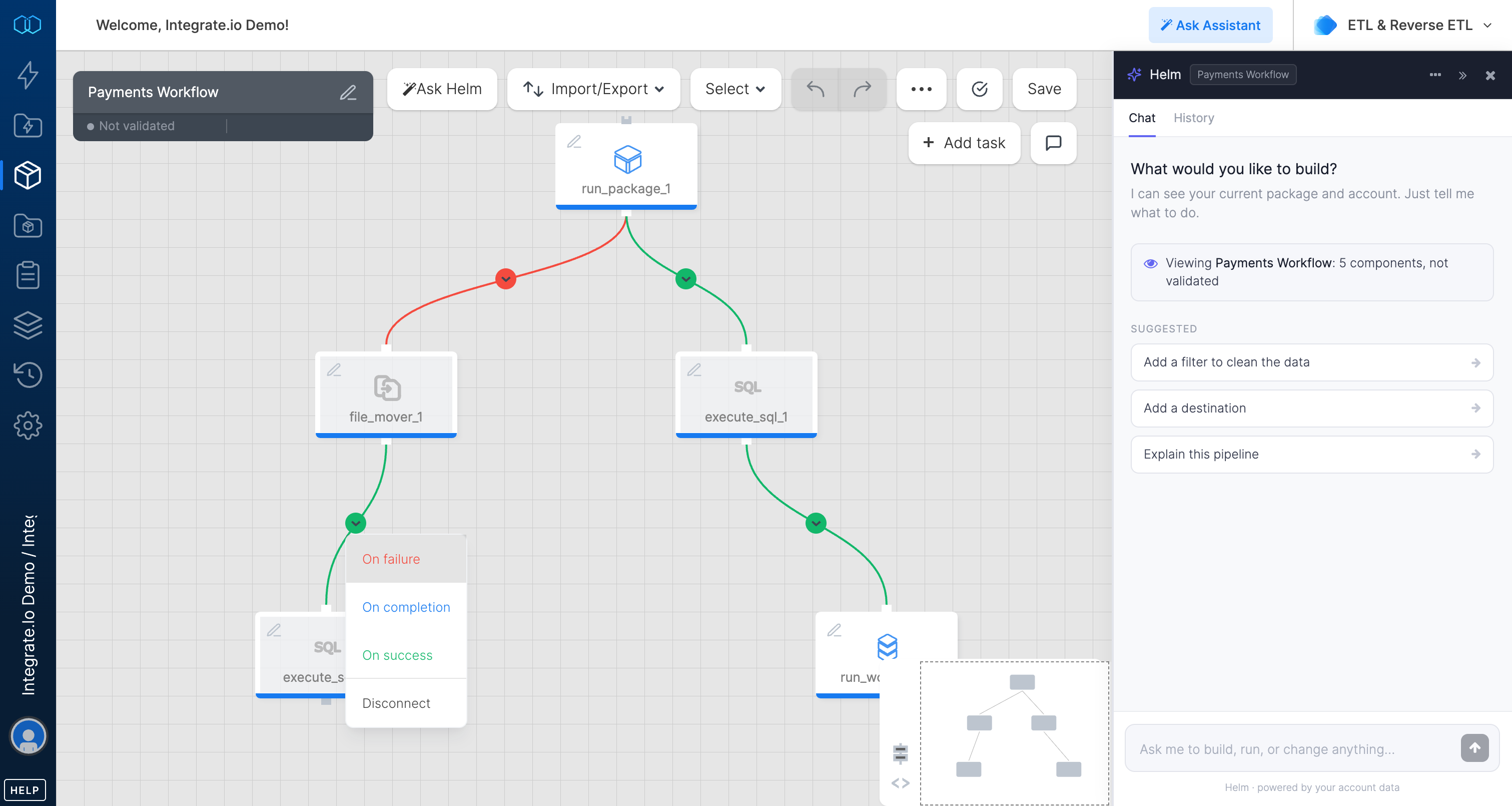
Use the visual canvas, prompt-to-pipeline, and MCP to handle day-to-day pipeline work while IT keeps access, permissions, and reviews in place.

Connect sources, map fields, add transformations, and schedule runs from the visual canvas.

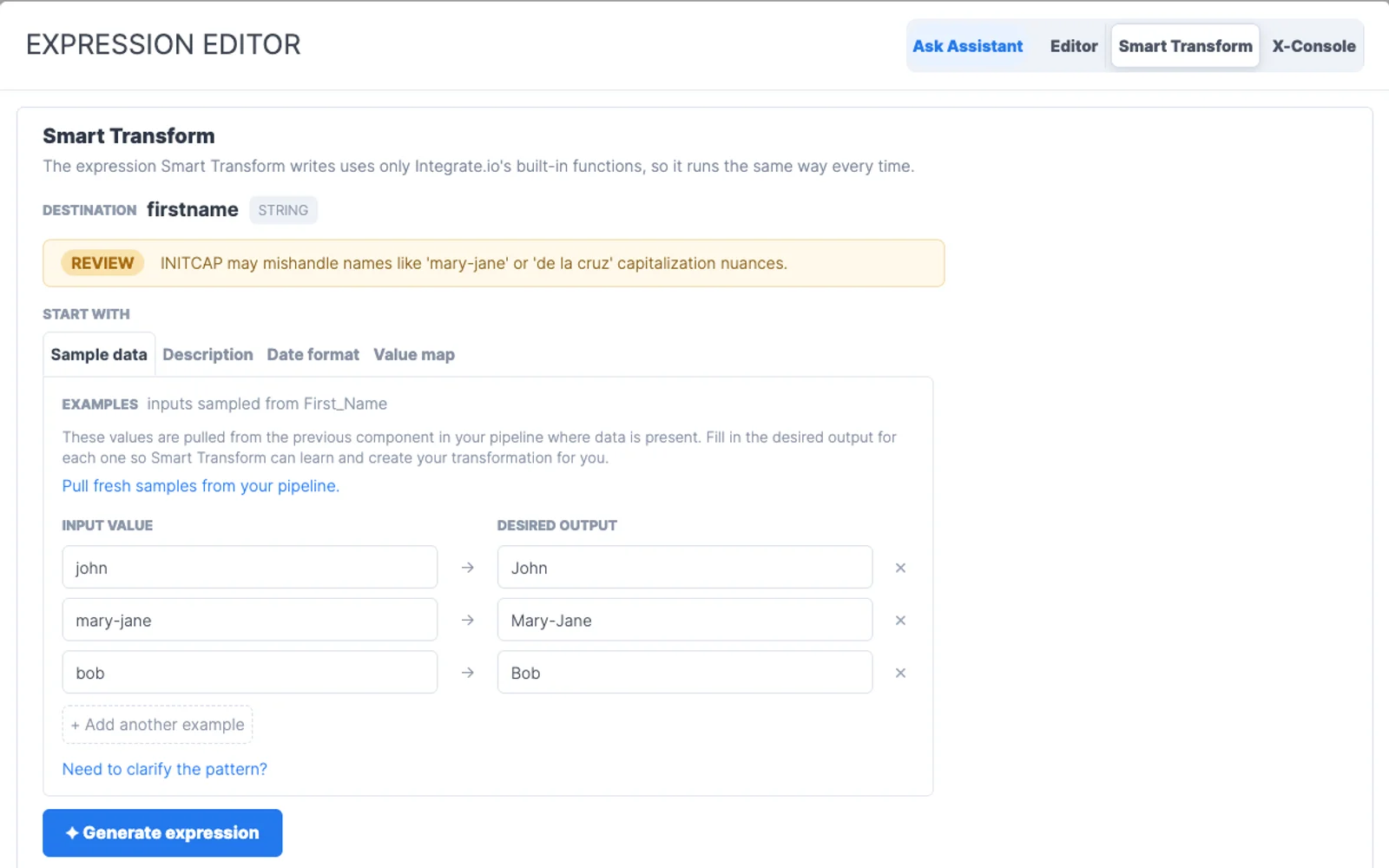
Start from plain-English pipeline requests or work through an MCP-compatible agent, then review changes before they run.

IT controls who can reach each source, destination, and environment, so self-service stays within the right boundaries.

Monitor jobs, fix failed runs, adjust mappings, and keep pipelines moving without a ticket for every change.
Analysts, operators, and engineers can build the pipelines they need, while IT keeps access, standards, and visibility in place.
Predictable pricing for growing data work, without tying budget to every row, sync, connector, or client.
Build visually, prompt with Helm, or add SQL and Python when they help. Teams closest to the data can own the flow.
A dedicated Solution Engineer guides implementation and production work alongside 24/7 support.
Use Integrate.io as the end-to-end data pipeline platform for data management, or plug its modular components into the stack your team already prefers.
“The Integrate.io Platform is a great ETL & Data Transformation Solution! Connecting Salesforce, Hubspot, Google Analytics, Facebook Ads, etc... has never been easier.”

Meir Gold
Growth | Analytics Manager
“Awesome ELT Tool. No code tool, easy to set up/use, nice schedules, price balance!”

Diego Polo
Business Intelligence Architect
“Best Customer Service Ever! They have been the best customer service team I have ever worked with from an outside vendor. Always very responsive, and go above and beyond to resolve issues or instruct on the product.”

Matthew Pratt
Analytics Manager
Managed sources and destinations, a universal API connector for custom systems, and new connectors built on demand within 24 to 48 hours.
Book a 30-minute demo and see how Integrate.io lets data-savvy teams manage pipelines with IT guardrails.
Talk to an ExpertFAQ
Clear answers to the questions teams ask when evaluating Integrate.io.
Still have questions?
Talk to an expert →Integrate.io helps Citizen Integrators teams connect source systems, transform data, monitor pipelines, and deliver trusted records to warehouses, applications, and reporting tools.
Citizen Integrators workflows can connect SaaS applications, databases, files, APIs, warehouses, and operational tools through Integrate.io connectors and API options.
Yes. Visual pipeline building, managed connectors, and reusable templates help Citizen Integrators teams move faster while engineering keeps oversight where it matters.
Integrate.io supports scheduling, retries, alerts, logs, schema handling, and operational monitoring so teams can find and fix pipeline issues quickly.
Start by choosing the source systems, destination, refresh frequency, required transformations, and success metric. Integrate.io can then map the fastest path to a production-ready workflow.