"Our Salesforce team can now fully automate Salesforce data integration by building pipelines to prep and load data themselves. They don't need IT anymore, and they love it."

Adam Hooper
Head of Central Platforms, DPD UK
Integrate.io takes your client's legacy HCM and payroll exports as they are and converts them into Dayforce-ready data.

Failed rows come back to you or your client with a reason
Trusted by 1,100+ data and ops teams saving millions of IT tickets with Integrate.io








Preparing a single load can take two to three weeks of spreadsheet work. On a fixed-fee implementation, every week over plan comes out of your margin.
The people who can run the export don't know the data, and the payroll team who does has to check every column. Each round trip on the template adds another week.
Job, department, org unit, and pay group codes that are missing or inactive turn up late, at load time.
Each load starts from a fresh client export, so the same fixes get made by hand again.
Most Dayforce implementations load the client's data at least three times, with client review in between. Every load runs through the same pipeline, so a fix made once carries into the next load.
Legal entity, org and site, employee, and address data go into a test environment for the client to review and sign off.
A fresh snapshot of live payroll data loads so the client can run parallel payroll and compare it against legacy.
At cutover, the final export runs through the logic the client already signed off, so the blackout window stays short.
After go-live, the same pipeline can keep ongoing loads running into Dayforce if the client needs them.
Build the conversion once, check it against Dayforce, and run it again for each load and each client.
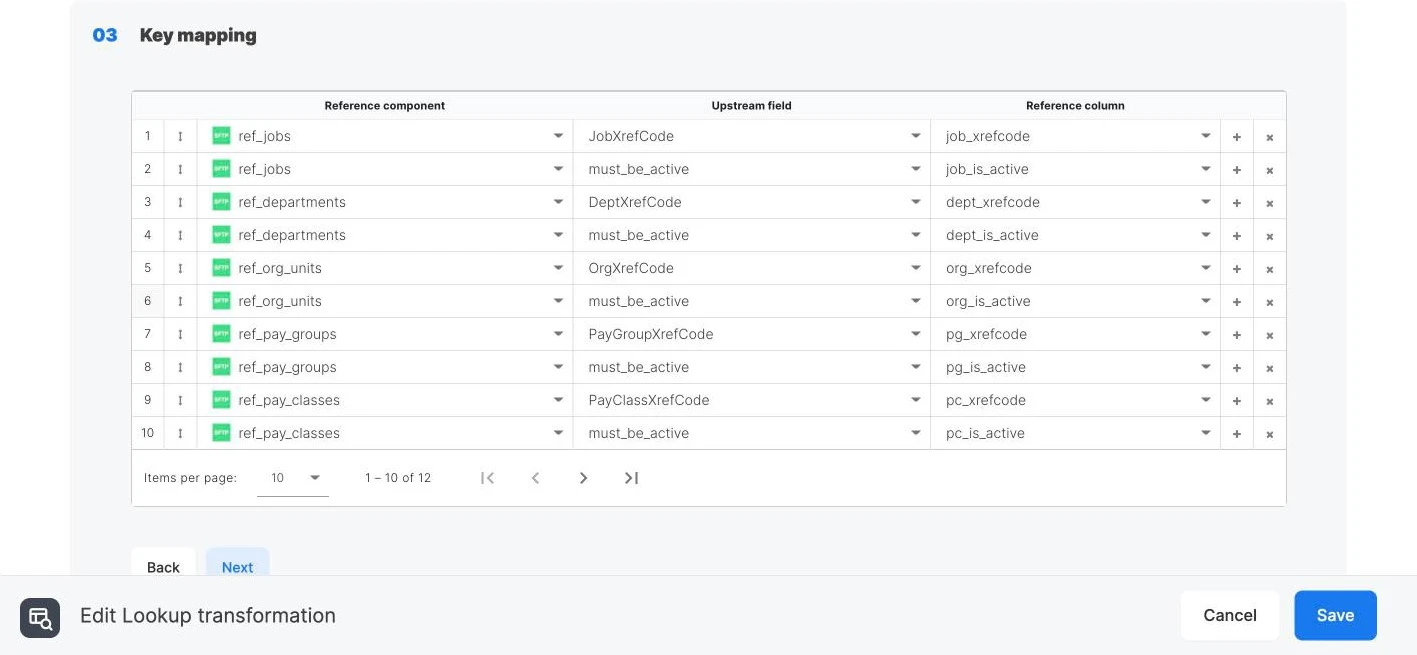

Save the mappings, rules, and lookups as a template. Clone it for the next Dayforce client and change only what differs.

Check every job, department, org unit, pay group, pay class, and employment status against the codes active in Dayforce.

Catch missing IDs, duplicates, bad dates, and out-of-range pay. Every rejected row lands in a report with the reason.

Write Activate templates or HR Import XML for each load, and deliver HR Import files straight to the Dayforce SFTP.
Analysts, operators, and engineers can build the pipelines they need, while IT keeps access, standards, and visibility in place.
Predictable pricing for growing data work, without tying budget to every row, sync, connector, or client.
However a pipeline is built, it runs with the same role-based access and audit trail, so IT can see who changed what.
A dedicated Solution Engineer guides implementation and production work alongside 24/7 support.
Use Integrate.io as the end-to-end data pipeline platform for data management, or plug its modular components into the stack your team already prefers.
“The Integrate.io Platform is a great ETL & Data Transformation Solution! Connecting Salesforce, Hubspot, Google Analytics, Facebook Ads, etc... has never been easier.”

Meir Gold
Growth | Analytics Manager
“Awesome ELT Tool. No code tool, easy to set up/use, nice schedules, price balance!”

Diego Polo
Business Intelligence Architect
“Best Customer Service Ever! They have been the best customer service team I have ever worked with from an outside vendor. Always very responsive, and go above and beyond to resolve issues or instruct on the product.”

Matthew Pratt
Analytics Manager
Managed sources and destinations, a universal API connector for custom systems, and new connectors built on demand within 24 to 48 hours.
Book a demo and we'll run a sample client export through to a Dayforce load file.
Book a DemoFAQ
Clear answers to the questions teams ask when evaluating Integrate.io.
Still have questions?
Book a Demo →Either works for the initial migration. Integrate.io runs the same cleaning and validation for both and writes whichever file the load needs.
HR Import files are written as XML and delivered to the Import/HRImport folder on your Dayforce SFTP. Activate templates are written as Excel files for your team to load.
Required fields, duplicate employee codes, date formats and ranges, hours and salary values, and whether each job, department, org unit, pay group, pay class, and employment status code exists and is active in Dayforce.
It shortens the data work. Preparing each load goes from weeks of spreadsheet fixes to a pipeline run. Client review, configuration, and testing still take the time they take.
Yes. Clone the conversion for each new Dayforce client and change only the mappings and reference codes that differ.
We use essential cookies to run this website. With your consent, we also use cookies for analytics, advertising, social media and features like chat. You can change your choice at any time in Cookie Preferences. Read our Cookie Policy