

Overview
Integrate.io uses BigQuery’s streaming insert API to ingest data into BigQuery. This requires billing to be enabled on the Google Cloud project.Requirements
- Billing must be enabled on the Google Cloud project.
- Ensure you have permission to create a service account with the
BigQuery Data Editorrole on the project.
Setting up BigQuery for ELT & CDC
Create service account
Creating a service account for FlyData to use requires the BigQuery Data Editor role.1
Go to your project’s service accounts page and click 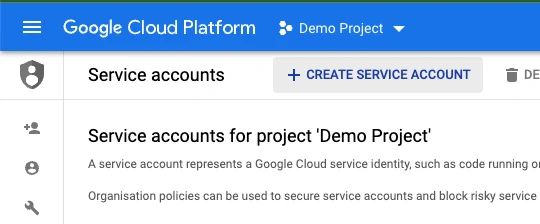
+ CREATE SERVICE ACCOUNT.2
Enter the 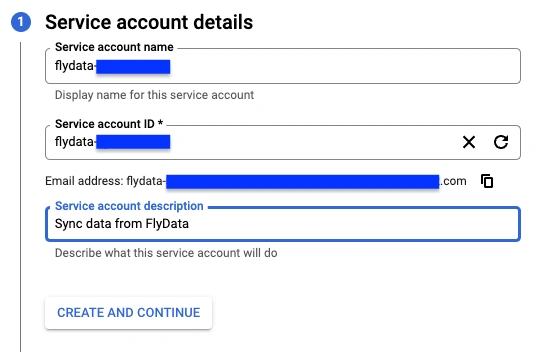
Service account name and add a description.CREATE AND CONTINUE.3
Select the 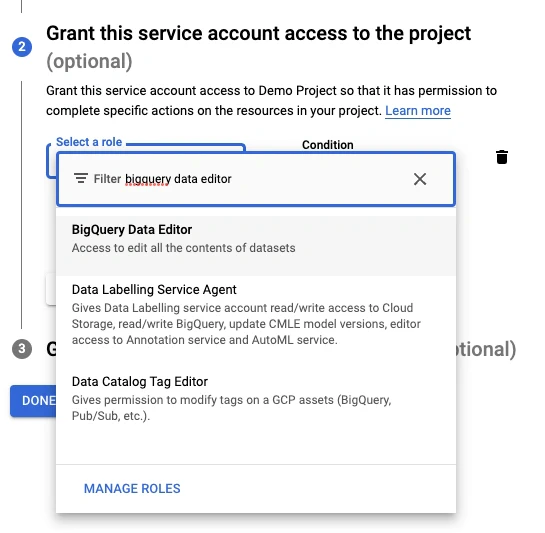
BigQuery Data Editor role.4
Select the
Click
BigQuery Job User role.Click
CONTINUE.5
Click
DONE.6
The service account should have been created successfully. Find it in the service accounts list and click it.
7
Go to the
KEYS tab.8
Click 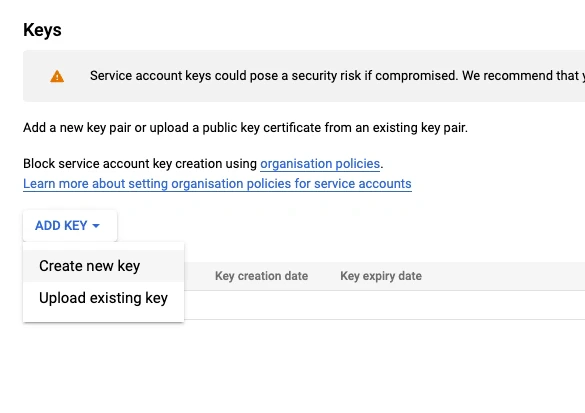
ADD KEY and select CREATE NEW KEY.9
Select 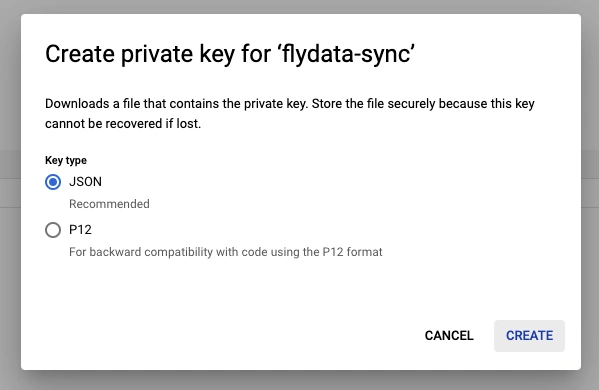
JSON and click CREATE.10
A JSON file should have been downloaded to your system. Upload it.We will fetch the
client_email and private_key properties from the JSON credential file.Limitations
BigQuery doesn’t support deduplication. Instead, the following columns are added to the destination table for future deduplication on the customer’s side. __offset - Offset column. Keeps track of the offset in incremental order to determine which existing row is the latest.__op - Operation column. Tells what kind of operation is performed for a particular row (0 - Created, 1 - Inserted, 2 - Updated, 3 - Deleted) This query is to list the de-duplicated records:
Table Naming
Source table names are converted to snake case when the destination tables are created in BigQuery. The conversion follows these rules:- All letters are lowercased.
- An underscore is inserted at a lowercase-to-uppercase boundary (for example,
MyTablebecomesmy_table). - An underscore is inserted at a digit-to-letter transition (for example,
A100Bbecomesa100_b). - No underscore is inserted at a letter-to-digit transition (for example,
ITEM01staysitem01). - Non-alphanumeric characters such as spaces and hyphens are replaced with underscores.
Because of the lowercasing, source tables whose names differ only by case (for example,
Orders and ORDERS) map to the same BigQuery table name.