

Setting up BigCommerce for ELT & CDC
Requirements
- You need permissions to create API Tokens.
- The tokens themselves need
read-onlyscopes to various entities in your BigCommerce Store.
Create API Token
Follow these steps to create a V2/V3 API Token.1
Click 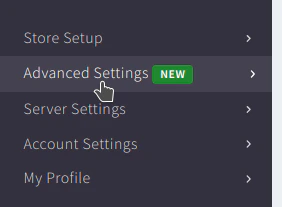
Advanced Settings in the navigation bar on the left.2
Click 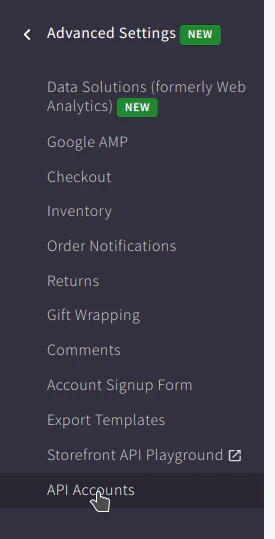
API Accounts in the navigation bar on the left.3
Click 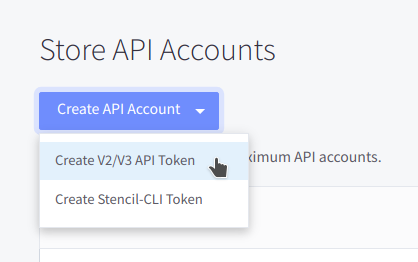
Create API Account button and select Create V2/V3 API Token from the dropdown.4
Enter a name for the token and copy over the store hash (highlighted in the image below) into the input field below.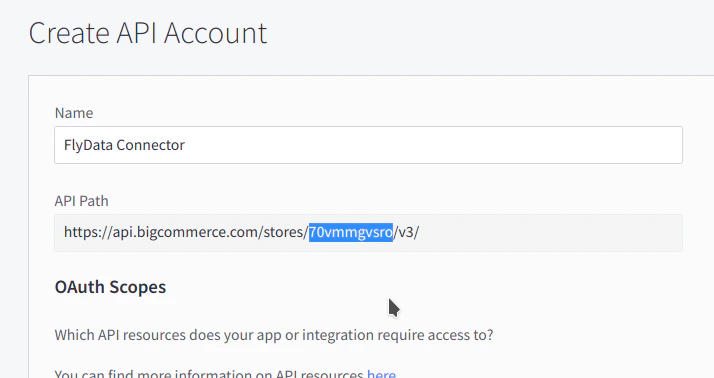
5
Assign all 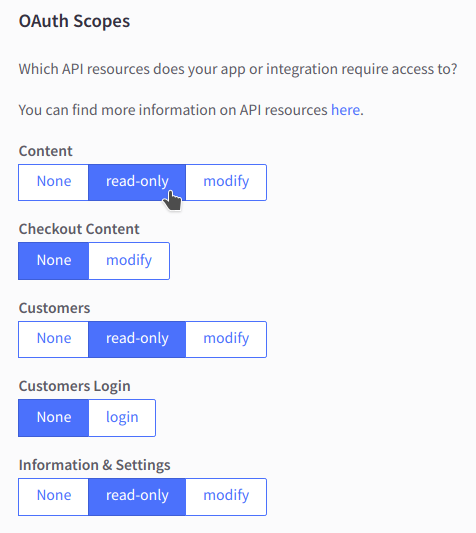
read-only scopes to the token.6
Save the token by clicking the button at the bottom of the screen.
The credentials will be downloaded onto your system and also displayed on the screen.
The credentials will be downloaded onto your system and also displayed on the screen.
7
Fill in the 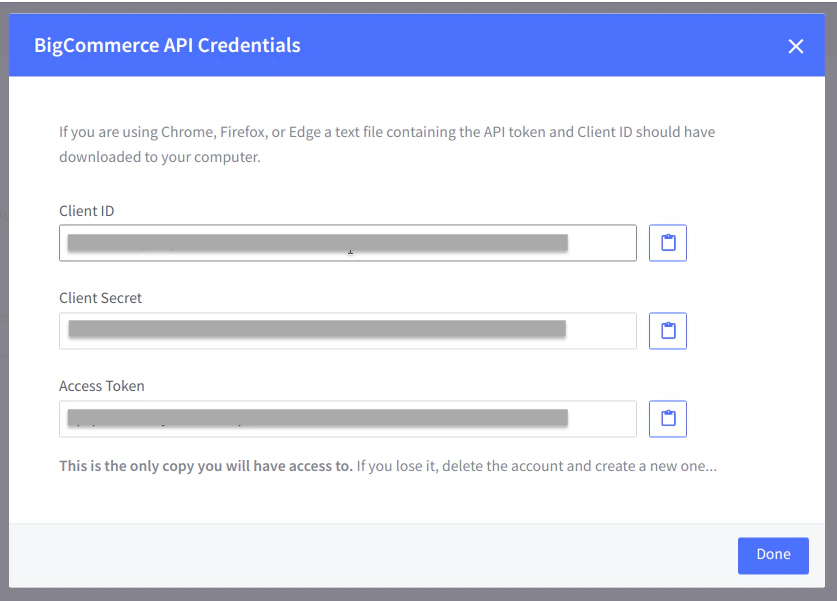
Client ID and Access Token displayed in the input fields below.FlyData BigCommerce Source Create Form
1
Fill in the 
Client ID and Access Token