Requirements
- You need permissions to create an API Access Token.
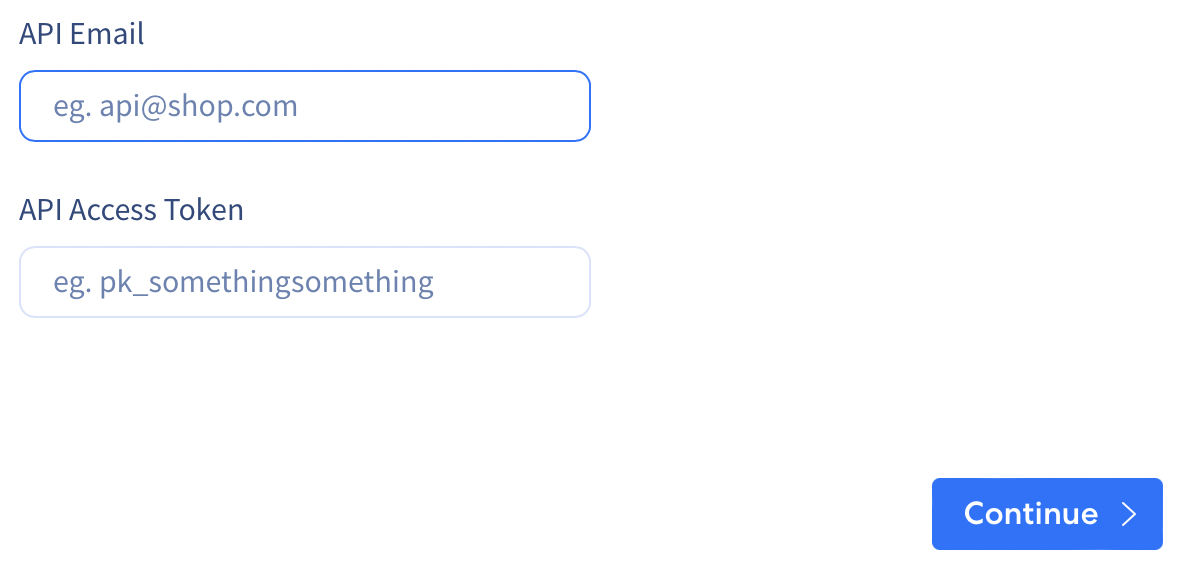
ReCharge Source Create Form
Follow these steps to create a private API key.1
Go to ReCharge dashboard for your Shopify or BigCommerce store and select
Integrations.2
Click the 
API Tokens... button.3
On the 
API Token Creation page, select Create an API Token to generate a new token.4
Fill out the 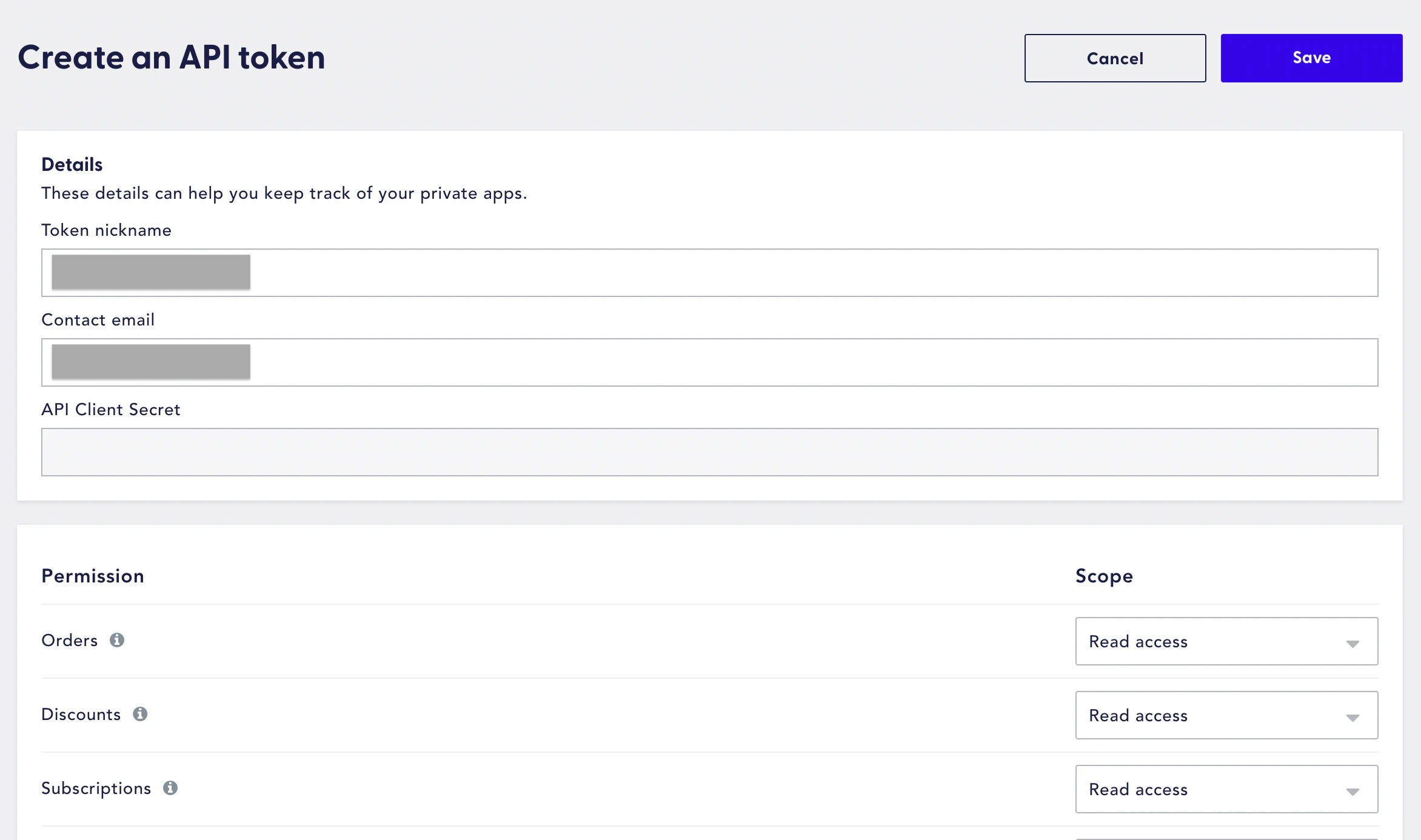
Details fields with a name and contact email address for your token and select Read access as the scope for desired permissions.5
Input used contact email address and copy the generated API token into the following fields.