

Overview
Integrate.io ELT & CDC replicates your data to Snowflake in real time, with an industry-leading replication speed of every 60 seconds. This is useful when you use Snowflake to power data products that require real-time data, especially customer-facing ones. ELT & CDC uses a Snowflake compute warehouse in auto-suspend and auto-resume mode to run queries that load data from an external stage. You can either run a dedicated compute warehouse for ELT & CDC and provide a database to load data into, or select an existing warehouse and database. Using an existing warehouse is recommended to minimize compute resource usage and cost when loading data from any source to Snowflake.Requirements
- ACCOUNTADMIN, SYSADMIN, or SECURITYADMIN access to run the prerequisite and setup steps.
Setup
User setup
Select your authentication method (Password or Key Pair) and enter your username and warehouse. If using Key Pair authentication, upload your private key file and enter the passphrase if your key pair is encrypted. If the user does not already exist in Snowflake, copy the generated script and run it on your Snowflake worksheet to create the user.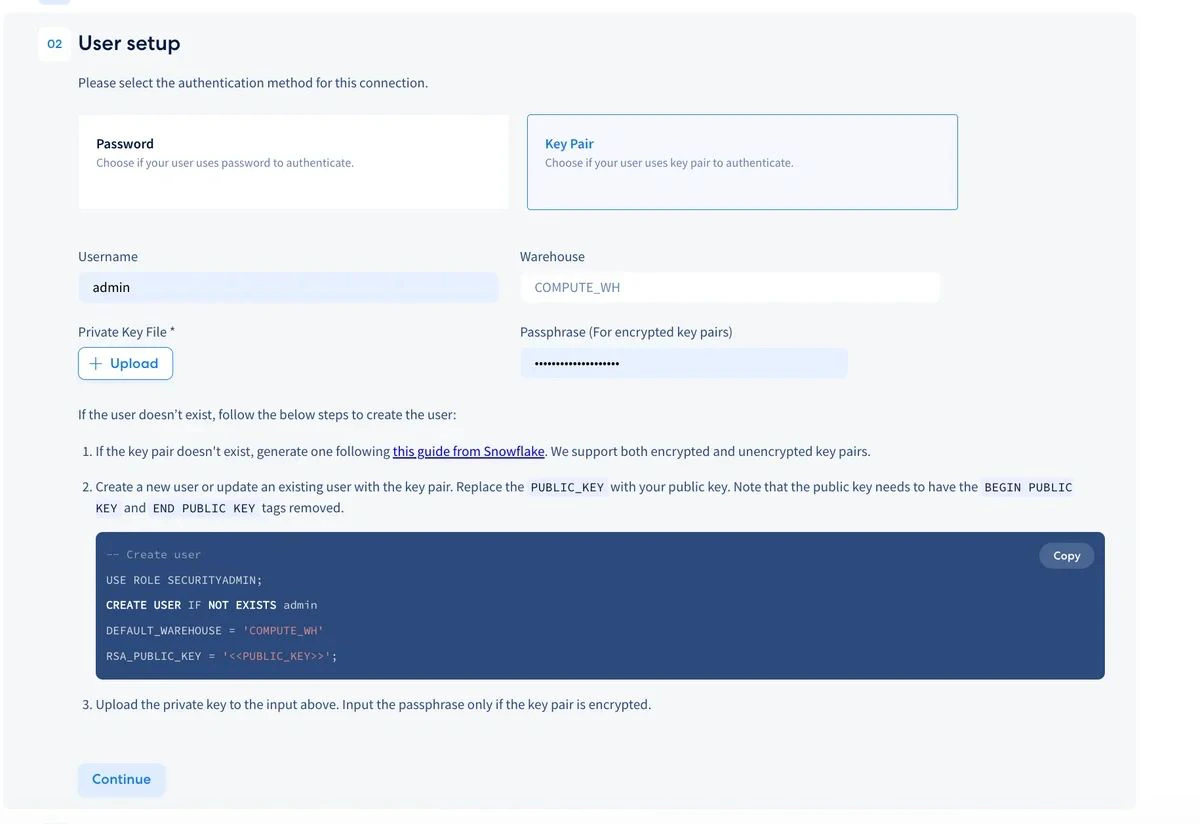
Role setup
Enter your role name, database, and schema. Copy the generated script and run it on your Snowflake worksheet to create the role and grant the necessary warehouse, database, and schema access.Storage integration setup
Copy the generated script and run it on your Snowflake worksheet to create the storage integration for Integrate.io.Destination credentials
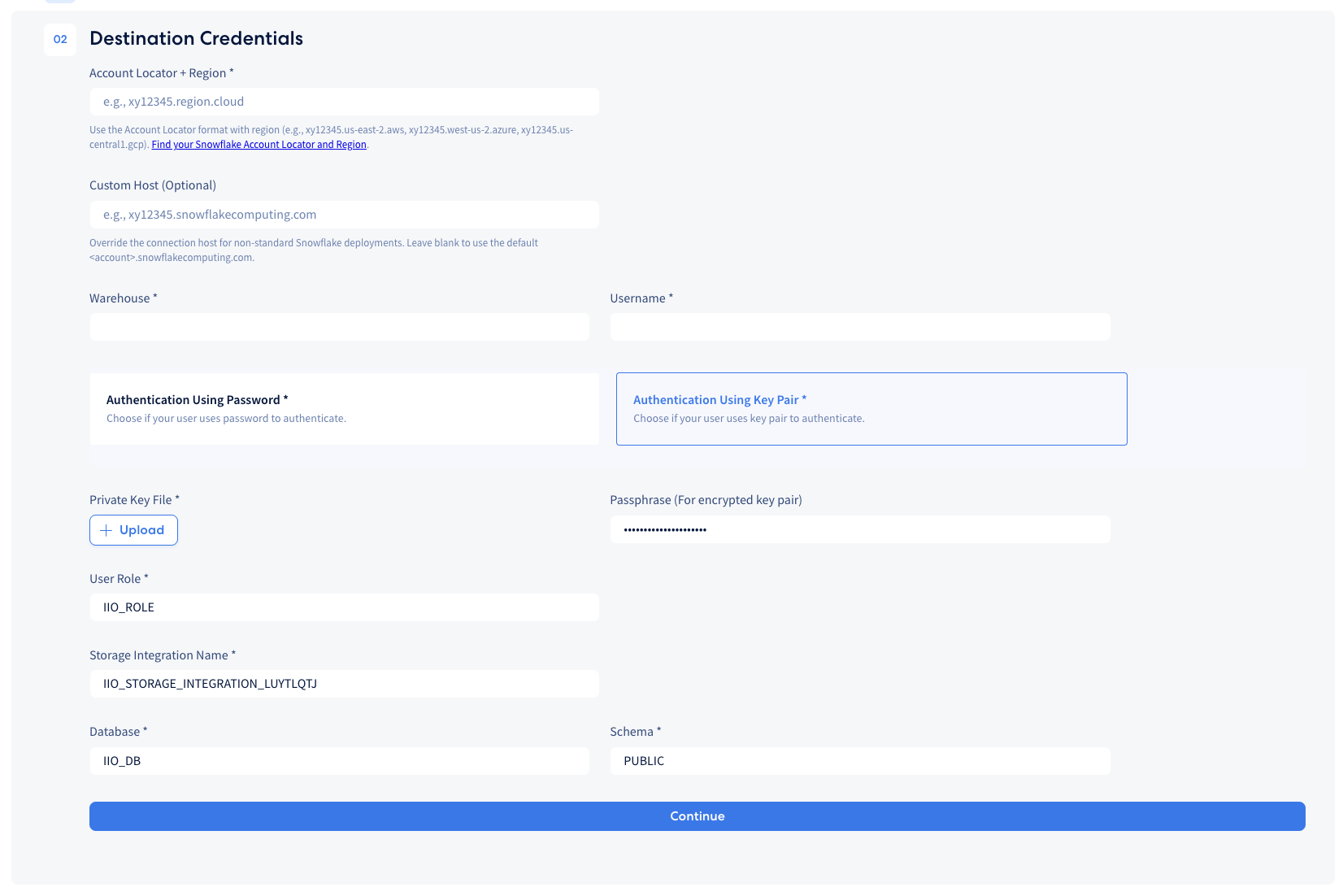
Enter your Snowflake Account Locator and Region, warehouse, username, and authentication credentials. Then enter your user role, storage integration name, database, and schema to complete the destination configuration. For help finding your Account Locator and Region, refer to this documentation.If your Snowflake deployment uses a non-standard URL, you can specify an optional custom host. Leave this blank to use the default.
Snowflake network policy
If you have an existing network policy, modify it to add the ELT & CDC IP addresses.Limitations
- The maximum allowed VARCHAR/TEXT length of single-byte characters is 16,777,216 and 4,194,304 for 4 byte characters (per snowflake’s documentation).
- The maximum length of a VARIANT is 16 MB.