

What is Hooks feature
The Hooks feature lets customers receive alerts for pipeline events of interest. We support email and Slack notifications.Nomenclature
- Hook
AHooksends a notification to the service of the correspondingHook Typewhen it receives a trigger from one of the attachedHook Sources. - Hook Type
AHook Typerefers to the service aHookuses to notify the customer. Supported types are Email and Slack. - Hook Source
AHook Sourceis an entity within the ELT platform (such as a pipeline or alert) that emits various events which the customer may want to be notified about. AHook Sourcecan be attached to multipleHooksso that they can begin notifying the customer about the events from theHook Source.
Getting Started
Create a Hook
1
On your dashboard sidebar, go to Settings. Click Hooks tab then + Create Hook button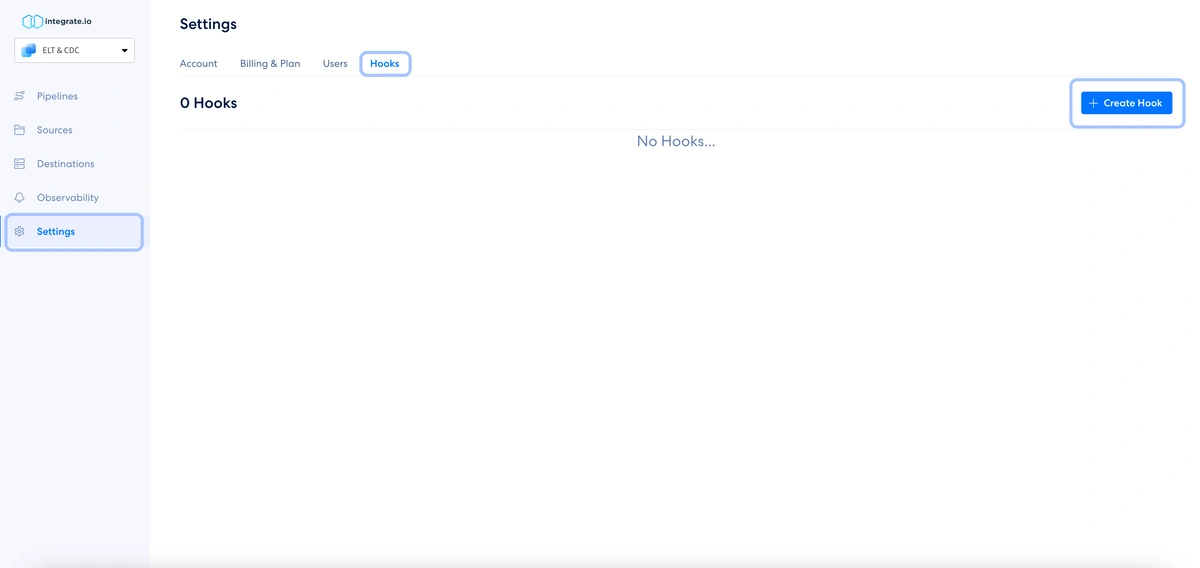
2
On Create new hook modal, fill the Hook name and select the Email option under the Hook Type from the dropdown list.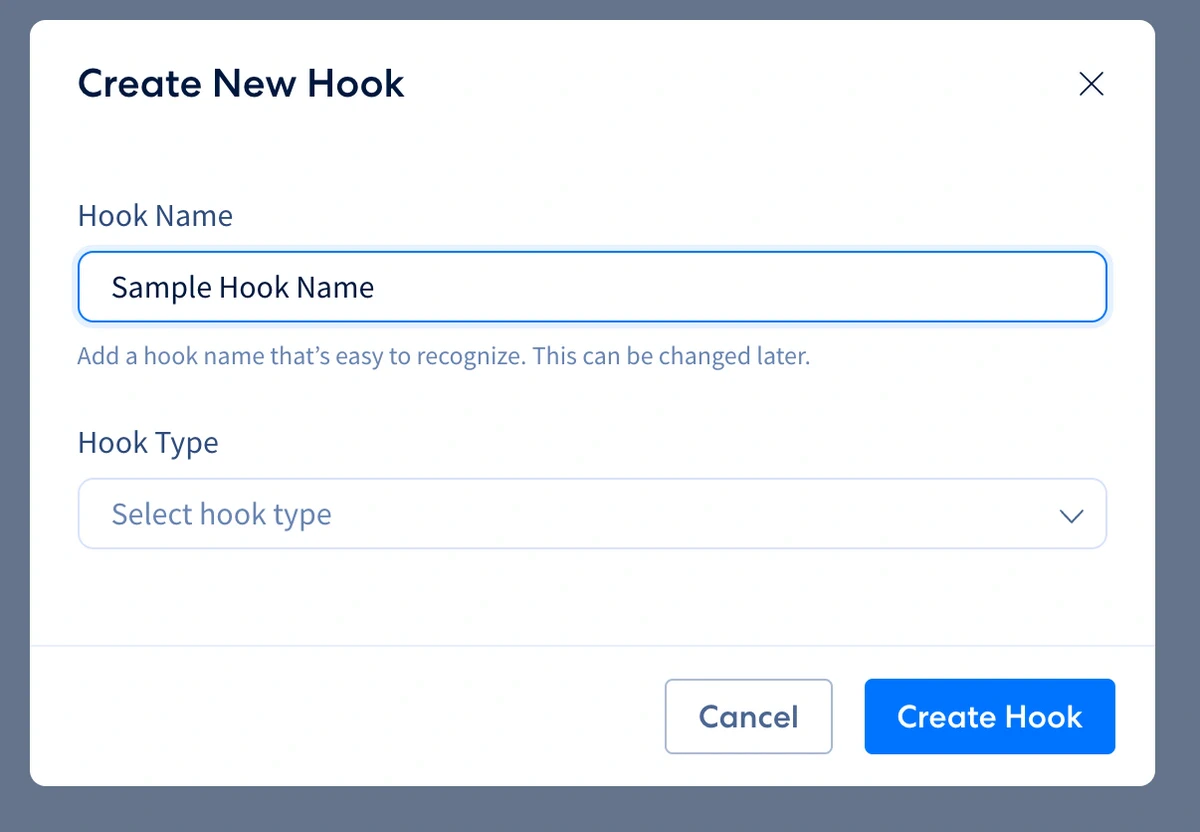
3
This should unlock the Email list field. Input the list of emails you want to get notifications to. Click the Create Hook button.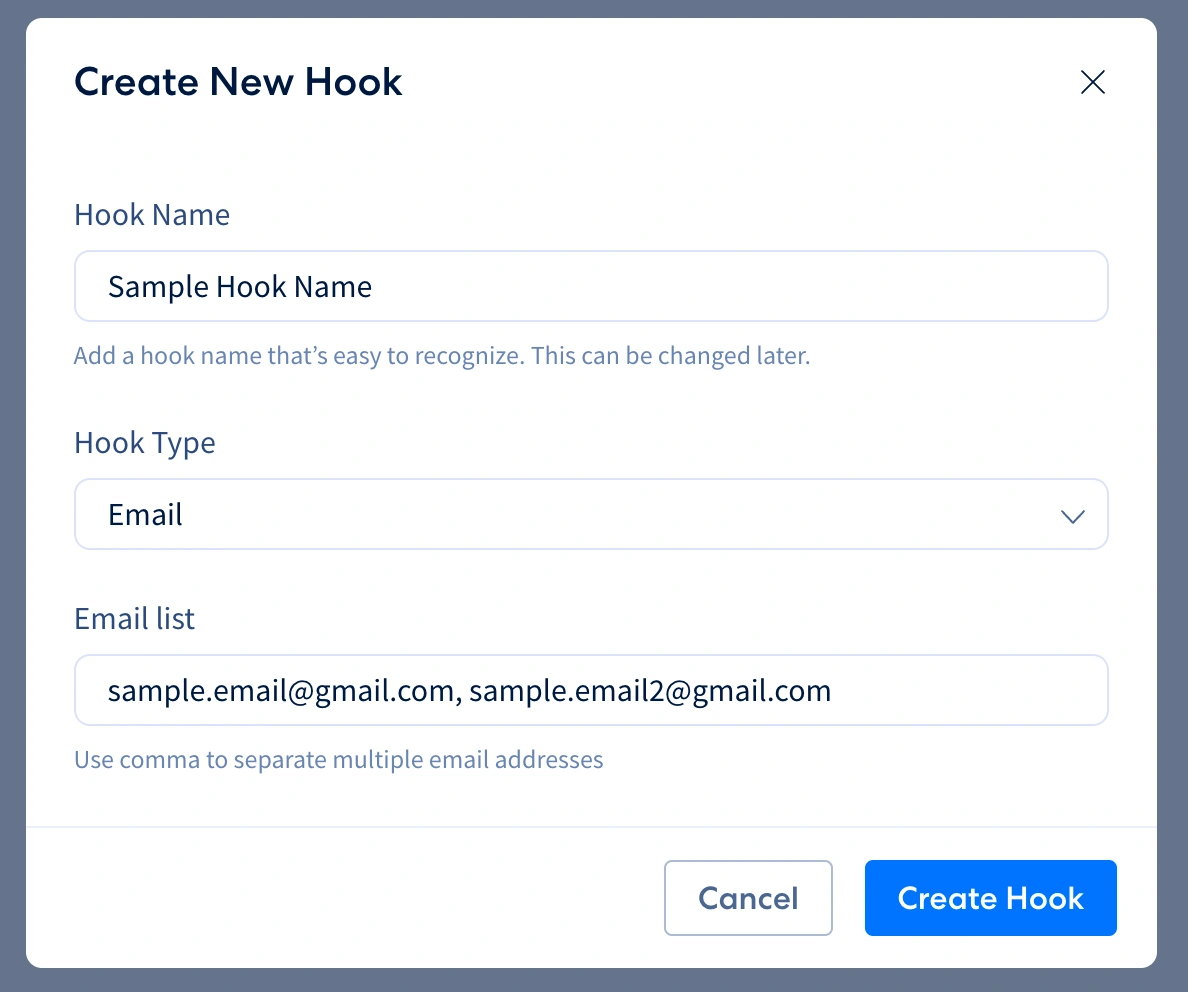
4
Attach the newly created Hook to an existing pipeline.To set up notifications for a pipeline, follow these steps in the newly opened modal:
a. Select Pipeline in the To dropdown menu.
b. In the With the name dropdown menu, select the pipeline you want to be notified about. You can start typing the name of the pipeline if you have a long list of pipelines.
c. Select the pipeline events you want to be notified about.
d. Click the Attach Hook button.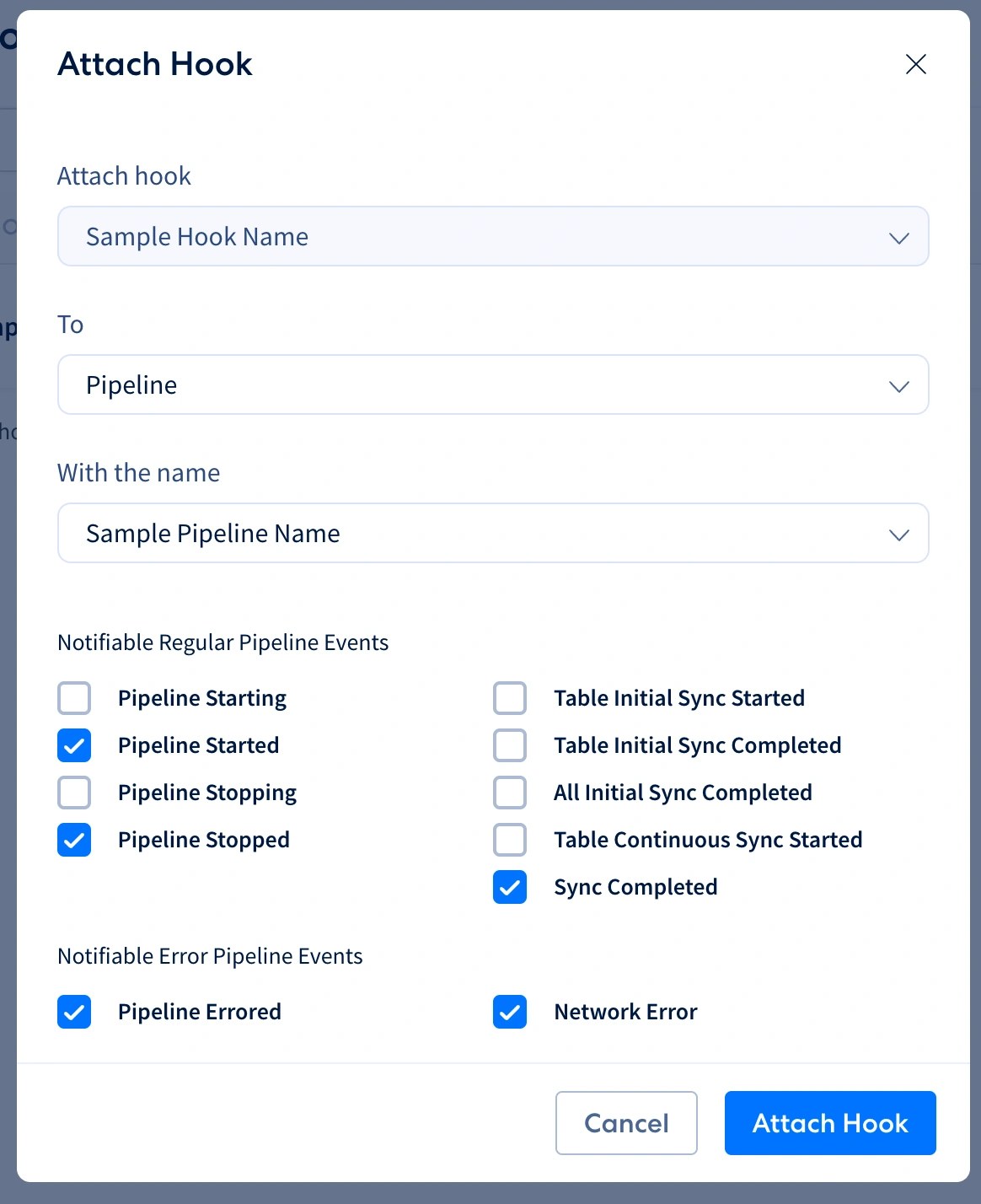
a. Select Pipeline in the To dropdown menu.
b. In the With the name dropdown menu, select the pipeline you want to be notified about. You can start typing the name of the pipeline if you have a long list of pipelines.
c. Select the pipeline events you want to be notified about.
d. Click the Attach Hook button.
5
That’s it! You will now receive notifications for the selected pipeline events. Check your email inbox for the notifications from support@integrate.io.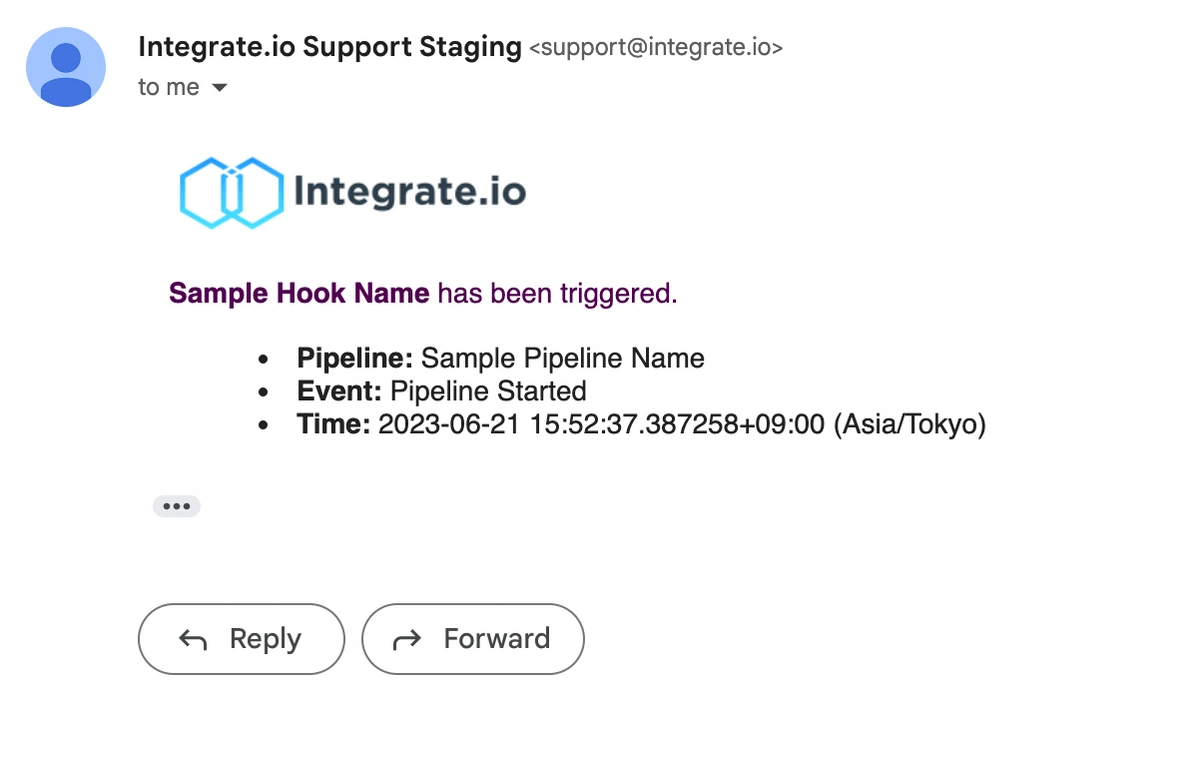
Create a Slack Hook
To send pipeline event notifications to a Slack channel, create a Slack hook and connect your Slack workspace via OAuth.1
On your dashboard sidebar, go to Settings. Click the Hooks tab, then click + Create Hook.
2
Enter a Hook name, then select Slack from the Hook Type dropdown.
3
Click Connect Slack. A Slack authorization window opens. Choose the workspace and channel where you want notifications delivered, then approve the request.Integrate.io requests only the
incoming-webhook scope. No read permissions are granted.4
Once connected, the selected workspace and channel are shown in the modal. Click Create Hook.
5
Attach the hook to a pipeline the same way as an email hook, then select the events you want to be notified about.
Deleting a Slack hook does not remove the Integrate.io app from your Slack workspace. To fully remove the integration, revoke access from Slack workspace settings > Manage apps.