

Requirements
- Aurora PostgreSQL version 10 or above.
- Connect to the cluster writer endpoint. Logical replication only works on the primary instance.
- Tables with a
PRIMARY KEY.
Enable logical replication
1
Go to AWS RDS dashboard
2
Open the AWS RDS dashboard
Go to the AWS RDS console.
3
Create and configure parameter group - select your Aurora PostgreSQL version (e.g. shown below is postgres12). Choose aurora-postgres10 or above.
4
Create or open a DB cluster parameter group
Create a DB Cluster Parameter Group that matches your Aurora PostgreSQL version (for example, 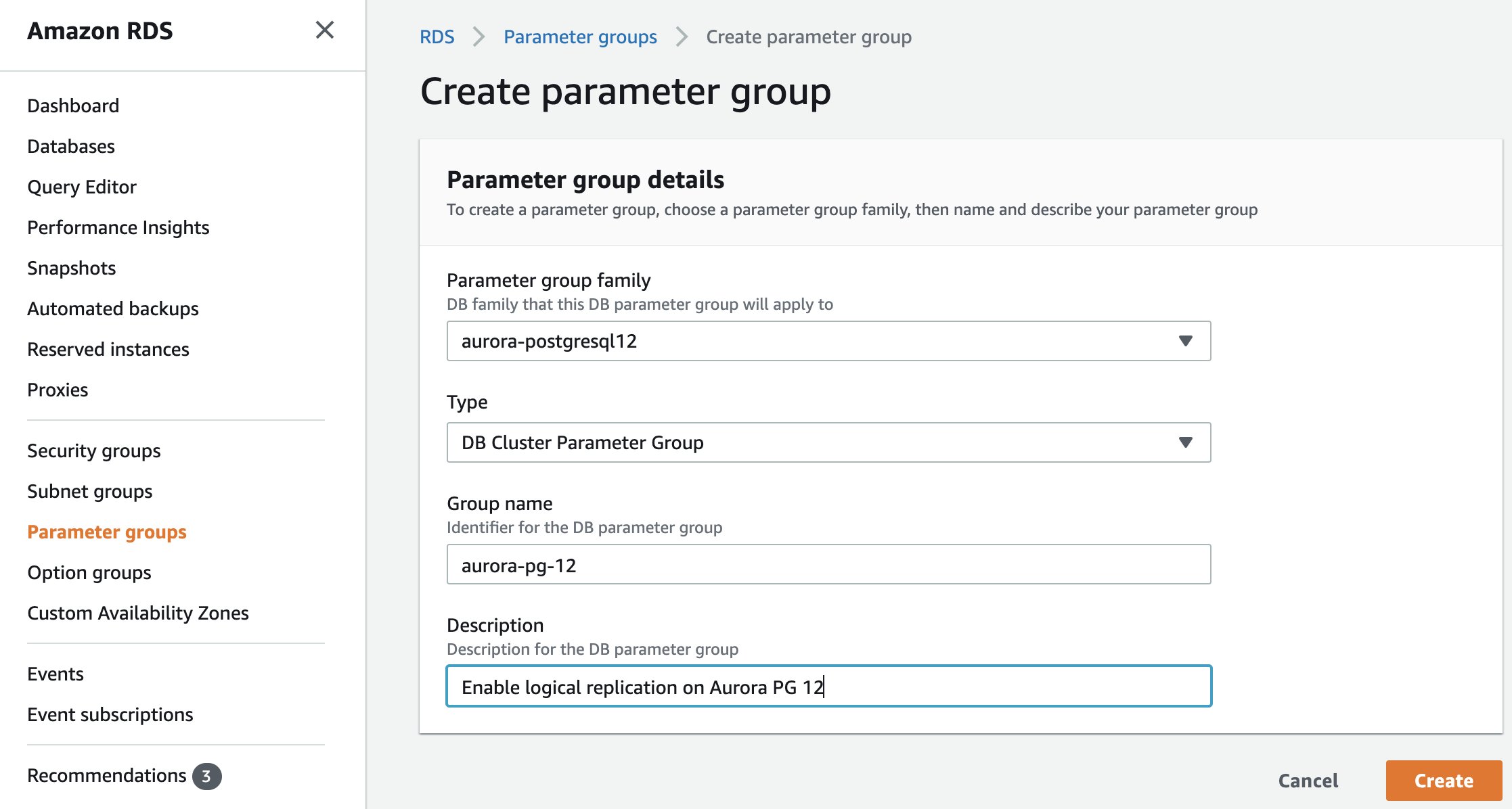
aurora-postgresql12). Skip this step if you already have one.5
Choose type as DB Cluster Parameter Group.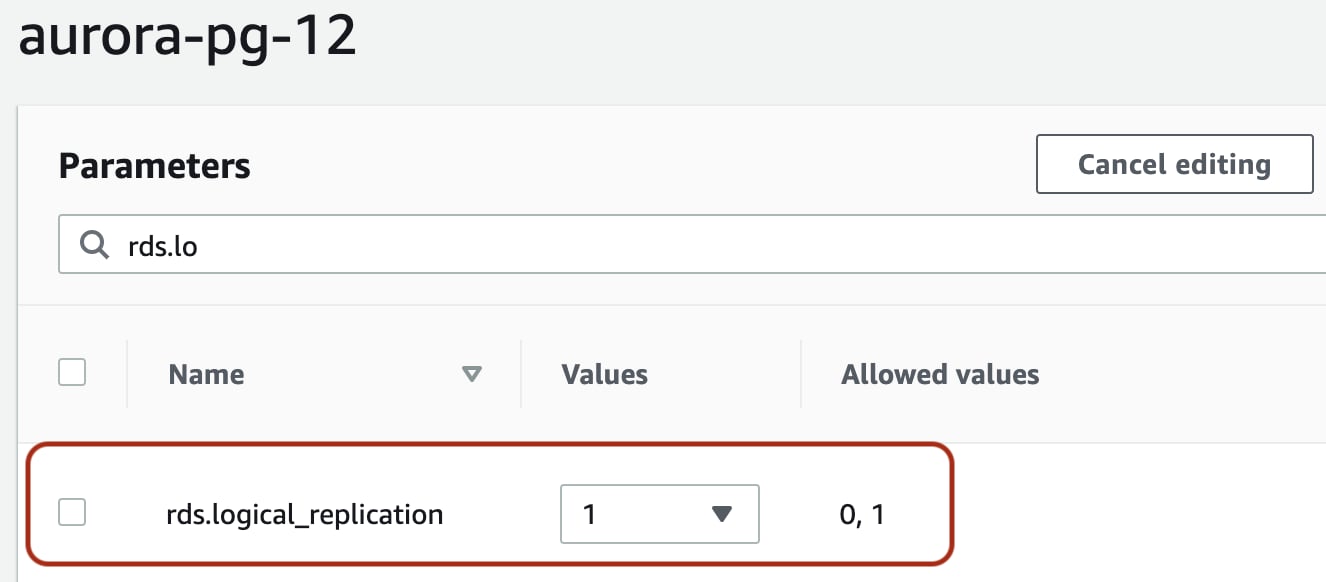
NOTE:You can skip this step if you have already created a parameter group.
rds.logical_replication. Select this row and click the Edit parameters button. Set this value to 16
Set rds.logical_replication to 1
On the parameter group page, search for
rds.logical_replication, select the row, click Edit parameters, and set the value to 1.7
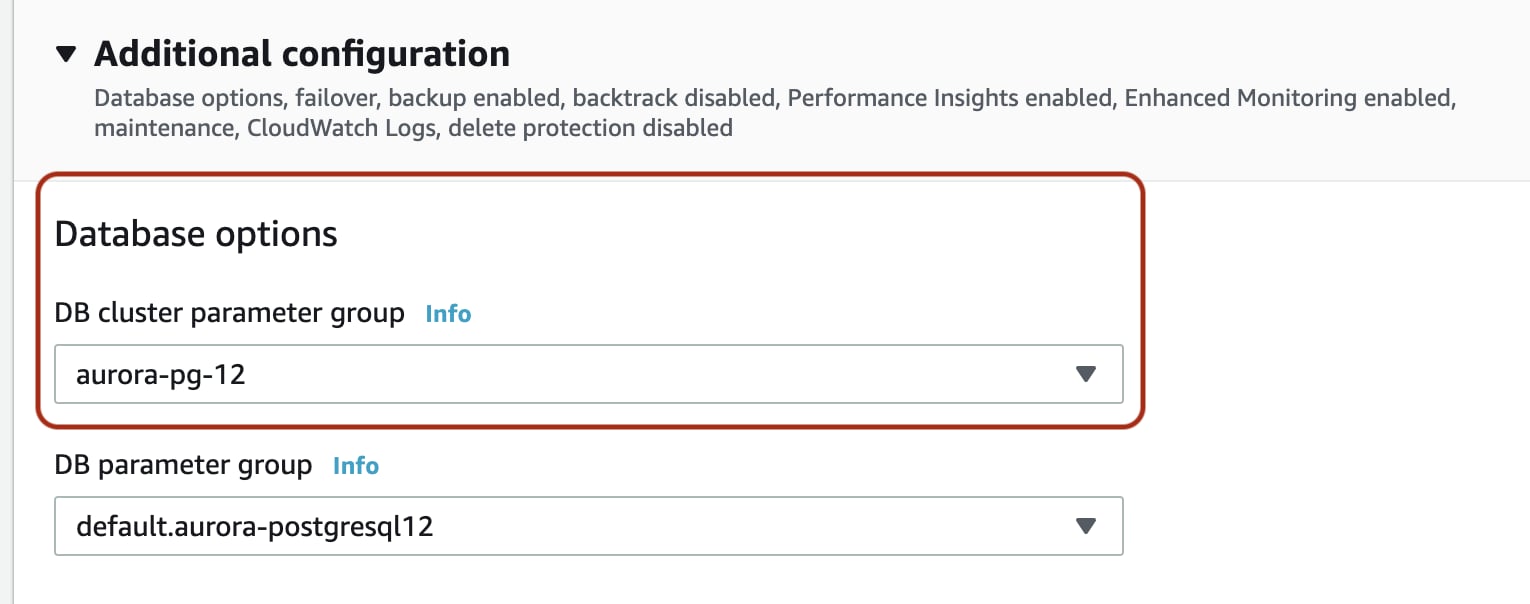
Apply the parameter group and reboot
Apply the parameter group to the cluster and reboot the writer instance so the change takes effect.
Grant the Aurora replication role
After creating the sync user (see the common setup), grant the managed Aurora replication role instead ofALTER ROLE ... WITH REPLICATION:
Next: common setup
Continue with the canonical PostgreSQL setup for the remaining steps — sync user privileges (USAGE, SELECT, REFERENCES), heartbeat table, publication, and replication slot: