

How to set up your MySQL database using PrivateLink
Please follow these instructions to set up Privatelink for your private MySQL data source
1
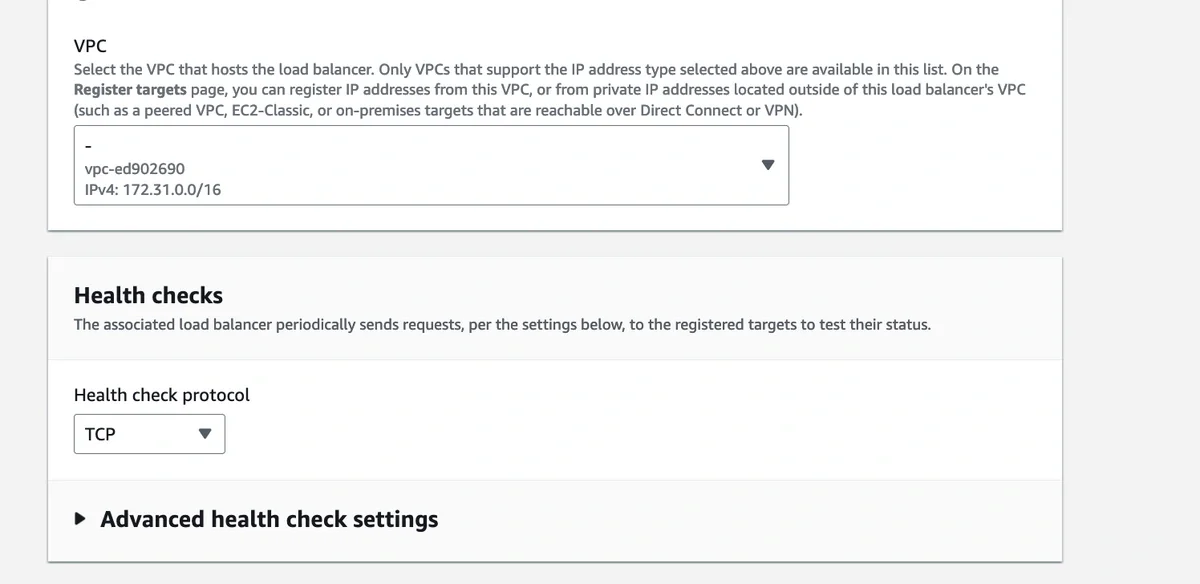
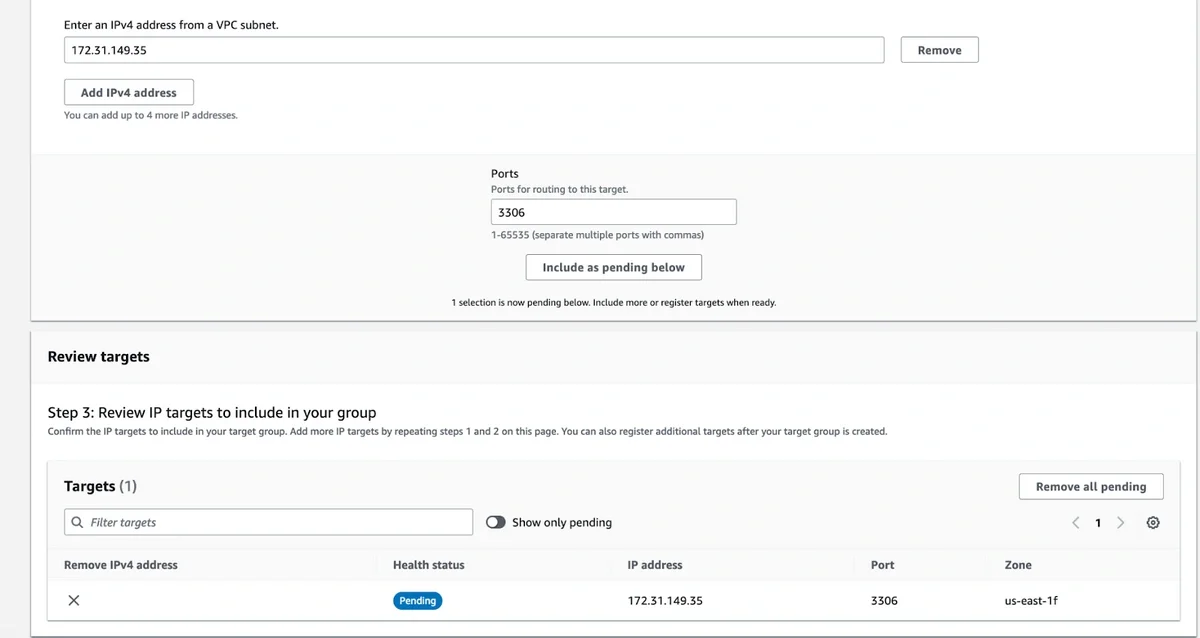
Create a Target group for the Network Load Balancer that you will create in the next step. Pick ‘IP addresses’ in the configuration page and give the target group a name. Choose the VPC that your DB is in.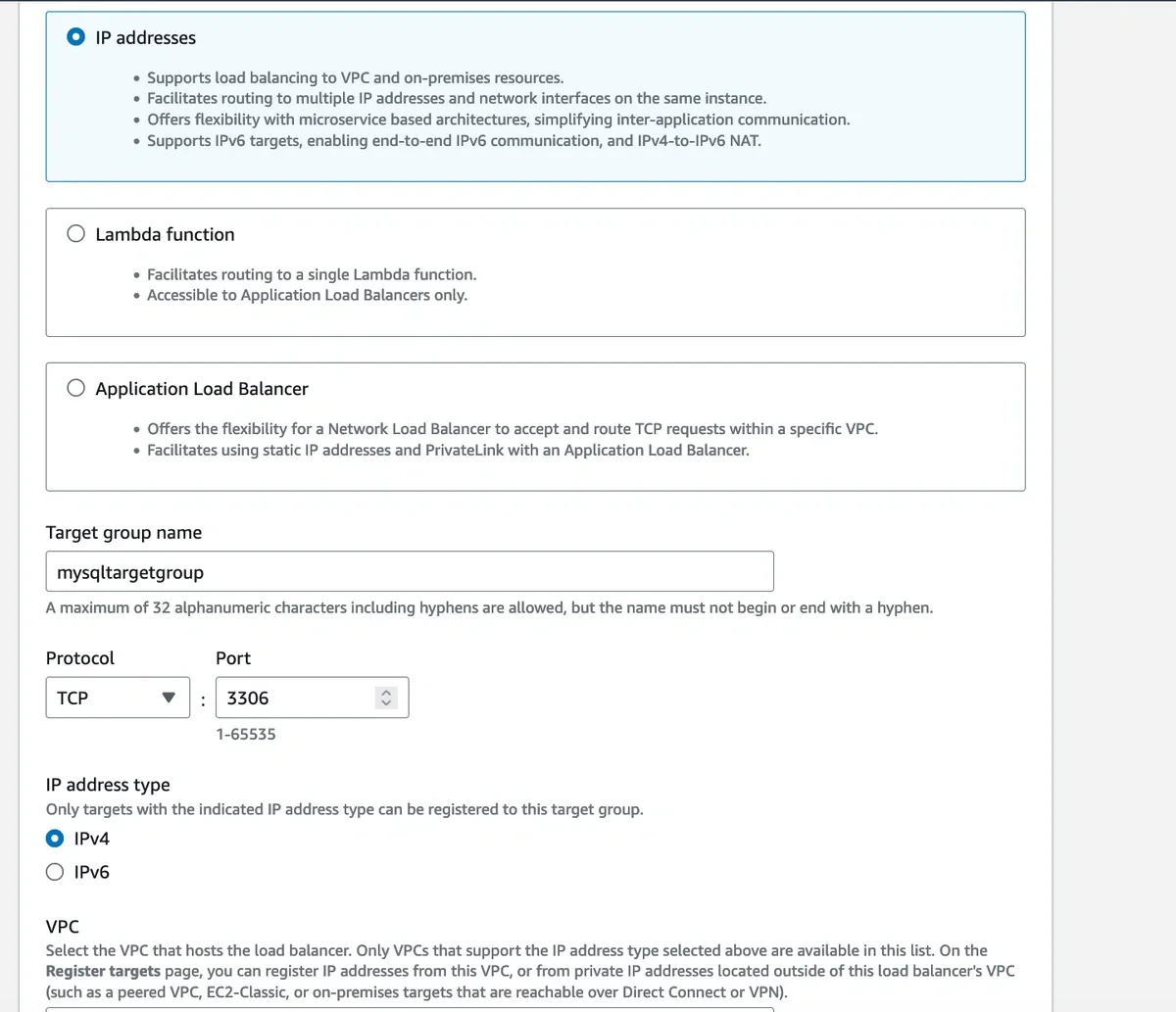
2
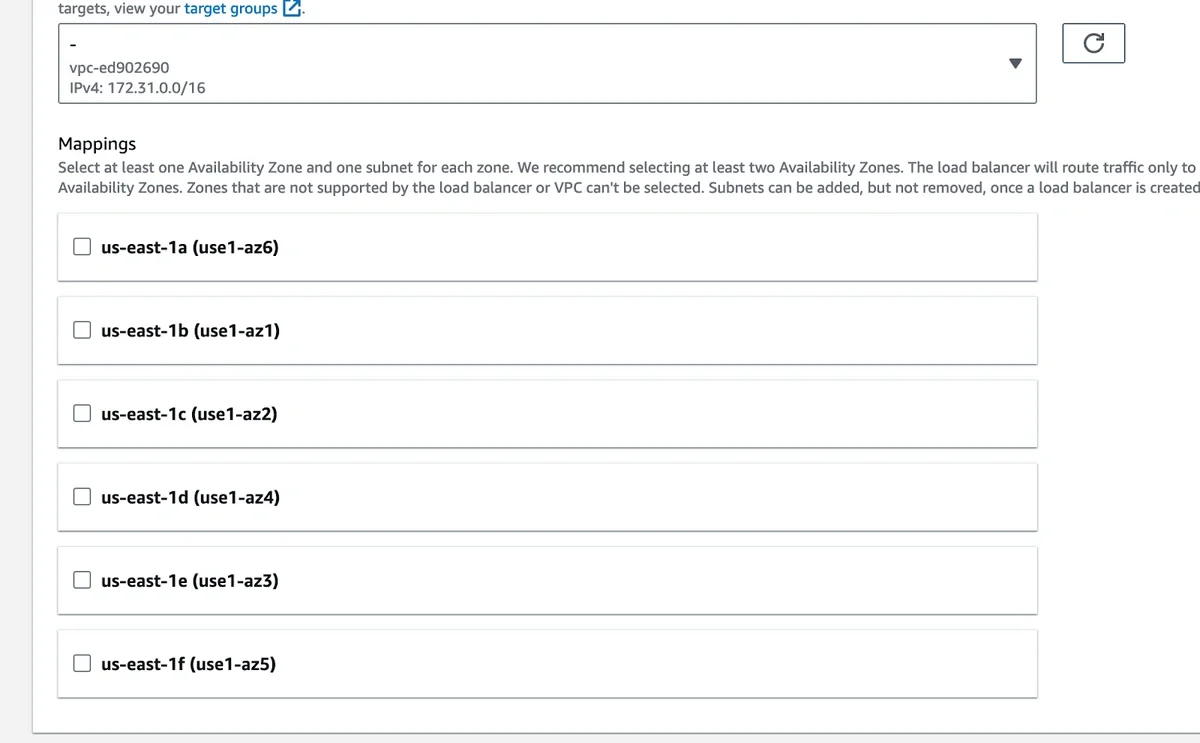
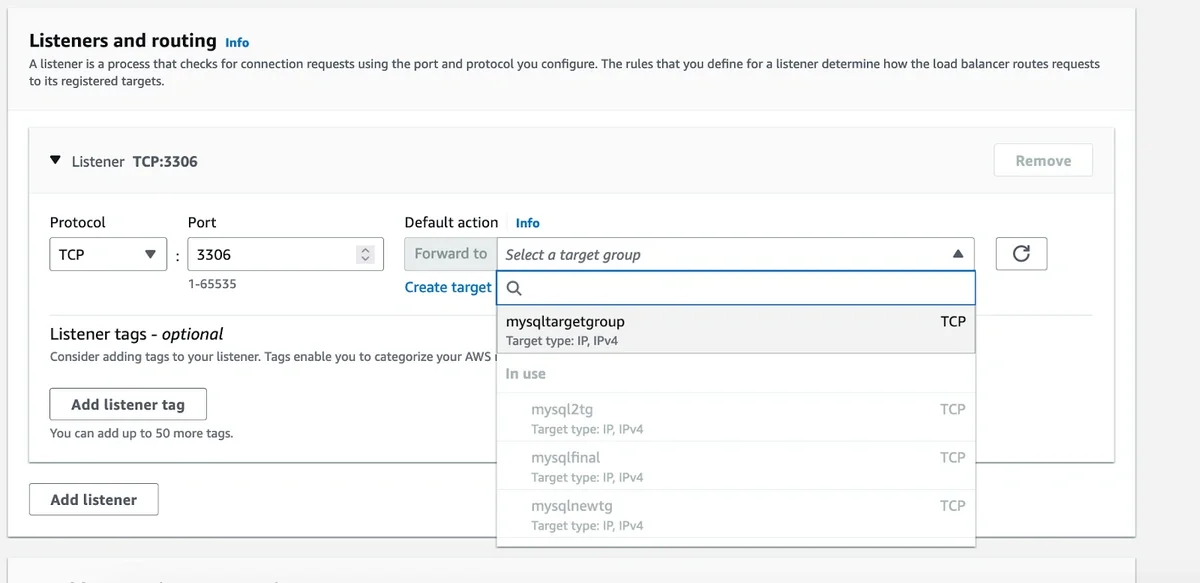
In your VPC, create a Network Load Balancer and configure it for each subnet (AZ) in which the service should be available. Make sure that ‘Internal’ is selected for the scheme field.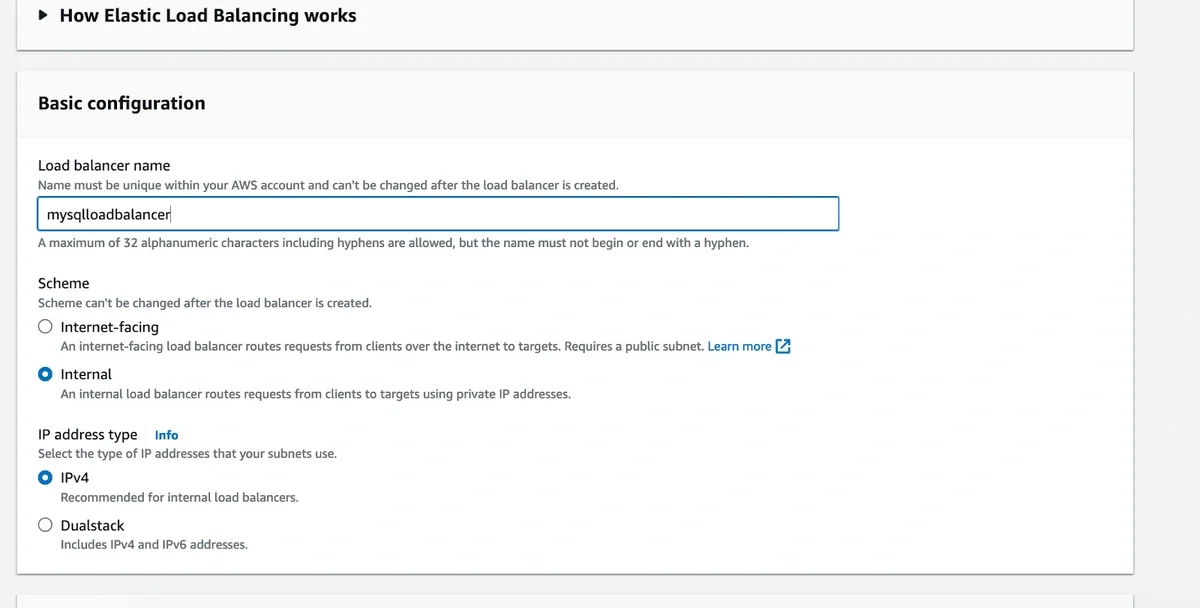
3
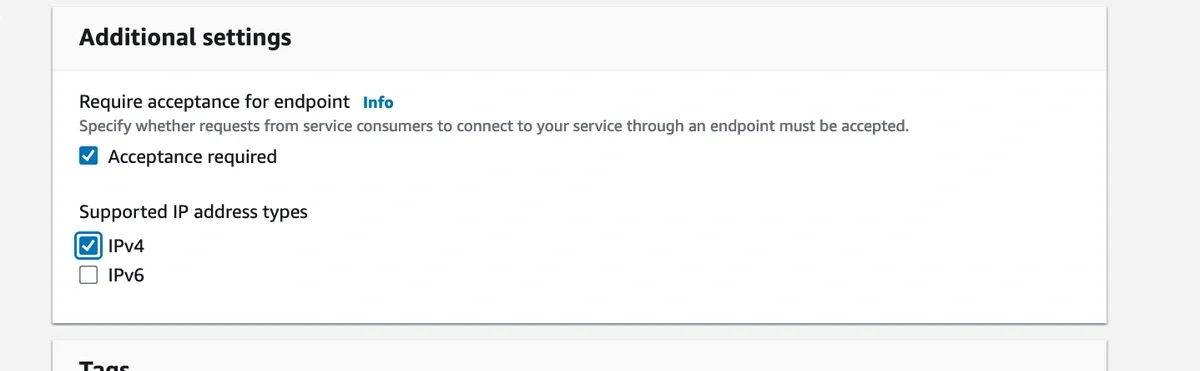
Next, create a VPC endpoint service configuration. Give it an appropriate name and select the NLB created above in the available load balancers list. Choose the other settings as specified in the image below.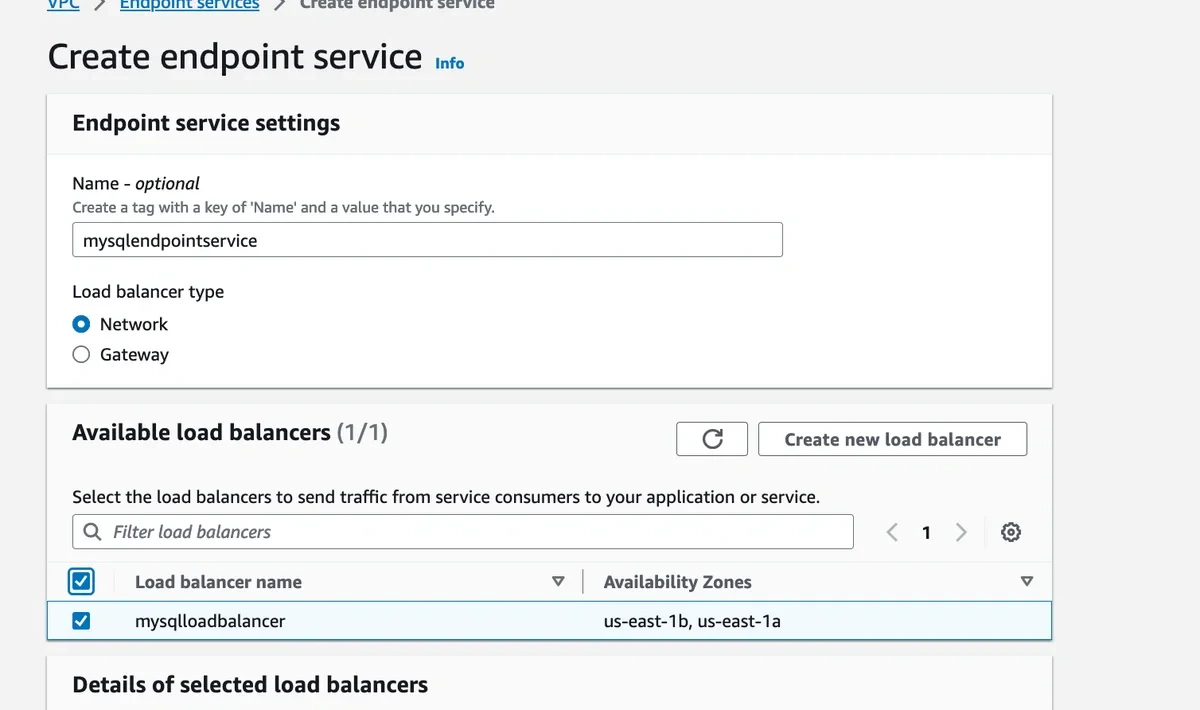
4
Add our AWS Account ID to allow access to your VPC (arn:aws:iam::231173364718:user/privatelink). Send the service name of your VPC endpoint service to us, so that we can set up the connection at our end.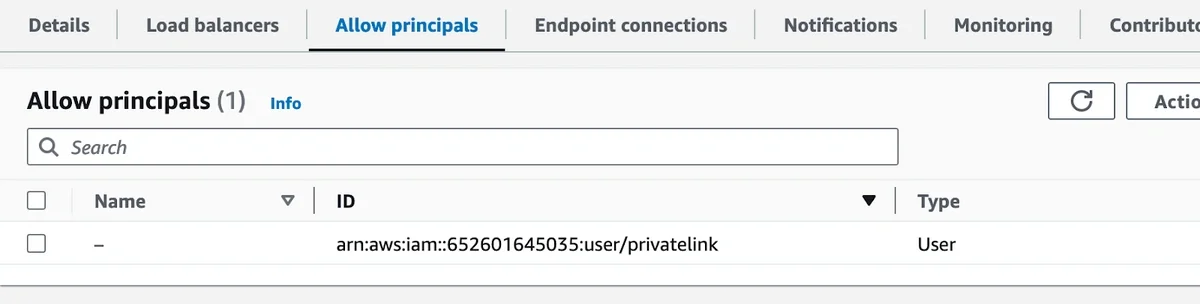
5
Accept the interface endpoint connection request from us after our setup is complete.
6
We will also provide you the DNS name of the VPC endpoint at our end that you can use in the Source connection settings to set up your source. In case you see a connection timeout after adding the details, please run a FLUSH HOSTS on the mysql database.