

Requirements
- Azure Single Server for PostgreSQL.
- PostgreSQL version 10 or above.
- Connect to the primary instance. Logical replication only works on the primary.
- Tables with a
PRIMARY KEY.
Enable logical replication
1
Open the Azure Database for PostgreSQL server
Go to your Azure Database for PostgreSQL server page in the Azure portal.
2
Set replication support to LOGICAL
Under Replication, set replication support to LOGICAL and click Save. Restart the server if Azure prompts you.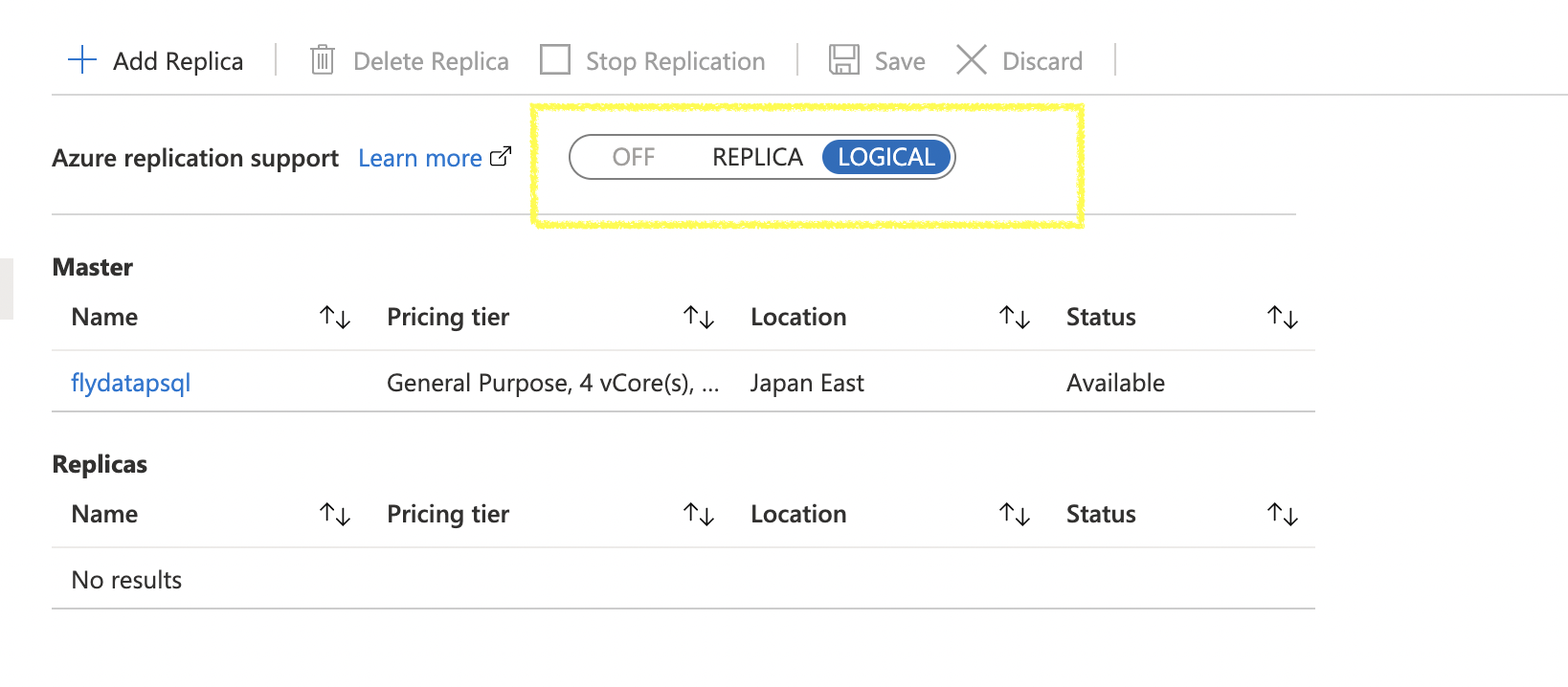
Next: common setup
Continue with the canonical PostgreSQL setup for the remaining steps — sync user creation, privileges (USAGE, SELECT, REFERENCES), heartbeat table, publication, and replication slot. Grant the replication attribute with ALTER ROLE integrateio WITH REPLICATION;.