

Getting Started
Packages & Workflows
- ETL: Packages & Workflows Overview
- ETL: Creating a New Package
- ETL: Creating a Workflow
- ETL: Package Designer
- ETL: Creating a Package from a Template
- ETL: Package Creation Guide
- ETL: Creating a Delivery
- ETL: Import or Export Package JSON
- ETL: Package Version Control
- ETL: Component Previewer
- ETL: Dynamic Connections
- ETL: Advanced Search
- ETL: Validating a Package
- ETL: Execute SQL
- ETL: File Mover
- ETL: Run Package
- ETL: PDF to CSV
Sources
- ETL: Sources Overview
- ETL: Amazon Redshift
- ETL: Bing Ads
- ETL: CDC Database
- ETL: Database
- ETL: Facebook Ads Insights
- ETL: File Storage
- ETL: Google Ads
- ETL: Google Analytics
- ETL: Google Analytics 4 (GA4)
- ETL: Google BigQuery
- ETL: Google Cloud Spanner
- ETL: MongoDB
- ETL: NetSuite
- ETL: REST API
- ETL: Salesforce
- ETL: Snowflake
- ETL: Crisp Chat
- ETL: Gmail
- ETL: Google Sheets
- ETL: SharePoint
- ETL: Amazon Athena
- ETL: Amazon RDS
- ETL: Amazon S3
- ETL: DB2
- ETL: Dynamics 365
- ETL: FTPS
- ETL: Google Cloud SQL for MySQL
- ETL: Google Cloud SQL for PostgreSQL
- ETL: Google Cloud Storage
- ETL: Google Drive
- ETL: Gmail
- ETL: Google Sheets
- ETL: HDFS
- ETL: Heroku Postgres
- ETL: HubSpot
- ETL: HubSpot (Service Token)
- ETL: IBM i (AS/400)
- ETL: Instagram
- ETL: Intercom
- ETL: LinkedIn
- ETL: Marketing Cloud (REST)
- ETL: Marketing Cloud (SOAP)
- ETL: Microsoft SQL Server
- ETL: MySQL
- ETL: Oracle
- ETL: PostgreSQL
- ETL: SAP HANA
- ETL: SFTP
- ETL: SFTPToGo
- ETL: SharePoint
- ETL: Shopify
- ETL: TikTok Ads
- ETL: Universal OAuth
- ETL: Xero
- ETL: YouTube
Transformations
- ETL: Transformations Overview
- ETL: Select Transformation
- ETL: Filter Transformation
- ETL: Join Transformation
- ETL: Cross Join Transformation
- ETL: Union Transformation
- ETL: Aggregate Transformation
- ETL: Distinct Transformation
- ETL: Sort Transformation
- ETL: Rank Transformation
- ETL: Window Transformation
- ETL: Limit Transformation
- ETL: Sample Transformation
- ETL: Clone Transformation
- ETL: Assert Transformation
- ETL: Cube Transformation
- ETL: AI Transformation
- ETL: Python Transformation
- ETL: Split Transformation
- ETL: Pivot Transformation
- ETL: Unpivot Transformation
Expressions & Functions
- ETL: Expressions & Functions Overview
- ETL: Functions Reference
- ETL: Using Expressions
- ETL: Using and Setting Variables
- ETL: Global Variables
- ETL: System and Pre-Defined Variables
- ETL: ISO 8601 String Functions
- ETL: Encrypting and Decrypting Data
- ETL: Processing JSON Data
- ETL: Processing XML Data
- ETL: Processing Different Encodings
- ETL: Working with Datetime Data
Destinations
- ETL: Destinations Overview
- ETL: Amazon Redshift
- ETL: Database
- ETL: Facebook Ads
- ETL: File Storage
- ETL: Google Ads
- ETL: Google BigQuery
- ETL: Google Spanner
- ETL: HubSpot
- ETL: MongoDB
- ETL: NetSuite SOAP
- ETL: Salesforce
- ETL: REST API
- ETL: Snowflake
- ETL: TikTok Ads
- ETL: Google Sheets
- ETL: Azure Blob Storage
- ETL: Azure SQL
- ETL: Azure Synapse Analytics
Scheduling, Jobs & Clusters
- ETL: Scheduling, Jobs & Clusters Overview
- ETL: Running Jobs
- ETL: Scheduling Package Execution
- ETL: Monitoring Jobs
- ETL: Viewing All Jobs in the Account
- ETL: Viewing Completed Task Outputs
- ETL: Viewing Job Error Details
- ETL: Creating a Cluster
- ETL: Editing and Scaling Clusters
- ETL: Monitoring Clusters
- ETL: Terminating a Cluster
Alerts & Monitoring
Security & Access
- ETL: Security & Access Overview
- ETL: Two-Factor Authentication
- ETL: Single Sign-On
- ETL: User Management
- ETL: Managing Account Members
- ETL: Setting Account Member Roles
- ETL: Changing Your Password
- ETL: Password Policy
- ETL: Managing SSH Keys
- ETL: Reverse SSH Tunnel from Windows
- ETL: Firewall Setup
- ETL: IP Allowlist
Sources
ETL: Connecting to SharePoint
How to connect Integrate.io ETL to Microsoft SharePoint for reading document and list data.
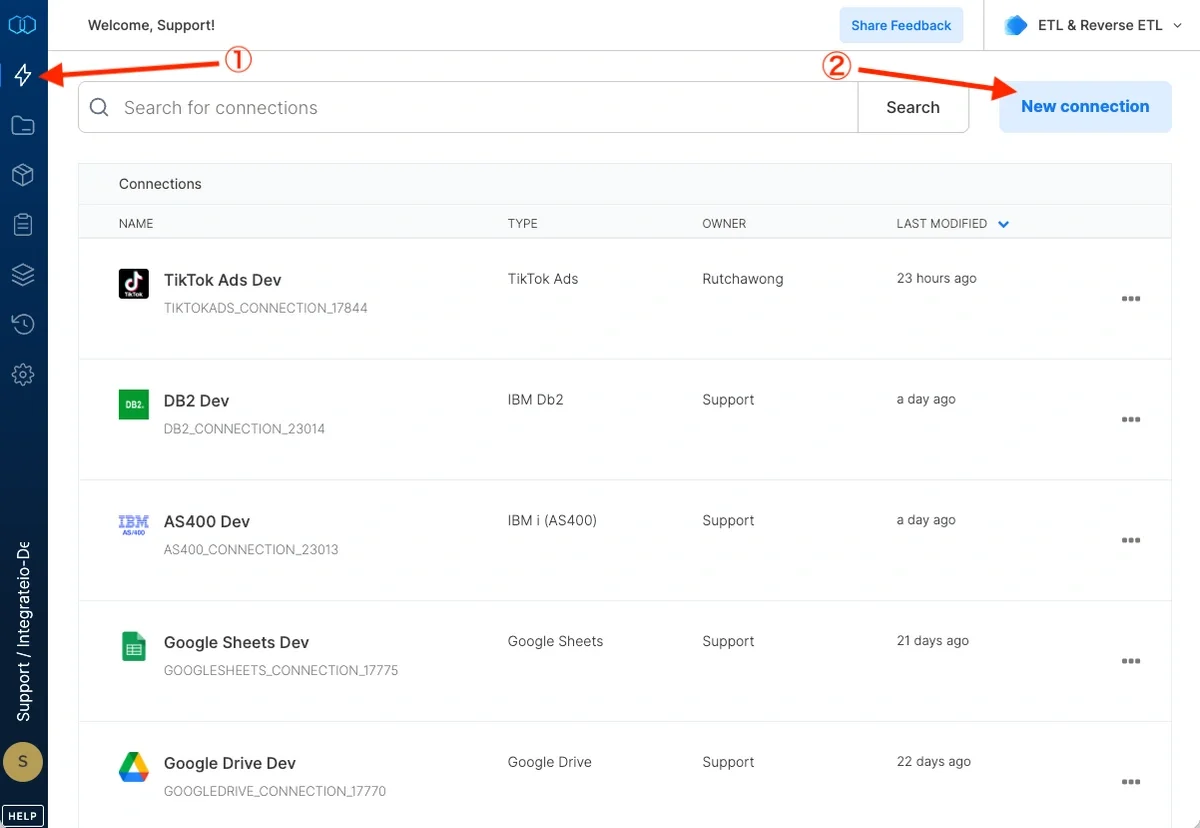
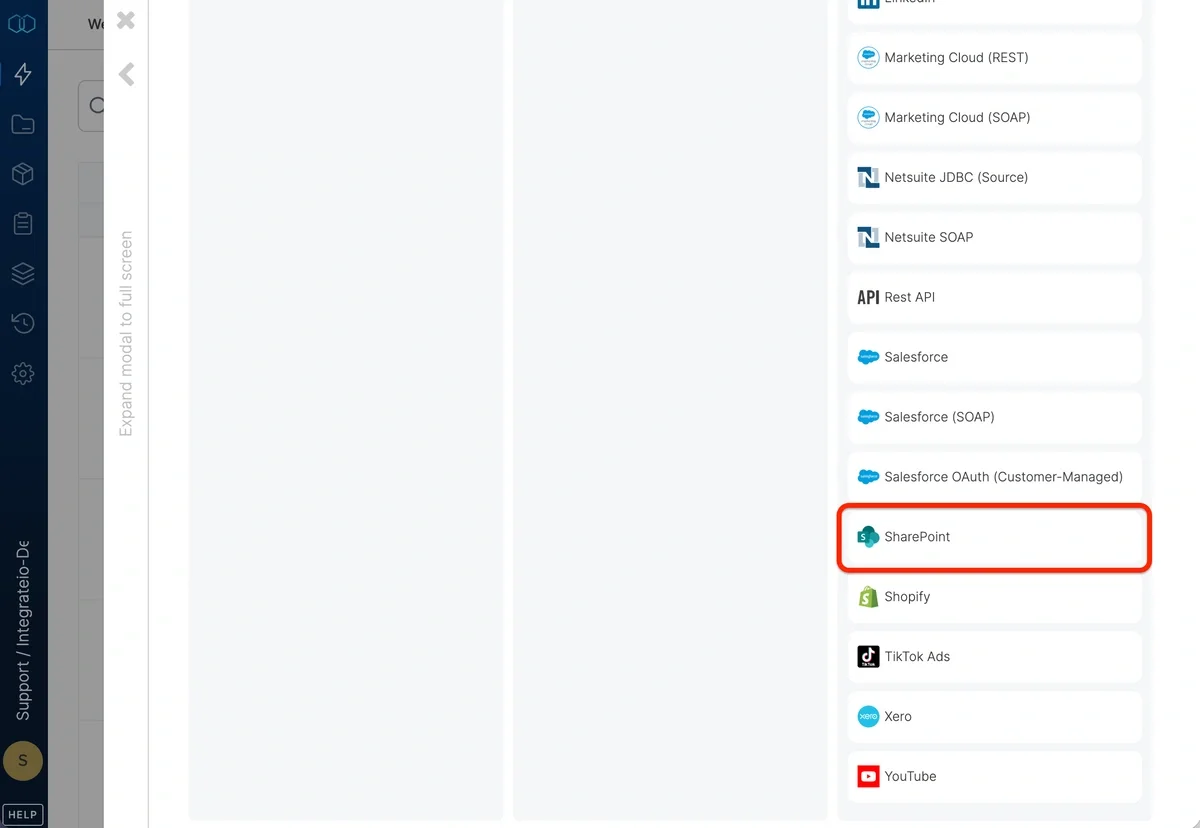
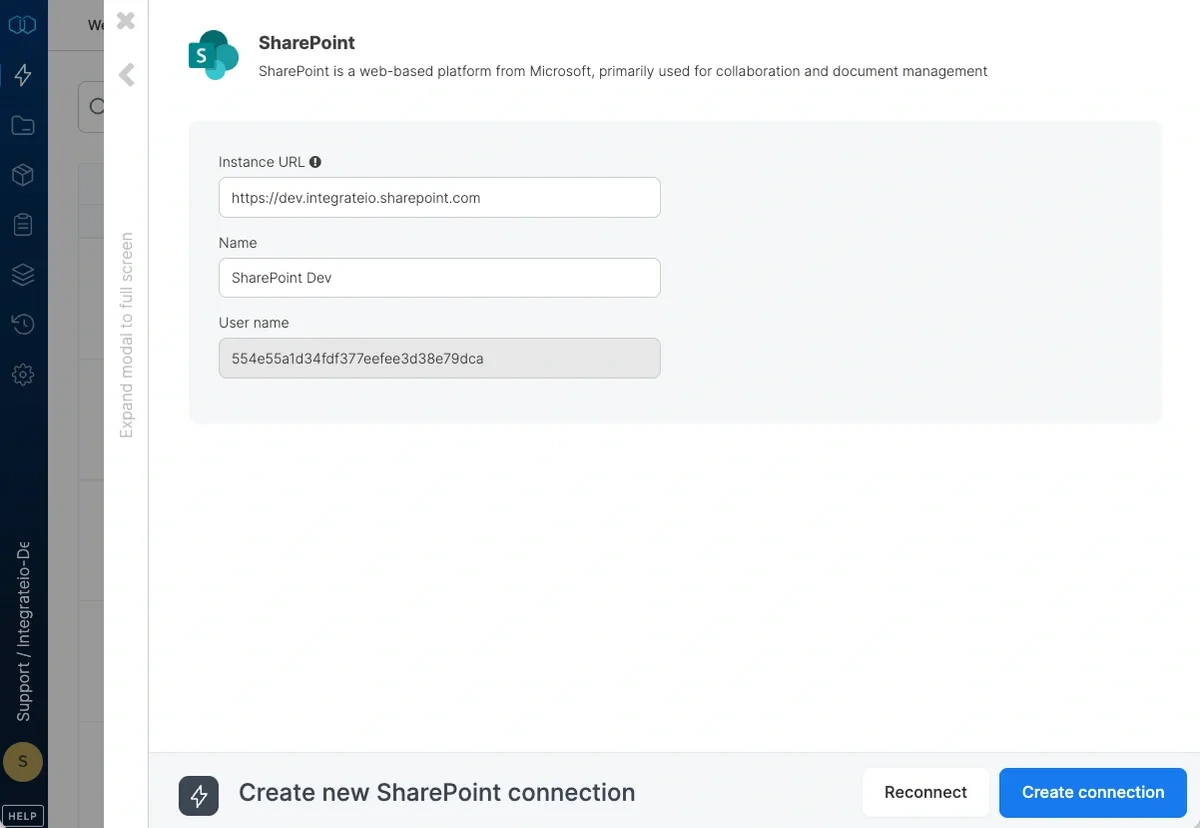
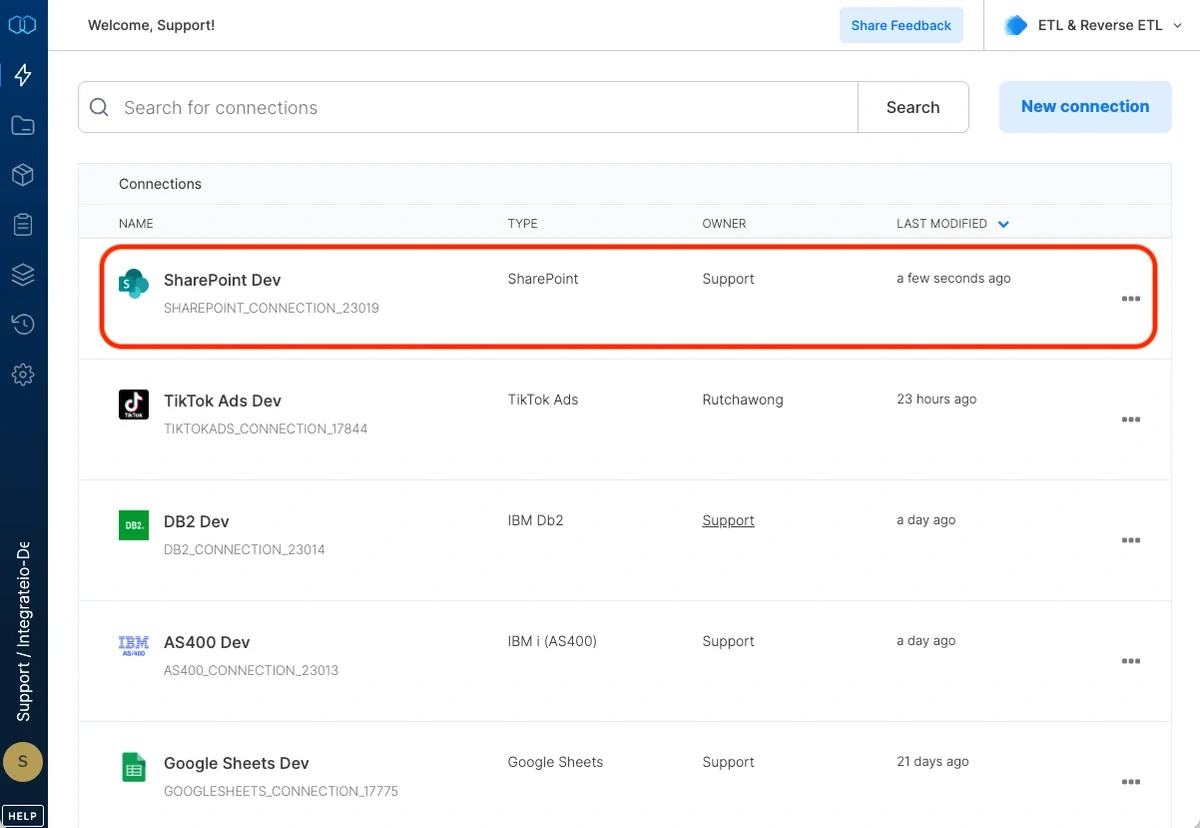
Integrate.io ETL can read your Sharepoint data. This article details creating the Sharepoint connection in Integrate.io ETL.
Last modified on April 20, 2026
Was this page helpful?
⌘I
Assistant
Responses are generated using AI and may contain mistakes.