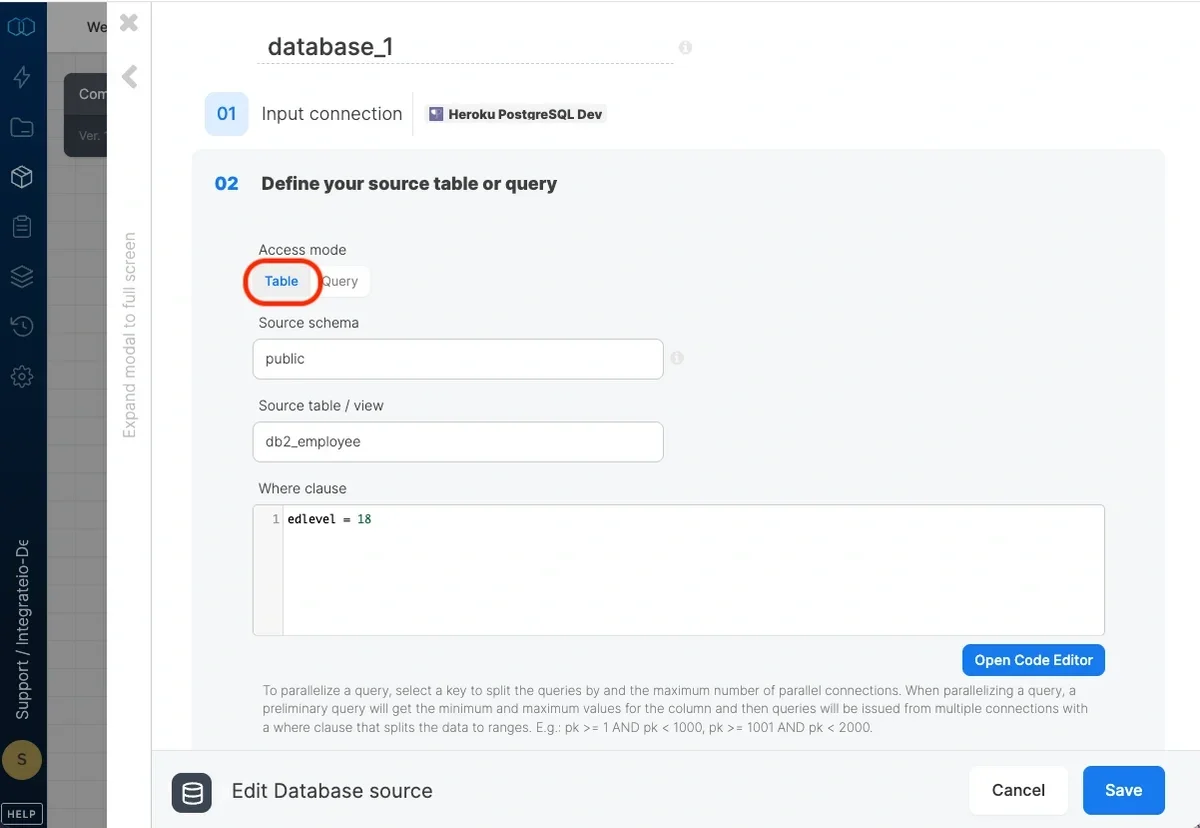
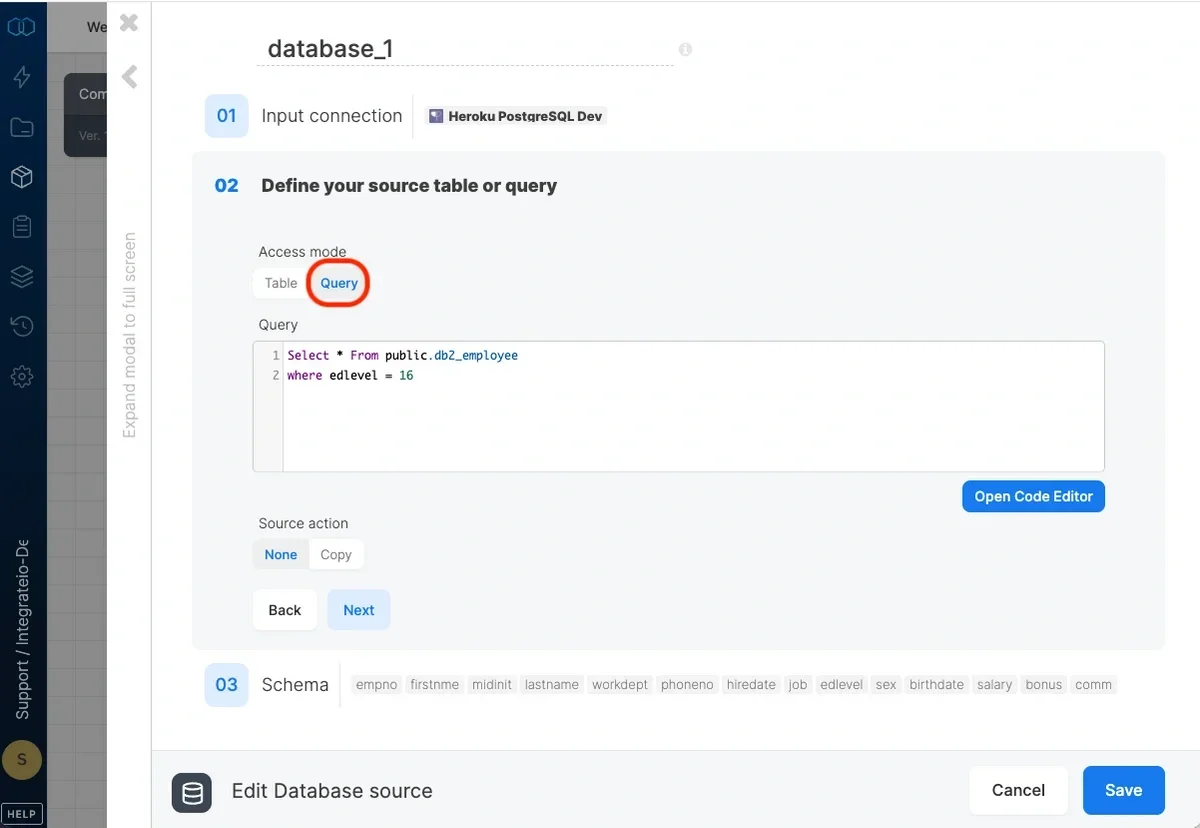
Access mode - select table to extract an entire table/view or query to execute a query.
Source schema - the source table’s schema. If empty, the default schema is used.
Source table/view - the table or view name from which the data will be imported.
Where clause - optional. You can add predicate clauses to the WHERE clause as part of the SQL query that is built in order to get the data from the database. Make sure to skip the keyword WHERE.
Query - type in a SQL query. Make sure to name all columns uniquely.
Null string - NULL values in string columns will be replaced with the string specified here. By default NULL values will appear like empty strings.
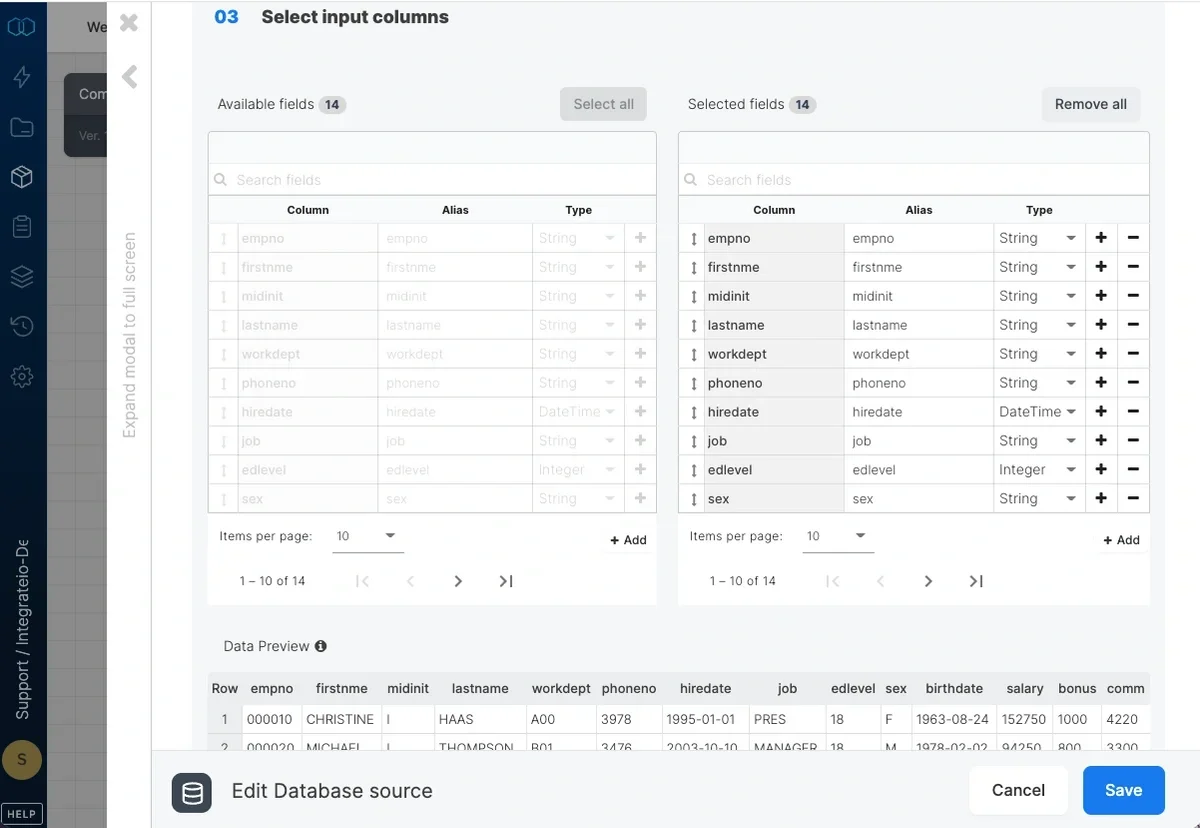
After defining the source table/view/query, select the fields to use in the source.With table access mode, the fields you select are used to build the query that will be executed to read the data.With query access mode, select all the fields that are defined in the query and make sure to use the same column names.
Define the data type for each field. Data types are mapped according to the destination database platform.