Tenant Id and Instance URL
Before you start, you need to get Tenant Id and Instance URL for your Dynamics 365 account. Here is how you can get them:Step 1: Access Admin Center
2
Sign in with your Dynamics 365 admin account
3
Click Environments in the left navigation (for new admin portal: Manage -> Environments)
4
Find your Dynamics 365 environment in the list
5
Click the environment name
6
In the environment details, look for Environment URL
7
Copy the URL (e.g.,
https://yourorg.crm.dynamics.com)8
This is your Instance URL
Step 2: Get Tenant ID
1
Open a new tab and go to https://portal.azure.com
2
Sign in with your current account
3
Search for “Tenant Properties” in the top search bar
4
Copy the “Tenant ID” (it’s a long GUID)
To create a Dynamics 365 connection in Integrate.io ETL
1
Click the Connections icon (lightning bolt) on the top left menu.
2
To create a connection, click New connection.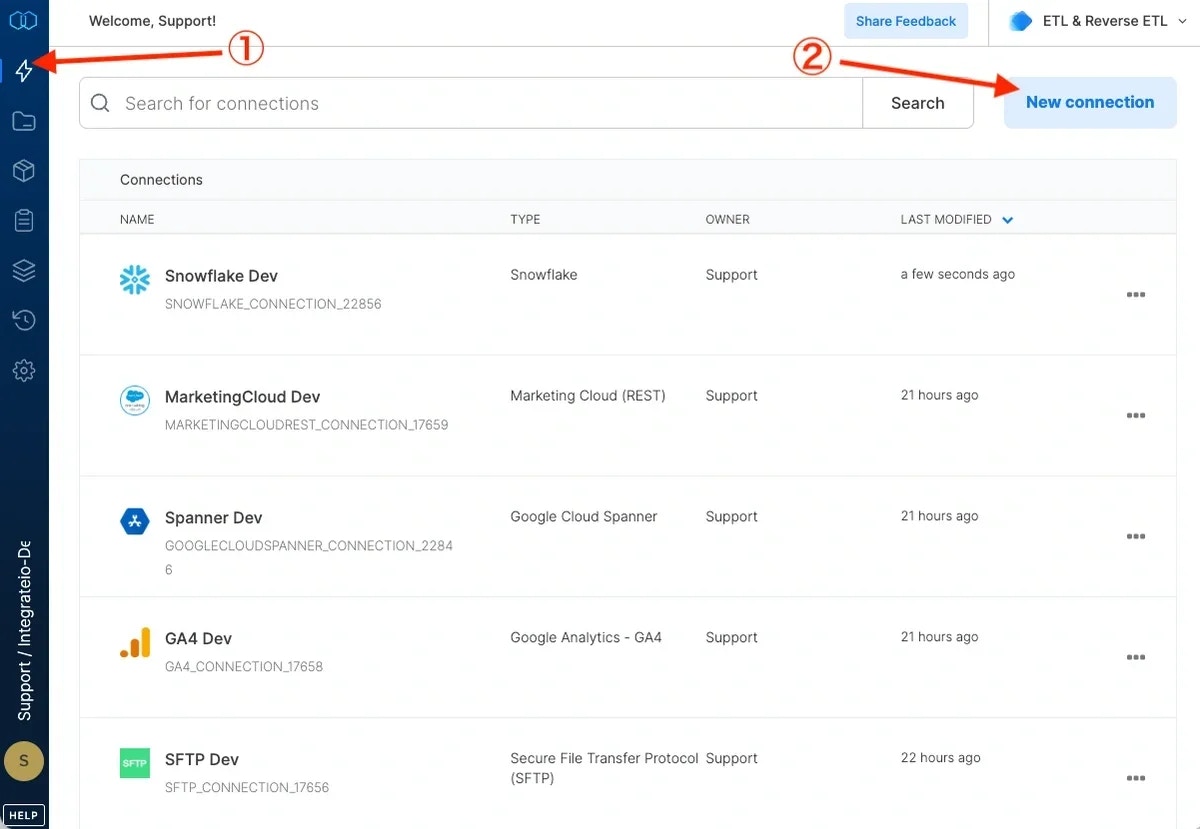
3
Select Dynamics 365.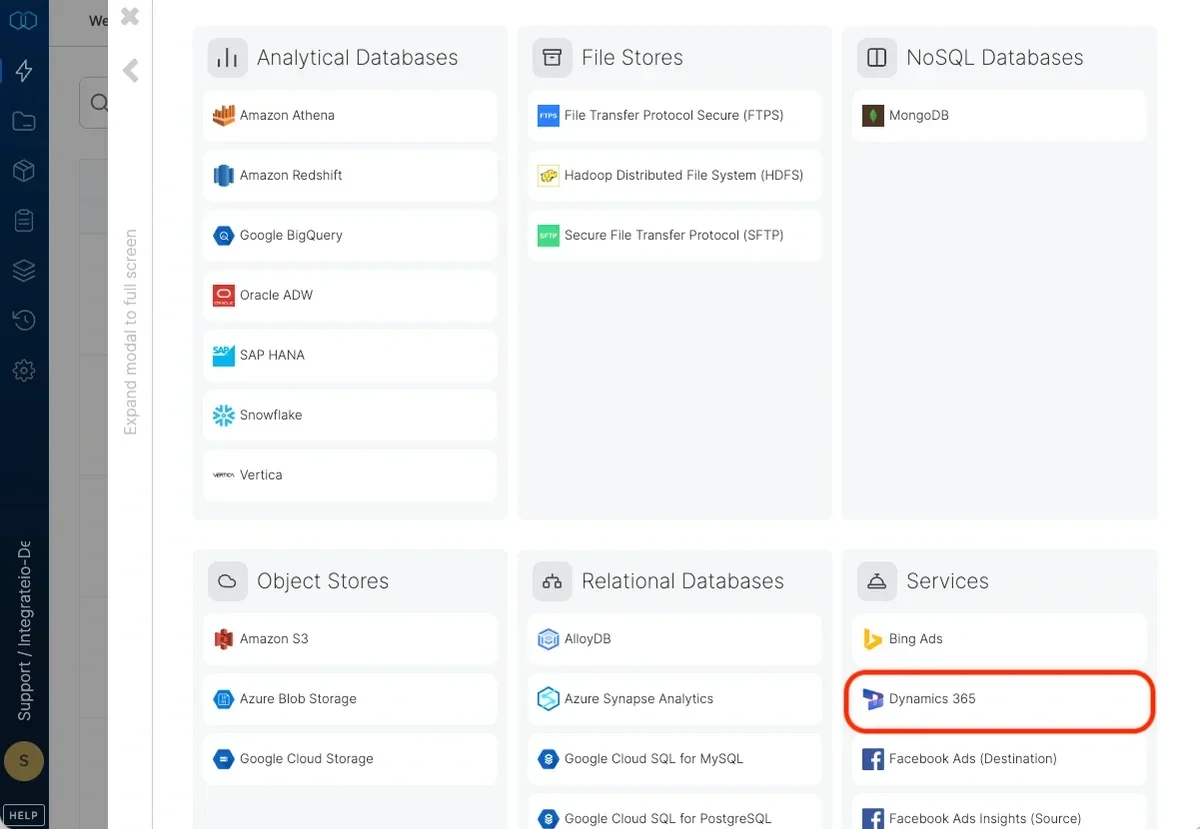
4
Fill Tenant ID and Instance URL (without https:// at the beginning).
5
Click Authenticate button.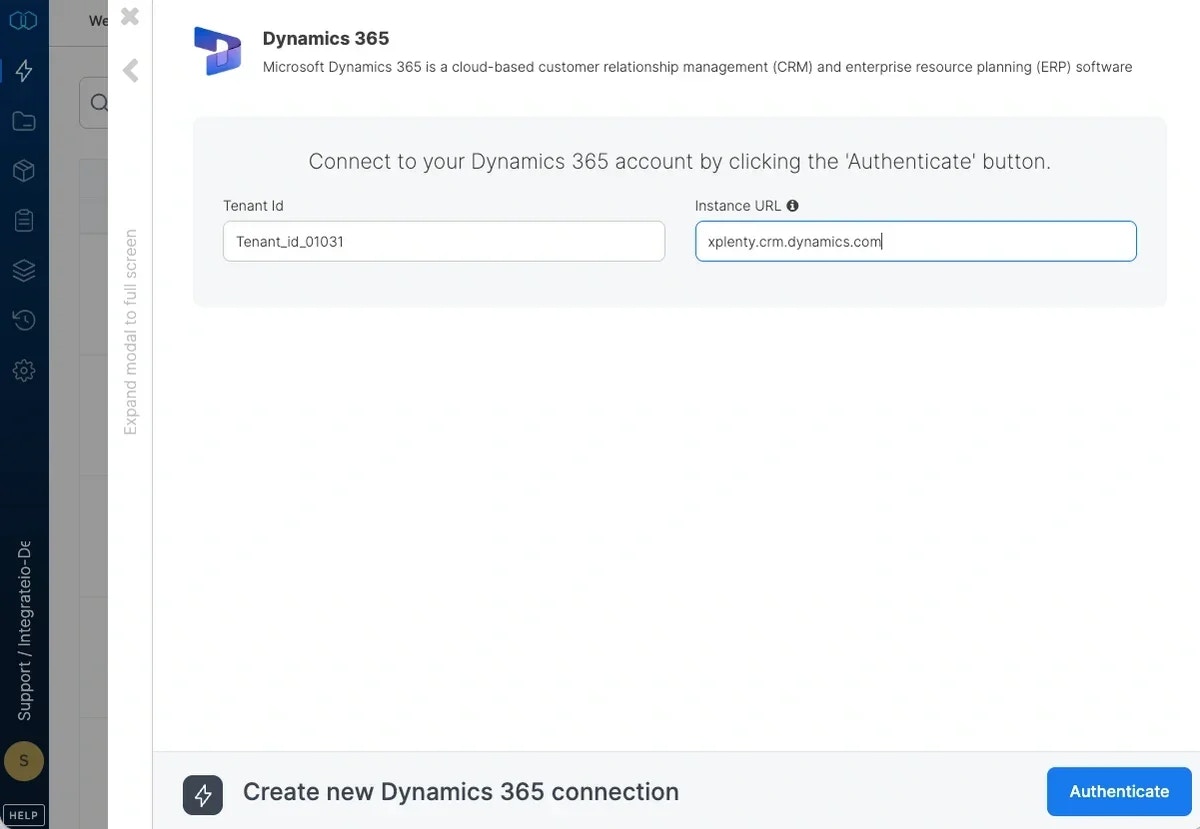
6
In the new window, sign in with your Dynamics 365 account or click Sign in with a different Microsoft account.
7
In the next Microsoft account page click Yes to let Integrate.io ETL access your information.
8
In the new Dynamics 365 connection window, name the connection and click Create connection.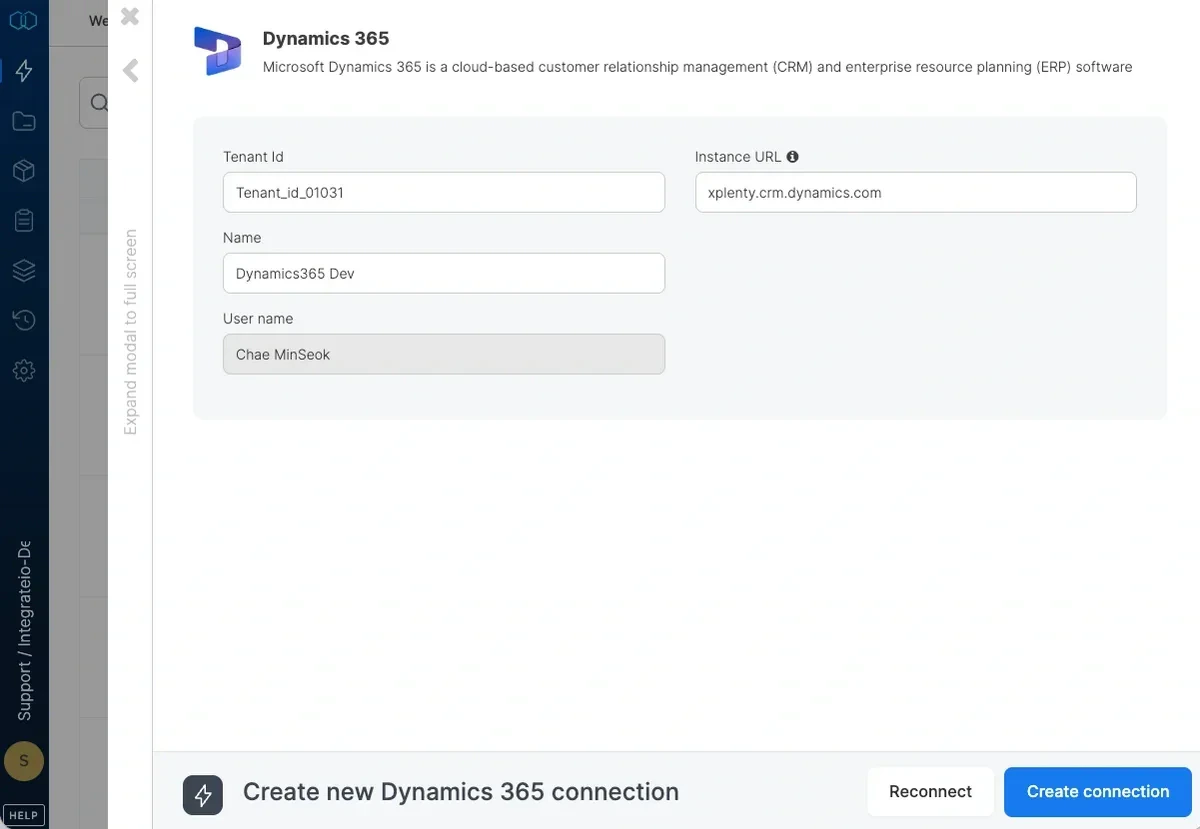
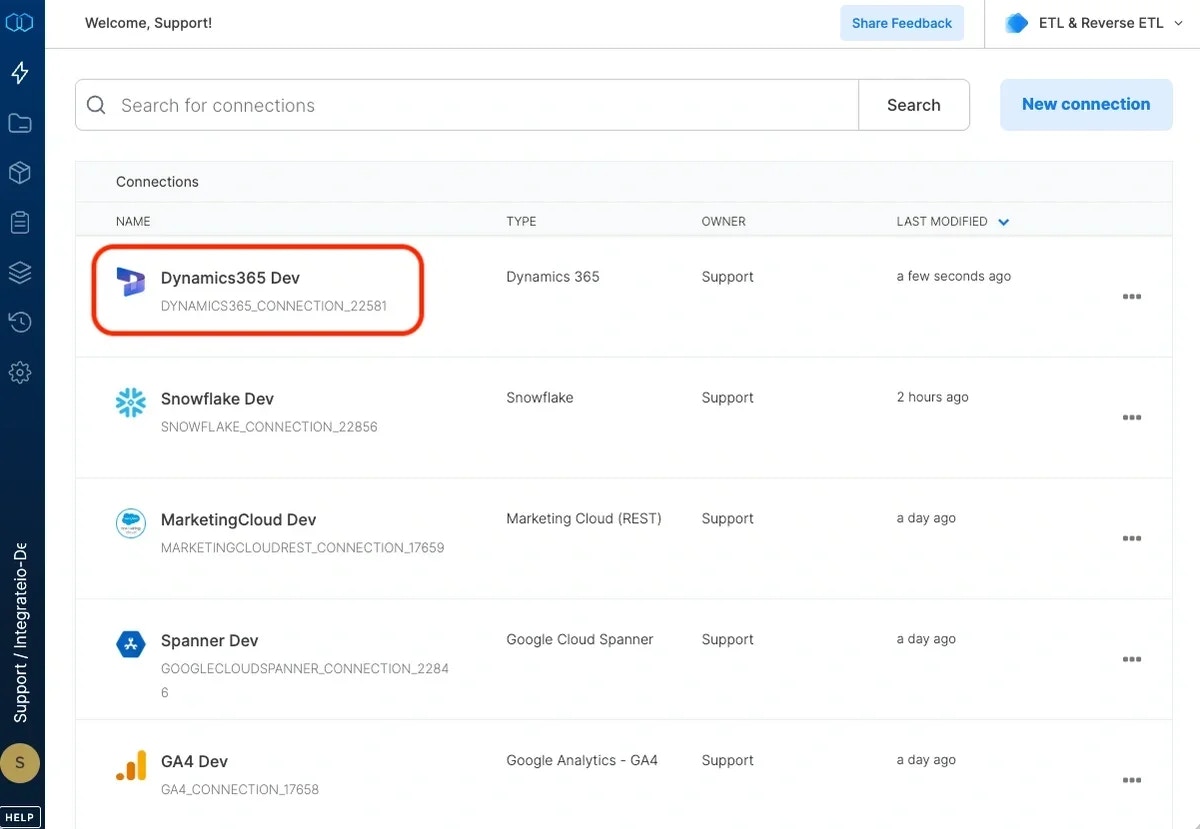
To modify Dynamics 365 connections in Integrate.io ETL
1
Click the Connections icon (lightning bolt) on the top left menu.
2
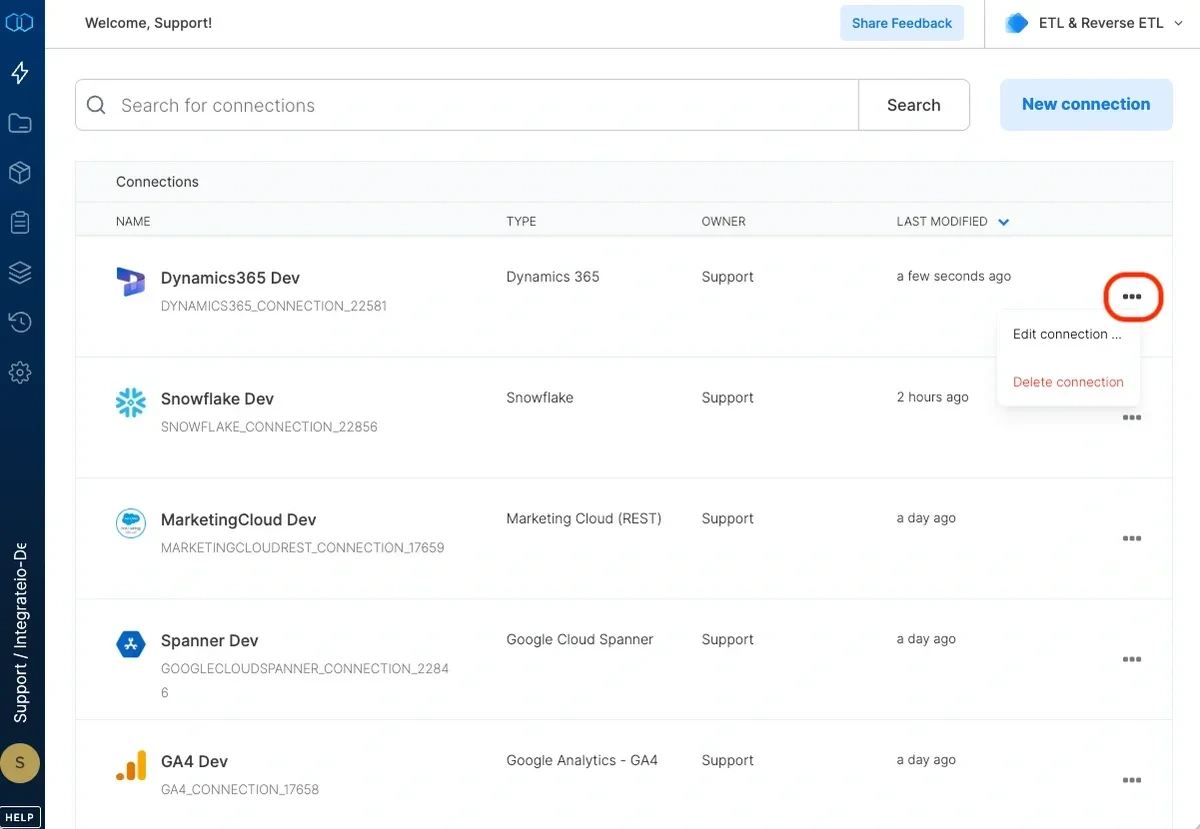
Click a connection to open and modify it. Make any necessary changes, then click Reconnect, and Save changes. To exit the Dynamics 365 connection window without changes, click Back to connections (grey tab on the left side) on the Dynamics 365 connection window.
3
To delete a Dynamics 365 connection, click the three vertical dots on the far right of the connection listing and select the Delete connection option.