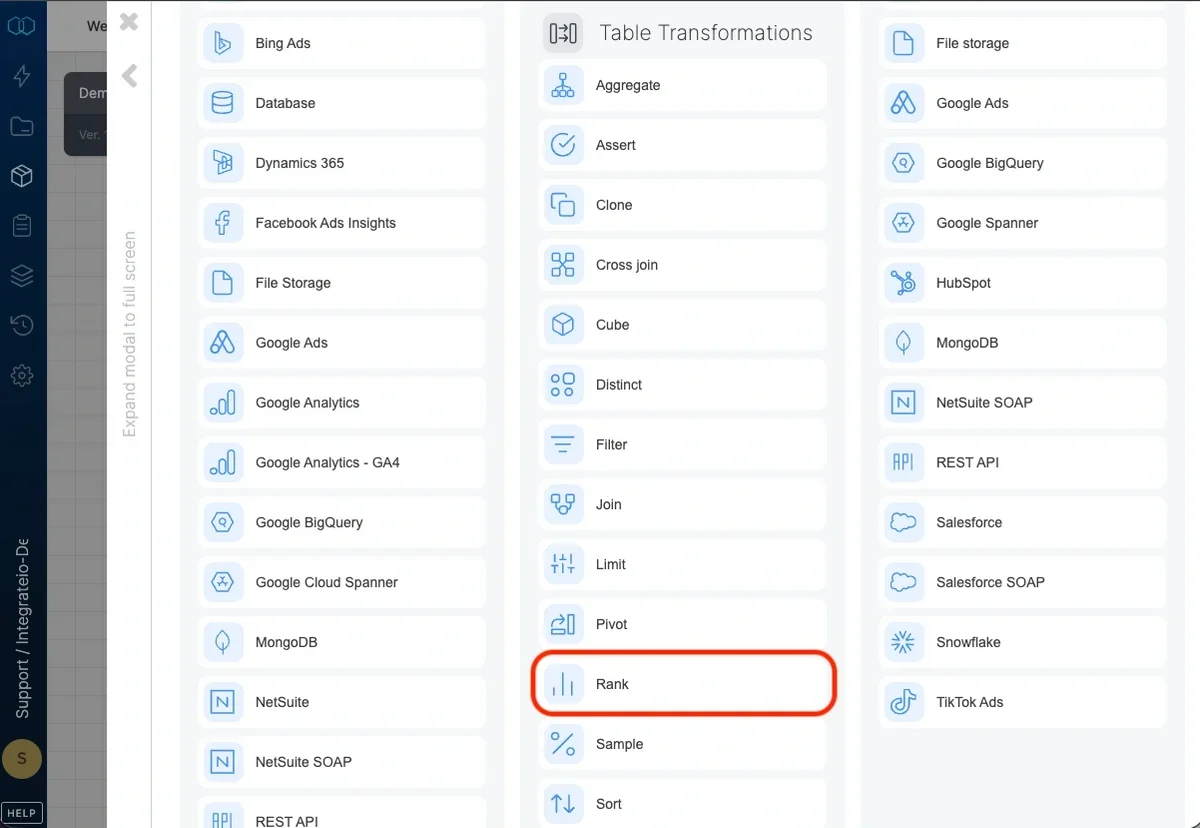
Add rank field
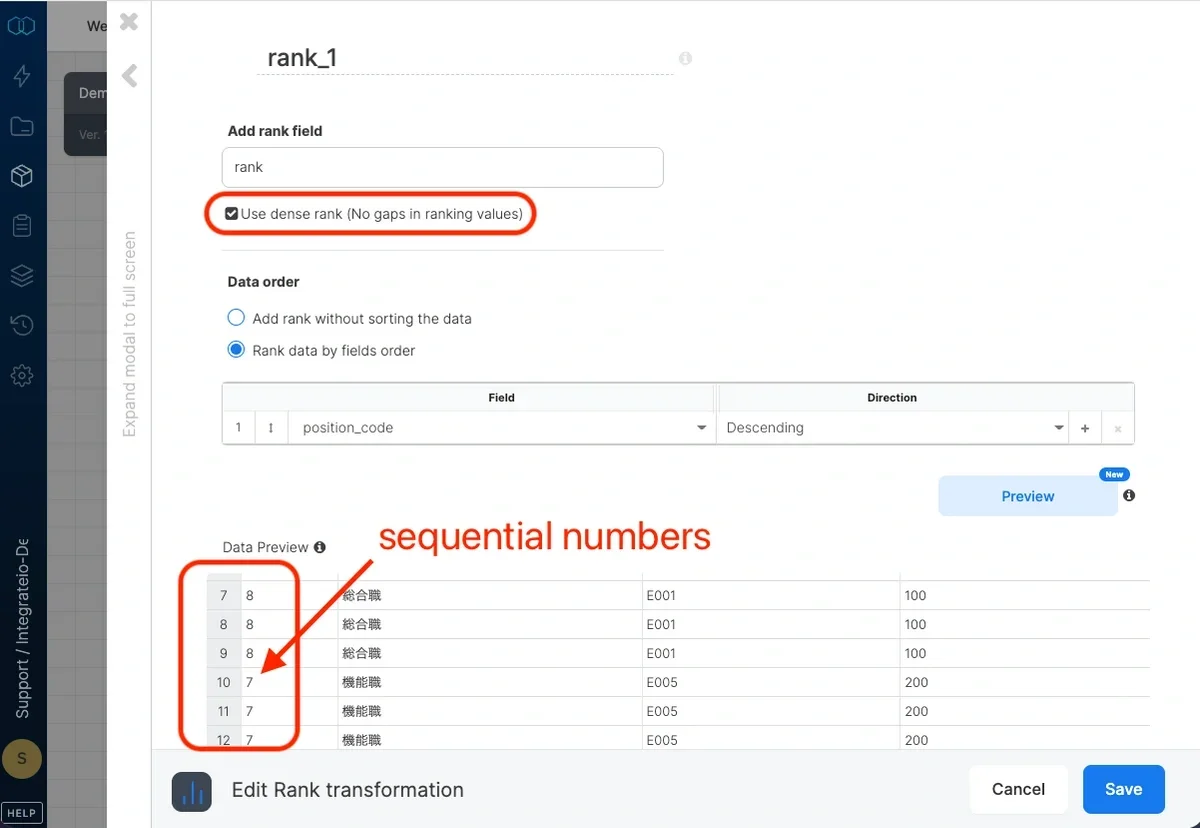
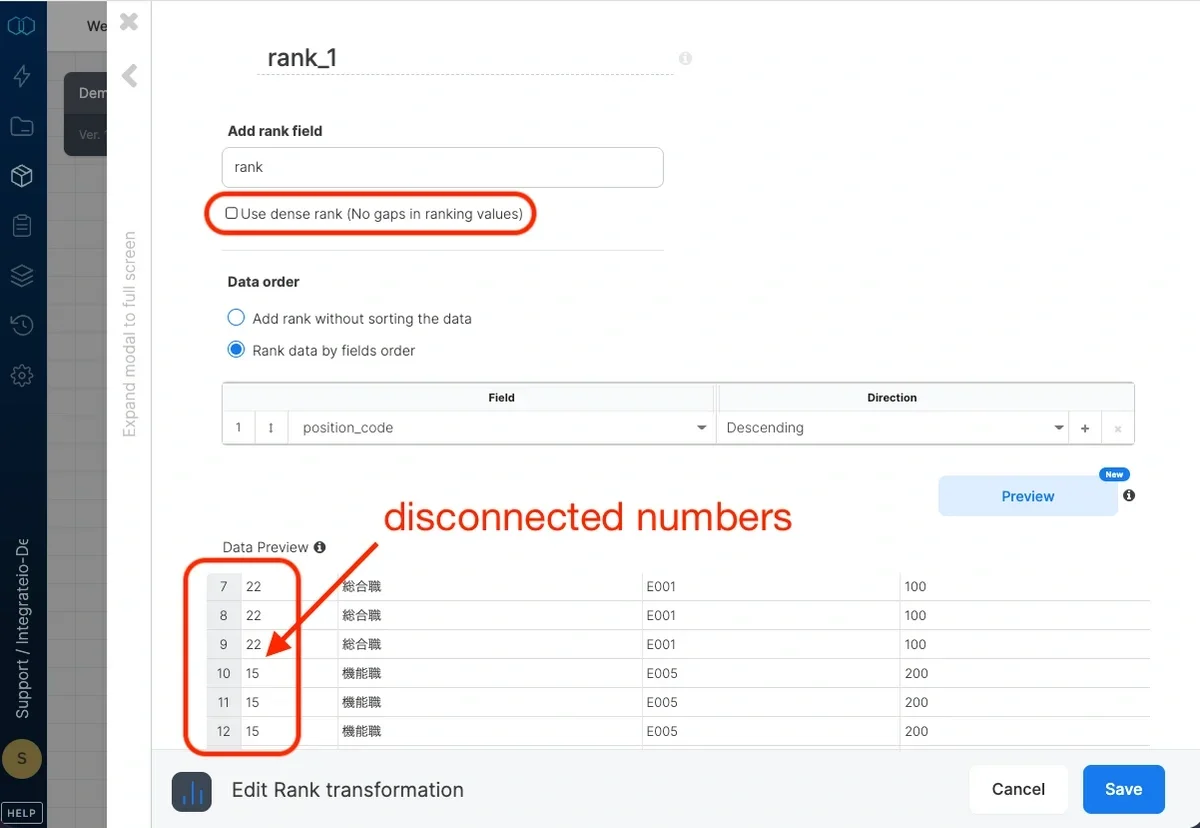
Choose a name for the rank field (default is rank). Existing field names can’t be used in the input components as field names must be unique. Check Use dense rank in order to remove gaps in ranking values. By default, when multiple records have the same values in the sort keys (a “tie”), they will have the same rank value and there will be a gap between them and the next record’s rank value. To avoid the gap, use
 dense rank option. For example,
- Checked use dense rank
- Unchecked use dense rank
Data Order
You can either add rank without sorting the data to add arbitrary rank value without sorting the input data, or rank data by fields order by selecting fields and sort direction (ascending or descending) to sort the data by. Last modified on October 5, 2026