

Migrating from Development account to Production account using Source Control
If you have a development account in Integrate.io ETL you can take advantage of Integrate.io ETL’s Source Control. Source Control allows you to export/import your packages as standard JSON.1
Create a new package in your development account and build the pipeline.
2
Do a few runs for testing.
3
After testing is complete, create a major version and export your package as JSON via Source Control.How to export your packages as JSON via Source Control: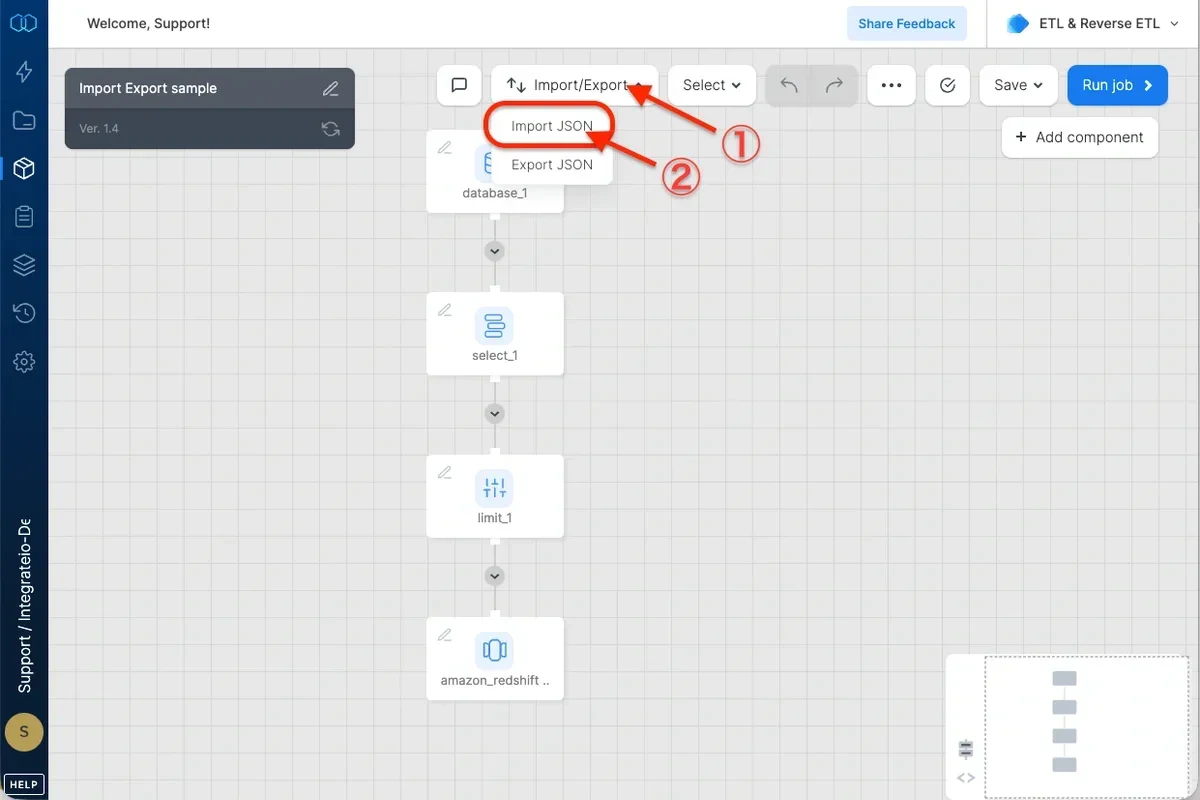
4
In your production account, create a new package and import your package JSON via Source Control.How to import package JSON via Source Control: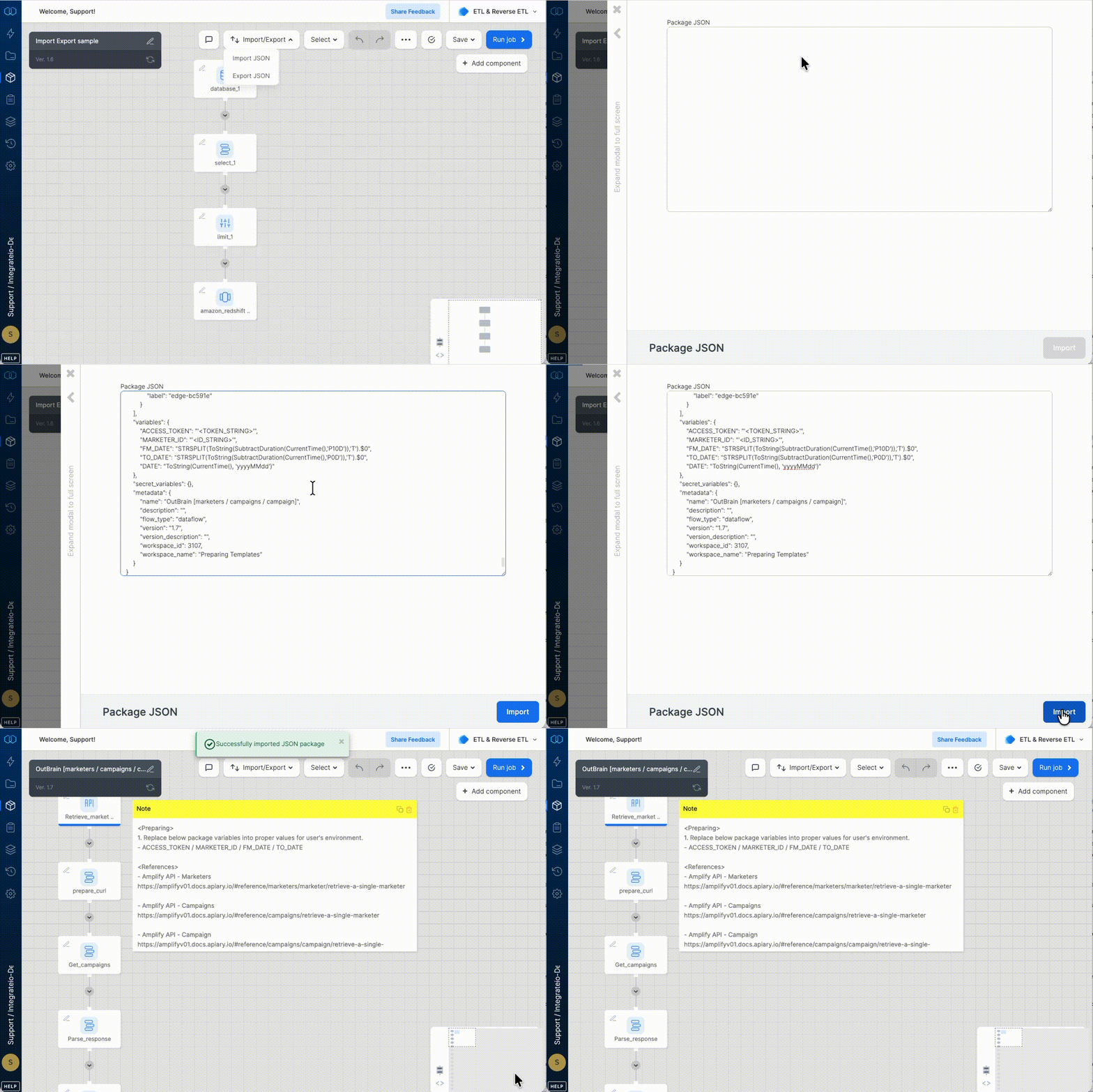
5
Create a schedule running the package for production use and select “always run the latest version of a package”.
Updating a package in your development and production accounts
1
If an update is necessary, changes to a package should be made in your development account. Changes in your development account will not affect packages in your production account.
2
Once updates are tested and finalized in your development account, create a new major version and export your updated package as JSON via Source Control.
3
In your production account, go to the same package you would like to update and import your updated package JSON via Source Control.
4
Save your updated package as a new Major Version.
Notes
- Keeping your connection names consistent between your development and production accounts will make migrating easier. If a package JSON is exported from your development account and imported into your production account, Integrate.io ETL will automatically match your source and destination connections to a connection with a matching name. This will save you from having to manually assign a connection to your source and destination components after importing your package.
- By ensuring your schedule is set to always run the latest version of a package no updates to your schedule are necessary. If you did not set your schedule to always run the latest version of a package you must update the version of your package locked into the schedule to the most recent version.
Option 2: Utilizing Integrate.io ETL Version Control
There’s nothing to worry about if you don’t have a development account in Integrate.io ETL. Integrate.io ETL’s Version Control makes migrating from development to production very easy by allowing you to keep track of changes you make to a package. Any changes made to a package are automatically saved as a new minor version but you have the ability to create major versions as well.From development to production using minor/major versions
1
Create a new package and build the pipeline.
2
Do a few runs for testing.
3
After testing is complete, create a major version.How to create a major version: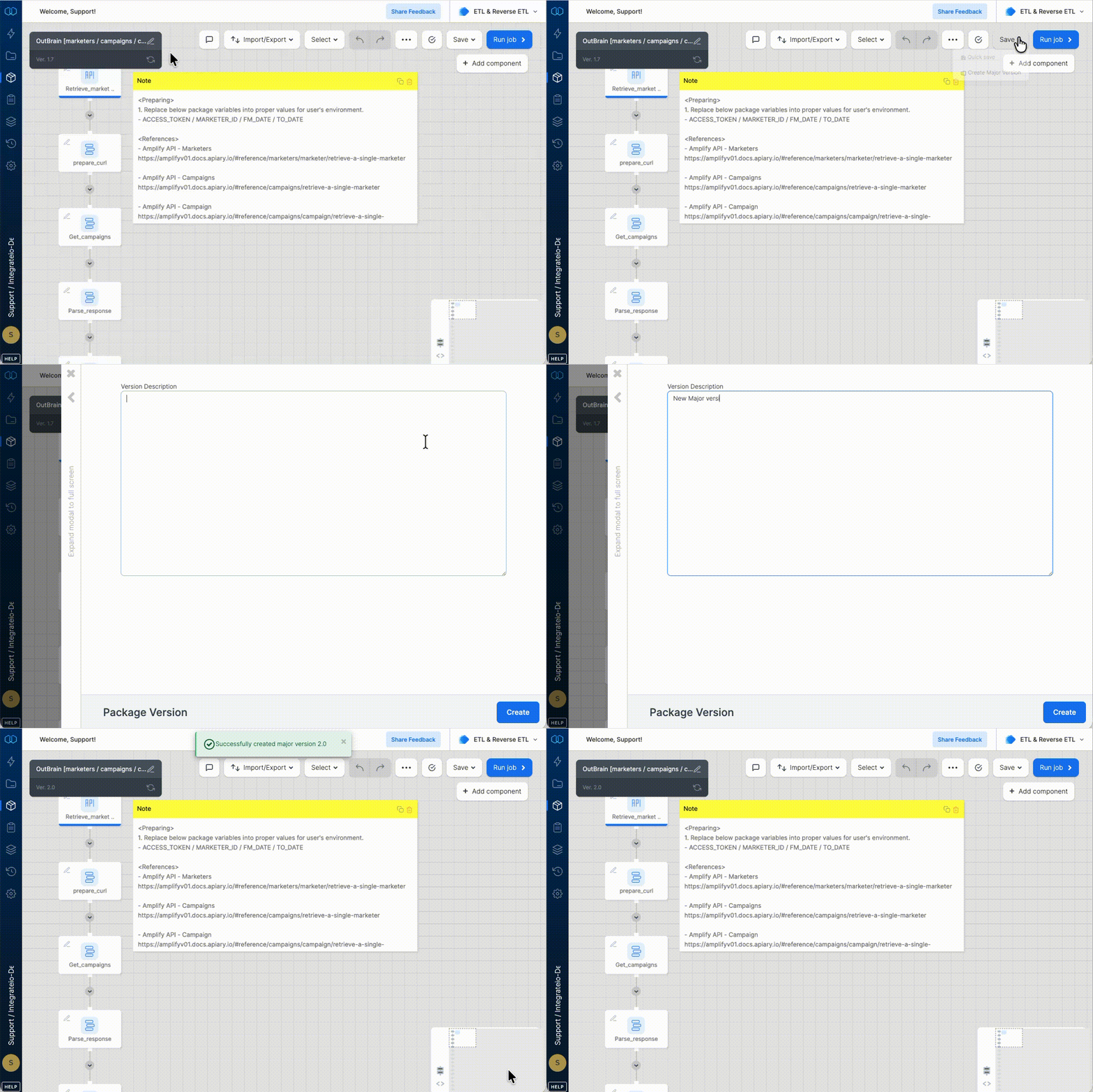
4
Create a schedule running the package for production use. Make sure your schedule locks in the major version you just created.How to lock a specific package version to a schedule: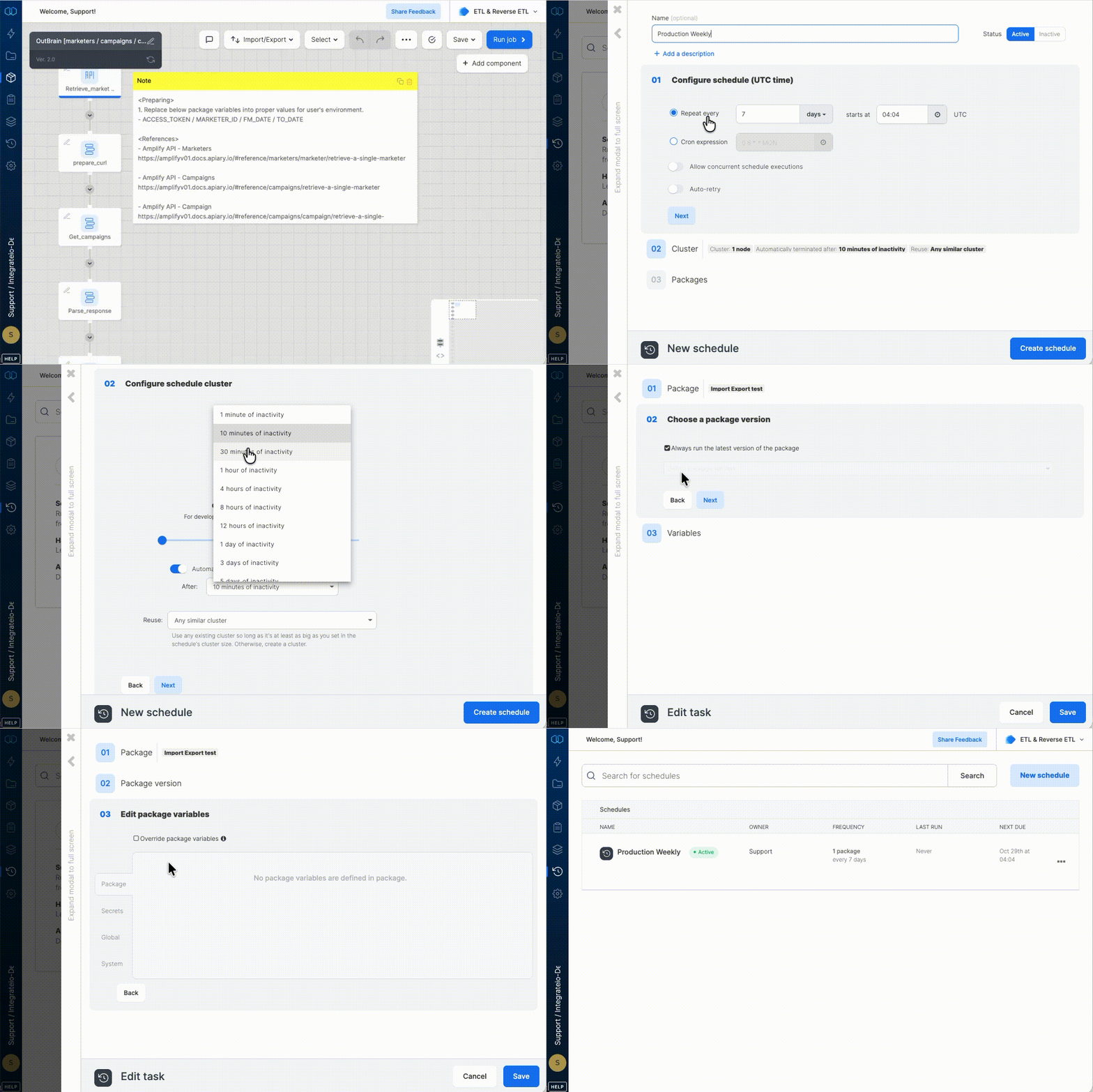
Updating a package using minor/major versions
1
If an update is necessary, update the same package. Saving the package will increment the minor version but should not affect your schedule as the package has been locked to the major version.
2
Once updates are finalized and tested, create a new major version and update the schedule to lock in the major version you’ve just created.
Notes
- When performing updates, be sure to update your destination connections to avoid writing to production while performing tests on your package.
- Make sure to revert back to production connections before creating a major version.