

Connection Setup
Integrate.io ETL can read your SharePoint data. This section details creating the SharePoint connection in Integrate.io ETL.1
Click the Connections icon (lightning bolt) on the top left menu.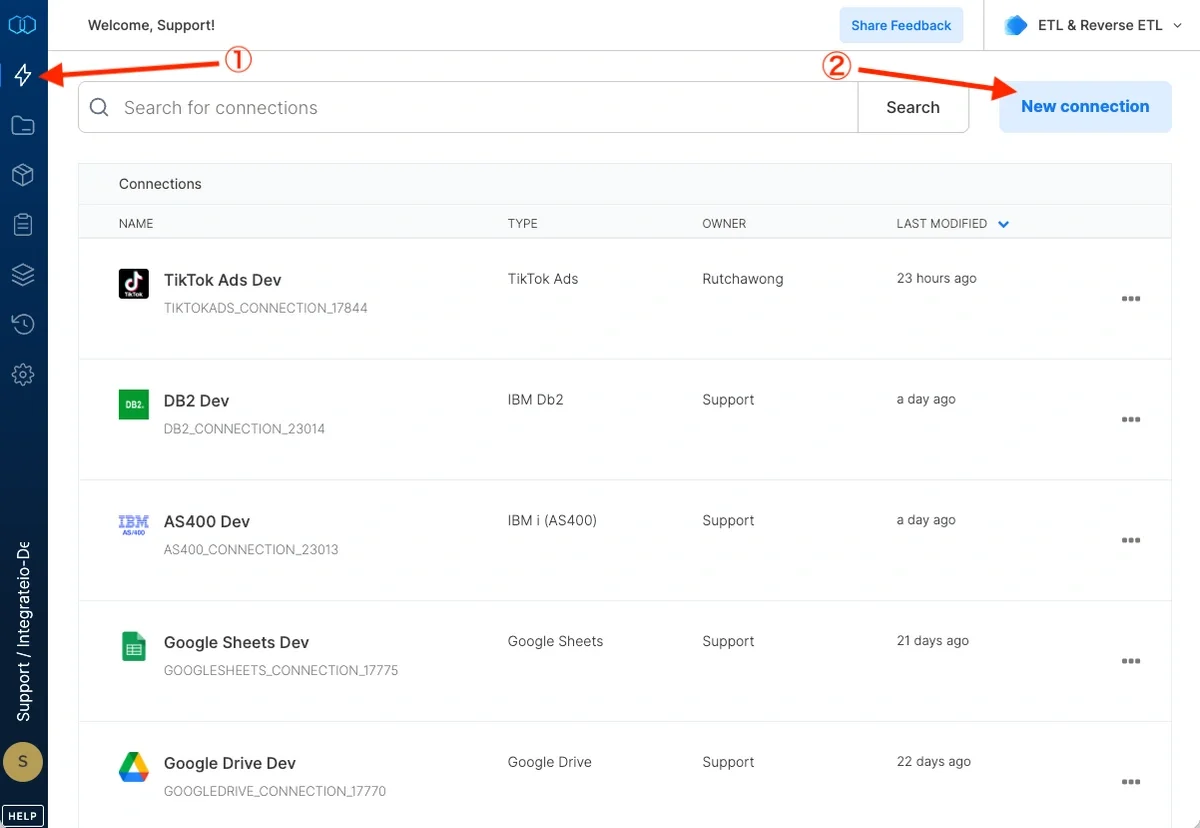
2
To create a connection, click New connection.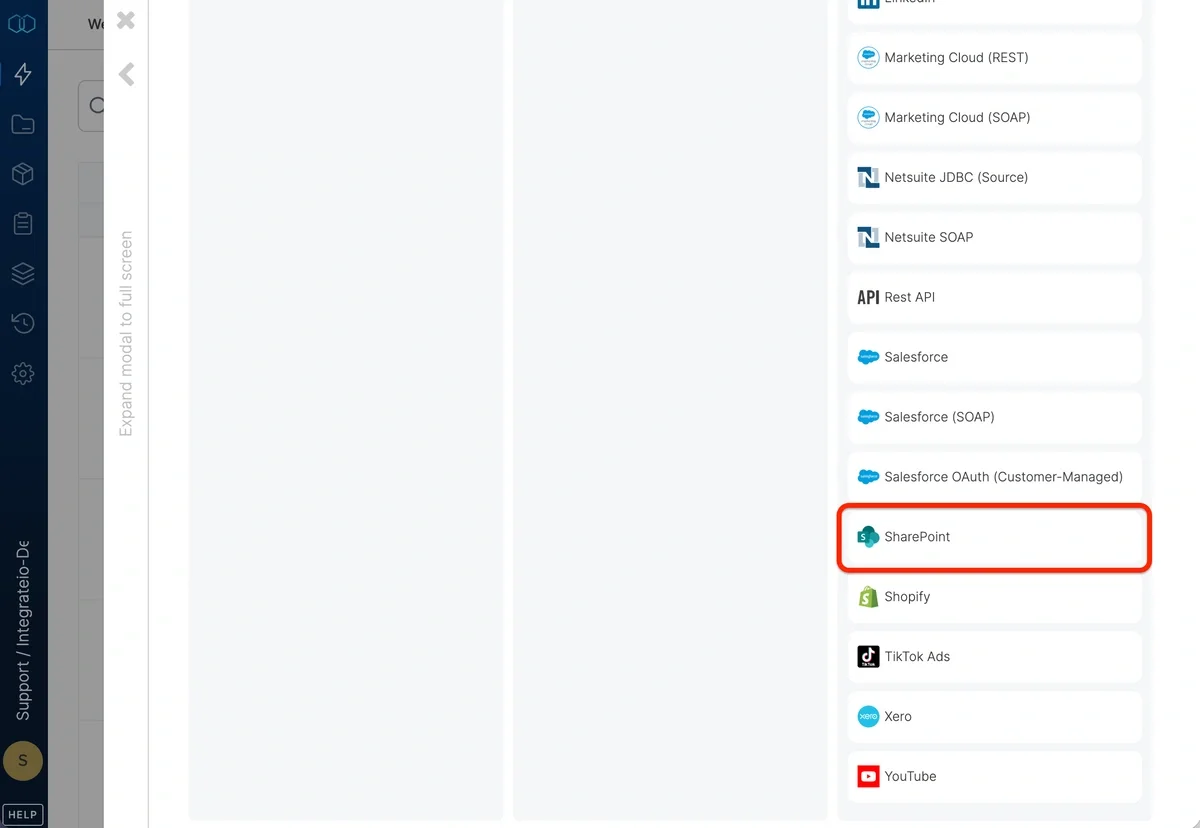
3
Select SharePoint.
4
Specify Instance URL. Enter your SharePoint Online tenant root domain in the format
<tenant>.sharepoint.com (for example, contoso.sharepoint.com). The https:// prefix is optional and gets added automatically. Site collection paths, document library names, and folder paths are not allowed here; set those on the SharePoint source or destination component instead.Only worldwide SharePoint Online tenants are supported. National cloud hosts (.us, .cn, .de) and on-premises SharePoint Server are not supported.5
Click Authenticate.
6
In the Microsoft authentication window, select the account you want to use and authenticate.
7
After authentication, Integrate.io redirects you back to the connection form.
8
Specify the connection Name.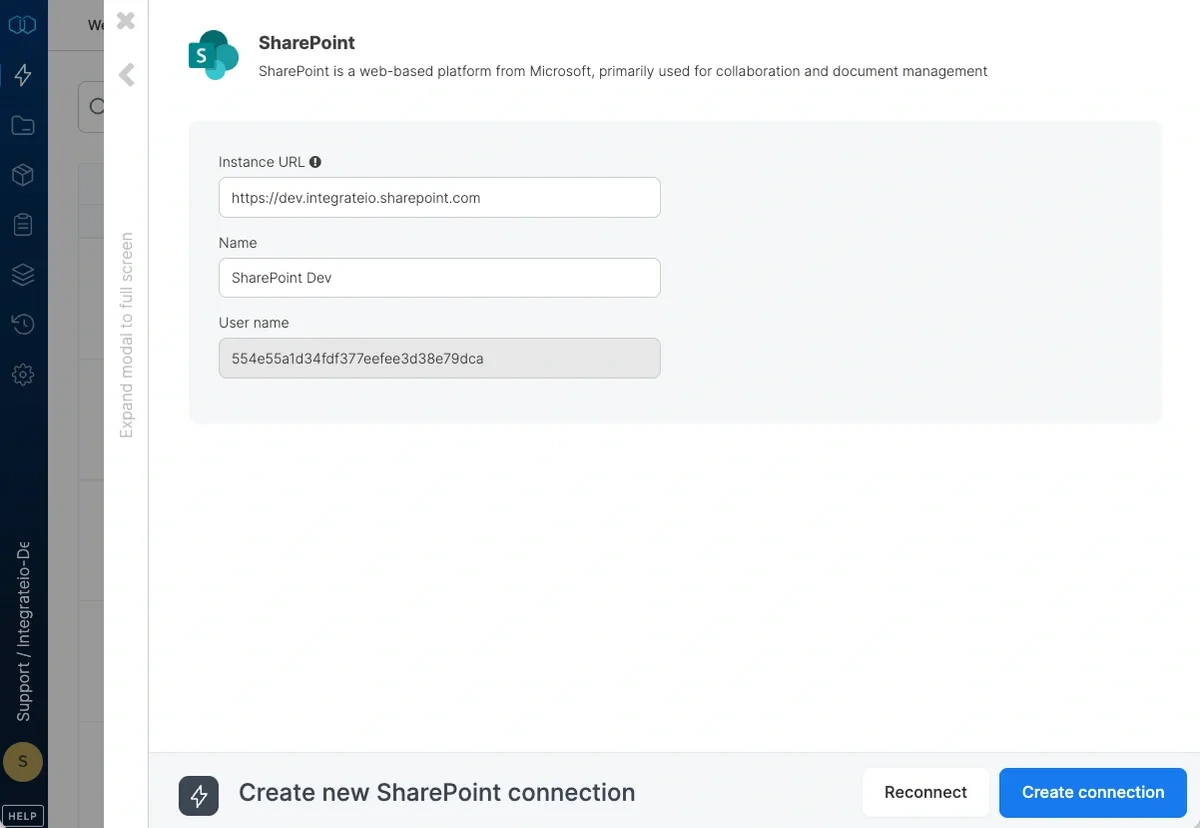
9
Click Create Account.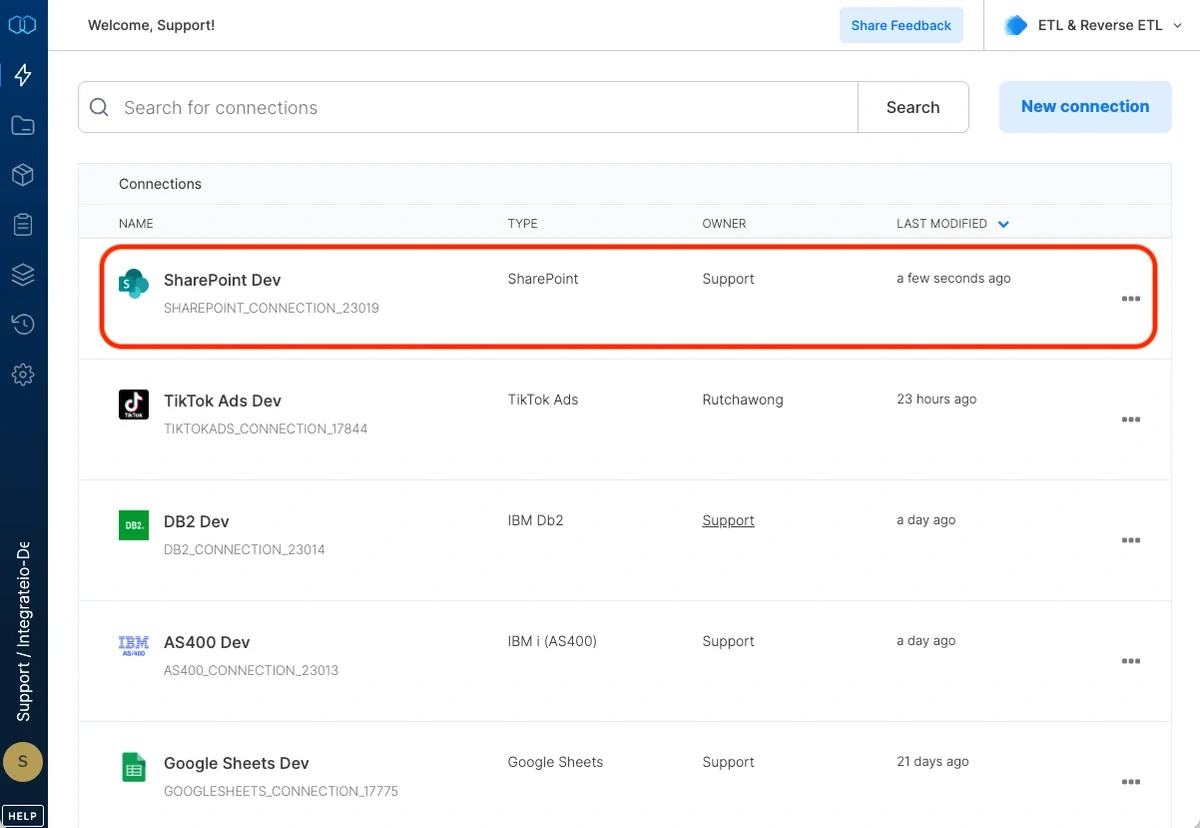
SharePoint Source Component
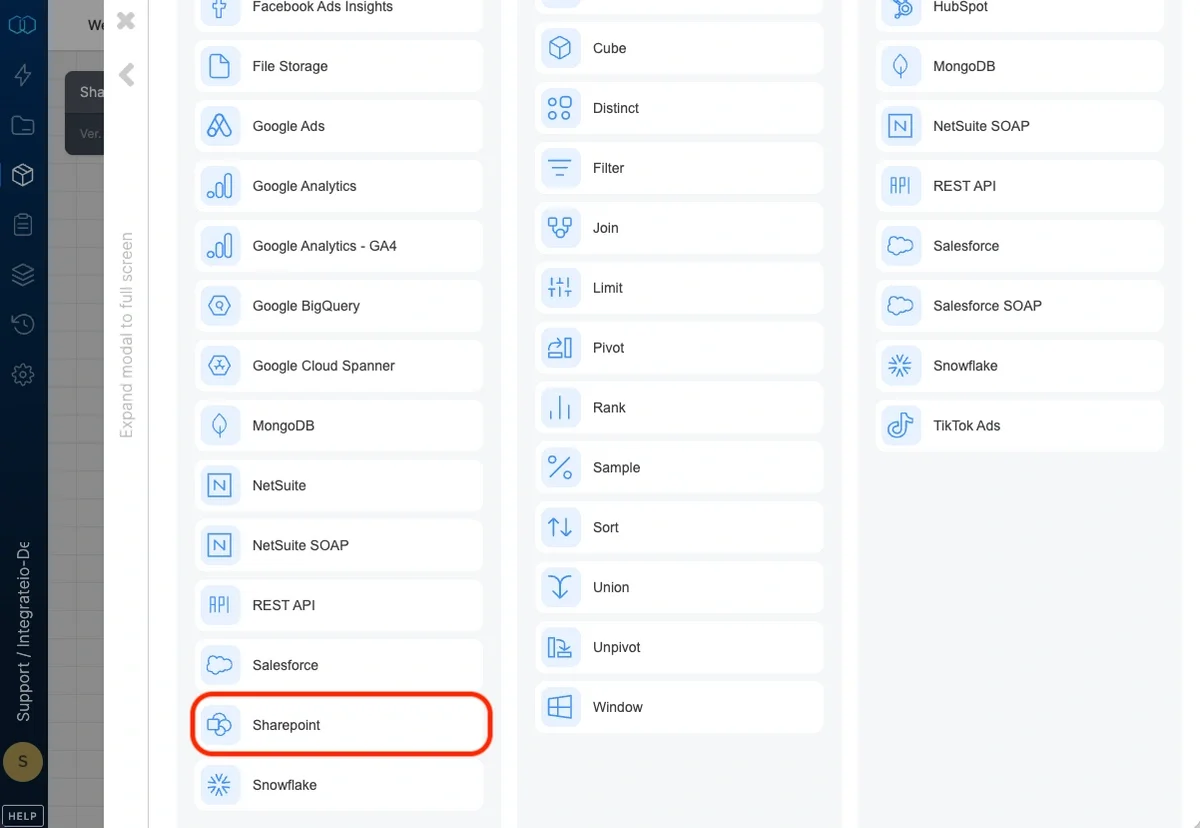
Choose input connection
Select a valid Sharepoint connection from the connections list.Source Properties
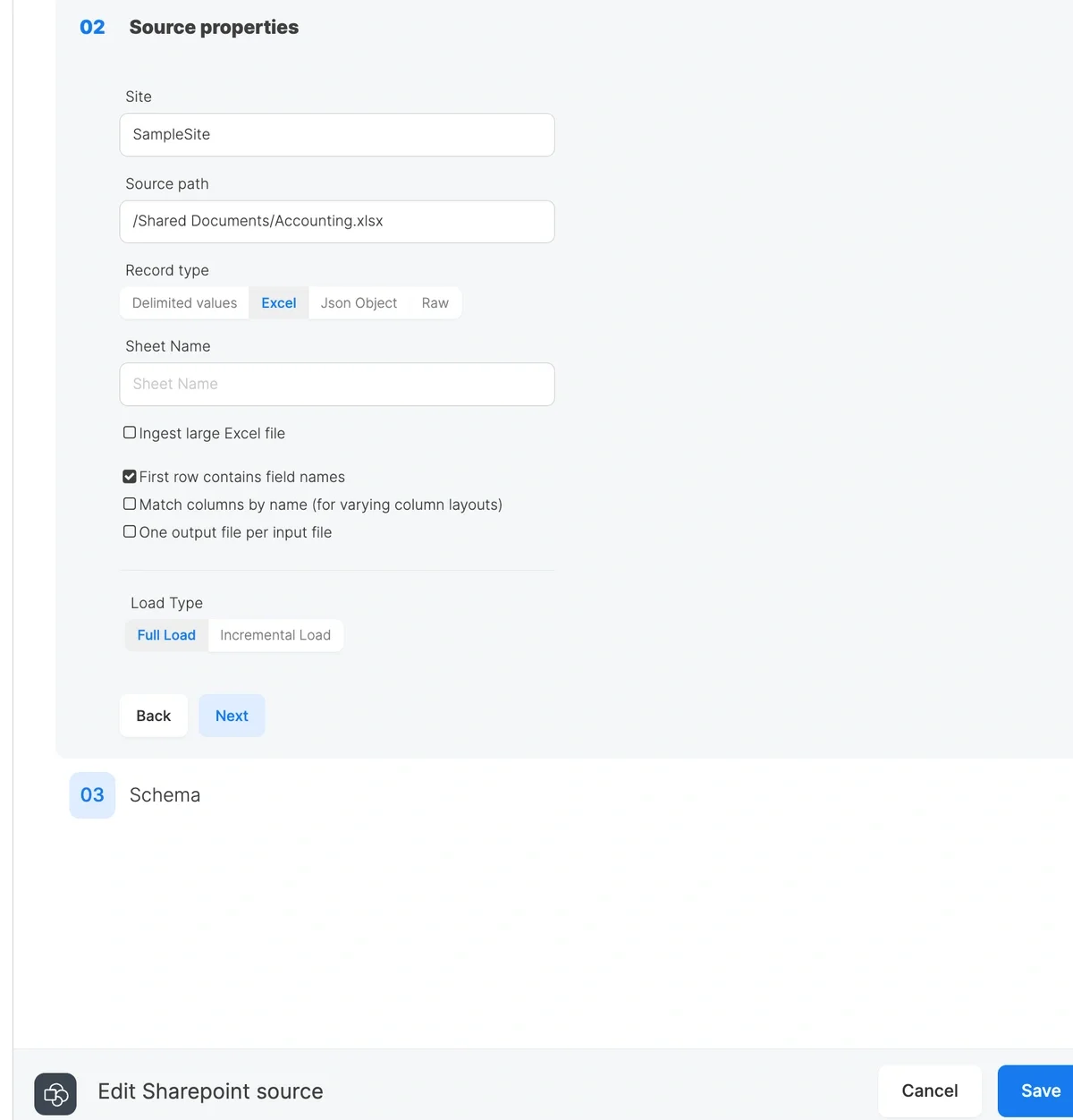
- Site - property indicates a Sharepoint site which contains needed files. You can find the current site in your browser’s URL. It should have the following format: https://<company subdomain>.sharepoint.com/sites/<my_site_name>. Only the site name should be specified in the related input. https://<company subdomain>.sharepoint.com was already specified in the Sharepoint connection.
- Source path - property holds a path to a file/files. It can point to a concrete file or a number of files that can be matched with path patterns.
- If a concrete file should be matched, source input must have the following format: /<library>/<nested directories>/<file>.<extension>.
- If there are multiple files that have the same schema they can be merged and loaded using the following special characters:
- * - matches any number of any characters, including none. For example, *.csv matches all files ending in .csv. Any part of file path might be replaced with *.
- ** - matches any number of directories recursively. For example if file is located in /Shared Library/dir1/dir2/dir3/data.csv it can be matched like /Share Library/**/data.csv or **/data.csv.
- Record type - defines a file type that should be loaded.
- Delimited values - the files like csv, tsv or with any custom delimiter
- Excel - Microsoft excel files. Specify a Sheet Name to read a single sheet, or leave it blank to combine all sheets (all sheets must share the same schema). Enable Ingest large Excel file to use streaming mode for large workbooks.
- Json Object - files with json data
- Raw - any format, but should be further parsed with Integrate.io available functions
- Load Type - indicates how to load records:
- Full Load - loads all the data that source files have
- Incremental Load - loads files newer/older than specified date
Header detection
For delimited and Excel files with a header row, you can enable Detect header by name to locate the header dynamically by matching your schema column names. Use this when the header isn’t always on row 1 (for example, files with a leading title or blank rows).- For delimited files, the full schema header must still appear in column order in each file.
- For Excel files, the option also matches columns by name, so the header can be on any row and the columns can be in any order. Schema preview reads from the file specified in Schema file path.
Schema
Represents a view of sample data and properties parsed from the specified files. You can select needed properties and data types for further processing.When streaming with a sheet name (Ingest large Excel file enabled and Sheet Name set), date cells come through as Excel serial numbers (e.g.
45306) instead of formatted dates. Declare those columns as int or decimal in your schema, or transform them downstream.