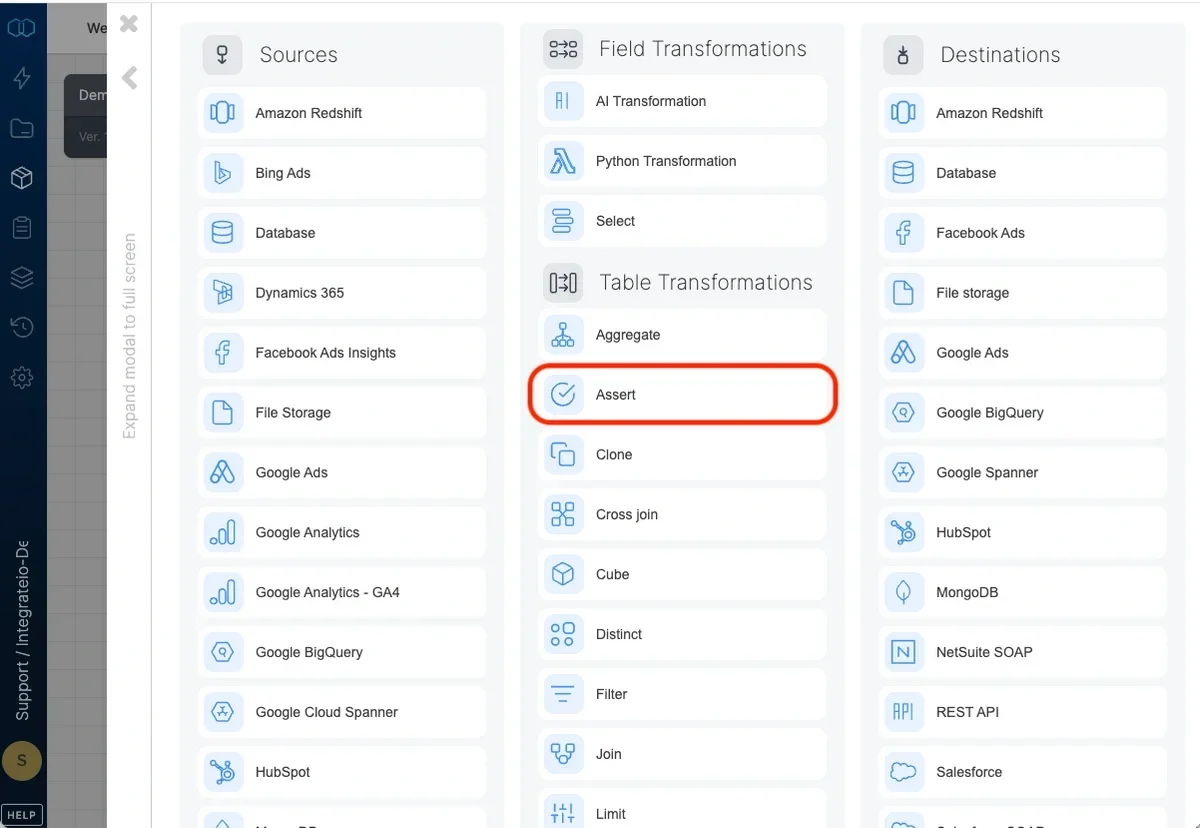
Assert component configuration panel

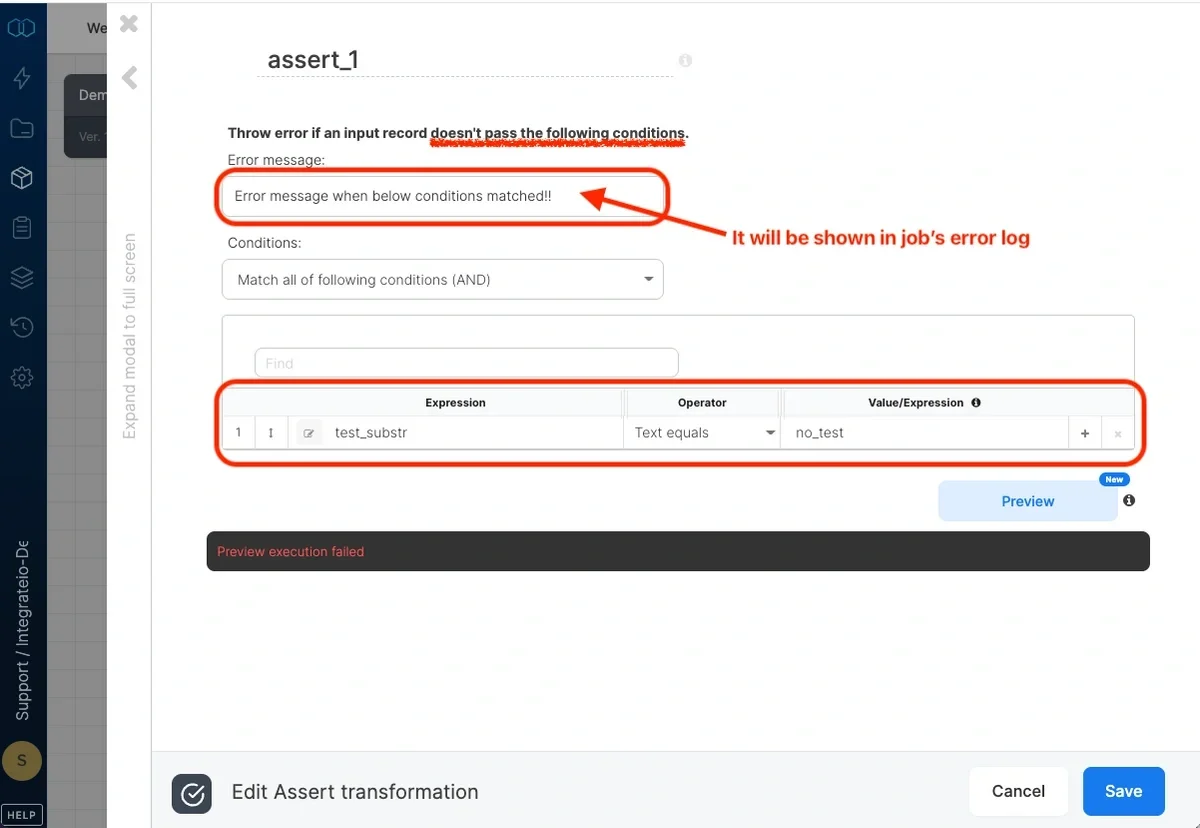
Error message

Type the error message that will be thrown to the log if a record does not comply with the conditions you specify below.
Error message field for failed assertion conditions

Conditions

Logical operator

By default, a record must match all the conditions.
  • Match all of the following conditions (AND) - selects records with values that meet all conditions specified (logical “AND”)
  • Match any of the following conditions (OR) - selects records with values that meet at least one of the conditions specified (logical “OR”)
  • Match none of the following conditions (NOT) - selects records with values that doesn’t meet any of the conditions specified (NOT ( … OR …))

Specifying conditions

Each condition comprises of an expression (or field), a comparison operator, and possibly another value or expression to compare with (depending on the operator).
  • Expression (left-hand) - In the drop-down list on the left, select a field or edit an expression. (You can read more about expressions and functions).
  • Operator - Select the operator from the following list:
    OperatorDescription
    text equalsThe expression on the left must be equal to the string value on the right. The text should not be enclosed in quotes or escaped.
    text not equalsThe expression on the left must not be equal to the string value on the right. The text should not be enclosed in quotes or escaped.
    text matchesThe expression on the left must must match the regular expression string value on the right. The text should not be enclosed in quotes or escaped. For example, matching a string field with .*dog.* would pass any string that contains the string dog: dog, dogs, adogmatic
    text is emptyThe expression on the left must be empty.
    text is not emptyThe expression on the left must not be empty.
    =The expression on the left must be equal to the expression on the right.
    !=The expression on the left must not be equal to the expression on the right.
    >The expression on the left must be greater than the expression on the right.
    >=The expression on the left must be greater than or equal to the expression on the right.
    <The expression on the left must be less than the expression on the right.
    <=The expression on the left must be less than or equal to the expression on the right.
    is nullThe expression on the left must be null.
    is not nullThe expression on the left must not be null.
    is trueThe expression on the left must true - especially useful when left hand side is a complex expression.
  • Value/Expression - with text operators, type the text or pattern to compare to. With other operators, pick a field or edit an expression.

Assert sample

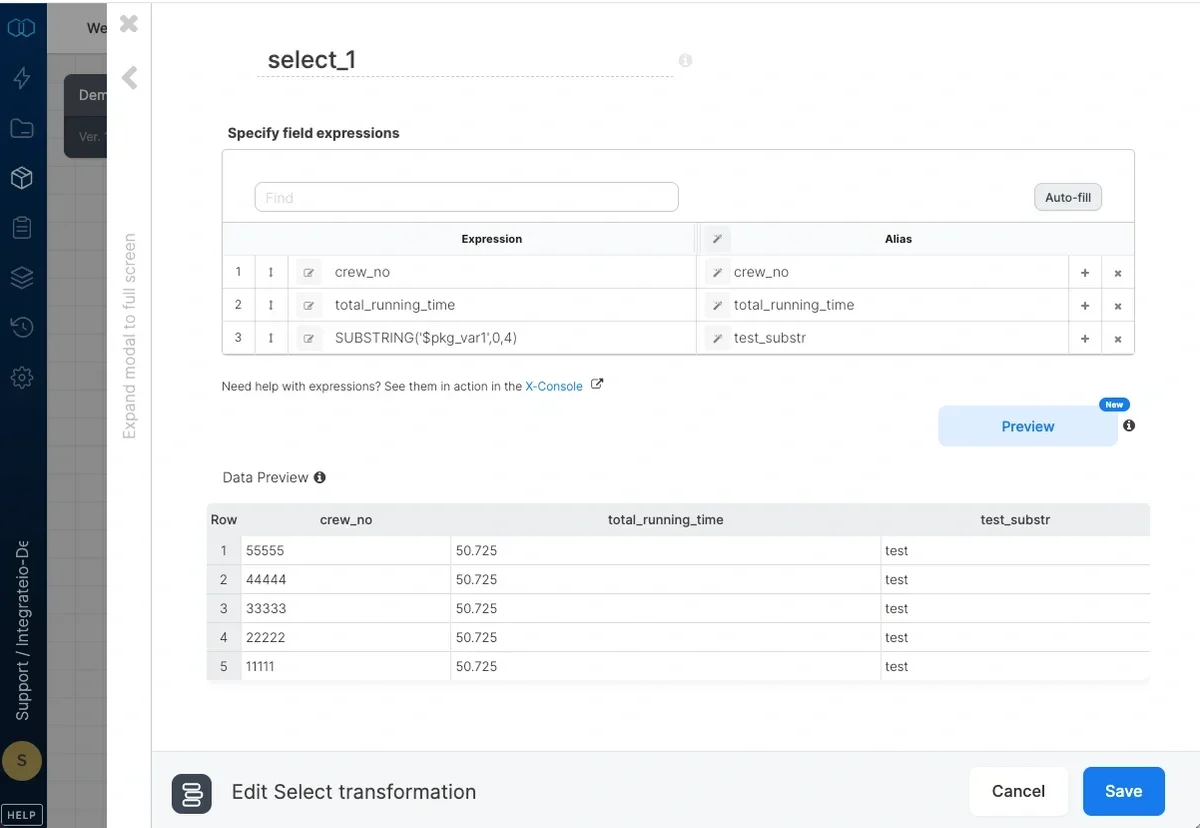
  1. Set target sample data
    Target sample data configured for assert testing
  2. Set error message and assert condition
    Assert error message and condition configured
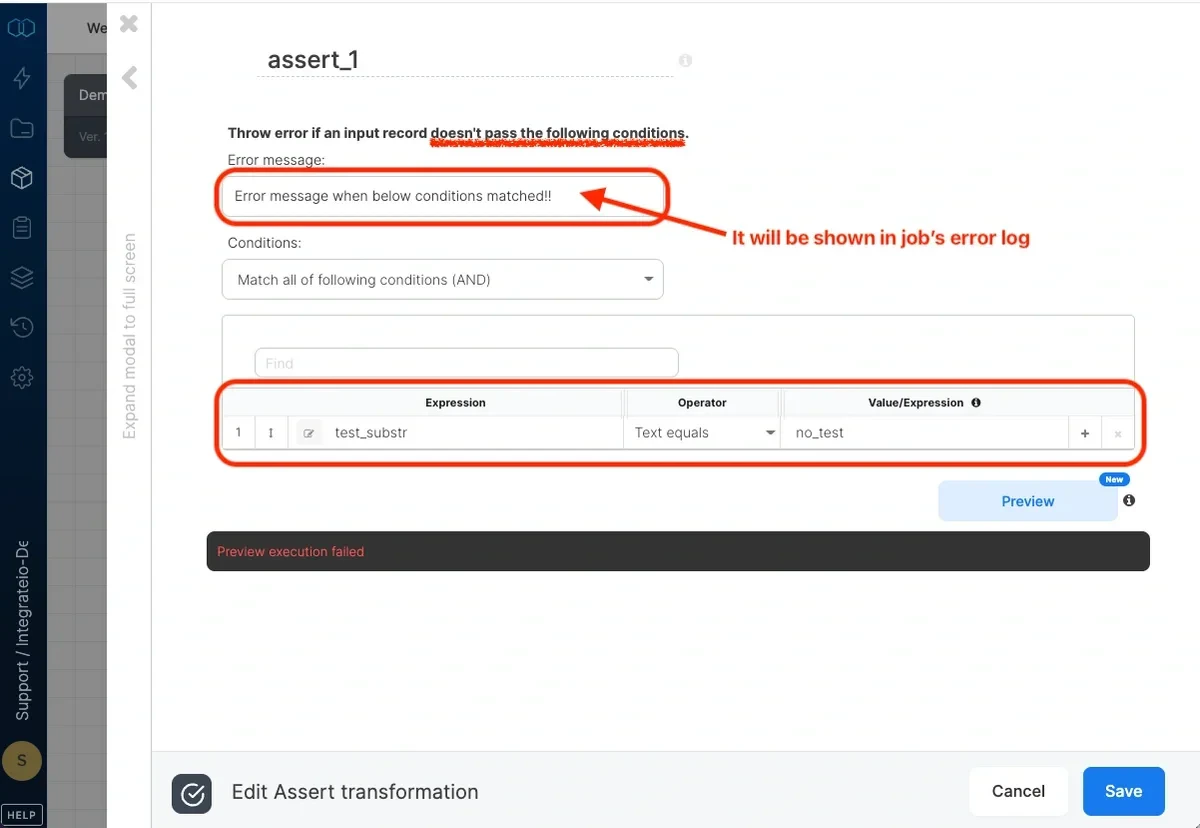
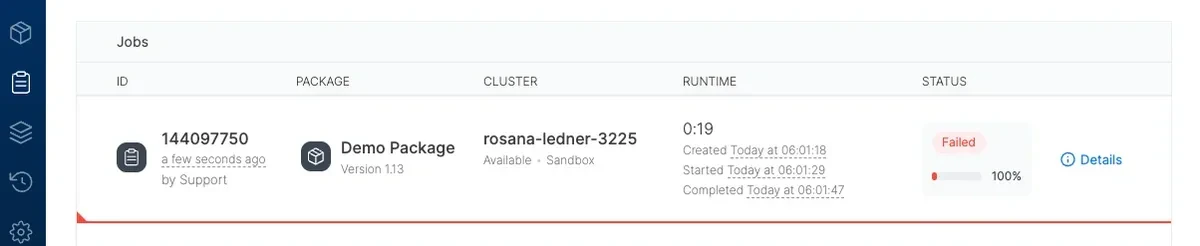
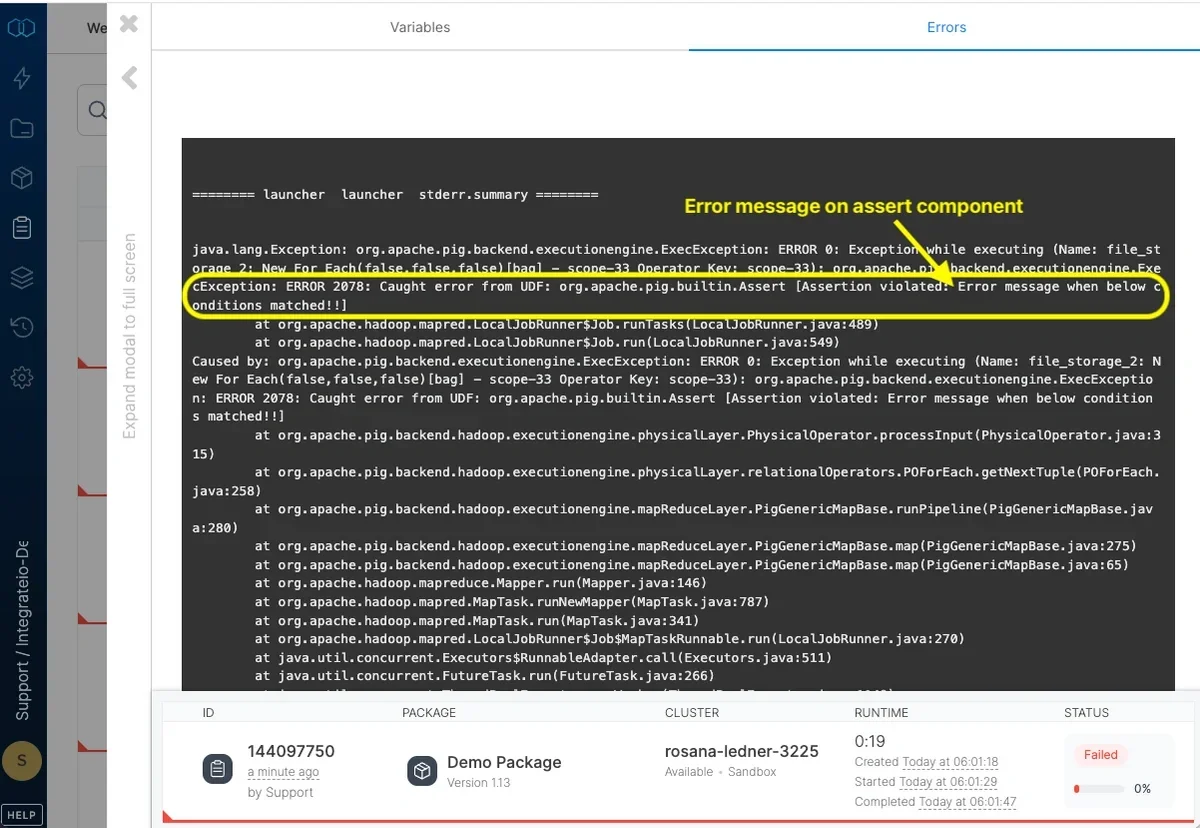
  3. Assert triggered & error message in error log
    Assert triggered showing job failure
    Error message displayed in the job error log
Last modified on April 20, 2026