- Create a user and grant it minimum permissions required for Integrate.io ETL to read or write data from the database.
- Add rules in your database firewall to allow access for Integrate.io ETL’s IP addresses. Add a rule for each IP relevant to your account’s region using this list (Refer to this article if you’d prefer to create an SSH tunnel or reverse SSH tunnel.)
To create an Azure SQL database connection in Integrate.io ETL
1
Click the Connections icon (lightning bolt) on the top left menu.
2
To create a connection, click New connection.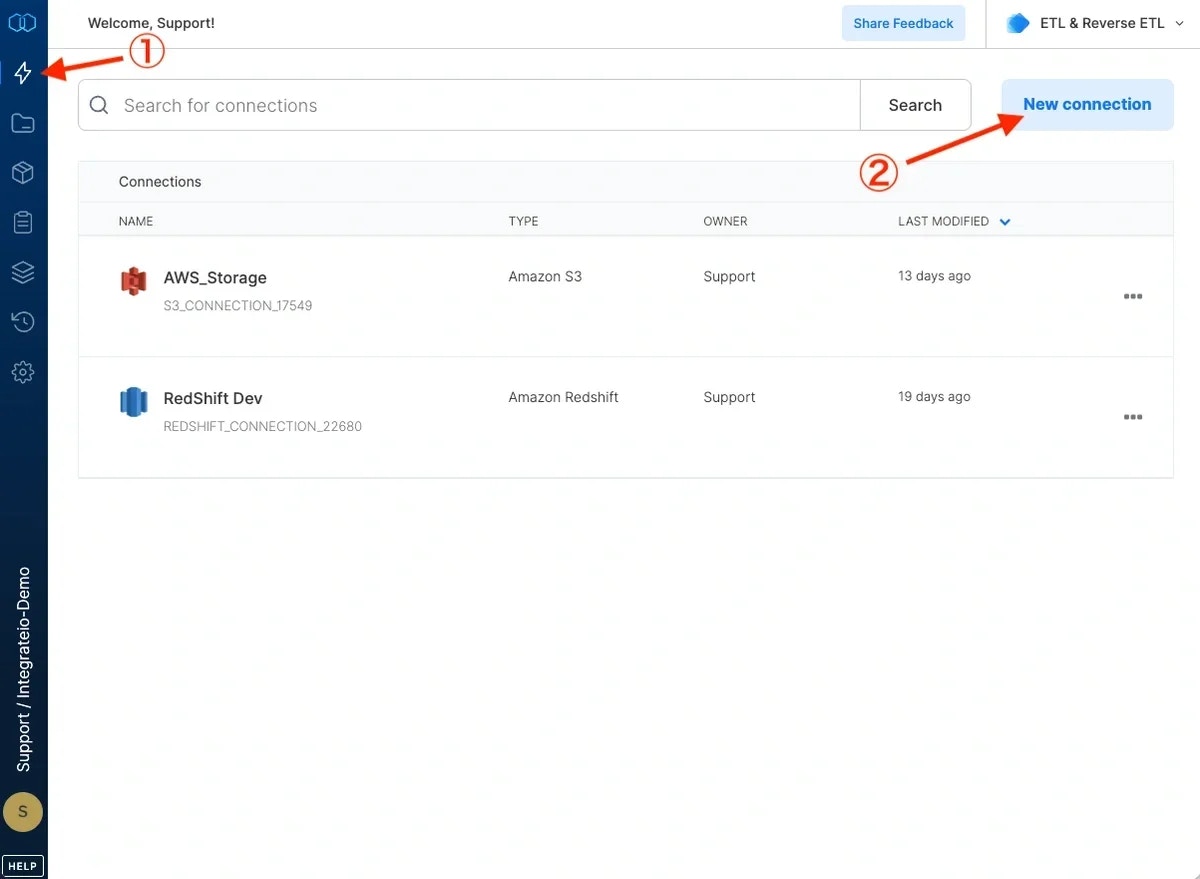
3
Select Azure Synapse Analytics.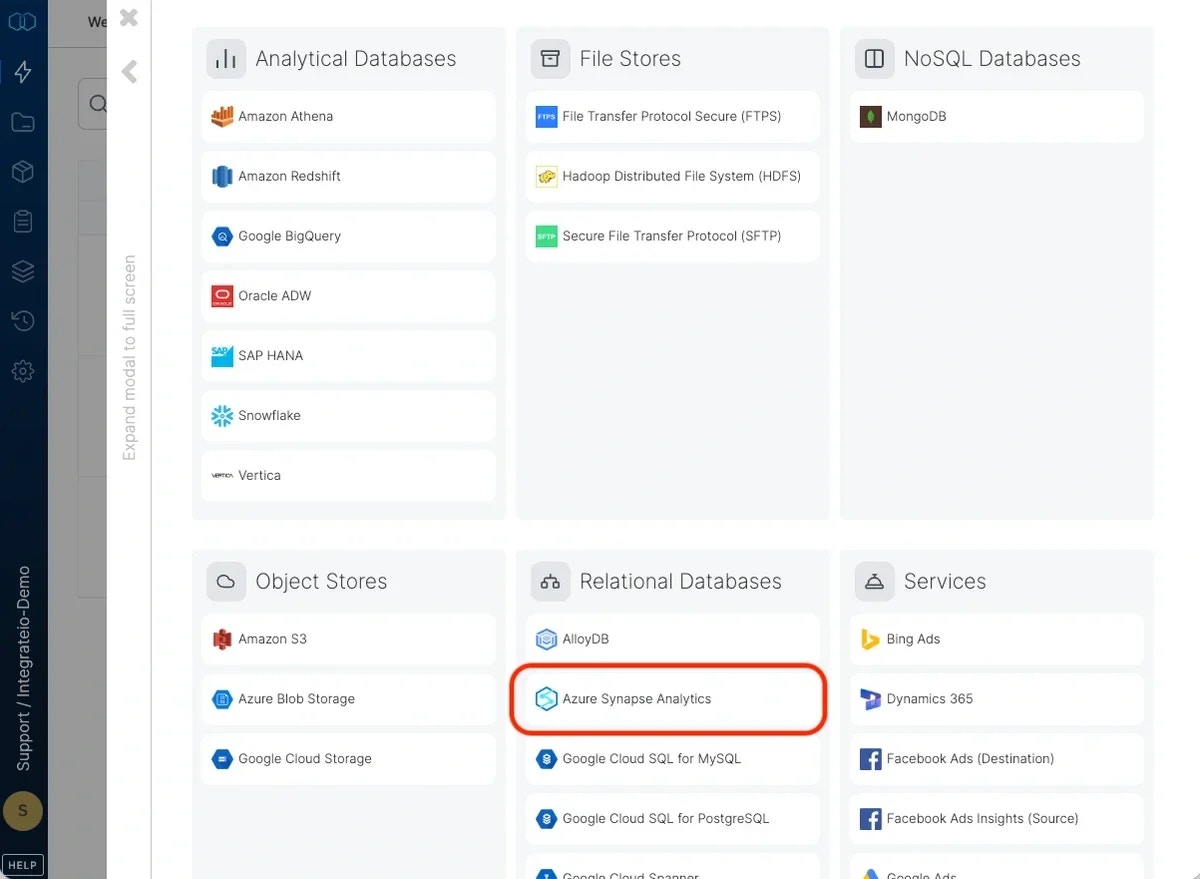
4
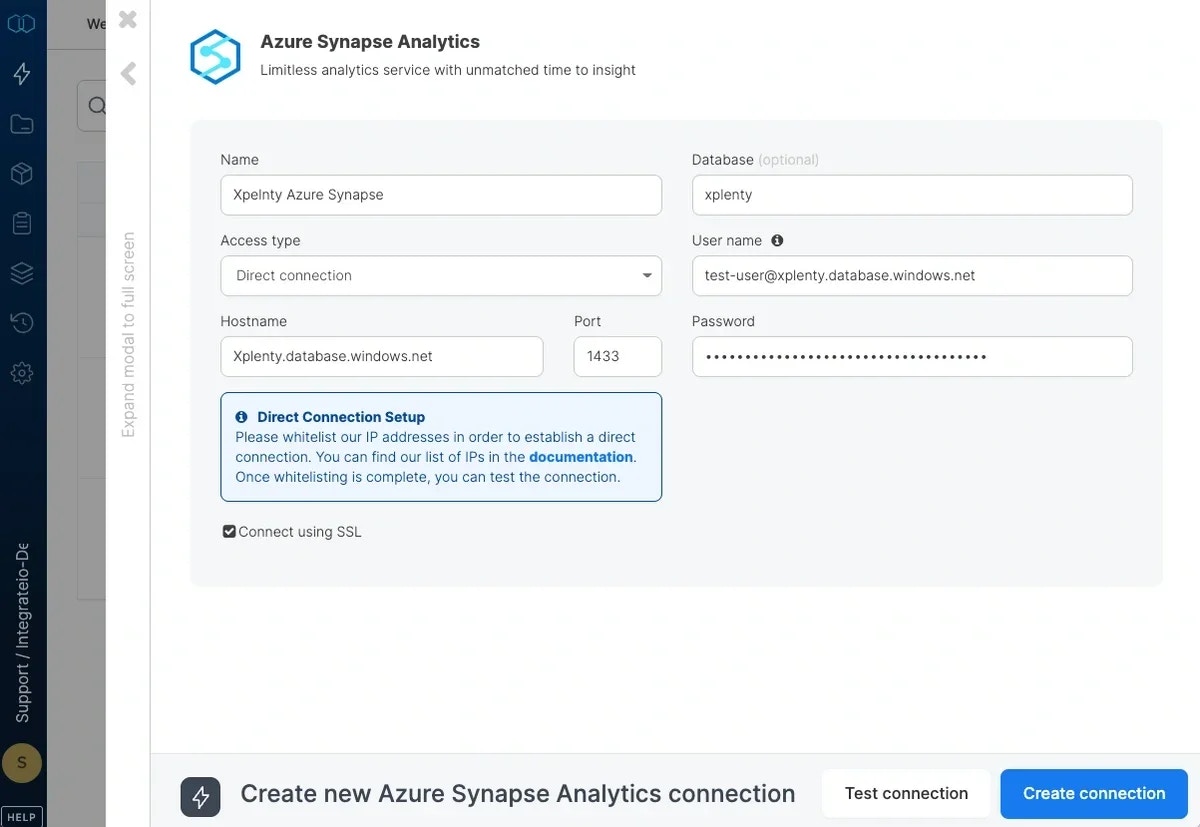
Enter your Azure SQL database server name as the host name.
5
Use the pattern user@server_name as the user name. Replace user with the user designated for Integrate.io ETL and server_name with your Azure SQL database server name.
6
Enter the user’s password.
7
Enter the database name.
8
Click Test Connection to make sure the connection details are correct.
9
Click Create connection to create the connection.