1
Add rules in your database firewall to allow access for Integrate.io ETL’s IP addresses. Add a rule for each IP relevant to your account’s region using this list. (Note: We only support “Default” connection policy on Azure SQL/Synapse Analytics)
2
Add a SQL Server connection to your account.
3
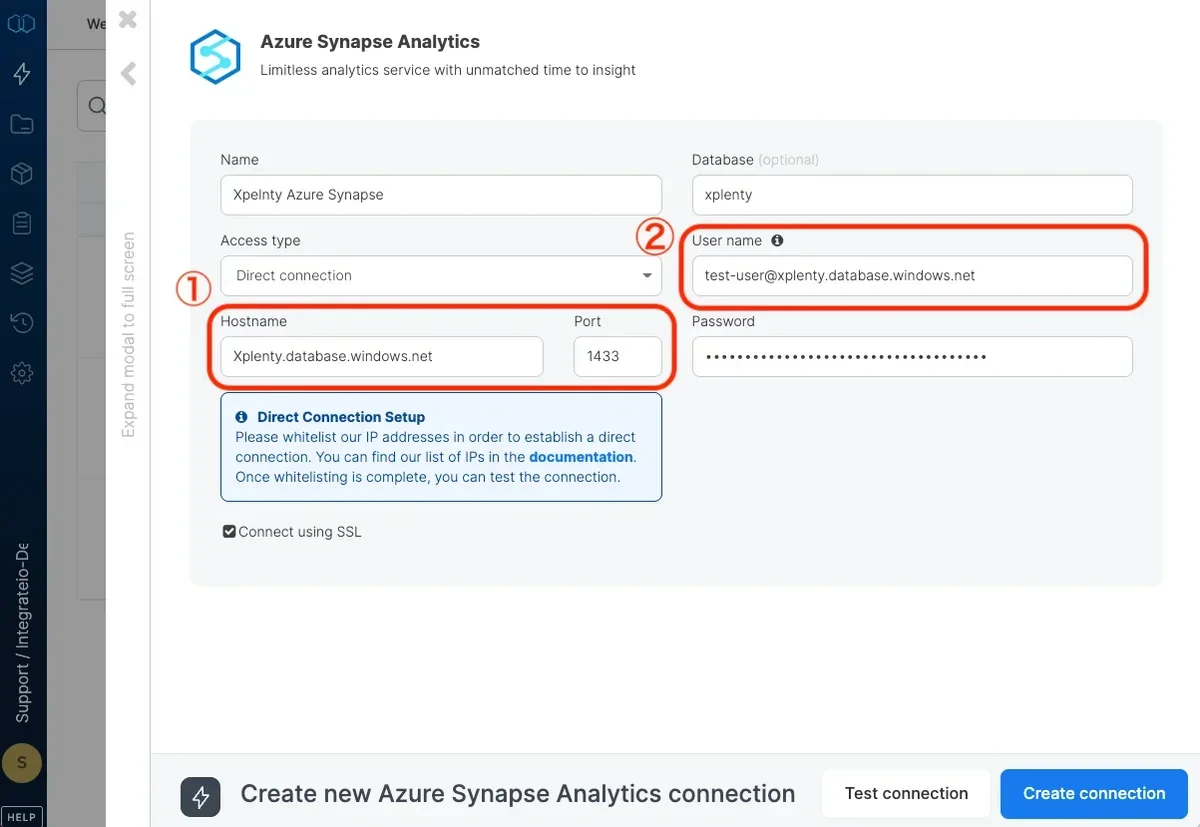
Enter your Azure SQL database server name as the host name.
4
Use the pattern user@server_name as the user name. Replace user with the user designated for Integrate.io ETL and server_name with your Azure Synapse Analytics server name.
5
Enter the user’s password.
6
Enter the database name.
7
Click Test Connection to make sure the connection details are correct.
8
Click Create connection to create the connection.