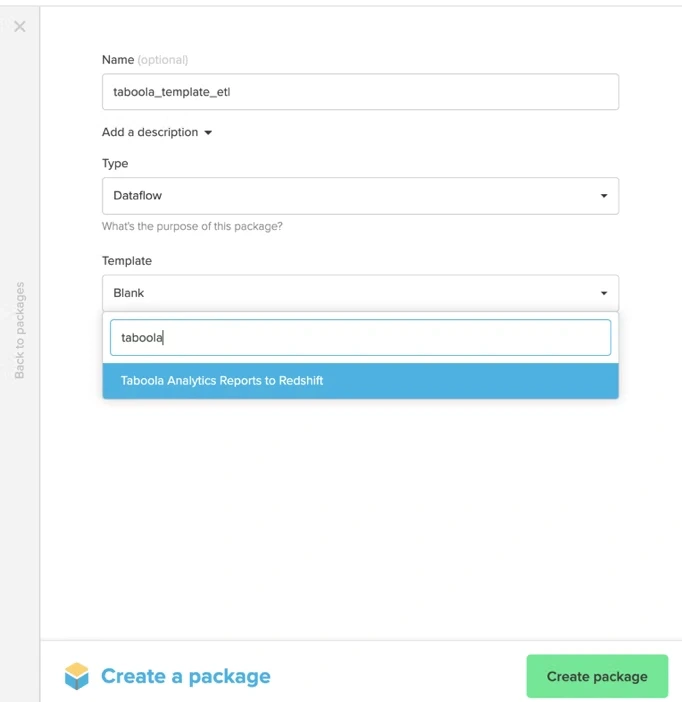
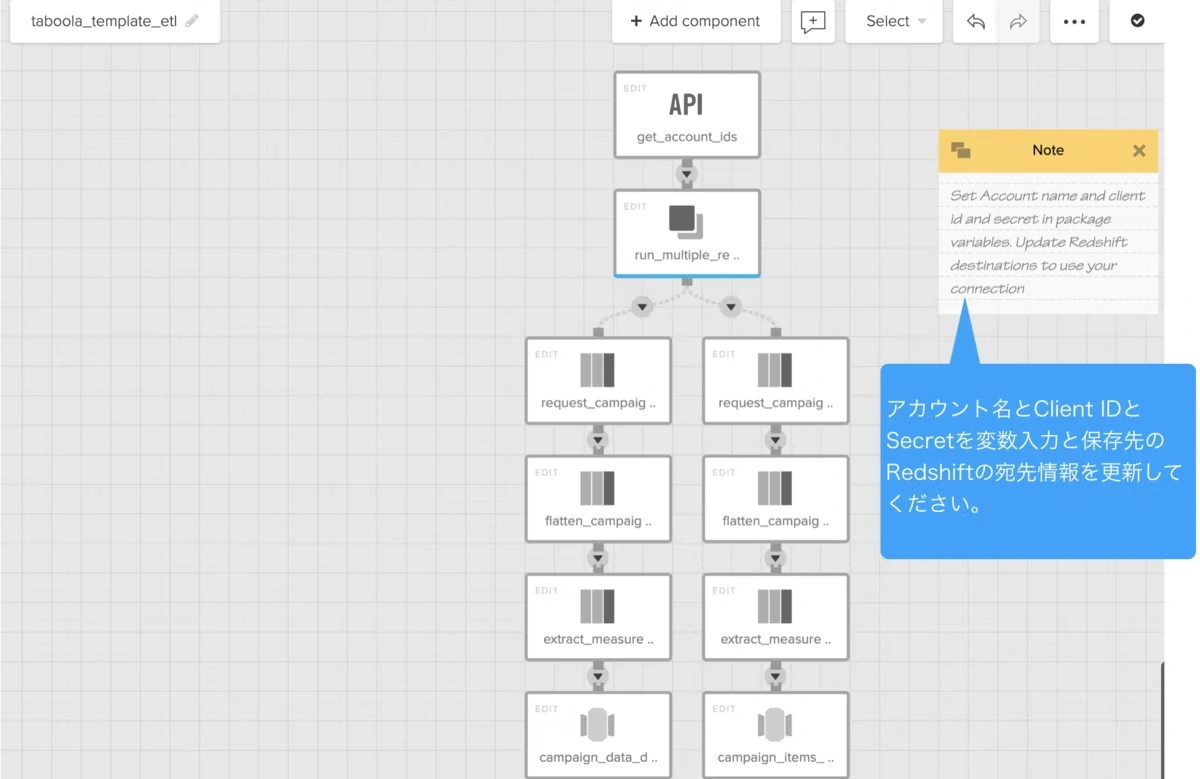
Taboola 나 Appsflyer , Yotpo , Similarweb 등 한국 및 일본에서도 많이 익숙해진 제품의 데이터에 대해서도 Xplenty를 사용함으로써 이미 DWH나 데이터베이스, 스토리지 등에 쉽게 통합할 수 있습니다. 이번에는 Xplenty를 사용하여 Taboola 데이터를 다른 데이터베이스에 저장하는 절차를 소개합니다. Taboola 소개 Xplenty 통합 페이지 에서 Taboola 소개를 보면, Taboola is a discovery-driven content marketing service for both advertisers and publishers that is designed to offer visitors highly personalized external content while they engage with a publisher’s website. Taboola accomplishes this level of personalization through a predictive analysis engine that looks at a wide range of data points, including demographic data, browsing history, purchase history, etc. Then, it chooses and displays the discovery links that are most likely to engage those visitors, thereby increasing the likelihood of conversion. 라고 되어 있습니다. Taboola는 광고주와 Publisher 모두에게 Discovery Liven의 콘텐츠 마케팅 서비스를 제공하는 회사입니다. 다양한 데이터를 통해 디지털 컨텐츠 표시의 개인화를 실현하고 있습니다. 이번에는 데이터 연계의 관점에서 Taboola를 사용하는 광고주(Advertiser)에게 중요한 캠페인 데이터를 Redshift 데이터베이스에 어떻게 연동할 수 있는지 소개합니다. (물론 다른 데이터베이스, 데이터 웨어하우스, 심지어 스토리지 서비스와도 연동 가능합니다.) Taboola의 캠페인 데이터는 Facebook Ads 및 Google Ads와 같은 인기있는 광고 플랫폼의 실적 데이터와 마찬가지로 API로 데이터를 검색 할 수 있습니다. 또한 데이터 연동에 Xplenty가 가진 Taboola 데이터 통합을 위해 준비된 템플릿을 사용하여 광고주는 타보ola 캠페인 데이터를 쉽게 추출하여 다른 DWH와 DB에 연동할 수 있습니다. 합니다. 그렇다면 얼마나 쉽게 실현할 수 있는지 살펴 보겠습니다. Xplenty 템플릿: Taboola ==> Redshift Xplenty의 패키지 작성 화면에서 템플릿 목록에 “Taboola”를 입력하면 “Taboola Analytics Reports to Redshift”라는 템플릿을 찾을 수 있으므로 이를 선택하고 패키지를 만듭니다. 만약 Redshift가 아닌 다른 데이터베이스나 스토리지 서비스가 좋다면, 목적지의 컴퍼넌트를 바꾸는 것만으로, 대상을 다른 것으로 변경하는 것도 간단하게 할 수 있습니다. [Documentation Index
Fetch the complete documentation index at: https://www.integrate.io/docs/llms.txt
Use this file to discover all available pages before exploring further.