

Prerequisites
- A Pipedrive account.
- A personal API token, found in Pipedrive under Settings → Personal preferences → API.
Connection setup
1
Go to Connections → New connection → Pipedrive.
2
Enter a Name and paste your API Token. The fields are described below.
3
Click Test connection. The test reads the Pipedrive user that owns the token.
4
Click Create Connection.
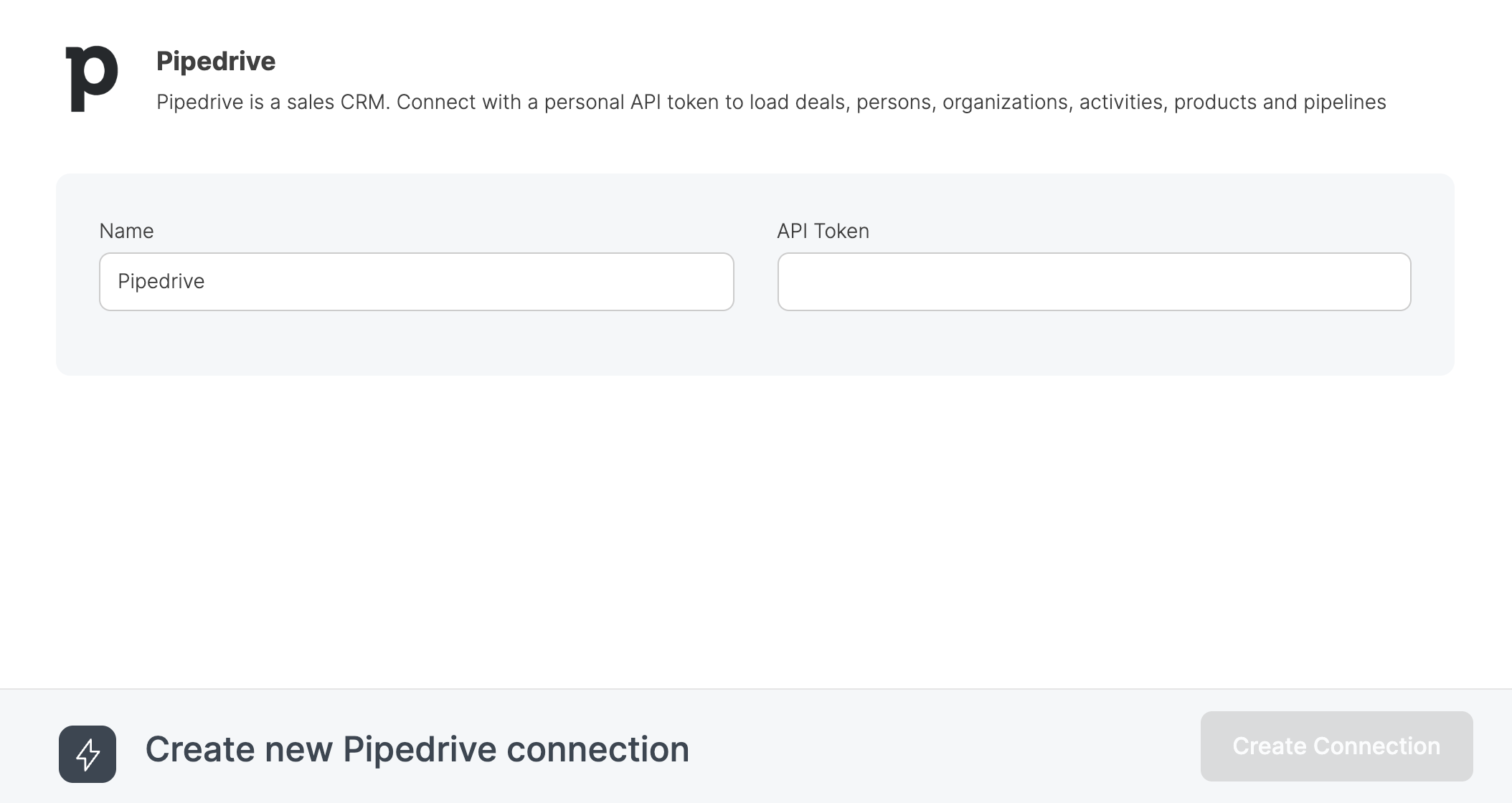
Pipedrive OAuth connections are no longer offered for new connections. Existing ones still load and appear as Pipedrive (OAuth, legacy). Create a Pipedrive API token connection to use the Pipedrive source component.
x-api-token header for those components too.
Source properties
The source component is configured in Step 02 of the component editor.Source table (object)
Select the Pipedrive object to read data from:
The
deals object does not include archived deals. Load archived_deals to read them. Each archived_deals request uses twice as much of your daily Pipedrive API budget as a deals request.
The *_fields objects return the definitions of your Pipedrive fields, including custom field names and their options. Use them to look up custom field keys and option IDs.
Integrate.io reads 500 records per page and stops after 10,000 pages, which is 5 million records per object. The job does not fail when it reaches that limit, so load larger histories in incremental windows.
Load type
Select how records are loaded on each pipeline run:- Full Load. Fetches all records for the selected object on every run.
- Incremental Load. Fetches only records updated before or after a reference date. Not available for
pipelines,stages, and the*_fieldsobjects, because Pipedrive’s endpoints for them don’t accept an update time filter.
Incremental load settings
When Incremental Load is selected, the following options appear: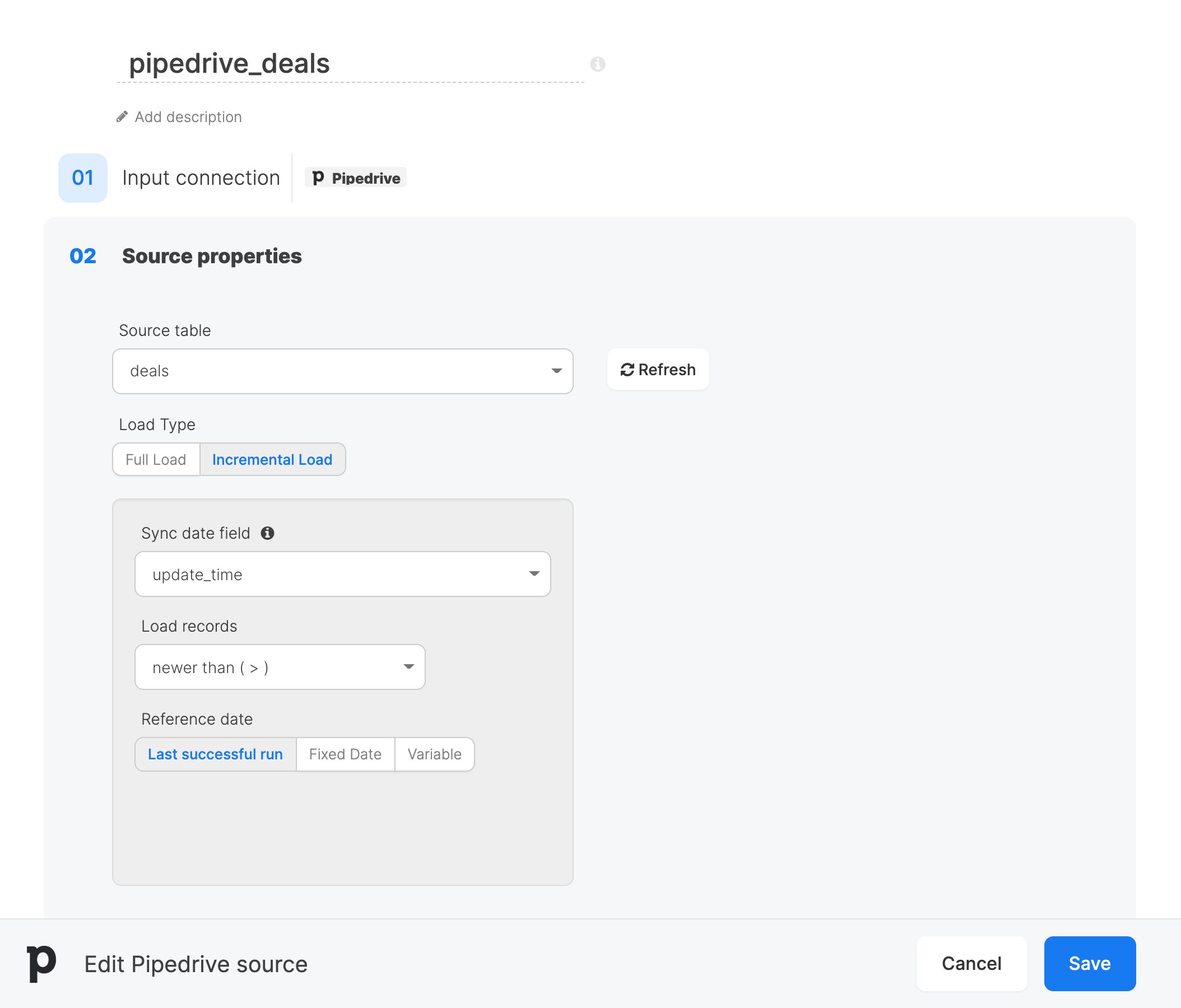
newer than ( > ) also returns records updated in the same second as the reference date, so a record can be loaded twice across runs. Use a merge or upsert in your destination to avoid duplicates. older than ( < ) leaves out records updated in that second.
Rate limits
Pipedrive limits each API token to 20 requests per 2 seconds, shared with your other Pipedrive integrations. Integrate.io sends at most 8 requests per second. When Pipedrive returns HTTP 429, Integrate.io retries the request up to eight times with increasing backoff.Source schema
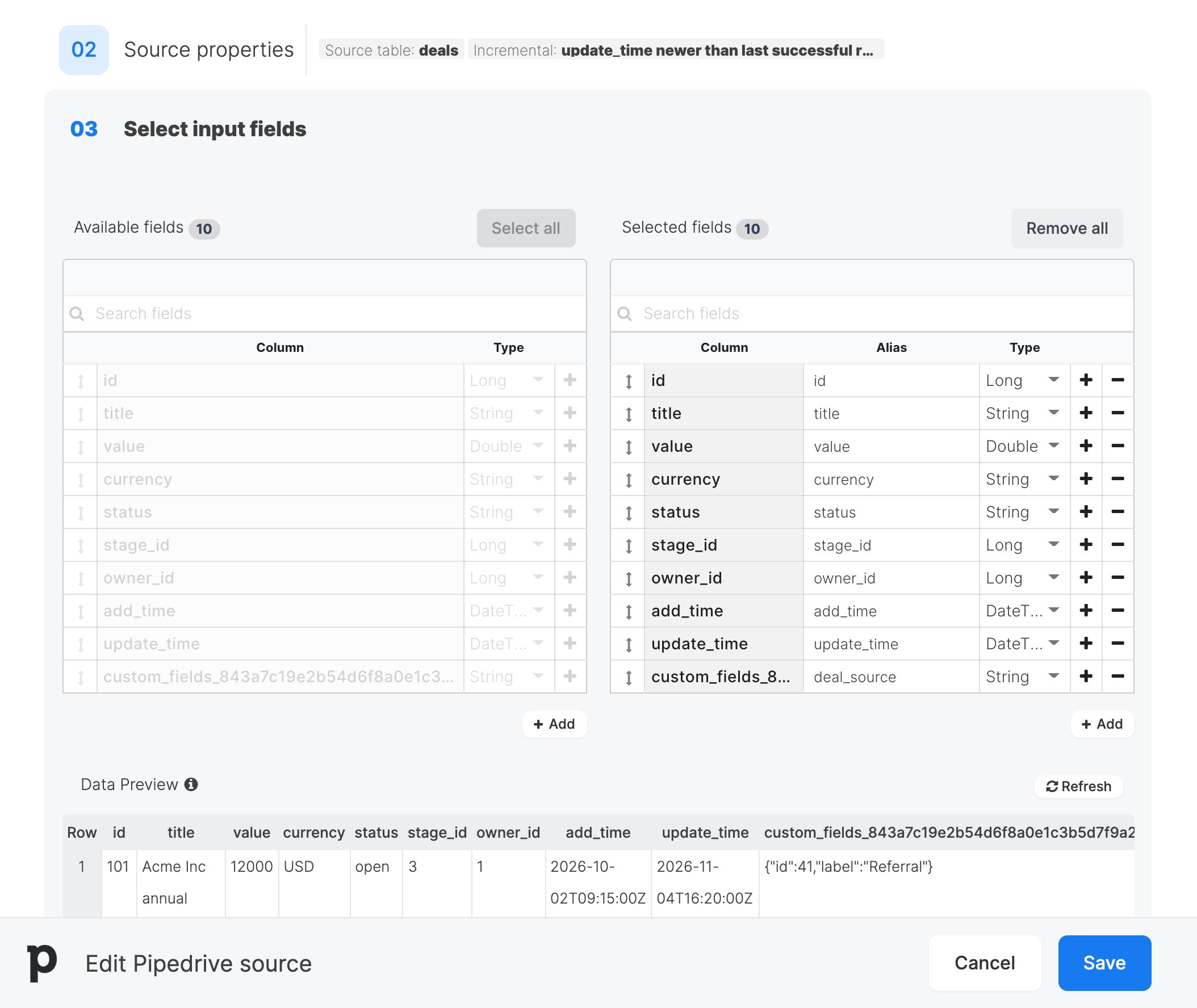
After configuring the source properties, the Schema section (Step 03) displays the available fields with their detected data types. Use the field selector to choose which columns to include in your pipeline. You can rename fields with aliases and change data types as needed. Nested JSON objects in Pipedrive responses are flattened into individual columns with underscore-separated names.Custom fields
Pipedrive returns custom fields keyed by a 40-character hash, so each one becomes a column such ascustom_fields_843a.... For deals, archived_deals, persons, organizations, products, and activities, Integrate.io looks up the name you gave the field in Pipedrive and uses it as the default alias. For example, a custom field named “Deal source” gets the alias deal_source.
- An alias that matches a standard column gets a
cf_prefix, such ascf_status. - Custom fields with the same name get a numeric suffix, such as
regionandregion_2. - A field whose name has no Latin letters or digits keeps its hash column name.
deals, persons, and organizations, single and multiple option custom fields contain JSON with the option ID and label, such as {"id": 41, "label": "Enterprise"}. Other objects, including archived_deals, return the option ID only. Load the matching *_fields object to map option IDs to labels.
FAQ
Q: Why are some deals missing? Thedeals object does not return archived deals. Add a second source that loads archived_deals. The connection also reads only the records that the token’s Pipedrive user can see.
Q: Can I load products incrementally with older than ( < )?
No. Pipedrive’s products endpoint has no “updated until” filter, so only newer than ( > ) is offered, and package validation rejects any other direction.
Q: Does renaming a custom field in Pipedrive break my pipeline?
No. The pipeline reads the custom field’s hash column, which never changes. Only the default alias that the schema step suggests changes.